การแนะนำ
The TechniSat DIGITRADIO 371 IR is a comprehensive audio system designed for versatile listening experiences. It combines traditional radio reception (DAB+, FM) with modern internet radio capabilities, Bluetooth audio streaming, and USB playback. Additionally, it features a convenient wireless charging function for compatible smartphones and a clear color display. This manual provides essential information for setting up, operating, and maintaining your device to ensure optimal performance and enjoyment.
คุณสมบัติหลัก
- Digital Radio Reception: Enjoy clear, noise-free radio via DAB+ and traditional FM radio with RDS and PLL.
- อินเตอร์เน็ตวิทยุ: Access thousands of radio stations worldwide via integrated Wi-Fi connectivity.
- การสตรีมเสียงบลูทูธ: Wirelessly stream music from your smartphone or tablet.
- การชาร์จแบบไร้สาย: Conveniently charge compatible smartphones using the integrated wireless charging pad.
- USB Playback & Charging: เล่น MP3 files from a USB stick and charge external devices via the USB port.
- ช่องรับสัญญาณเสียงเข้า: Connect external audio sources using the auxiliary input.
- การแสดงสี: A 2.4-inch TFT color display provides clear information and is adjustable for brightness.
- เสียงสเตอริโอ: Equipped with 2 x 5 Watt stereo speakers and an equalizer for fine-tuning audio.
- ตัวเลือกการควบคุม: Operate the device using the on-unit buttons, rotary knobs, included remote control, or the UNDOK/OKTIV app.
- ฟังก์ชั่นนาฬิกาปลุก: Features a comprehensive alarm clock with alarm, sleep timer, and snooze functions.
การตั้งค่า
การเปิดออกและการตรวจสอบเบื้องต้น
Carefully remove all components from the packaging. Verify that all items listed in the 'Scope of Delivery' are present: the DIGITRADIO 371 IR unit, remote control, and user manual. Inspect the device for any signs of damage during transit. If any components are missing or damaged, contact your retailer.
การเชื่อมต่อไฟฟ้า
Connect the provided power cable to the DC IN port on the rear of the radio and then to a suitable wall outlet. Ensure the power supply matches the voltagเป็นไปตามข้อกำหนดที่ระบุไว้บนอุปกรณ์
การวางตำแหน่งเสาอากาศ
Extend the telescopic antenna located at the rear of the unit for optimal DAB+ and FM radio reception. Adjust its position to achieve the best signal quality.
วิซาร์ดการตั้งค่าครั้งแรก
เมื่อเปิดเครื่องครั้งแรก อุปกรณ์จะนำคุณเข้าสู่ขั้นตอนการตั้งค่าเริ่มต้น โปรดทำตามคำแนะนำบนหน้าจอเพื่อ:
- เลือกภาษาที่คุณต้องการ
- Configure Wi-Fi network settings to enable Internet radio and app control.
- ตั้งวันที่และเวลา

ภาพ: หลัง view of the DIGITRADIO 371 IR, highlighting the telescopic antenna, USB port, headphone jack, and AUX-in port for various connections.
ปฏิบัติการวิทยุ
ควบคุมมากกว่าview
The DIGITRADIO 371 IR can be controlled via the buttons and rotary knobs on the front panel, the included remote control, or the UNDOK/OKTIV smartphone app.
- ปุ่มเปิด/ปิด: Turns the unit on/off or puts it into standby.
- ปุ่มโหมด: Cycles through available audio sources (DAB+, FM, Internet Radio, Bluetooth, USB, AUX-in).
- ปุ่มที่ตั้งไว้ล่วงหน้า: Access stored favorite radio stations.
- ปุ่มปรับระดับเสียง: ปรับระดับเอาท์พุตเสียง
- Tuning/Navigation Knobs: Navigate menus, tune radio stations, and confirm selections.
- ปุ่มข้อมูล/เมนู: Access system settings and display additional information.
- ปุ่มสแกน/เล่น/หยุดชั่วคราว: Initiates station scans or controls media playback.
- ปุ่มย้อนกลับ: กลับไปยังเมนูหรือหน้าจอก่อนหน้า
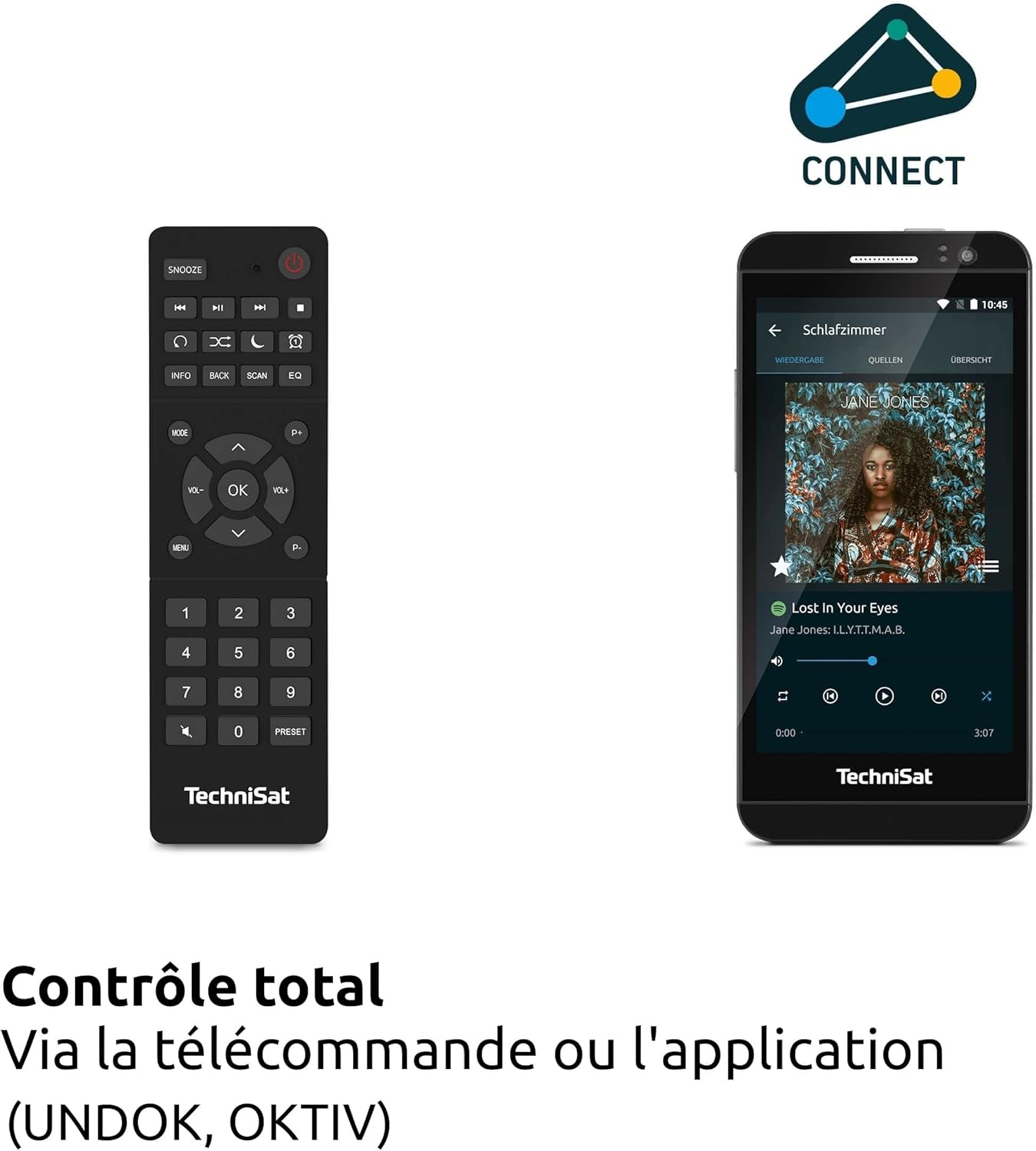
ภาพ: The remote control and a smartphone showing the UNDOK app, illustrating the various control options for the radio.
โหมดวิทยุ (DAB+, FM, วิทยุอินเทอร์เน็ต)
กดปุ่ม โหมด button to select your desired radio source. For DAB+ and FM, the radio will automatically scan for available stations. For Internet Radio, navigate through the menu to browse stations by genre, location, or search for specific stations.

ภาพ: Visual representation of the radio's ability to receive DAB+, Internet Radio, and FM broadcasts, offering a wide range of listening options.
การสตรีมเสียงด้วย Bluetooth
Select Bluetooth mode. On your smartphone or tablet, enable Bluetooth and search for 'DIGITRADIO 371 IR'. Pair the devices. Once connected, you can stream audio from your device to the radio.

ภาพ: A smartphone wirelessly connected to the DIGITRADIO 371 IR, demonstrating the Bluetooth audio streaming feature for playing music from personal devices.
การเล่นและการชาร์จผ่าน USB
เสียบแฟลชไดรฟ์ USB ที่มีไฟล์ MP3 files into the USB port. Select USB mode to browse and play your music. The USB port also functions as a charging port for external devices like smartphones.
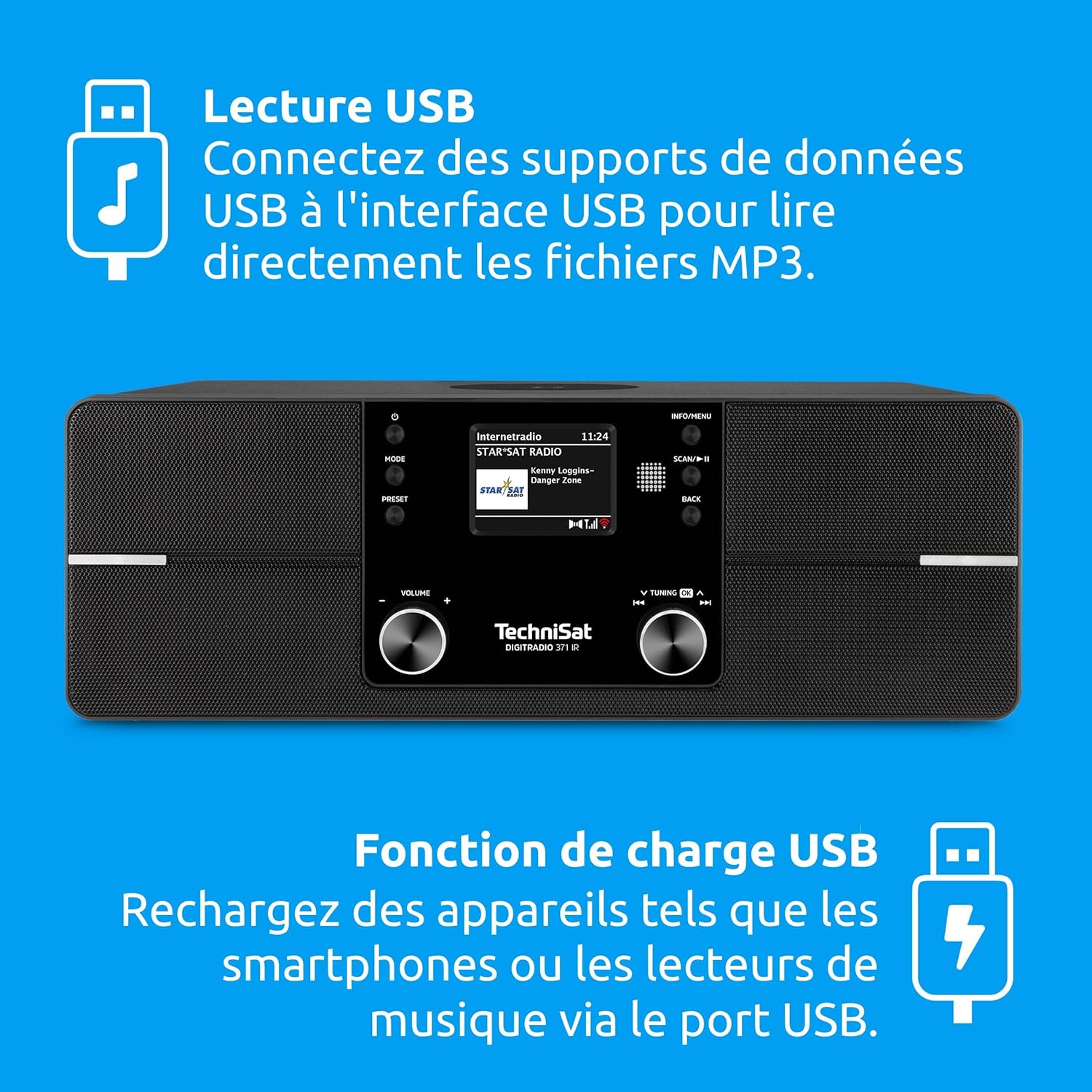
ภาพ: Icons indicating USB playback and charging capabilities, showing how the radio supports playing MP3s from a USB drive and charging devices.
ช่องต่อ AUX-in
Connect an external audio device (e.g., an MP3 player) to the AUX-in port on the rear of the radio using a 3.5mm audio cable. Select AUX-in mode to play audio from the connected device.
ฟังก์ชันการชาร์จแบบไร้สาย
Place your Qi-compatible smartphone on the designated wireless charging area on top of the radio. Ensure the phone is centered for optimal charging. The radio will automatically begin charging the device.

ภาพ: A hand placing a smartphone on the radio's top surface, demonstrating the wireless charging feature for compatible devices.
นาฬิกาปลุกและตัวตั้งเวลาปิดเครื่อง
Access the alarm settings through the menu to set multiple alarms with customizable sources (e.g., buzzer, radio station). The sleep timer allows you to set a duration after which the radio will automatically turn off.
การซ่อมบำรุง
การทำความสะอาด
To clean the radio, gently wipe the surfaces with a soft, dry, or slightly damp cloth. Do not use abrasive cleaners, solvents, or chemical sprays, as these can damage the finish. Ensure the device is unplugged before cleaning.
การอัพเดตซอฟต์แวร์
The DIGITRADIO 371 IR may receive software updates to improve performance or add new features. Check the system settings menu for available updates and follow the on-screen instructions to install them. Ensure a stable internet connection during the update process.
การแก้ไขปัญหา
| ปัญหา | สาเหตุที่เป็นไปได้ | สารละลาย |
|---|---|---|
| ไม่มีไฟฟ้า | สายไฟไม่ได้เชื่อมต่อ เต้าเสียบไฟฟ้าชำรุด | ตรวจสอบการเชื่อมต่อสายไฟ ลองใช้เต้ารับอื่น |
| การรับสัญญาณ DAB+/FM ไม่ดี | เสาอากาศไม่ได้ยืดออกหรืออยู่ในตำแหน่งที่ไม่เหมาะสม ส่งผลให้สัญญาณอ่อน | Fully extend and adjust the telescopic antenna; try relocating the radio. |
| ไม่สามารถเชื่อมต่อ Wi-Fi ได้ | Incorrect password; router too far; Wi-Fi network issues. | ตรวจสอบรหัสผ่าน Wi-Fi; ย้ายอุปกรณ์รับสัญญาณให้ใกล้กับเราเตอร์มากขึ้น; รีสตาร์ทเราเตอร์ |
| การจับคู่บลูทูธล้มเหลว | Bluetooth not enabled on device; radio not in pairing mode. | Ensure Bluetooth is active on your device; select Bluetooth mode on radio. |
| การชาร์จแบบไร้สายไม่ทำงาน | Phone not Qi-compatible; phone not centered; foreign objects on pad. | Check phone compatibility; reposition phone; remove any obstructions. |
| ไม่มีเสียง | Volume too low; mute activated; incorrect source selected. | Increase volume; check mute status; ensure correct audio source is selected. |
ข้อมูลจำเพาะ
| คุณสมบัติ | รายละเอียด |
|---|---|
| ยี่ห้อ | เทคนิแซท |
| หมายเลขรุ่น | 0000/2971 |
| สี | สีดำ |
| เทคโนโลยีการเชื่อมต่อ | อุปกรณ์เสริม, บลูทูธ, USB, Wi-Fi |
| คุณสมบัติพิเศษ | DAB+ Digital Radio, FM Radio with RDS and PLL, Internet Radio, 2.4" TFT Color Display, 20 DAB+/20 FM Station Presets, USB Interface (charging & MP3 playback), Wireless Charging, Integrated Wi-Fi, Bluetooth Audio Streaming |
| พอร์ต USB รวม | 1 |
| อุปกรณ์ที่รองรับ | หูฟัง, สมาร์ทโฟน, แท็บเล็ต |
| แหล่งพลังงาน | สายไฟ |
| แถบความถี่วิทยุที่รองรับ | วิทยุ DAB+, FM, วิทยุอินเทอร์เน็ต |
| เทคโนโลยีการปรับแต่ง | FM/DAB+/Internet |
| ขนาดสินค้า (กว้าง x ยาว x สูง) | 35 x 21 x 12 เซนติเมตร |
| ส่วนประกอบที่รวมอยู่ | DIGITRADIO 371 IR unit, User Manual, Remote Control |
| แบตเตอรี่ที่จำเป็น | 2 AAA (for remote control) |
การรับประกันและการสนับสนุน
The TechniSat DIGITRADIO 371 IR comes with a 2-year manufacturer's warranty (Gewährleistung). For warranty claims or technical support, please contact your retailer or visit the official TechniSat website for further assistance. Information regarding spare parts availability and guaranteed software updates is not explicitly provided.


