การแนะนำ
This manual provides essential information for the Dell Latitude 5421 Laptop. It covers initial setup, operational guidelines, maintenance procedures, troubleshooting tips, and detailed product specifications. Please read this manual thoroughly to ensure optimal performance and longevity of your device.
การตั้งค่า
1. การแกะกล่องและการตรวจสอบเบื้องต้น
Carefully remove the laptop and all accessories from the packaging. Inspect for any signs of damage. Ensure all components are present: laptop, power adapter, and documentation.
2. การเชื่อมต่ออะแดปเตอร์ไฟฟ้า
Connect the power adapter to the power connector on the laptop and then plug the power cable into a wall outlet. The battery will begin charging automatically.
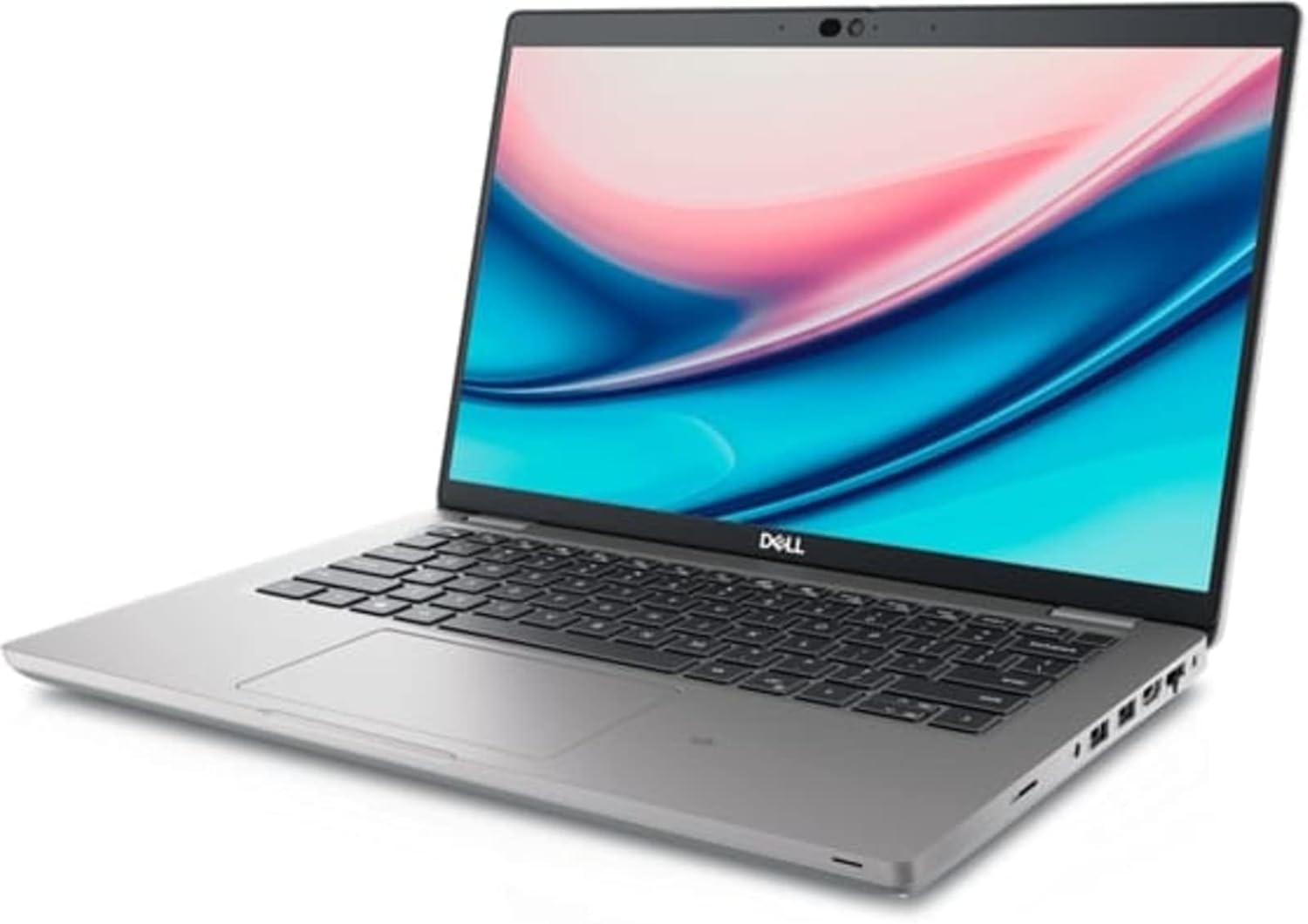
Image: Left side of the Dell Latitude 5421 Laptop, showing the power input, USB ports, HDMI port, and Ethernet port.
3. การเปิดเครื่องครั้งแรกและการตั้งค่าระบบปฏิบัติการ
Open the laptop lid and press the power button. Follow the on-screen instructions to complete the Windows 11 Pro setup. This includes selecting your region, connecting to a network, and creating a user account.
4. การเชื่อมต่ออุปกรณ์ต่อพ่วง
Connect external devices such as a mouse, keyboard, or external monitor to the available ports. The Dell Latitude 5421 features various ports for connectivity:
- พอร์ตด้านซ้าย: SD card reader, Headset jack, USB 3.2 Gen 1 port, USB 3.2 Gen 1 port with PowerShare, HDMI 2.0 port, RJ45 Ethernet port.
- พอร์ตด้านขวา: Wedge-shaped lock slot, USB 3.2 Gen 1 port, USB 3.2 Gen 2 Type-C Thunderbolt 4 port with Power Delivery and DisplayPort, Smart card reader (optional).
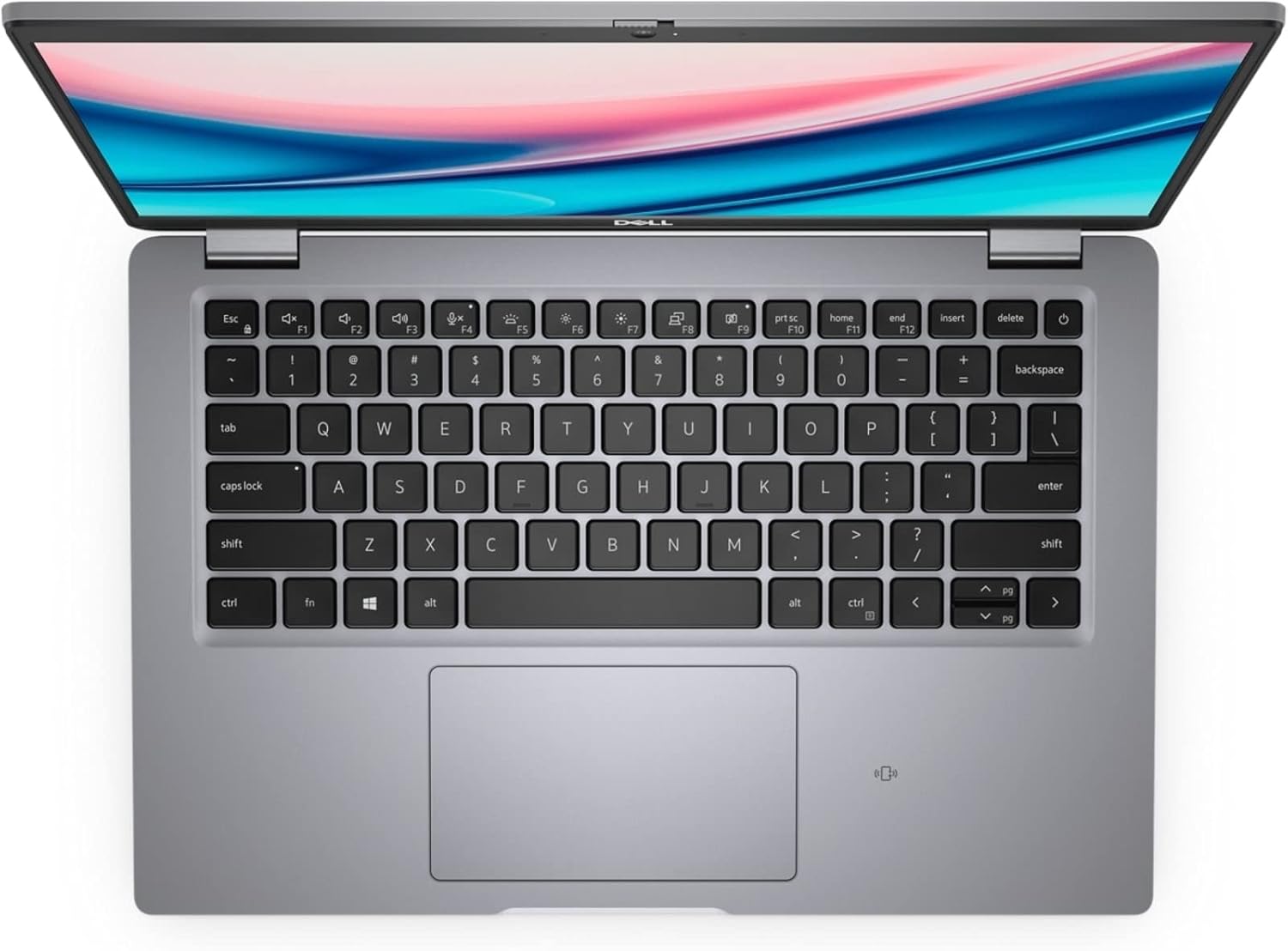
Image: Right side of the Dell Latitude 5421 Laptop, showing the USB-C Thunderbolt 4 port, USB-A port, and lock slot.
การใช้งานแล็ปท็อปของคุณ
1. การใช้งานคีย์บอร์ดและทัชแพด
แล็ปท็อปมีแป้นพิมพ์ขนาดมาตรฐานและทัชแพดแบบแม่นยำ ใช้ทัชแพดสำหรับการนำทางและท่าทางต่างๆ โปรดดูการตั้งค่า Windows 11 สำหรับการปรับแต่งความไวและท่าทางของทัชแพด

ภาพ: จากบนลงล่าง view ของคีย์บอร์ดและทัชแพดของแล็ปท็อป Dell Latitude 5421
2. การเชื่อมต่อไร้สาย
- ไวไฟ : หากต้องการเชื่อมต่อกับเครือข่ายไร้สาย ให้คลิกไอคอน Wi-Fi ในแถบงาน เลือกเครือข่ายที่ต้องการ และป้อนรหัสผ่านหากได้รับแจ้ง
- บลูทูธ: หากต้องการจับคู่อุปกรณ์บลูทูธ ให้ไปที่ การตั้งค่า > บลูทูธและอุปกรณ์, turn on Bluetooth, and select "Add device."
3. Display and External Monitors
The laptop features a 14-inch Full HD (1920x1080) display. You can connect an external monitor using the HDMI port or the USB-C Thunderbolt 4 port (with a compatible adapter) for extended or mirrored display modes.

ภาพ: ด้านหน้า view of the Dell Latitude 5421 Laptop with the screen displaying content.
การซ่อมบำรุง
1. การทำความสะอาดแล็ปท็อปของคุณ
- ใช้ผ้านุ่มไม่เป็นขุย งampชุบน้ำหรือน้ำยาทำความสะอาดหน้าจอเพื่อทำความสะอาดหน้าจอ
- สำหรับคีย์บอร์ดและตัวเครื่อง ให้ใช้ผ้านุ่มๆ หลีกเลี่ยงสารเคมีรุนแรง
- ใช้ลมอัดเพื่อเป่าฝุ่นออกจากช่องระบายอากาศและซอกแป้นพิมพ์
2. การอัปเดตซอฟต์แวร์
Regularly check for and install Windows updates via การตั้งค่า > Windows Update. Also, ensure Dell drivers and firmware are up-to-date using the Dell SupportAssist application or Dell's official webเว็บไซต์.
3. การดูแลแบตเตอรี่
เพื่อยืดอายุการใช้งานแบตเตอรี่ ควรหลีกเลี่ยงอุณหภูมิที่สูงเกินไป สำหรับการเก็บรักษาในระยะยาว ควรชาร์จแบตเตอรี่ให้เหลือประมาณ 50% และเก็บแล็ปท็อปไว้ในที่แห้งและเย็น
4. การจัดการการจัดเก็บข้อมูล
ทำความสะอาดสิ่งที่ไม่จำเป็นเป็นระยะๆ files and applications to maintain optimal performance of the 512GB SSD. Use Windows built-in tools like Disk Cleanup or Storage Sense.
การแก้ไขปัญหา
1. แล็ปท็อปไม่สามารถเปิดเครื่องได้
- ตรวจสอบให้แน่ใจว่าอะแดปเตอร์ไฟฟ้าเชื่อมต่อกับแล็ปท็อปและเต้ารับไฟฟ้าที่ใช้งานได้แน่นหนา
- ตรวจสอบว่าเต้ารับไฟฟ้าใช้งานได้โดยเสียบอุปกรณ์อื่น
- ลองกดปุ่มเปิด/ปิดค้างไว้ 15-20 วินาทีเพื่อทำการฮาร์ดรีเซ็ต
2. ปัญหาการแสดงผล
- หากหน้าจอว่างเปล่า ให้ลองเชื่อมต่อจอภาพภายนอกเพื่อตรวจสอบว่าปัญหาเกิดจากจอแสดงผลของแล็ปท็อปหรือไม่
- Adjust screen brightness using the function keys (Fn + F11/F12).
- อัพเดตไดร์เวอร์กราฟิก
3. ปัญหาการเชื่อมต่อ Wi-Fi หรือ Bluetooth
- ตรวจสอบให้แน่ใจว่า Wi-Fi/Bluetooth ได้เปิดใช้งานอยู่ในการตั้งค่า Windows
- รีสตาร์ทเราเตอร์/โมเด็มของคุณเนื่องจากปัญหา Wi-Fi
- เรียกใช้ตัวแก้ไขปัญหาเครือข่าย Windows
- อัพเดตไดร์เวอร์ไร้สาย
4. ประสิทธิภาพช้า
- ปิดแอปพลิเคชันที่ไม่จำเป็นซึ่งทำงานอยู่เบื้องหลัง
- ตรวจสอบหาโปรแกรมมัลแวร์หรือไวรัสโดยใช้โปรแกรมป้องกันไวรัส
- ตรวจสอบให้แน่ใจว่ามีพื้นที่ว่างเพียงพอบน SSD
- ทำการรีสตาร์ทระบบ
ข้อมูลจำเพาะ
Below are the detailed technical specifications for the Dell Latitude 5421 Laptop:
| คุณสมบัติ | ข้อมูลจำเพาะ |
|---|---|
| ชื่อรุ่น | ละติจูด 5421 แล็ปท็อป |
| โปรเซสเซอร์ | Intel Core i7-11850H (8 Cores, 2.5 GHz base, up to 4.8 GHz Turbo) |
| แรม | แรม 64GB DDR4 |
| พื้นที่จัดเก็บ | SSD ความจุ 512GB |
| แสดง | 14-inch FHD (1920 x 1080) Non-Touch |
| กราฟฟิก | กราฟิกอินทิเกรตของ Intel |
| ระบบปฏิบัติการ | วินโดวส์ 11 โปร |
| การเชื่อมต่อแบบไร้สาย | ไวไฟ, บลูทูธ |
| พอร์ต | USB 3.2 Gen 1, USB 3.2 Gen 1 with PowerShare, USB 3.2 Gen 2 Type-C Thunderbolt 4, HDMI 2.0, RJ45 Ethernet, Headset jack, SD card reader, Wedge-shaped lock slot |
| ขนาด (กxยxส) | 8.35 x 12.65 x 0.82 นิ้ว |
| สี | สีดำ |
การรับประกันและการสนับสนุน
This Dell Latitude 5421 Laptop is a renewed product. Please refer to the specific warranty terms provided by the seller at the time of purchase. For technical assistance, driver downloads, or further support, visit the official Dell Support website or contact your seller directly.
ฝ่ายสนับสนุนของ Dell Webเว็บไซต์: www.dell.com/support


