1. บทนำ
Welcome to the user manual for your Yamaha TW-ES5A True Wireless Sport Earbuds. These earbuds are designed to provide high-quality audio with features tailored for an active lifestyle, including advanced noise cancellation, ambient sound modes, and a waterproof design. Please read this manual thoroughly to ensure proper use and maintenance of your device.

2. อะไรอยู่ในกล่อง
ตรวจสอบว่ามีรายการทั้งหมดต่อไปนี้รวมอยู่ในแพ็คเกจของคุณ:
- TW-ES5A Earbuds (Left and Right)
- เคสชาร์จแบบป้องกัน
- สายชาร์จ USB AC
- 5 sets of Eartips (XS, S, M, L, XL)
- 4 sets of Stabilizer Ear Fins (XS, S, M, L)

3. สินค้าหมดview
The Yamaha TW-ES5A earbuds are designed for comfort and performance. Familiarize yourself with the earbud and charging case components.
การออกแบบเอียร์บัด

Each earbud features a compact design with integrated controls and a stabilizer ear fin for a secure fit during physical activity. The earbuds are lightweight, weighing approximately 0.28 ounces each.
เคสชาร์จไฟ
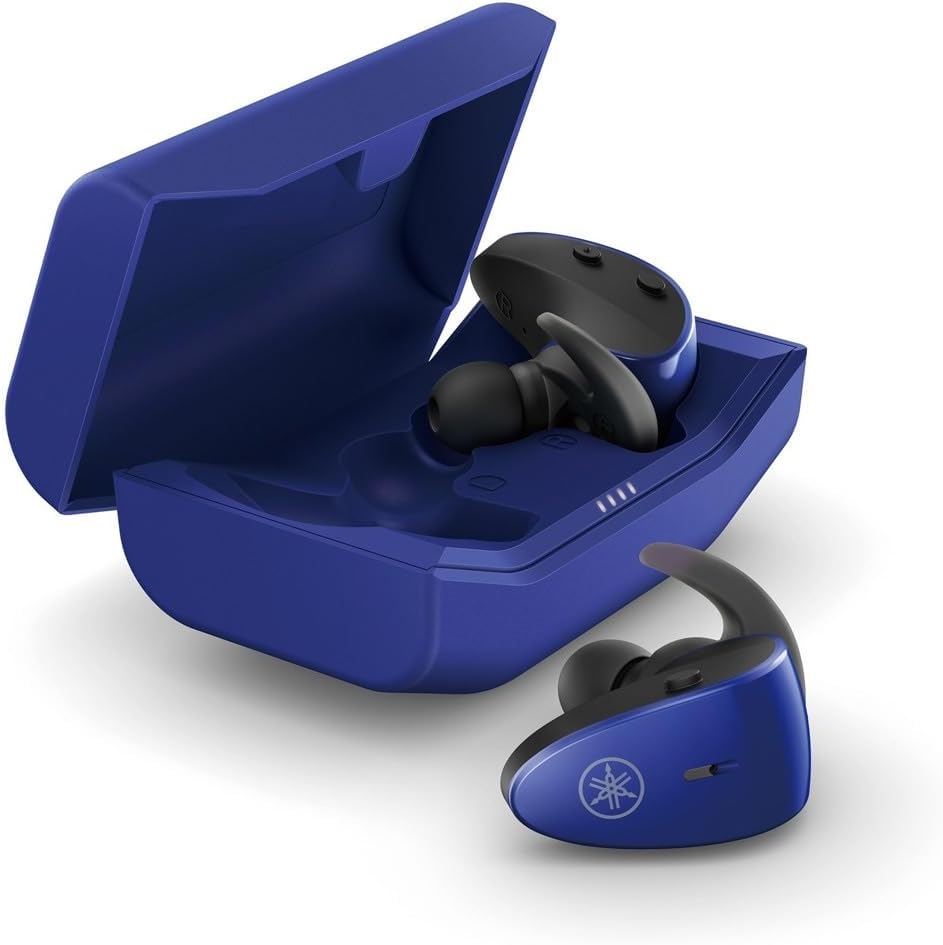
The protective charging case not only stores your earbuds but also recharges them, providing extended battery life. LED indicators on the case show the charging status.
คุณสมบัติกันน้ำ
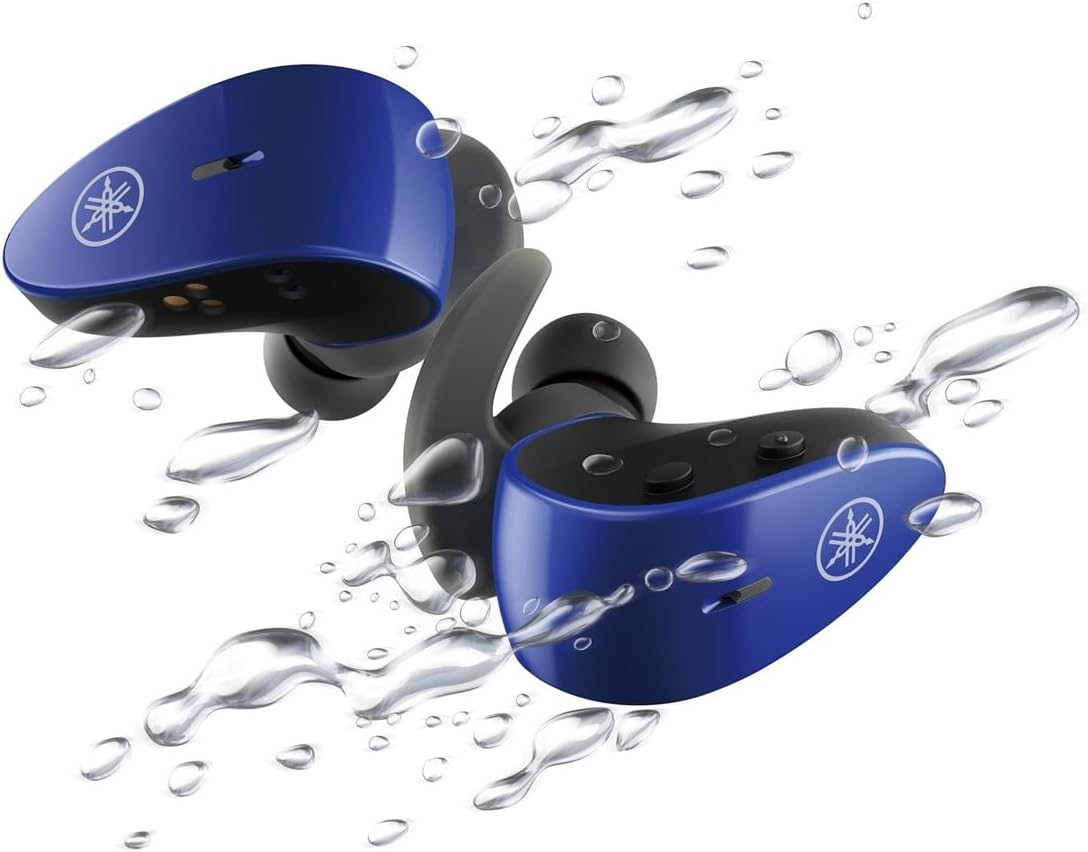
With an IPX7 waterproof rating, these earbuds are protected against immersion in water up to 1 meter for 30 minutes, making them ideal for workouts and outdoor activities.
วิดีโอผลิตภัณฑ์อย่างเป็นทางการ
4. การตั้งค่า
4.1 การชาร์จหูฟังและเคส
- วางหูฟังลงในกล่องชาร์จ ตรวจสอบให้แน่ใจว่าวางหูฟังเข้าที่อย่างถูกต้อง ไฟ LED บนหูฟังจะสว่างขึ้นเพื่อยืนยันการชาร์จ
- Connect the USB A-C charging cable to the charging case and then to a USB power source (e.g., computer, USB wall adapter).
- The charging case LEDs will indicate the charging status. A full charge provides up to 34 hours of total battery life (earbuds + case).
4.2 Selecting Eartips and Stabilizer Ear Fins
For optimal sound quality, comfort, and a secure fit, it is crucial to select the correct size of eartips and stabilizer ear fins.
- จุกหูฟัง: Experiment with the 5 provided sizes (XS, S, M, L, XL). The correct size should create a good seal in your ear canal, blocking out external noise and providing rich bass.
- Stabilizer Ear Fins: Choose from the 4 provided sizes (XS, S, M, L). The fin should fit snugly into the concha of your ear, preventing the earbud from falling out during movement.
4.3 การจับคู่บลูทูธ
- เปิดกล่องชาร์จ หูฟังจะเข้าสู่โหมดจับคู่โดยอัตโนมัติ (ไฟ LED จะกะพริบ)
- บนอุปกรณ์ของคุณ (สมาร์ทโฟน แท็บเล็ต แล็ปท็อป) ไปที่การตั้งค่าบลูทูธ และเปิดใช้งานบลูทูธ
- ค้นหา available devices and select "Yamaha TW-ES5A" from the list.
- เมื่อเชื่อมต่อแล้ว ไฟ LED บนหูฟังจะหยุดกะพริบ และอุปกรณ์ของคุณจะยืนยันการเชื่อมต่อ
- สำหรับการใช้งานครั้งต่อไป เมื่อถอดหูฟังออกจากเคส หูฟังจะเชื่อมต่อกับอุปกรณ์ที่จับคู่ไว้ครั้งสุดท้ายโดยอัตโนมัติ
5. คู่มือการใช้งาน
The TW-ES5A earbuds feature touch controls for various functions.
5.1 เปิด/ปิดเครื่อง
- เปิดเครื่อง: เปิดกล่องชาร์จและเอียร์บัดจะเปิดโดยอัตโนมัติ
- หมดแรง: ใส่หูฟังกลับเข้าไปในกล่องชาร์จและปิดฝา หูฟังจะปิดเครื่องโดยอัตโนมัติ
5.2 การเล่นเพลง
- เล่น/หยุดชั่วคราว: แตะที่หูฟังข้างใดข้างหนึ่งเพียงครั้งเดียว
- เพลงถัดไป: แตะสองครั้งที่หูฟังด้านขวา
- แทร็กก่อนหน้า: แตะสองครั้งที่หูฟังด้านซ้าย
- ปรับระดับเสียงขึ้น: แตะสามครั้งที่หูฟังด้านขวา
- ลดเสียงลง: แตะสามครั้งที่หูฟังด้านซ้าย
5.3 การจัดการการโทร
- รับ/วางสาย: แตะที่หูฟังข้างใดข้างหนึ่งเพียงครั้งเดียว
- ปฏิเสธสาย: กดเอียร์บัดข้างใดข้างหนึ่งค้างไว้ 2 วินาที
5.4 โหมดควบคุมเสียงรบกวน
The TW-ES5A offers two noise control modes:
- ระบบตัดเสียงรบกวนแบบแอคทีฟ (ANC): ลดเสียงรบกวนรอบข้างเพื่อประสบการณ์การฟังที่สมจริง
- เสียงรอบข้าง: Allows you to hear your surroundings while listening to audio, enhancing awareness.
โหมดการสลับ: Press and hold the touch control on the left earbud for 2 seconds to cycle between ANC, Ambient Sound, and Off modes.
5.5 ผู้ช่วยเสียง
Activate your device's voice assistant (Siri or Google Assistant) by pressing and holding the touch control on the right earbud for 2 seconds. This allows for hands-free control of your device.
6. การบำรุงรักษา
6.1 การทำความสะอาด
- Regularly clean the earbuds, eartips, and charging contacts with a soft, dry, lint-free cloth.
- Remove eartips and wash them with mild soap and water if necessary. Ensure they are completely dry before reattaching.
- ห้ามใช้น้ำยาทำความสะอาดที่มีฤทธิ์กัดกร่อนหรือตัวทำละลาย
6.2 พื้นที่จัดเก็บ
- ควรเก็บหูฟังไว้ในกล่องชาร์จเมื่อไม่ได้ใช้งาน เพื่อปกป้องหูฟังและชาร์จไฟอยู่เสมอ
- เก็บอุปกรณ์ไว้ในที่แห้งและเย็น หลีกเลี่ยงอุณหภูมิที่สูงหรือต่ำเกินไป และแสงแดดโดยตรง
7 การแก้ไขปัญหา
If you encounter issues with your TW-ES5A earbuds, try the following solutions:
| ปัญหา | สาเหตุที่เป็นไปได้ | สารละลาย |
|---|---|---|
| Earbuds won't power on | แบตเตอรี่ต่ำ | ใส่หูฟังลงในกล่องชาร์จและชาร์จจนเต็ม |
| ไม่สามารถจับคู่กับอุปกรณ์ได้ | Bluetooth off, earbuds not in pairing mode, or previously paired device interference | Ensure Bluetooth is on. Open case to enter pairing mode. Forget device on your phone and re-pair. Turn off Bluetooth on other nearby devices. |
| ไม่มีเสียงหรือเสียงเบา | Volume too low, improper fit, or earbud obstruction | Increase volume on earbuds and device. Adjust eartips for a secure seal. Clean earbud mesh. |
| คุณภาพการโทรไม่ดี | Microphone obstruction or environmental noise | Ensure microphone is clear. Try moving to a quieter environment. |
| หูฟังหลุดบ่อย | Distance from device, interference, or low battery | Keep earbuds close to your device. Avoid strong electromagnetic interference. Charge earbuds fully. |
If the issue persists, please refer to the Warranty & Support section for further assistance.
8. ข้อมูลจำเพาะ
Key technical specifications for the Yamaha TW-ES5A True Wireless Sport Earbuds:
| คุณสมบัติ | รายละเอียด |
|---|---|
| ชื่อรุ่น | TW-ES5A |
| เทคโนโลยีการเชื่อมต่อ | Bluetooth 5.2, Qualcomm aptX Adaptive TrueWireless Mirroring with Clear Voice |
| ระดับความต้านทานต่อน้ำ | IPX7 (กันน้ำ) |
| การควบคุมเสียงรบกวน | Active Noise Cancellation, Ambient Sound |
| อายุการใช้งานแบตเตอรี่ | Up to 34 hours total (earbuds + charging case) |
| น้ำหนักสินค้า | 0.28 ออนซ์ (ต่อเอียร์บัด) |
| ขนาดสินค้า | 1.32 x 2.78 x 0.67 นิ้ว |
| ประเภทไดร์เวอร์เสียง | ไดร์เวอร์แบบไดนามิก |
| ตัวแปลงสัญญาณที่รองรับ | AptX Adaptive, AAC |
| อุปกรณ์ที่รองรับ | Android, Laptops, Mac Book, Tablets, iPhone |
| คุณสมบัติพิเศษ | Android Phone Control, iOS Phone Control, Fast Charging, Microphone included, Sweatproof, Volume Control, Sports & Exercise, Lightweight, Wireless, Firm Secure Fit |
9. การรับประกันและการสนับสนุน
สำหรับข้อมูลการรับประกันโดยละเอียด การลงทะเบียนผลิตภัณฑ์ และการสนับสนุนทางเทคนิค โปรดเยี่ยมชมเว็บไซต์อย่างเป็นทางการของยามาฮ่า webหรือติดต่อฝ่ายบริการลูกค้า เก็บหลักฐานการซื้อไว้เพื่อใช้ในกรณีที่ต้องการเคลมประกัน
คุณอาจพิจารณาซื้อasing extended protection plans for your device. Details on available protection plans can often be found at the point of purchase or on the retailer's webเว็บไซต์.


