1. บทนำ
This manual provides detailed instructions for the setup, operation, maintenance, and troubleshooting of your DELTACO GAMING DH420 Wireless Headset. Please read this manual thoroughly before using the product to ensure optimal performance and longevity.
2. เนื้อหาบรรจุภัณฑ์
ตรวจสอบให้แน่ใจว่ามีรายการทั้งหมดอยู่ในบรรจุภัณฑ์:
- DELTACO GAMING DH420 Wireless Headset
- ไมโครโฟนแบบถอดออกได้
- 2.4 GHz USB Wireless Receiver
- สายสัญญาณเสียง USB-C ถึง 3.5 มม.
- สายชาร์จ USB-C
- 1x 3.5mm to 2x 3.5mm Adapter (for PC audio/mic split)
- คู่มือการใช้งาน (เอกสารนี้)
3. สินค้าหมดview
ทำความคุ้นเคยกับส่วนประกอบและปุ่มควบคุมของชุดหูฟังของคุณ
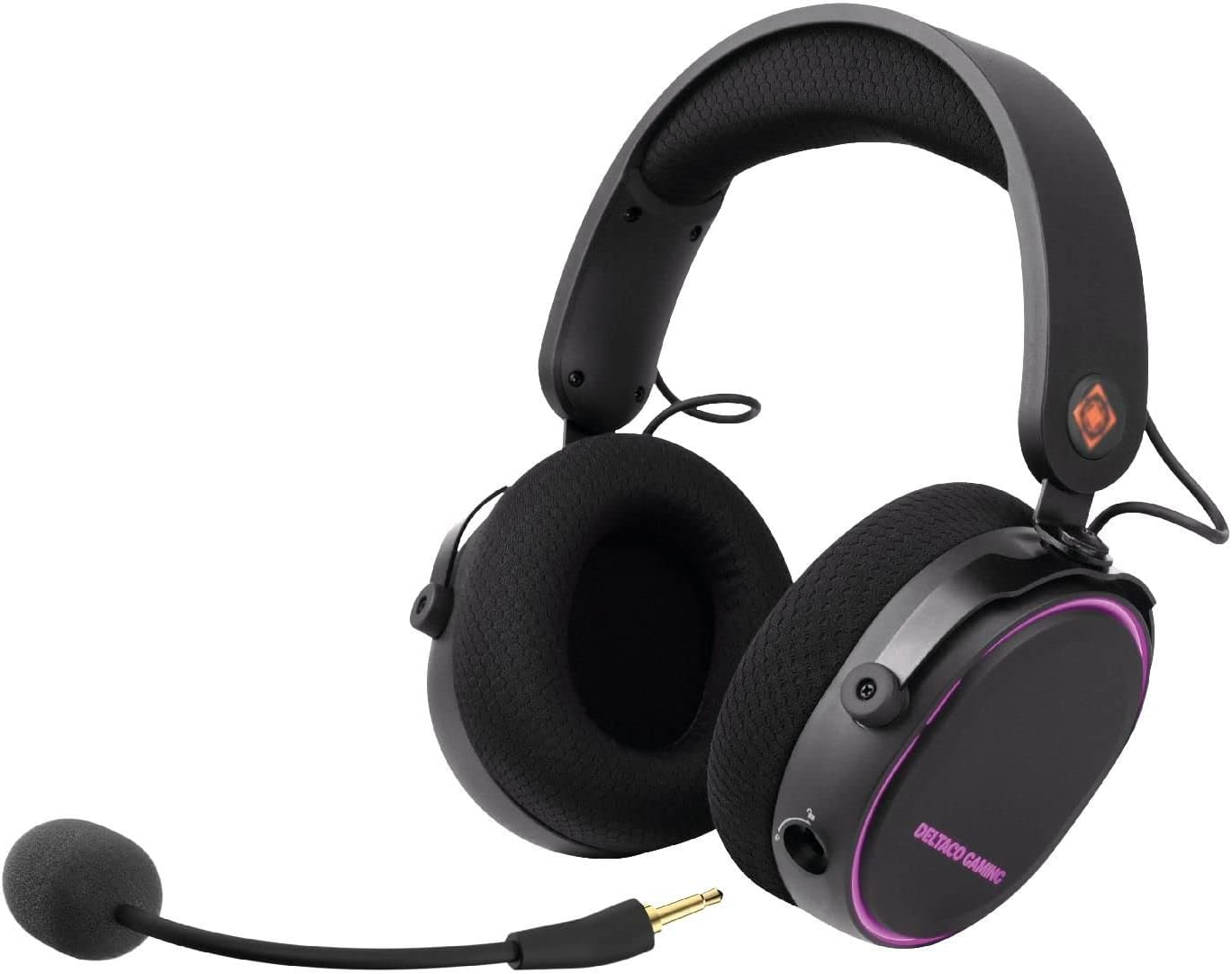
ภาพที่ 3.1: DELTACO GAMING DH420 Wireless Headset. This image shows the headset from a front-side angle, highlighting the over-ear design, adjustable headband, and the detachable microphone connected to the left earcup.
3.1 ปุ่มควบคุมและพอร์ตของชุดหูฟัง

ภาพที่ 3.2: Diagram illustrating the location of controls and ports on the DELTACO GAMING DH420 headset. Key features include the volume control, USB-C charge and connection port, microphone mute button, EQ button, and power on/off button.
- การควบคุมระดับเสียง: ปรับระดับเอาท์พุตเสียง
- USB-C Charge & Connection Port: ใช้สำหรับชาร์จไฟและเชื่อมต่ออุปกรณ์เสียงแบบมีสาย
- ปุ่มปิดเสียงไมโครโฟน: เปิด/ปิดไมโครโฟน
- ปุ่ม EQ: วนเลือกโหมดปรับแต่งเสียงต่างๆ ที่มีให้เลือก
- ปุ่มเปิด/ปิด: เปิดหรือปิดชุดหูฟัง
- ช่องเสียบไมโครโฟนแบบถอดได้: For connecting the flexible microphone.
3.2 Design and Comfort Features

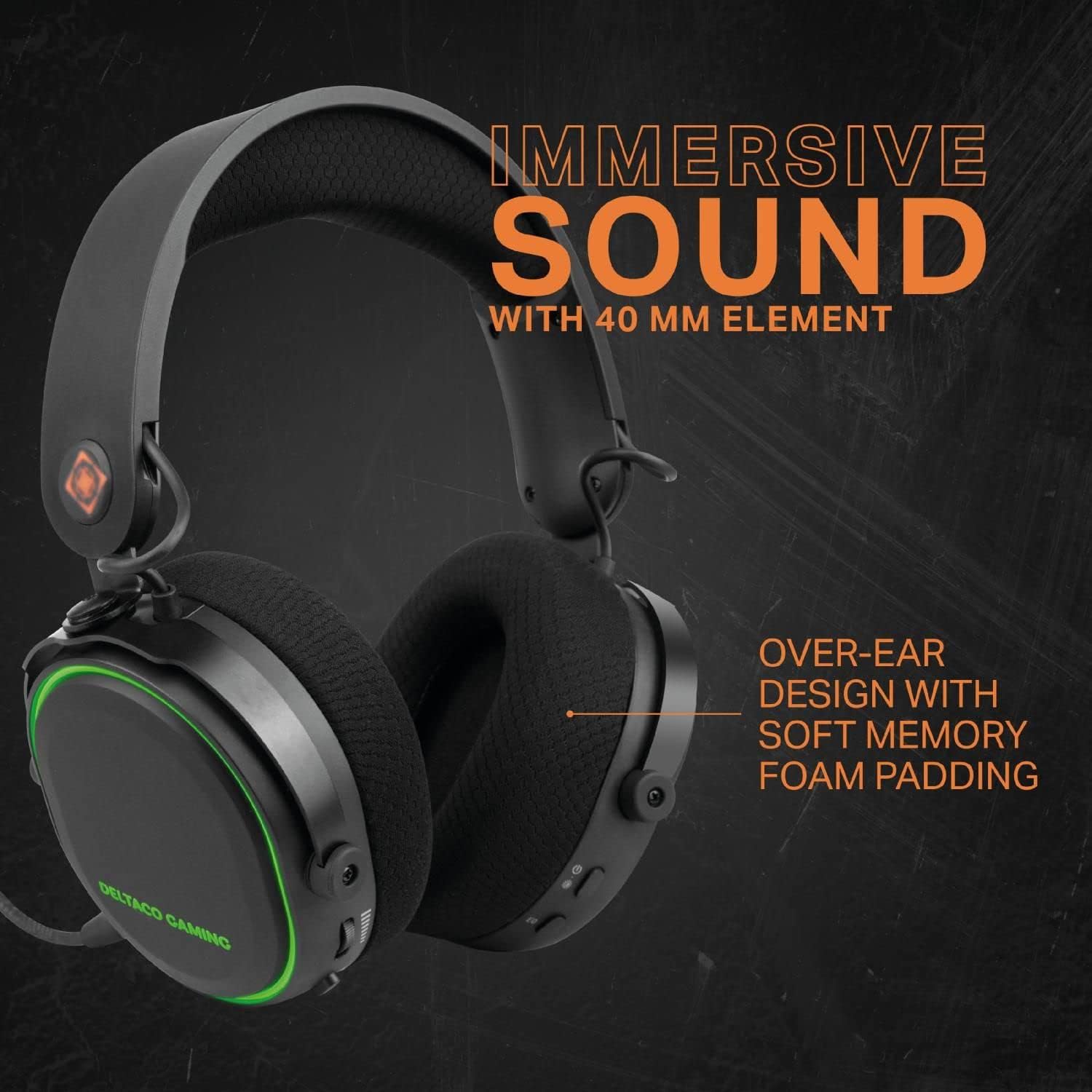
ภาพที่ 3.3: The DELTACO GAMING DH420 headset highlighting its immersive sound with 40mm drivers and comfortable over-ear design with soft memory foam padding.

ภาพที่ 3.4: Detail of the headset's adjustable headband with soft foam padding and durable metal fittings, ensuring a comfortable and secure fit.
- การออกแบบแบบครอบหู: Provides comfort during extended use and helps with passive noise isolation.
- Soft Memory Foam Padding: Used in earcups for enhanced comfort.
- แถบคาดศีรษะปรับได้: ช่วยให้สามารถปรับให้พอดีกับขนาดศีรษะต่างๆ ได้อย่างลงตัว
- Metal Fittings: Contribute to the headset's durability and robust construction.
4. การตั้งค่าและการเชื่อมต่อ
4.1 การชาร์จชุดหูฟัง
- เชื่อมต่อสายชาร์จ USB-C ที่ให้มากับพอร์ต USB-C ของหูฟัง
- เชื่อมต่อปลายสายอีกด้านหนึ่งเข้ากับแหล่งพลังงาน USB (เช่น พอร์ต USB ของคอมพิวเตอร์ อะแดปเตอร์ติดผนัง USB)
- The LED indicator on the headset will show charging status. A full charge typically takes 2-3 hours.
- เมื่อชาร์จเต็มแล้ว ให้ถอดสายชาร์จออก
บันทึก: The headset can be used while charging in wired mode.
4.2 การติดตั้งไมโครโฟน

ภาพที่ 4.1: ภาพระยะใกล้ view of the detachable and flexible microphone. This image shows the microphone's 3.5mm jack and its flexible arm, ready to be inserted into the headset.
Insert the detachable microphone into the 3.5mm microphone port located on the left earcup. Adjust the flexible arm to position the microphone optimally for your voice.
4.3 Wireless Connection (2.4 GHz USB Receiver)
This method is compatible with PC, Mac, and PS5.
- Plug the 2.4 GHz USB wireless receiver into an available USB port on your PC, Mac, or PS5 console.
- Power on the headset by pressing and holding the Power On/Off button until the LED indicator illuminates.
- The headset should automatically pair with the receiver. The LED indicator will show a stable light once connected.
- On your device, ensure the DELTACO GAMING DH420 is selected as the default audio input and output device in your sound settings.

ภาพที่ 4.2: Promotional image highlighting the wireless functionality of the headset, featuring a low-latency 2.4 GHz USB receiver and a 32 ft (10m) range. The headset is shown with red RGB lighting.
4.4 Wired Connection (USB-C to 3.5mm Cable)
This method is compatible with PC, Mac, PS5, Xbox One (controller), and mobile devices.
- Connect the USB-C end of the USB-C to 3.5mm audio cable to the headset's USB-C port.
- Connect the 3.5mm end of the cable to the audio jack of your device (PC, Mac, PS5 controller, Xbox One controller, or mobile phone).
- If your PC has separate audio and microphone jacks, use the included 1x 3.5mm to 2x 3.5mm adapter. Connect the headset's 3.5mm cable to the adapter, then plug the adapter's two 3.5mm plugs into the corresponding audio and microphone ports on your PC.
- Ensure the DELTACO GAMING DH420 is selected as the default audio input and output device in your device's sound settings.
5. การดำเนินการ
5.1 เปิด/ปิดเครื่อง
- การเปิดเครื่อง: กดปุ่มเปิด/ปิดค้างไว้ประมาณ 3 วินาที จนกว่าไฟแสดงสถานะ LED จะสว่างขึ้น
- วิธีปิดเครื่อง: กดปุ่มเปิด/ปิดค้างไว้ประมาณ 3 วินาที จนกว่าไฟแสดงสถานะ LED จะดับลง
5.2 การควบคุมระดับเสียง
Rotate the volume control wheel located on the earcup upwards to increase volume and downwards to decrease volume.
5.3 ปิดเสียงไมโครโฟน
Press the Microphone Mute button to toggle the microphone on or off. An indicator light (if present) will show the microphone's status.
5.4 โหมดอีควอไลเซอร์ (EQ)
Press the EQ button to cycle through the available equalizer sound profiles. This allows you to optimize audio for different content types like gaming, music, or movies.
ไฟ LED RGB 5.5 ดวง
ภาพที่ 5.1: The DELTACO GAMING DH420 headset displaying its RGB LED lighting. This image highlights the headset's capability to show 8 unique LED modes and its long battery life.
The headset features 8 customizable RGB LED lighting modes. Refer to the product's specific instructions or manufacturer's website for details on how to cycle through or customize these modes, if a dedicated control is not present on the headset itself.
6. การบำรุงรักษา
6.1 การทำความสะอาด
- ใช้ผ้าแห้งนุ่มเช็ดพื้นผิวของชุดหูฟัง
- สำหรับที่ครอบหู ให้เช็ดเบาๆ ด้วยผ้าชุบน้ำหมาดๆamp ผ้าและปล่อยให้แห้งสนิทก่อนใช้งาน
- ห้ามใช้สารเคมีรุนแรง ตัวทำละลาย หรือน้ำยาทำความสะอาดที่มีฤทธิ์กัดกร่อน
6.2 พื้นที่จัดเก็บ
เก็บหูฟังไว้ในที่แห้งและเย็น หลีกเลี่ยงแสงแดดโดยตรงและอุณหภูมิที่สูงหรือต่ำเกินไป หลีกเลี่ยงการวางของหนักบนหูฟัง
6.3 การดูแลแบตเตอรี่
- เพื่อยืดอายุการใช้งานแบตเตอรี่ ควรหลีกเลี่ยงการปล่อยให้หูฟังแบตหมดจนเกลี้ยงบ่อยๆ
- ควรชาร์จหูฟังเป็นประจำ แม้ว่าจะไม่ได้ใช้งานเป็นเวลานานก็ตาม
- อย่าให้แบตเตอรี่ถูกอุณหภูมิสูง
7 การแก้ไขปัญหา
| ปัญหา | สาเหตุที่เป็นไปได้ | สารละลาย |
|---|---|---|
| ไม่มีเสียงจากหูฟัง |
|
|
| ไมโครโฟนไม่ทำงาน |
|
|
| ชุดหูฟังไม่เชื่อมต่อแบบไร้สาย |
|
|
| ไฟ RGB ไม่ทำงาน |
|
|
8. ข้อมูลจำเพาะ
| คุณสมบัติ | รายละเอียด |
|---|---|
| ชื่อรุ่น | ดีเอช420 |
| ไดรเวอร์ | 40มม. |
| การตอบสนองความถี่ | 20 เฮิรตซ์ – 25 กิโลเฮิรตซ์ |
| ความไวของลำโพง | 102 เดซิเบล ±3 เดซิเบล |
| ความไวของไมโครโฟน | -49 เดซิเบล ±3 เดซิเบล |
| ความต้านทานของลำโพง | 32 โอห์ม |
| ความจุของแบตเตอรี่ | 1500 มิลลิแอมป์ |
| อายุการใช้งานแบตเตอรี่ (ปิด RGB) | นานถึง 28 ชั่วโมง |
| อายุการใช้งานแบตเตอรี่ (เปิด RGB) | นานถึง 18 ชั่วโมง |
| เวลาในการชาร์จ | 2-3 ชั่วโมง |
| การเชื่อมต่อแบบไร้สาย | ตัวรับสัญญาณ USB 2.4 GHz |
| การเชื่อมต่อแบบใช้สาย | USB-C to 3.5mm cable |
| ช่วงสาย | 10m (32 ฟุต) |
| ความเข้ากันได้ | PC, Mac, PS5, Xbox One (wired only), Mobile (wired only) |
| ขนาดสินค้า | 12 x 20 x 18 ซม. |
| น้ำหนัก | 830 กรัม |
9. การรับประกันและการสนับสนุน
The DELTACO GAMING DH420 Wireless Headset is manufactured by DELTACO GAMING. For warranty information, technical support, or service inquiries, please refer to the warranty card included with your product or visit the official DELTACO GAMING webไซต์ โปรดเก็บหลักฐานการซื้อไว้เพื่อใช้ในการเรียกร้องการรับประกัน


