1. บทนำ
Thank you for choosing the Marvo KG880 Membrane Gaming Keyboard. This manual provides detailed instructions for setting up, operating, and maintaining your keyboard to ensure optimal performance and longevity. Please read this manual thoroughly before using the product.
The Marvo KG880 is designed for gaming enthusiasts, featuring a membrane key structure, anti-ghosting capabilities, dedicated multimedia controls, and vibrant backlighting for an enhanced gaming experience.
2. เนื้อหาบรรจุภัณฑ์
โปรดตรวจสอบว่าสินค้าทั้งหมดมีอยู่ในแพ็คเกจของคุณ:
- Marvo KG880 Membrane Gaming Keyboard
- คู่มือการใช้งาน (เอกสารนี้)

Image: The Marvo KG880 Membrane Gaming Keyboard packaging, showing the keyboard box with product details.
3. คำแนะนำในการตั้งค่า
- แกะคีย์บอร์ดออก: นำคีย์บอร์ด Marvo KG880 ออกจากบรรจุภัณฑ์อย่างระมัดระวัง
- เชื่อมต่อกับคอมพิวเตอร์: Locate an available USB port on your computer. Insert the USB connector of the Marvo KG880 keyboard into the USB port.

ภาพ: จากบนลงล่าง view of the Marvo KG880 keyboard, illustrating its layout and USB connection point.
- การติดตั้งไดร์เวอร์: The Marvo KG880 is a plug-and-play device. Your operating system (Windows 10 or later recommended) should automatically detect and install the necessary drivers. No additional software installation is typically required.
- การจัดวาง: Place the keyboard on a stable, flat surface. The integrated wide edge palm rest is designed for comfort during extended use.
4. คู่มือการใช้งาน
4.1 ฟังก์ชันพื้นฐานของแป้นพิมพ์
The Marvo KG880 functions as a standard QWERTY keyboard for typing and general computer use.
การควบคุมแบ็คไลท์ 4.2
The keyboard features backlit characters, ideal for low-light environments. Specific keys or key combinations control the backlight:
- เปิด/ปิดไฟแบ็คไลท์: กดปุ่ม ล็อคการเลื่อน ปุ่มสำหรับเปิดหรือปิดไฟแบ็คไลท์
- การปรับความสว่าง: ใช้ Fn + เลื่อนหน้าขึ้น เพื่อเพิ่มความสว่างและ Fn + เลื่อนหน้าลง เพื่อลดความสว่าง
- โหมดแบ็คไลท์: The keyboard may feature multiple backlight modes. Cycle through these modes using Fn + ล็อคการเลื่อน or similar key combinations (refer to specific key legends if available).
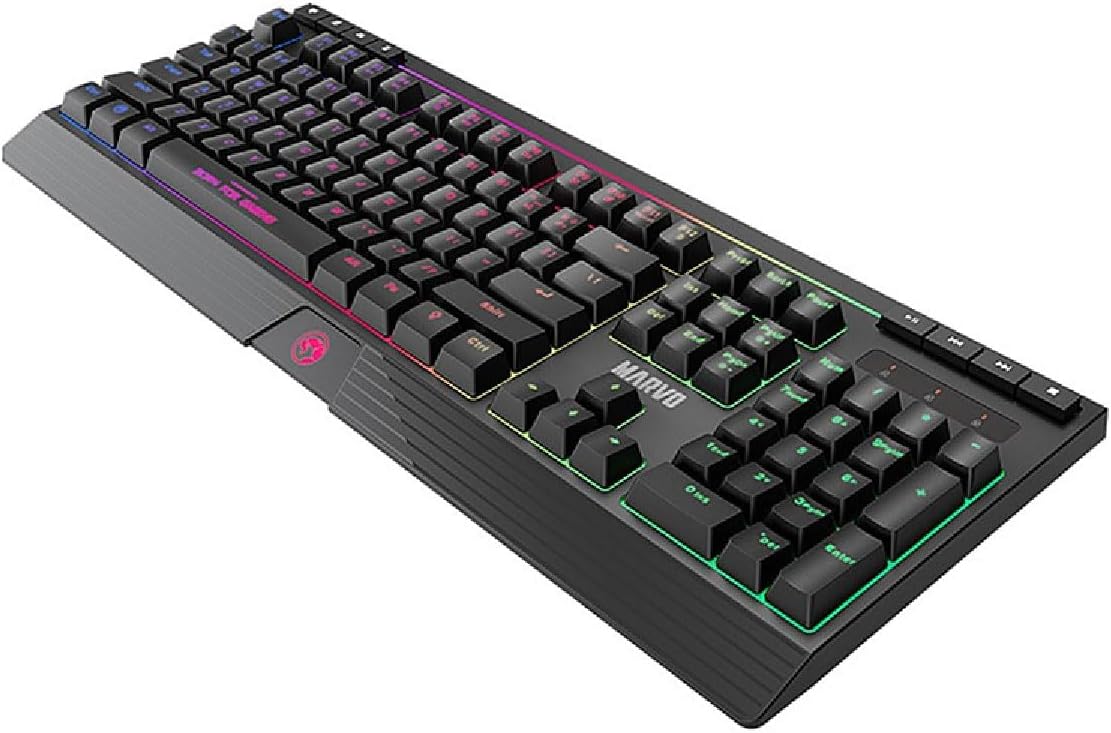
ภาพ: มุมเอียง view of the Marvo KG880 keyboard, showcasing the vibrant backlighting on the keys.
4.3 การควบคุมมัลติมีเดีย
Dedicated multimedia keys are located at the top right of the keyboard for convenient control of media playback:
- เล่น/หยุดชั่วคราว: ควบคุมการเล่นสื่อ
- หยุด: หยุดการเล่นสื่อปัจจุบัน
- แทร็กก่อนหน้า: ข้ามไปยังแทร็กก่อนหน้า
- เพลงถัดไป: ข้ามไปยังแทร็กถัดไป
- เพิ่ม/ลดเสียง/ปิดเสียง: Adjusts audio volume or mutes sound.
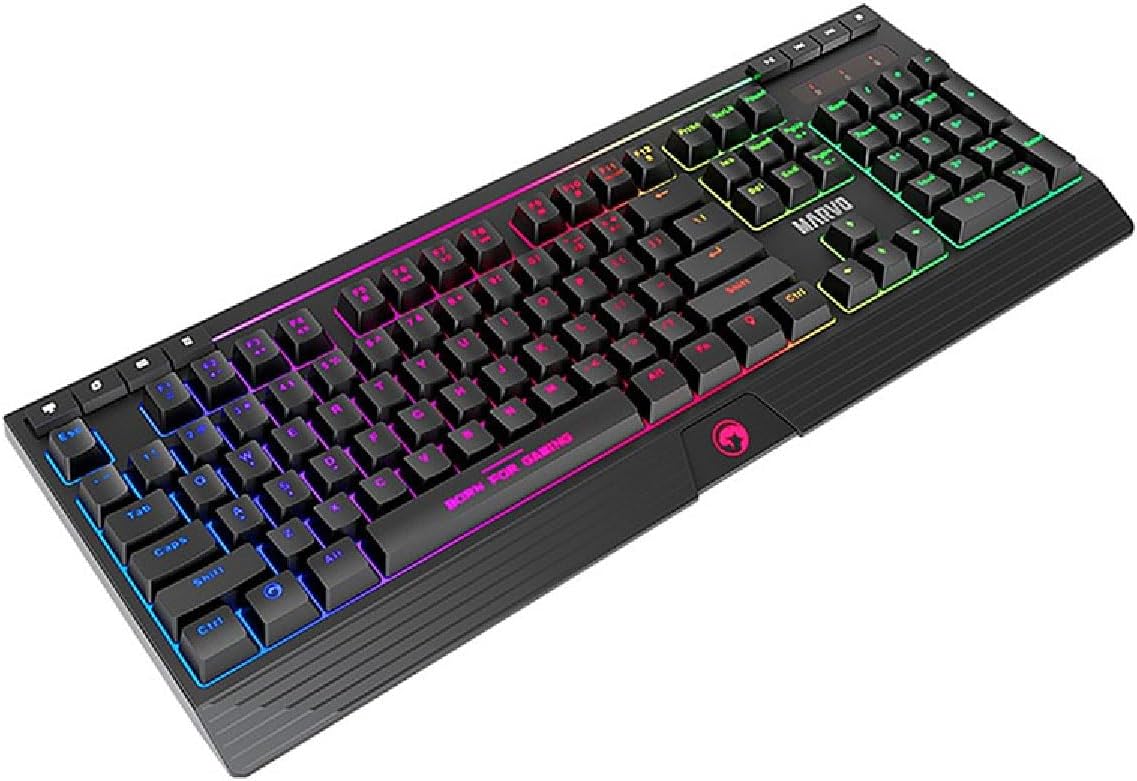
ภาพ: ระยะใกล้ view of the Marvo KG880 keyboard, highlighting the dedicated multimedia control keys.
4.4 Anti-Ghosting (19-Key Rollover)
The Marvo KG880 supports 19-key rollover anti-ghosting. This feature ensures that up to 19 keys pressed simultaneously will be registered accurately, which is crucial for complex gaming commands and fast-paced gameplay.
5. การบำรุงรักษา
การบำรุงรักษาอย่างถูกวิธีจะช่วยยืดอายุการใช้งานของคีย์บอร์ดของคุณ:
- การทำความสะอาด: ใช้ผ้าแห้งนุ่มเช็ดทำความสะอาดพื้นผิวแป้นพิมพ์ สำหรับคราบสกปรกที่ติดแน่น ให้ใช้ผ้าชุบน้ำหมาดๆ เช็ดเบาๆamp สามารถใช้ผ้าชุบน้ำสบู่ชนิดอ่อนๆ เช็ดได้ โดยให้แน่ใจว่าไม่มีของเหลวเข้าไปในแป้นพิมพ์
- การกำจัดฝุ่น: ใช้ลมอัดเพื่อกำจัดฝุ่นละอองและเศษต่างๆ ออกจากระหว่างปุ่ม
- หลีกเลี่ยงของเหลว: ห้ามทำของเหลวหกใส่แป้นพิมพ์ หากเกิดของเหลวหก ให้ถอดแป้นพิมพ์ออกจากคอมพิวเตอร์ทันที และปล่อยให้แห้งสนิทก่อนเชื่อมต่อกลับเข้าที่
- พื้นที่จัดเก็บ: เมื่อไม่ได้ใช้งานเป็นเวลานาน ควรเก็บแป้นพิมพ์ไว้ในที่สะอาดและแห้ง
6 การแก้ไขปัญหา
| ปัญหา | สาเหตุที่เป็นไปได้ | สารละลาย |
|---|---|---|
| แป้นพิมพ์ไม่ตอบสนอง | การเชื่อมต่อ USB หลวม, พอร์ต USB ชำรุด, มีปัญหากับไดรเวอร์ |
|
| แสงไฟไม่ทำงาน | ปิดไฟแบ็คไลท์แล้ว และปรับความสว่างไว้ที่ระดับต่ำสุด |
|
| Keys not registering correctly (ghosting) | Exceeding 19-key rollover limit, software conflict. |
|
7. ข้อมูลจำเพาะ
- แบบอย่าง: KG880
- ประเภทคีย์บอร์ด: คีย์บอร์ดเกมเมมเบรน
- ป้องกันภาพซ้อน: รองรับการกดปุ่มพร้อมกัน 19 ปุ่ม
- แสงไฟด้านหลัง: Yes, with adjustable brightness and modes
- การควบคุมมัลติมีเดีย: กุญแจเฉพาะ
- ที่วางฝ่ามือ: Wide edge, integrated
- การเชื่อมต่อ: ยูเอสบี
- ความเข้ากันได้ของระบบปฏิบัติการ: Windows 10 (and later versions)
- ขนาด : 44.6 x 17.7 x 2.4 ซม. (ยาว x กว้าง x สูง)
- น้ำหนัก: 1.22 กก.
- วัสดุ: Silicone (keycaps/membrane components)
- สี: สีดำ
8. การรับประกันและการสนับสนุน
Marvo products are designed for reliability and performance. For warranty information and technical support, please refer to the warranty card included with your purchase or visit the official Marvo webไซต์นี้ โปรดเก็บหลักฐานการซื้อไว้เพื่อใช้ยืนยันการรับประกัน
For further assistance, please contact Marvo customer support through their official channels.


