1. สินค้าหมดview
The Codnida Baby Monitor provides comprehensive monitoring of your baby with advanced features designed for peace of mind. This manual will guide you through the setup, operation, and maintenance of your new baby monitor.

Image 1: Codnida Baby Monitor components.
คุณสมบัติหลัก:
- 5" 720P HD Display: ให้ความกระจ่างใส view ของลูกน้อยของคุณ
- ซูมดิจิตอล 4 เท่า: Zoom in to see your little one up close.
- Pan 340° & Tilt 50°: Offers a wide coverage area with no blind spots.
- การพูดคุยแบบสองทาง: Communicate with your baby remotely.
- Cry & Motion Detection: Alerts you to your baby's needs.
- การตรวจสอบอุณหภูมิและความชื้น: Ensures a comfortable environment.
- คำเตือนการให้อาหาร: Helps maintain a consistent feeding schedule.
- ระบบมองเห็นกลางคืนอัตโนมัติ: ชัดเจน viewing in low light or darkness.
- 18 Gentle Lullabies: Soothe your baby to sleep.
- ระยะการส่งสัญญาณ 1000 ฟุต: Reliable connection throughout your home.
- อายุการใช้งานแบตเตอรี่ยาวนาน: Up to 10 hours in live view, 6 days in sleep mode.
- การสนับสนุนแอปมือถือ: Monitor from your smartphone (CloudEdge app).
วิดีโอ 1: วิดีโอแนะนำการแสดงasing the Codnida Baby Monitor's features and benefits.
2. เนื้อหาบรรจุภัณฑ์
กรุณาตรวจสอบสิ่งของภายในบรรจุภัณฑ์เมื่อแกะกล่องเพื่อให้แน่ใจว่ามีสินค้าครบทั้งหมด:
- 1 x Baby Camera Unit
- 1 x Display Screen (Parent Unit)
- 2 x Charging Cables with Adapters
- 1 x Set of Screws for Mounting
- 1 x วงเล็บยึด
- 1 x ขาตั้งค่าใหม่
- 1 x คู่มือผู้ใช้ (เอกสารนี้)

Image 2: All items included in the product package.
3. คู่มือการติดตั้ง
3.1 การชาร์จอุปกรณ์
Before first use, fully charge both the baby camera unit and the display screen using the provided charging cables and adapters. A full charge ensures optimal performance and battery life.
3.2 การจัดวางกล้อง
Place the baby camera unit in a location that provides a clear and unobstructed view of your baby. Ensure it is out of reach of children and away from any potential hazards. The camera can be placed on a flat surface or mounted to a wall using the included bracket and screws.

Image 3: The camera unit offers 340° pan and 50° tilt for comprehensive room coverage.
3.3 Initial Connection (Monitor & Camera)
The baby camera unit and display screen are pre-paired at the factory. Simply power on both devices, and they should automatically connect. If they do not connect, or if you are adding a new camera, follow the pairing instructions in the Operating Instructions section.
3.4 Mobile App Connection (Optional)
For remote monitoring via your smartphone, download the "CloudEdge" app from your device's app store. Follow the in-app instructions to connect your baby camera unit to your home Wi-Fi network. This allows you to view your baby from anywhere with an internet connection.
Video 2: A step-by-step guide on how to connect your Codnida Baby Monitor to Wi-Fi for mobile app access.
4. คู่มือการใช้งาน
4.1 Display and Zoom
The 5-inch 720P HD display provides a clear live feed. Use the zoom function on the parent unit to get a closer look at your baby. The monitor supports up to 4X digital zoom.
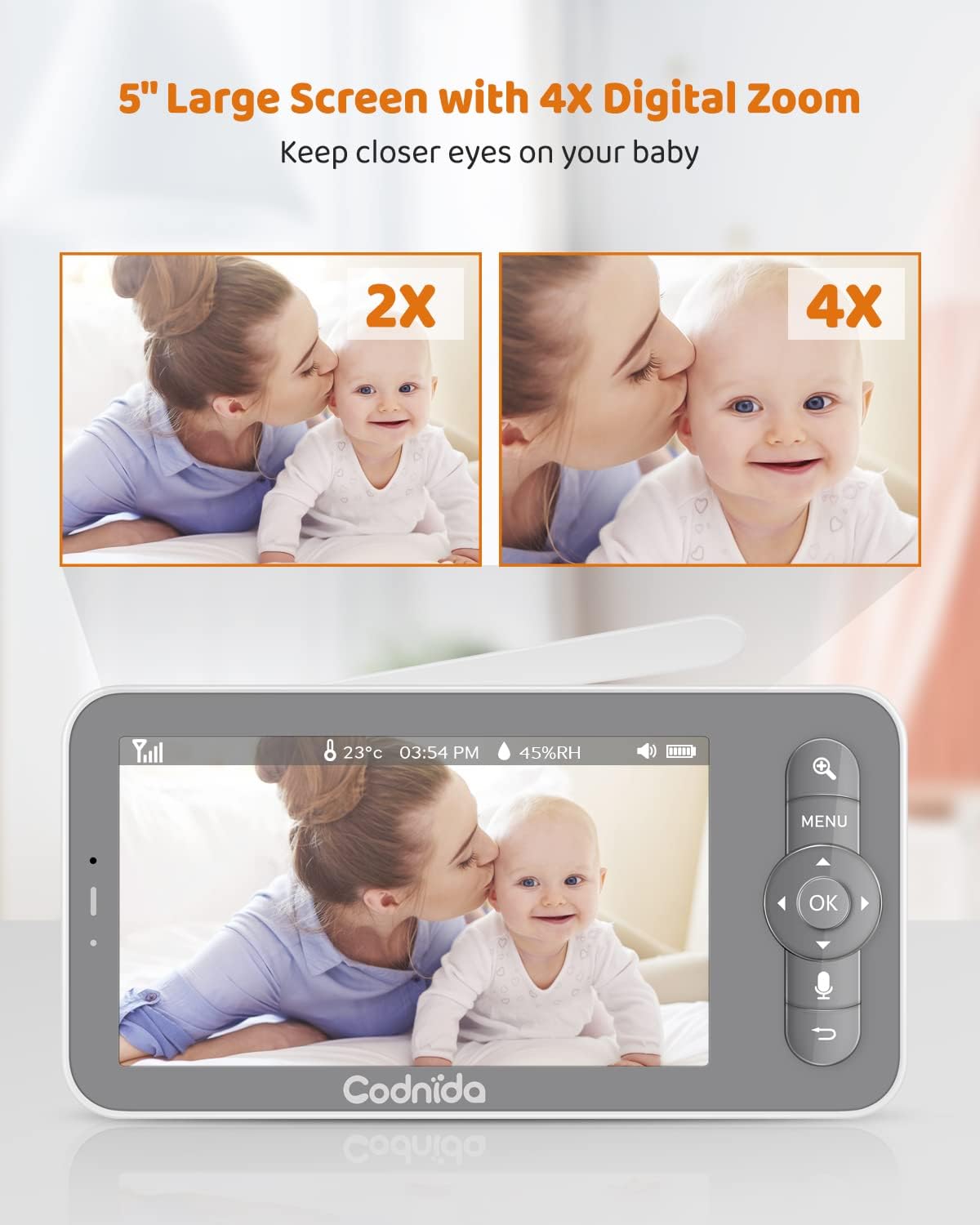
Image 4: The 5-inch display with 4X digital zoom capability.
4.2 Camera Control (Pan & Tilt)
ควบคุมกล้อง viewing angle directly from the parent unit. The camera can pan 340 degrees horizontally and tilt 50 degrees vertically, ensuring you can see every corner of the room.

Image 5: Illustrates the camera's pan and tilt range.
4.3 การสนทนาสองทาง
Press and hold the microphone button on the parent unit to speak to your baby. Your voice will be transmitted through the camera unit's speaker, allowing you to soothe your baby from another room.

Image 6: Two-way talk feature in action, allowing parents to communicate with their baby.
4.4 คุณสมบัติการตรวจสอบ
- Cry & Motion Detection: The monitor will alert you when it detects crying or significant motion from your baby. This feature helps you respond promptly to your baby's needs.
- อุณหภูมิและความชื้น: The camera unit includes sensors to monitor the room's temperature and humidity, displayed on the parent unit.
- คำเตือนการให้อาหาร: Set customizable feeding reminders to ensure your baby is fed on schedule.
- โซนปลุก: Define a safe area for your baby. If your baby moves outside this pre-set zone, an alert will be triggered on the parent unit.

Image 7: Visual representation of various alert features including motion, cry, temperature, and feeding reminders.
4.5 Automatic Night Vision
The camera automatically switches to infrared (IR) night vision in low-light conditions, providing a clear black-and-white image of your baby without disturbing their sleep.

Image 8: Clear night vision allows monitoring even in complete darkness.
4.6 เพลงกล่อมเด็ก
The monitor comes with 18 gentle lullabies that can be played through the camera unit to help soothe your baby to sleep. Access this feature through the parent unit's menu.

Image 9: The baby monitor can play 18 gentle lullabies.
4.7 การบันทึกและการเล่น
The camera unit supports an SD card (not included) for local recording of video and images. You can review บันทึกเสียงฟูtage directly from the parent unit or via the mobile app.

Image 10: Capture key moments with photo and video recording capabilities.
Video 3: Demonstrates various features of the Codnida Baby Monitor, including recording and playback.
5. Battery Life & Transmission Range
5.1 ประสิทธิภาพของแบตเตอรี่
The parent unit features low power consumption technology, offering extended battery life. It can last up to 10 hours in live view mode and up to 6 days in sleep mode (VOX mode), where the display activates only upon detecting motion, noise, or abnormal temperature.
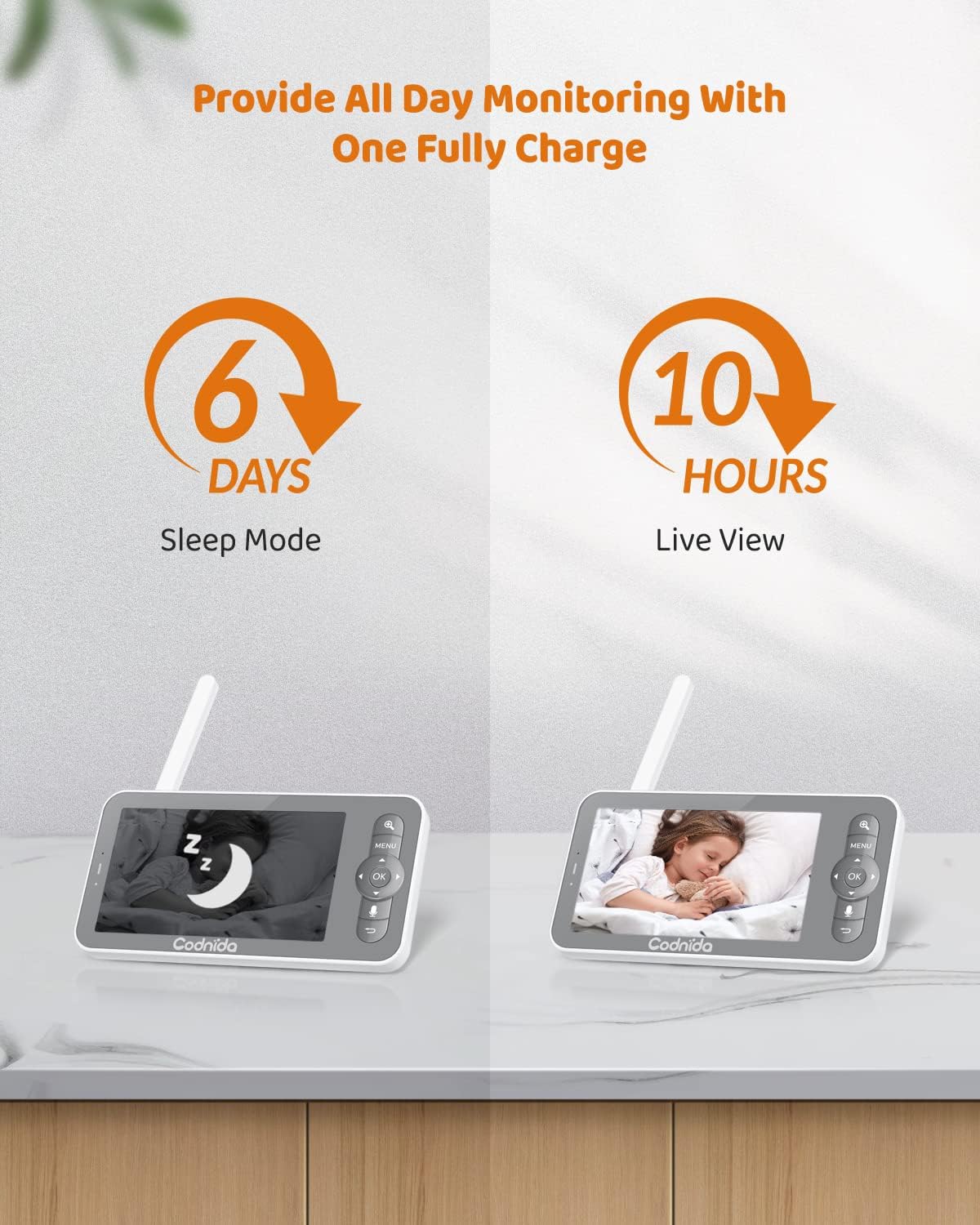
Image 11: Battery life indicators for sleep mode and live view.
5.2 ระยะการส่งสัญญาณ
The video baby monitor covers a transmission range of up to 1000 feet in an open area, allowing you to monitor your baby from various locations within your home with a stable video feed.

Image 12: The monitor offers a transmission range of up to 1000ft.
6. การบำรุงรักษา
To ensure the longevity and optimal performance of your Codnida Baby Monitor, follow these maintenance guidelines:
- การทำความสะอาด: Use a soft, dry cloth to clean the camera lens and display screen. Do not use abrasive cleaners or solvents.
- พื้นที่จัดเก็บ: เมื่อไม่ได้ใช้งานเป็นเวลานาน ควรเก็บจอภาพไว้ในที่แห้งและเย็น หลีกเลี่ยงแสงแดดโดยตรงและอุณหภูมิที่สูงหรือต่ำเกินไป
- การดูแลแบตเตอรี่ Avoid fully discharging the battery frequently. Charge the unit regularly to maintain battery health.
7 การแก้ไขปัญหา
If you encounter any issues with your Codnida Baby Monitor, please refer to the following common troubleshooting tips:
- ไม่มีภาพ/เสียง: Ensure both the camera and parent unit are powered on and fully charged. Check that they are within range of each other.
- สัญญาณไม่ดี: Move the parent unit closer to the camera unit. Reduce obstacles between the units (e.g., thick walls, large appliances).
- การรบกวน: Keep the monitor away from other electronic devices that may cause interference (e.g., Wi-Fi routers, microwaves).
- รีเซ็ต: If issues persist, try resetting both units. Refer to the included manual for specific reset instructions using the reset pin.
- ปัญหาการเชื่อมต่อแอป: Ensure your Wi-Fi network is stable and the password is correct. Restart your router and try connecting again.
8. ข้อมูลจำเพาะ
| คุณสมบัติ | ข้อมูลจำเพาะ |
|---|---|
| ชื่อรุ่น | BM101-เอ็ม |
| ขนาดจอแสดงผล | 5 นิ้ว |
| ความละเอียดในการจับภาพวิดีโอ | 720p |
| ซูมดิจิตอล | 4X |
| มุมกระทะ | 340 องศา |
| มุมเอียง | 50 องศา |
| ช่วงการส่งผ่าน | สูงสุด 1000 ฟุต (พื้นที่โล่ง) |
| Parent Unit Battery Life (Live View) | 10 ชั่วโมง |
| Parent Unit Battery Life (Sleep Mode) | 6 วัน |
| เทคโนโลยีการเชื่อมต่อ | Wireless (Wi-Fi for app) |
| แหล่งพลังงาน | สายไฟ |
| น้ำหนักสินค้า | 1.6 ออนซ์ |
| ขนาดสินค้า | 4 x 3 x 5 นิ้ว |
| วัสดุ | พลาสติก |
| คุณสมบัติพิเศษ | Local Recording, HD Resolution, Night Vision, PTZ Technology, Motion Sensor |
9. การสนับสนุน
For any product issues or technical assistance, please contact Codnida customer support. Our professional customer support team is committed to resolving any product issues within 24 hours.
เยี่ยมชม ร้าน Codnida บน Amazon สำหรับข้อมูลเพิ่มเติมและทรัพยากรสนับสนุน


