1. บทนำ
The DEERC 1:10 Large Brushless RC Car, Model 210E, is a high-performance, all-terrain remote control vehicle designed for enthusiasts aged 14 and up. Featuring a powerful brushless motor, 4X4 drive system, and durable construction, it delivers an exhilarating driving experience across various landscapes. This manual will guide you through every step from initial setup to advanced maintenance, ensuring you get the most out of your RC truck.

Figure 1.1: DEERC 1:10 Large Brushless RC Car (Model 210E) and included accessories.
2. ข้อควรระวังเพื่อความปลอดภัย
- ควรใช้งานรถบังคับวิทยุในพื้นที่โล่ง ห่างจากผู้คน สัตว์เลี้ยง และสิ่งกีดขวางเสมอ
- Do not operate near public roads or in crowded areas.
- เก็บมือ ผม และเสื้อผ้าที่หลวมให้ห่างจากชิ้นส่วนที่เคลื่อนไหว
- Ensure batteries are charged using the provided charger and follow all battery safety guidelines.
- The RC car is IPX4 splash-proof, but not designed for full submersion in water. Avoid deep puddles or prolonged exposure to moisture.
- ผู้ใช้ที่มีอายุต่ำกว่า 14 ปี ควรมีผู้ใหญ่ดูแล
3. อะไรอยู่ในกล่อง
Your DEERC 210E package includes the following items:
- DEERC 1:10 Brushless RC Car (Model 210E)
- 2.4Ghz Remote Control
- 2 x 11.4V 1500mAh Li-ion Rechargeable Batteries
- สายชาร์จ USB
- Small Parts Bag (includes spare clips, lug nuts, drive parts, and tools)
- คู่มือการใช้งาน

Figure 3.1: Package contents of the DEERC 210E RC Truck.
4. ส่วนประกอบมากกว่าview
4.1 RC Car Components
- มอเตอร์ไร้แปรงถ่าน: Provides high power for speeds over 60 KM/H, equipped with a metal heat sink for efficient cooling.
- 45A Brushless ESC: Non-inductive Electronic Speed Controller with splash-proof IPX4 water resistance, over-current protection, and low voltagอี ตัดออก
- Dual Alloy Differential: Reduces resistance during turns, improves tire wear, and ensures smooth power output.
- Strong Shock Absorber System: Four-wheel independent suspension with metal shocks to absorb vibrations and handle various terrains.
- All-terrain Tires & Wheels: High-quality rubber tires for strong grip and long-lasting performance on diverse surfaces.
- Reinforced Car Shell: Made of scratch-resistant and flexible PVC material for enhanced durability.
- ไฟหน้า LED: Front-mounted lights for improved visibility during operation.

Figure 4.1: Key internal components of the DEERC 210E RC Truck.
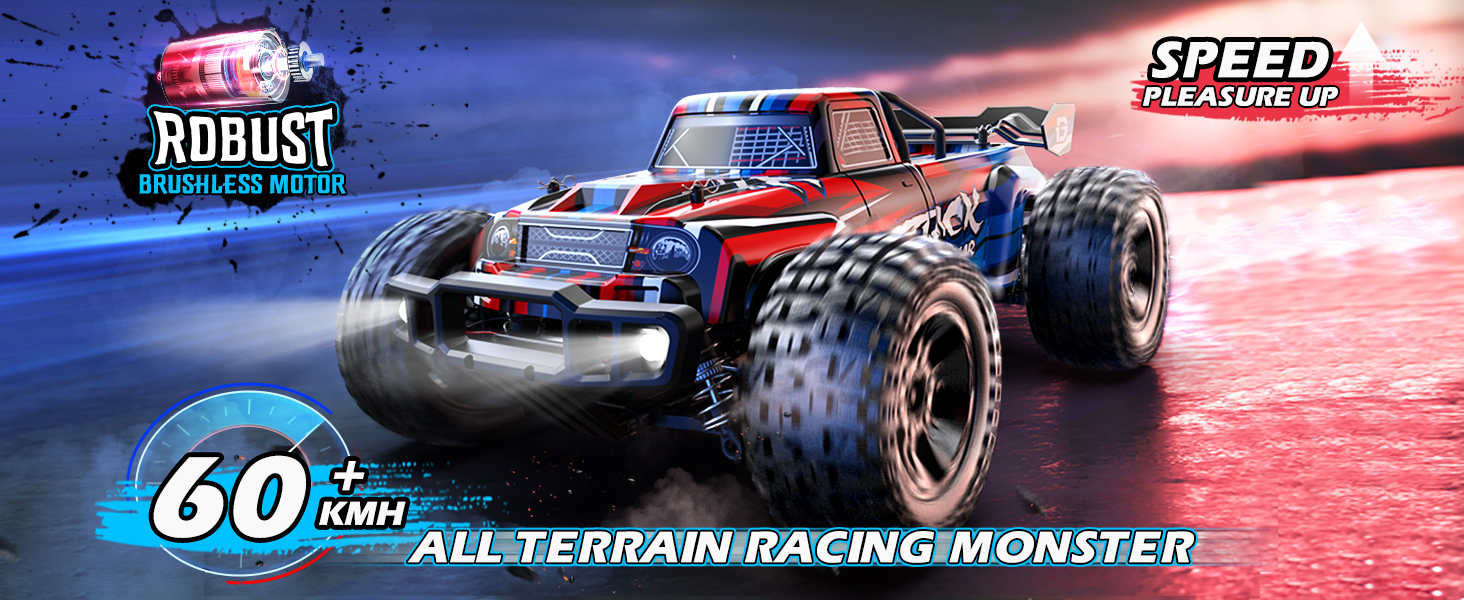
Figure 4.2: Close-up of the brushless motor and its heat sink.
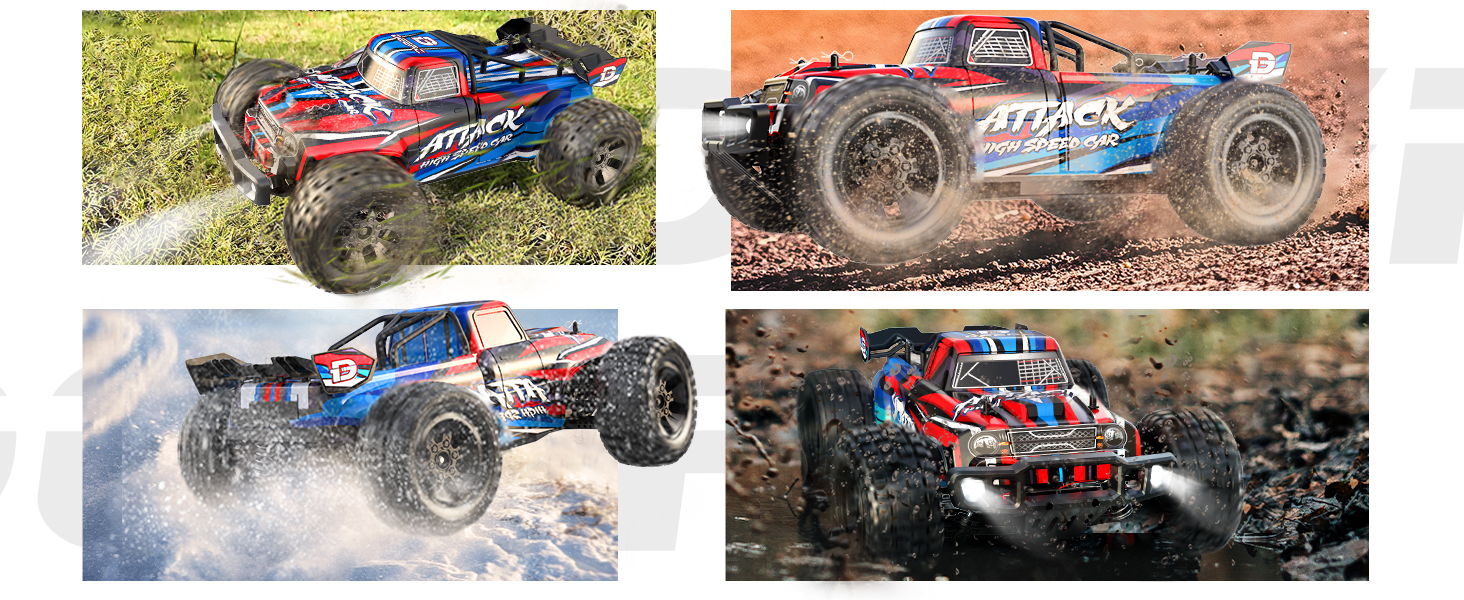
Figure 4.3: The 45A Brushless ESC with splash-proof and protection features.

Figure 4.4: The shock absorber system for smooth handling.

Figure 4.5: Dual Alloy Differential for enhanced stability and reduced wear.

Figure 4.6: Reinforced car shell for increased durability.

Figure 4.7: All-terrain tires for superior performance on various surfaces.
4.2 ส่วนประกอบของรีโมทคอนโทรล
- 2.4Ghz Radio Control System: Ensures non-interference and non-jamming operation.
- Proportional Steering & Throttle: Allows for precise control over speed and direction.
- สวิตช์ความเร็ว: Adjusts the maximum speed of the RC car.
- ตัดแต่งพวงมาลัย: Fine-tunes the steering alignment.

Figure 4.8: The 2.4GHz Remote Control for precise vehicle operation.
5. การตั้งค่า
5.1 การชาร์จแบตเตอรี่
- Connect the provided USB charging cable to the 11.4V 1500mAh Li-ion battery.
- เสียบสาย USB เข้ากับอะแดปเตอร์แปลงไฟ USB ที่ใช้งานร่วมกันได้ (ไม่ได้รวมอยู่ในชุด)
- The indicator light on the USB charger will show charging status (refer to charger instructions for specific light patterns).
- ใช้เวลาประมาณ 3-4 ชั่วโมงในการชาร์จจนเต็ม
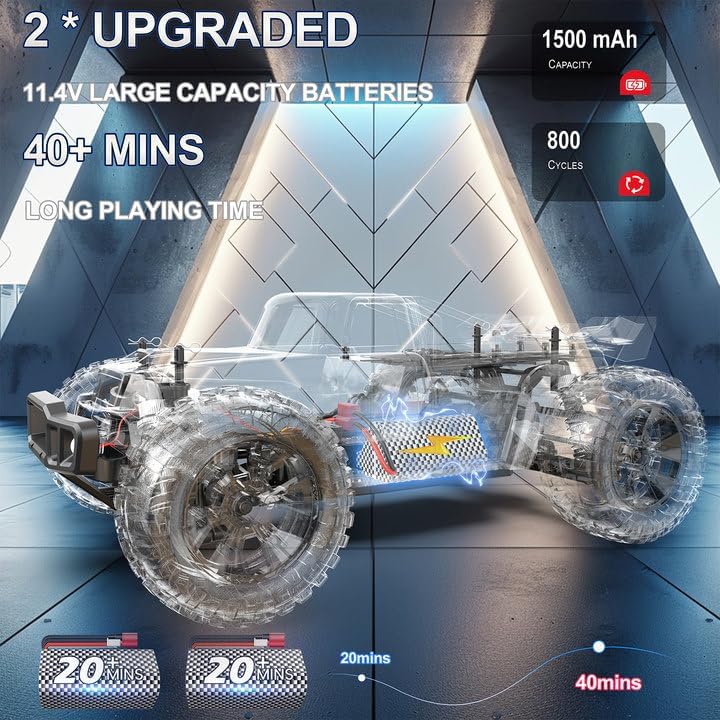
Figure 5.1: The two included 11.4V 1500mAh Li-ion batteries.

Figure 5.2: Battery charging connection.
5.2 Installing Batteries in the RC Car
- Remove the body clips and lift the car shell to access the battery compartment.
- Carefully insert a charged 11.4V Li-ion battery into the designated slot.
- Connect the battery's red plug to the corresponding red connector inside the car.
- Secure the battery using the Velcro straps.
- Replace the car shell and secure it with the body clips.
5.3 การใส่แบตเตอรี่ลงในรีโมทคอนโทรล
- เปิดฝาครอบช่องใส่แบตเตอรี่ที่ด้านหลังของรีโมทคอนโทรล
- Insert 3 x AA batteries (not included) into the compartment, ensuring correct polarity.
- ปิดฝาช่องใส่แบตเตอรี่
6. คู่มือการใช้งาน
6.1 การเปิดเครื่องและการเชื่อมต่อ
- Ensure the RC car battery is connected and the car shell is secured.
- Turn on the RC car by pressing the power button located on the chassis (refer to Components Overview for exact location). The LED headlights will illuminate.
- Turn on the remote control. The indicator light on the remote will blink, then become solid once successfully bound to the car.
6.2 การควบคุมขั้นพื้นฐาน
- ไปข้างหน้าไปข้างหลัง: Pull the trigger on the remote control to move forward, push it forward to move backward.
- การบังคับเลี้ยว: Turn the steering wheel on the remote control left or right to steer the car.
การปรับความเร็ว 6.3
The remote control features a speed switch to adjust the maximum speed of the RC car. This is useful for beginners or for operating in smaller spaces.
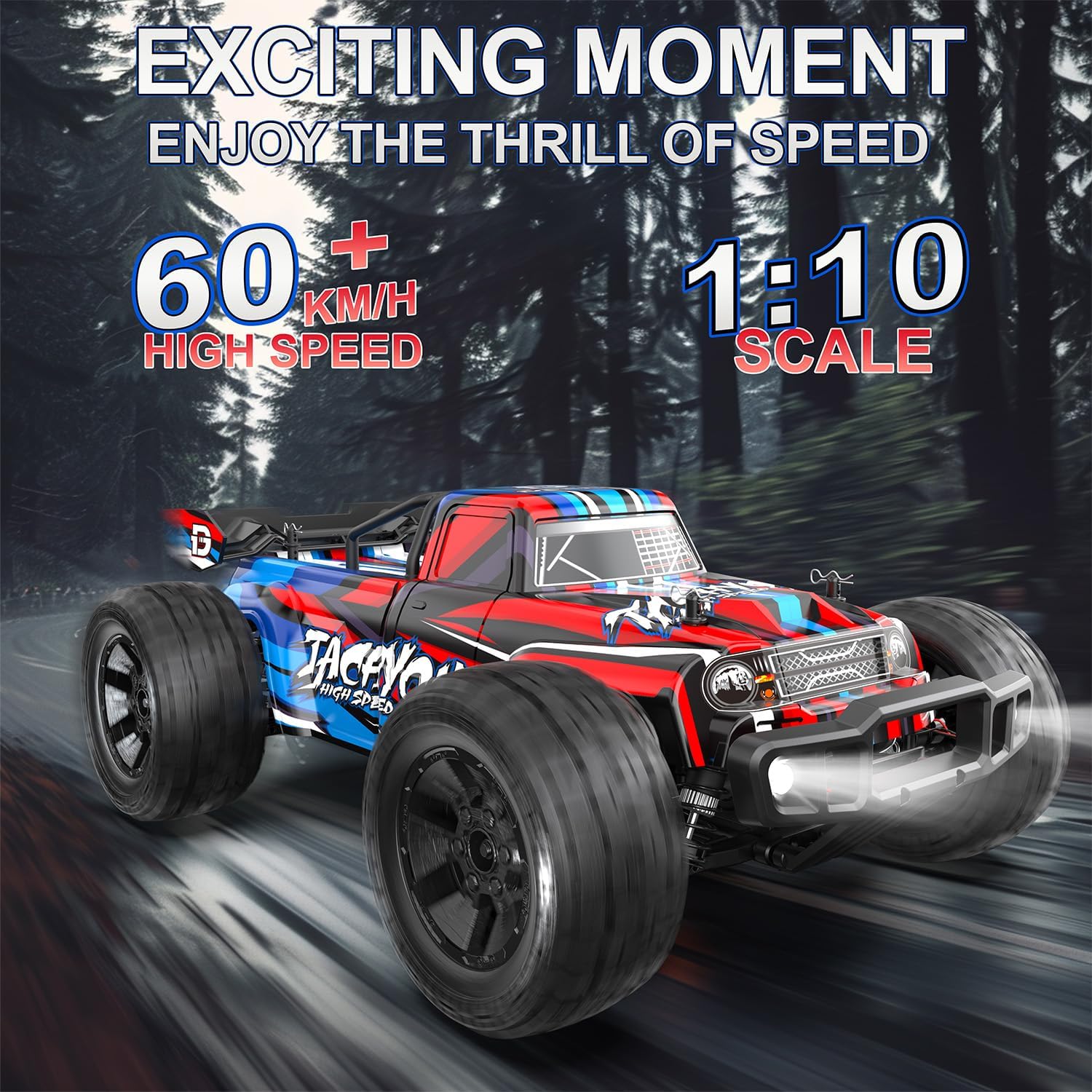
Figure 6.1: The DEERC 210E demonstrating its high-speed performance.
6.4 All-Terrain Operation
The DEERC 210E is designed for all-terrain dominance, capable of handling sand, gravel, grass, and even small streams thanks to its robust build and powerful 4X4 system.

Figure 6.2: The DEERC 210E performing on diverse terrains.
6.5 ความต้านทานน้ำ (IPX4)
The electronic speed controllers (ESC) and receiver are splash-proof with IPX4 water resistance. This means the car can handle water splashes from all directions and small puddles. However, it is not meant for full submersion. Avoid operating in deep water to prevent damage.
Video 6.1: Official product video demonstrating the DEERC 210E's performance and durability on various surfaces, including wet conditions.
7. การบำรุงรักษา
- การทำความสะอาด: After each use, especially in dusty or muddy conditions, use the provided brush or a soft cloth to clean the car's chassis, wheels, and suspension components.
- การดูแลแบตเตอรี่ Always disconnect batteries after use. Store them in a cool, dry place. Do not overcharge or over-discharge batteries.
- การตรวจสอบส่วนประกอบ: Regularly inspect all screws, nuts, and moving parts for looseness or damage. Tighten as needed. Replace any broken or worn-out parts using the provided spares or ordering new ones from DEERC.
- การหล่อลื่น: Periodically apply a small amount of silicone grease to moving parts like differentials and drive shafts to ensure smooth operation and reduce wear.
8 การแก้ไขปัญหา
| ปัญหา | สาเหตุที่เป็นไปได้ | สารละลาย |
|---|---|---|
| Car does not turn on. | Battery not charged or connected. | Charge battery fully. Ensure battery is securely connected. |
| รีโมทคอนโทรลไม่ตอบสนอง | Remote batteries low or not installed correctly. Not bound to car. | Replace remote batteries. Ensure correct polarity. Re-bind remote to car. |
| ลดความเร็วหรือกำลัง | Low battery charge. Speed switch on remote set too low. | Recharge car battery. Adjust speed switch on remote to a higher setting. |
| รถมีเสียงผิดปกติ | Debris in gears. Loose parts. | Inspect and clean gears. Check for and tighten any loose components. |
| พวงมาลัยไม่อยู่ตรงกลาง | การปรับแต่งพวงมาลัยต้องได้รับการปรับปรุง | Use the steering trim knob on the remote to adjust. |
9. ข้อมูลจำเพาะ
- แบบอย่าง: 210อี
- มาตราส่วน: 1:10 Large Scale
- ระบบขับเคลื่อน: 4X4 (Four-Wheel Drive)
- มอเตอร์: Brushless 2845A 4-pole motor
- เอสซีเอส: 45A Brushless ESC (IPX4 waterproof)
- ความเร็วสูงสุด: 60+ KM/H (approx. 37+ MPH)
- แบตเตอรี่: 2 x 11.4V 1500mAh Li-ion (included)
- เวลาเล่น: 40+ minutes (with two batteries)
- ความถี่การควบคุมระยะไกล: 2.4กิกะเฮิรตซ์
- ขนาดสินค้า : 14.17 x 11.81 x 5.91 นิ้ว
- น้ำหนักสินค้า: 4.84 ปอนด์
- อายุที่แนะนำ: 14 ปีขึ้นไป

Figure 9.1: Dimensions of the DEERC 210E RC Truck.
10. การรับประกันและการสนับสนุน
For any questions, technical support, or warranty inquiries regarding your DEERC 1:10 Large Brushless RC Car (Model 210E), please contact DEERC customer service. Refer to the contact information provided on the product packaging or the official DEERC webเว็บไซต์เพื่อขอความช่วยเหลือ
DEERC is committed to providing high-quality products and excellent customer service. Please retain your proof of purchase for any warranty claims.


