การแนะนำ
This manual provides detailed instructions for the operation and maintenance of your Kuephom Portable Bluetooth CD Walkman. Designed for versatility, this device supports CD, Bluetooth, USB, and AUX playback, featuring anti-skip protection and a built-in speaker. Please read this manual thoroughly before use to ensure proper functionality and longevity of your device.
เนื้อหาแพ็คเกจ
ตรวจสอบว่ารายการทั้งหมดที่ระบุไว้ด้านล่างนี้รวมอยู่ในแพ็คเกจของคุณ:
- CD player X 1
- หูฟัง X 1
- สายสัญญาณเสียง X 1
- สายชาร์จ X 1
- Pouch X 1
สินค้าเกินview

Figure 1: Kuephom Portable Bluetooth CD Walkman and its accessories, including earbuds, audio cable, charging cable, and pouch.

Figure 2: Detailed diagram illustrating the various buttons and ports on the Kuephom Portable CD Walkman, including volume controls, playback buttons, mode selection, Bluetooth transmit, USB slot, AUX in jack, earphone jack, and speaker.
การตั้งค่า
การชาร์จอุปกรณ์
The CD player has a built-in rechargeable lithium battery. Before first use, fully charge the device.
- Connect the provided USB charging cable to the charging port (DC 5V) on the device.
- Connect the other end of the USB cable to a compatible USB power source (e.g., wall charger, power bank, car charger, or computer USB port).
- ไฟแสดงสถานะการชาร์จจะสว่างขึ้นขณะชาร์จและจะดับลงเมื่อชาร์จเต็มแล้ว การชาร์จเต็มใช้เวลาประมาณ 4 ชั่วโมง

Figure 3: The portable CD player connected to a power source via its USB charging cable, demonstrating various charging options.
การเปิด/ปิดเครื่อง
เลื่อน เปิด/ปิด switch located on the side of the device to turn it on or off.
การใส่แผ่นซีดี
- เลื่อน เปิด switch to open the CD compartment cover.
- Carefully place a CD (CD, CD-R, CD-RW, MP3, WMA, WAV formats supported) onto the spindle with the label side facing up.
- Gently press the center of the CD until it clicks into place.
- Close the CD compartment cover firmly until it latches.
Video 1: Demonstration of inserting a CD into the Kuephom Portable CD Player and closing the compartment. This video also shows the supported disc formats.
Connecting Headphones or External Speakers (AUX)
For private listening or connecting to non-Bluetooth devices:
- Insert the 3.5mm jack of your headphones into the แจ็คหูฟัง.
- To connect to external speakers or a car audio system, use the provided 3.5mm audio cable. Insert one end into the AUX ในแจ็ค on the CD player and the other end into the AUX input of your external device.

Figure 4: The portable CD player connected to a car's audio system via an AUX cable, demonstrating its use in a vehicle with anti-shock protection for uninterrupted playback.
คำแนะนำการใช้งาน
การเล่นขั้นพื้นฐาน
- กดปุ่ม เล่น/หยุดชั่วคราว button (►▮▮) to start or pause playback.
- กดปุ่ม ต่อไป button (►►) to skip to the next track.
- กดปุ่ม ก่อนหน้า button (◄◄) to go to the beginning of the current track or the previous track.
- กดปุ่ม หยุด กดปุ่ม (■) เพื่อหยุดการเล่น
- ปรับระดับเสียงโดยใช้ เล่ม+ และ Vol- ปุ่ม
ฟังก์ชั่นบลูทูธ
The device supports two-way Bluetooth connection:
Bluetooth Transmitting (Connecting to Bluetooth Headphones/Speakers)
- Ensure the CD player is powered on and a CD is inserted.
- กดปุ่ม บลูทูธส่ง button (labeled "TRANSMIT" or "BT" on some models) to enter Bluetooth transmitting mode. The Bluetooth icon on the display will flash.
- ใส่หูฟังหรือลำโพง Bluetooth ของคุณเข้าสู่โหมดจับคู่
- The CD player will automatically search for and connect to nearby Bluetooth devices. Once connected, the Bluetooth icon will stop flashing.

Figure 5: The portable CD player actively transmitting audio via Bluetooth to both headphones and a separate Bluetooth speaker, illustrating its wireless output capability.
Bluetooth Receiving (Connecting to Smartphone/Laptop)
- กดปุ่ม โหมด BT button (labeled "BT" or "MODE" on some models) to switch the CD player into Bluetooth receiving mode.
- บนสมาร์ทโฟน แท็บเล็ต หรือแล็ปท็อปของคุณ ให้เปิดใช้งานบลูทูธ แล้วค้นหาอุปกรณ์ที่ใช้งานได้
- Select "Kuephom CD Player" (or similar name) from the list of devices to pair.
- Once connected, you can play audio from your smart device through the CD player's built-in speaker.
Video 2: This video demonstrates the Bluetooth playback feature, showing the CD player connecting to a smartphone to stream audio, highlighting its versatility as a Bluetooth speaker.
Other Playback Modes
- การเล่น USB: ใส่แฟลชไดรฟ์ USB ลงใน ช่องเสียบ USB. The player will automatically switch to USB mode and begin playing compatible audio files.
- ทำซ้ำฟังก์ชัน: กดปุ่ม ทำซ้ำ ปุ่มสำหรับสลับระหว่างโหมดการทำซ้ำ (เช่น ทำซ้ำหนึ่งโหมด ทำซ้ำทั้งหมด)
- A-B Repeating: กดปุ่ม เอ บี button to set a starting point (A) and an ending point (B) for a section of audio to repeat. Press again to clear.
- การปรับความเร็ว: ใช้ ปรับความเร็ว buttons (labeled "SPEED" or "SPEED +/-") to increase or decrease the playback speed. This feature is particularly useful for language learning.
- การเล่นโปรแกรม: Refer to the detailed product diagram (Figure 2) for the "PROG." button if available on your model for custom track sequencing.
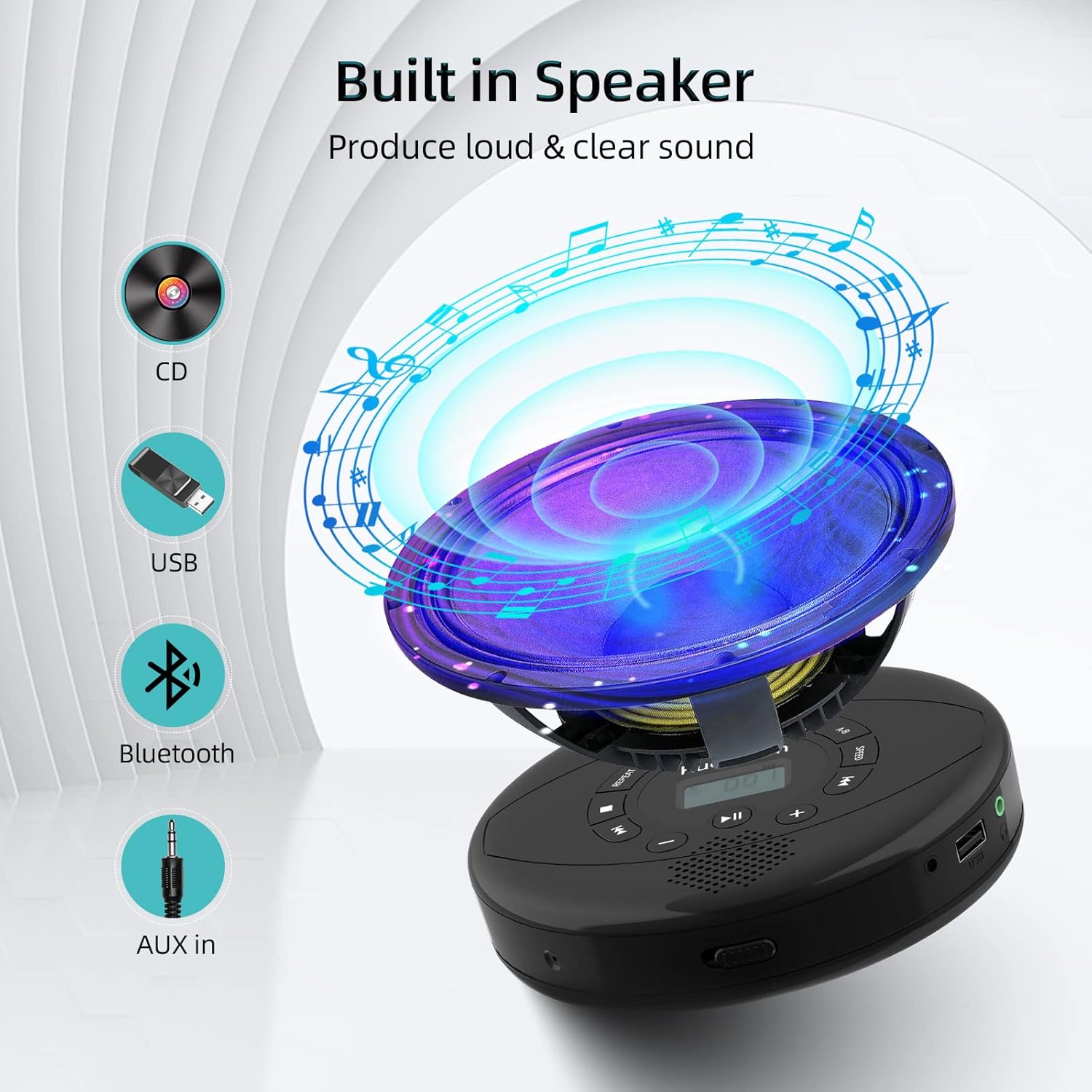
Figure 6: Illustration of the built-in speaker and the various audio input options supported by the device, including CD, USB, Bluetooth, and AUX in.
การซ่อมบำรุง
- รักษาความสะอาดของอุปกรณ์ด้วยการเช็ดด้วยผ้านุ่มและแห้ง หลีกเลี่ยงการใช้น้ำยาทำความสะอาดหรือสารละลายที่มีฤทธิ์กัดกร่อน
- อย่าให้เครื่องสัมผัสกับอุณหภูมิที่สูงหรือต่ำเกินไป แสงแดดโดยตรง หรือความชื้นสูง
- Handle CDs by their edges to prevent scratches and smudges. Clean CDs with a soft, lint-free cloth, wiping from the center outwards.
- เมื่อไม่ได้ใช้งานเป็นเวลานาน ควรเก็บอุปกรณ์ไว้ในที่แห้งและเย็น
การแก้ไขปัญหา
| ปัญหา | สาเหตุที่เป็นไปได้ | สารละลาย |
|---|---|---|
| อุปกรณ์ไม่เปิดเครื่อง | Battery is low or depleted. Power switch is off. | Charge the device fully. Ensure the ON/OFF switch is in the "ON" position. |
| แผ่นซีดีเล่นสะดุดหรือไม่เล่นเลย | CD is dirty, scratched, or damaged. Device is unstable. | Clean the CD. Try another CD. Ensure the device is on a stable surface or utilize its anti-skip protection during movement. |
| ไม่มีเสียงออกจากหูฟัง/ลำโพง | Volume is too low. Headphones/speakers not properly connected. Incorrect mode selected. | Increase volume. Re-insert headphone/AUX cable firmly. Ensure correct mode (CD, Bluetooth, USB, AUX) is selected. |
| การจับคู่บลูทูธล้มเหลว | Device not in pairing mode. Bluetooth device too far. Interference. | Ensure the CD player is in Bluetooth transmitting/receiving mode. Move devices closer. Turn off other Bluetooth devices to reduce interference. |
ข้อมูลจำเพาะ
| คุณสมบัติ | รายละเอียด |
|---|---|
| ขนาดสินค้า | 5.7 x 5.7 x 1.2 นิ้ว |
| น้ำหนักสินค้า | 1.21 ปอนด์ |
| หมายเลขรุ่น | พีเอ็ม10-แบล็ค |
| แบตเตอรี่ | แบตเตอรี่ลิเธียมโพลิเมอร์ 1 ก้อน (รวมอยู่ด้วย) |
| ยี่ห้อ | เกื้อพรหม |
| เทคโนโลยีการเชื่อมต่อ | บลูทูธ, อุปกรณ์เสริม, USB |
| รูปแบบที่รองรับ | ซีดี, ซีดี-R, ซีดี-RW, MP3, WMA, WAV |
| คุณสมบัติพิเศษ | Portable, Anti-Skip, Built-in Speakers |
การรับประกันและการสนับสนุน
For warranty information or technical support, please refer to the contact details provided with your purchase or visit the official Kuephom webไซต์ โปรดเก็บใบเสร็จรับเงินของคุณไว้เป็นหลักฐานการซื้อสำหรับการเรียกร้องการรับประกันใดๆ


