สินค้าเกินview
The Baseus 9-in-1 USB-C Docking Station is a versatile multi-port adapter designed to expand the connectivity of your USB-C enabled devices. It provides a comprehensive solution for connecting external displays, network cables, USB peripherals, and memory cards, all while delivering power to your host device.

Image: The Baseus 9-in-1 USB-C Docking Station, showcasing its compact design and multiple ports including USB-A, HDMI, Ethernet, and card reader slots, with connected cables and memory cards.
คุณสมบัติหลัก:
- Dual Monitor Output: Supports up to 4K@120Hz for single display and dual 4K@30Hz for extended or mirrored displays via two HDMI ports.
- กิกะบิตอีเธอร์เน็ต: Provides a stable and fast 1000Mbps wired network connection.
- กำลังส่ง (PD): Offers up to 85W power passthrough to charge your laptop while using the hub (requires a 100W power adapter, as the hub consumes 15W).
- การถ่ายโอนข้อมูลความเร็วสูง: Equipped with two USB 3.0 ports (up to 5Gbps) and one USB 2.0 port (up to 60MB/s) for connecting various peripherals.
- เครื่องอ่านการ์ด SD/TF: Integrated slots for SD and TF cards with data transfer speeds up to 104MB/s.

Image: A detailed diagram illustrating the various ports of the Baseus 9-in-1 docking station, including PD (100W), HDMI 1 (4K@120Hz), HDMI 2 (4K@30Hz), TF (104MB/s), SD (104MB/s), USB 2.0 (60MB/s), and two USB 3.0 (500MB/s) ports.
คู่มือการติดตั้ง
- เชื่อมต่อกับอุปกรณ์โฮสต์: Plug the integrated USB-C cable of the docking station into the USB-C port of your laptop, tablet, or smartphone. Ensure your device's USB-C port supports video output (DisplayPort Alternate Mode) and Power Delivery for full functionality.
- การเชื่อมต่อพลังงาน (ทางเลือกแต่แนะนำ): For stable operation and to charge your host device, connect a USB-C power adapter (up to 100W recommended) to the PD (Power Delivery) port on the docking station. The hub itself consumes 15W, so an 85W output will be delivered to your device with a 100W input.
- เชื่อมต่อจอแสดงผลภายนอก:
- For single display, connect an HDMI cable from your monitor to HDMI 1 port for up to 4K@120Hz resolution.
- For dual displays, connect two HDMI cables from your monitors to both HDMI 1 and HDMI 2 ports. Resolutions will vary based on your host device's capabilities (e.g., dual 4K@30Hz).

Image: A laptop connected to the Baseus docking station, which in turn is connected to two external monitors, demonstrating the dual monitor 4K output capability.
- เชื่อมต่อกับเครือข่ายแบบใช้สาย: Insert an Ethernet cable into the RJ45 port on the docking station for a stable 1000Mbps wired internet connection.

Image: The Baseus docking station connected to a laptop, with an Ethernet cable plugged into the hub, illustrating the stable Gigabit Ethernet connection.
- เชื่อมต่ออุปกรณ์ต่อพ่วง USB: Plug your USB devices (e.g., keyboard, mouse, external hard drive, USB flash drive) into the available USB 3.0 or USB 2.0 ports.
- ใส่การ์ดหน่วยความจำ: Insert your SD or TF (MicroSD) cards into the corresponding slots for data transfer.
คำแนะนำการใช้งาน
Once connected, the Baseus 9-in-1 USB-C Docking Station operates largely plug-and-play. Your operating system should automatically detect and configure the connected devices.
การกำหนดค่าการแสดงผล:
- หน้าต่าง: Right-click on your desktop, select "Display settings," and arrange your monitors. You can choose to extend, duplicate, or show only on one display.
- MacOS: Go to "System Preferences" > "Displays" > "Arrangement" to configure your external monitors.
Power Delivery Functionality:
The PD port allows your laptop to receive power through the docking station. Ensure your power adapter is connected to the PD port on the hub and is of sufficient wattage (e.g., 100W) to provide 85W to your laptop after the hub's self-consumption.

Image: An illustration demonstrating the power delivery function of the Baseus docking station, showing a 100W input from a power adapter and an 85W output to the connected laptop, with a note about the hub's 15W self-consumption.
การถ่ายโอนข้อมูล:
Utilize the USB 3.0 ports for high-speed data transfer (up to 5Gbps) for devices like external hard drives. The USB 2.0 port is suitable for lower-speed peripherals such as keyboards and mice. The SD/TF card reader supports fast transfers up to 104MB/s.
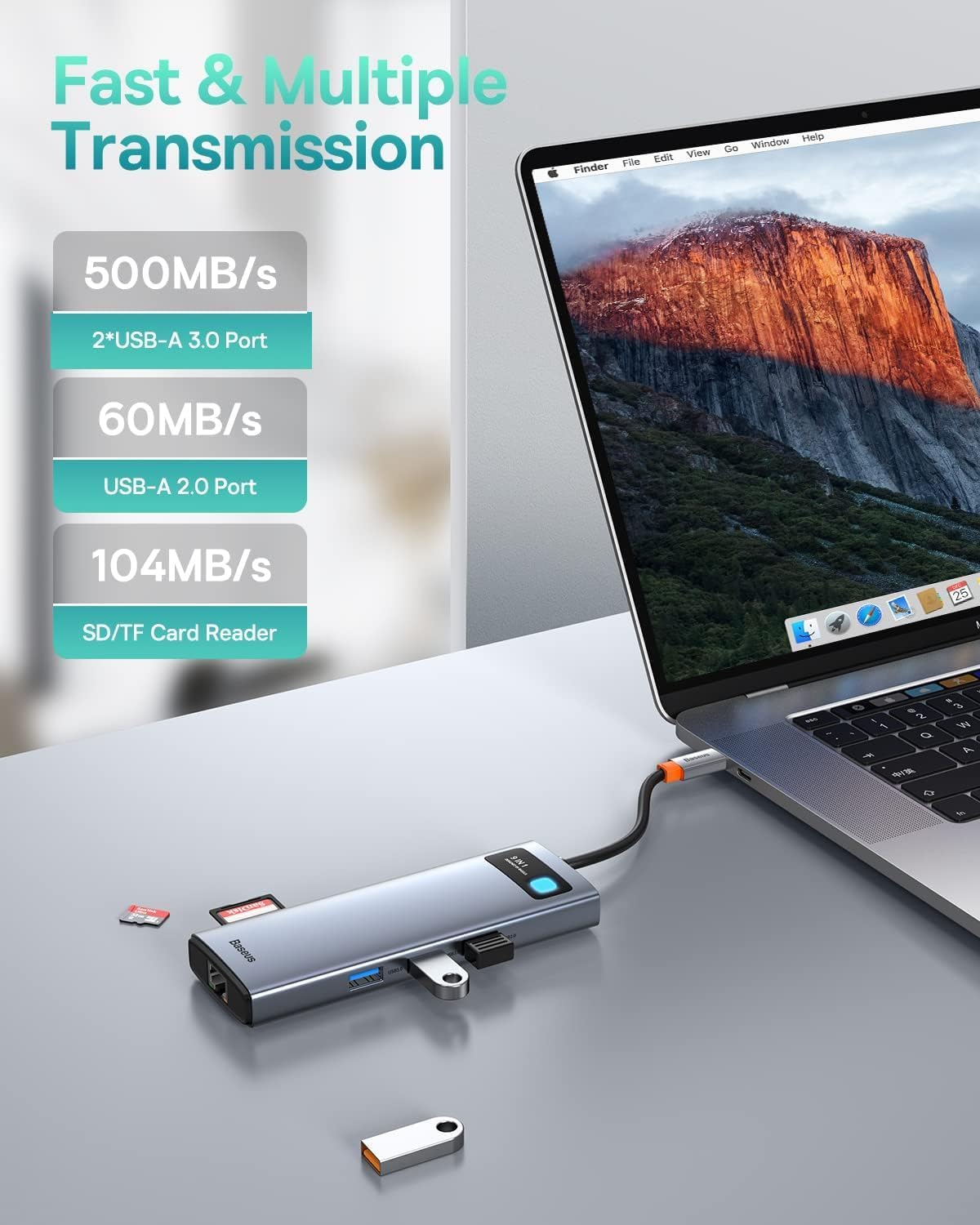
Image: The Baseus docking station connected to a laptop, with various USB devices and an SD card inserted, highlighting the fast and multiple transmission capabilities of the USB-A ports and SD/TF card reader.
การซ่อมบำรุง
- การทำความสะอาด: ใช้ผ้าแห้งนุ่มๆ เช็ดทำความสะอาดพื้นผิวของแท่นวาง หลีกเลี่ยงการใช้น้ำยาทำความสะอาดหรือสเปรย์กระป๋อง
- พื้นที่จัดเก็บ: เก็บอุปกรณ์ไว้ในที่แห้งและเย็น หลีกเลี่ยงแสงแดดโดยตรงและอุณหภูมิที่สูงหรือต่ำเกินไป
- การจัดการ: หลีกเลี่ยงการทำแท่นวางตกหรือกระแทกอย่างแรง ห้ามถอดประกอบหรือดัดแปลงอุปกรณ์
- การจัดการสายเคเบิล: Ensure cables are not excessively bent or tangled to prevent damage to the ports or internal wiring.
การแก้ไขปัญหา
| ปัญหา | สาเหตุที่เป็นไปได้ | สารละลาย |
|---|---|---|
| ไม่มีการแสดงผลบนจอภาพภายนอก |
|
|
| No internet connection via Ethernet. |
|
|
| อุปกรณ์ USB ไม่ได้รับการรู้จัก |
|
|
| ความเร็วในการถ่ายโอนข้อมูลช้า |
|
|
ข้อมูลจำเพาะ
| คุณสมบัติ | รายละเอียด |
|---|---|
| แบบอย่าง | 9-in-1 USB-C Docking Station (B0B1PT5FVM) |
| ยี่ห้อ | เบสอุส |
| ขนาดสินค้า | 5.31 x 1.93 x 0.63 นิ้ว |
| น้ำหนักสินค้า | 5.3 ออนซ์ |
| ฮาร์ดแวร์อินเตอร์เฟซ | MicroSD, USB Type C, Ethernet, HDMI, USB 3.0, USB 2.0, Secure Digital Card |
| เอาต์พุต HDMI 1 | Up to 4K@120Hz (Single Display) |
| เอาต์พุต HDMI 2 | Up to 4K@30Hz (Single Display) |
| เอาต์พุต HDMI คู่ | Up to 4K@30Hz + 4K@30Hz (Dependent on host device capabilities) |
| พอร์ตอีเทอร์เน็ต | 1000Mbps Gigabit Ethernet |
| พอร์ต USB-C PD | Max 85W Power Delivery (100W input required, 15W for hub self-consumption) |
| พอร์ต USB 3.0 | 2 ports, up to 5Gbps data transfer speed |
| พอร์ต USB 2.0 | 1 port, up to 60MB/s data transfer speed |
| เครื่องอ่านการ์ด SD/TF | Supports up to 104MB/s data transfer speed |
| อุปกรณ์ที่รองรับ | iPhone 15 Series, ASUS ROG Ally, Steam Deck, MacBook, MacBook Pro (2018-2021), MacBook Air (2018-2020), Mac mini (2018-2020), iPad Pro/Air (2018/2020), iPad mini 6, Dell XPS, Dell Latitude, Lenovo Yoga, Thinkpad, Microsoft Surface series, Samsung Galaxy phones/tablets, HP Spectre, Elitebook, Envy, ASUS Zenbook, Acer Aspire. |
การรับประกันและการสนับสนุน
For detailed warranty information and customer support, please refer to the official Baseus webหรือติดต่อฝ่ายบริการลูกค้าโดยตรง เก็บใบเสร็จรับเงินไว้เพื่อใช้ในการเคลมประกัน
Baseus อย่างเป็นทางการ Webเว็บไซต์: www.baseus.com


