1. บทนำ
The HyperX DuoCast is a versatile USB condenser microphone designed for clear audio capture across various applications, including gaming, streaming, podcasting, and voiceovers. It features customizable RGB lighting, multiple polar patterns, and convenient controls for an optimized user experience.

ภาพที่ 1.1: ด้านหน้า view of the HyperX DuoCast microphone with its integrated stand and RGB light ring.
2. เนื้อหาบรรจุภัณฑ์
ตรวจสอบว่ามีรายการทั้งหมดอยู่ในแพ็คเกจ:
- HyperX DuoCast USB Condenser Microphone
- สาย USB Type-C เป็น Type-A
- คู่มือเริ่มต้นอย่างรวดเร็ว

Image 2.1: Contents of the HyperX DuoCast retail package, including the microphone, USB cable, and documentation.
3. คำแนะนำในการตั้งค่า
3.1 การเชื่อมต่อไมโครโฟน
- Connect the USB Type-C end of the provided cable to the USB-C port on the back of the HyperX DuoCast microphone.
- Connect the USB Type-A end of the cable to an available USB port on your PC, PS5, PS4, or Mac.
- The microphone will automatically be detected by your operating system.
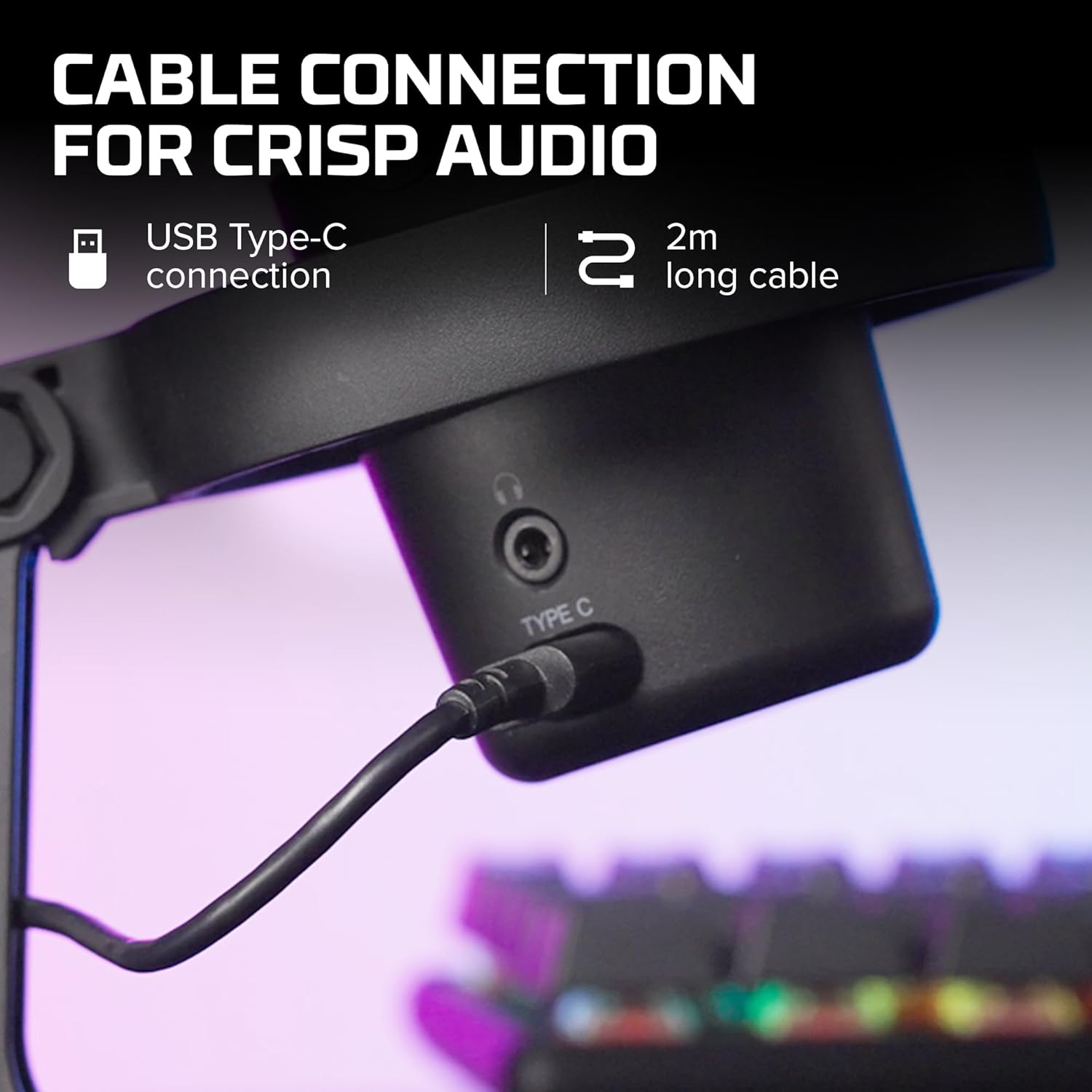
ภาพที่ 3.1: ภาพระยะใกล้ view of the USB Type-C connection port on the HyperX DuoCast microphone.
3.2 การวางตำแหน่งไมโครโฟน
The DuoCast features a low-profile shock mount to reduce unwanted vibrations. For optimal audio quality, position the microphone directly in front of you, approximately 6-12 inches (15-30 cm) from your mouth.

Image 3.2: HyperX DuoCast microphone positioned on a boom arm for optimal recording, with a user wearing headphones.
3.3 การติดตั้งซอฟต์แวร์ (ทางเลือก)
For advanced customization of RGB lighting and other settings, download and install the HyperX NGENUITY Software from the official HyperX website. This software is compatible with Windows operating systems.

Image 3.3: User customizing the RGB lighting of the HyperX DuoCast microphone using the HyperX NGENUITY software interface on a computer screen.
4. การใช้งานไมโครโฟน
4.1 รูปแบบขั้วโลก
The DuoCast offers two selectable polar patterns: Cardioid and Omnidirectional. Switch between these patterns using the button located on the microphone.
- คาร์ดิออยด์: Ideal for single-person recording, such as streaming, podcasts, and voiceovers. It captures sound primarily from the front, reducing background noise.
- รอบทิศทาง: Suitable for multi-person recordings, conference calls, or capturing ambient sounds, as it picks up sound equally from all directions.

Image 4.1: Diagram illustrating the Cardioid and Omnidirectional polar patterns and their recommended use cases.
4.2 เซ็นเซอร์แตะเพื่อปิดเสียง
The microphone features a convenient tap-to-mute sensor on the top. Tapping the top of the microphone will instantly mute or unmute your audio. The RGB light ring will change color to indicate the mute status.

Image 4.2: Close-up of the microphone's top showing the tap-to-mute sensor and the gain control knob.
4.3 การปรับการควบคุมอัตราขยาย
Adjust the microphone's input sensitivity (gain) using the control knob located on the microphone. Rotate the knob to increase or decrease the gain to achieve optimal audio levels and prevent distortion.
4.4 แสง RGB
The DuoCast features a customizable RGB light ring with two zones. The lighting can be personalized using the HyperX NGENUITY Software (Windows only) to match your setup or preference.
4.5 เอาต์พุตหูฟัง
A 3.5mm headphone jack is integrated into the microphone for direct monitoring of your audio output. Connect your headphones to this port to hear your voice in real-time.
5. การบำรุงรักษา
To ensure the longevity and optimal performance of your HyperX DuoCast microphone, follow these maintenance guidelines:
- การทำความสะอาด: Use a soft, dry cloth to clean the microphone's exterior. Avoid using harsh chemicals, solvents, or abrasive materials.
- พื้นที่จัดเก็บ: เมื่อไม่ใช้งาน ควรเก็บไมโครโฟนไว้ในที่สะอาดและแห้ง หลีกเลี่ยงอุณหภูมิและความชื้นที่สูงหรือต่ำเกินไป
- การจัดการ: โปรดใช้งานไมโครโฟนอย่างระมัดระวัง หลีกเลี่ยงการทำตกหรือการกระแทกอย่างแรง เพราะอาจทำให้ชิ้นส่วนภายในเสียหายได้
6 การแก้ไขปัญหา
If you encounter issues with your HyperX DuoCast microphone, refer to the following common solutions:
| ปัญหา | สาเหตุที่เป็นไปได้ | สารละลาย |
|---|---|---|
| ไม่มีอินพุตเสียง | เชื่อมต่อไมโครโฟนไม่ถูกต้อง Incorrect input device selected ปิดเสียงไมโครโฟน | ตรวจสอบให้แน่ใจว่าสาย USB เชื่อมต่ออย่างแน่นหนา Verify the DuoCast is selected as the default input device in your system settings. Tap the top of the microphone to unmute. |
| ระดับเสียงต่ำ | การตั้งค่าเกนต่ำเกินไป System input volume too low | Adjust the gain control knob on the microphone. Increase the microphone input volume in your system's sound settings. |
| เสียงบิดเบี้ยว | Gain setting too high ไมโครโฟนอยู่ใกล้แหล่งกำเนิดเสียงมากเกินไป | Decrease the gain control knob on the microphone. ย้ายไมโครโฟนให้ห่างจากแหล่งกำเนิดเสียง |
| เสียงพื้นหลังมากเกินไป | Incorrect polar pattern selected High gain setting | Switch to Cardioid polar pattern for single-person use. ลดการตั้งค่าเกน โปรดอยู่ในสภาพแวดล้อมที่เงียบสงบ |
| ไฟ RGB ไม่ทำงาน | ปัญหาซอฟต์แวร์ USB connection problem | Ensure HyperX NGENUITY Software is installed and updated (Windows only). เชื่อมต่อสาย USB อีกครั้ง |
7. ข้อมูลจำเพาะ
| คุณสมบัติ | รายละเอียด |
|---|---|
| ประเภทไมโครโฟน | ยูเอสบีคอนเดนเซอร์ |
| รูปแบบเชิงขั้ว | Cardioid รอบทิศทาง |
| ความไวเสียง | 6 เดซิเบล |
| อัตราส่วนสัญญาณต่อเสียงรบกวน | 70 เดซิเบล |
| การตอบสนองความถี่ | 20 เฮิรตซ์ - 20 กิโลเฮิรตซ์ |
| ความละเอียดในการบันทึก | 24 บิต / 96kHz |
| การเชื่อมต่อ | USB (Type-C to Type-A) |
| อุปกรณ์ที่รองรับ | พีซี, PS5, PS4, แมค |
| คุณสมบัติพิเศษ | Customizable RGB Light Ring, Tap-to-Mute Sensor, Gain Control, Low-profile Shock Mount, Internal Pop Filter, 3.5mm Headphone Output |
| ขนาด (กว้าง x ยาว x สูง) | 5.5 x 9.3 x 5 นิ้ว (140 x 236 x 127 มม.) |
| น้ำหนักสินค้า | 8.6 ออนซ์ (243.2 กรัม) |
| หมายเลขรุ่น | 4P5E2AA |

Image 7.1: Diagram showing the physical dimensions (width, height, depth) and weight of the HyperX DuoCast microphone.
8. การรับประกันและการสนับสนุน
For warranty information and technical support, please visit the official HyperX webเข้าชมเว็บไซต์หรือติดต่อฝ่ายบริการลูกค้าของ HyperX เก็บหลักฐานการซื้อไว้เพื่อใช้ในการเคลมประกัน
การสนับสนุนทางออนไลน์: www.hyperx.com/support


