1. บทนำ
Thank you for choosing the Renimer IT100 Wireless Earbuds. These earbuds are designed to provide a superior audio experience with advanced Bluetooth 5.2 technology, Hi-Fi stereo sound, and a comfortable, waterproof design. This manual will guide you through the setup, operation, and maintenance of your new earbuds to ensure optimal performance and longevity.
2. เนื้อหาบรรจุภัณฑ์
กรุณาตรวจสอบแพ็คเกจสำหรับรายการต่อไปนี้:
- Renimer IT100 Wireless Earbuds (Left and Right)
- เคสชาร์จไฟ
- สายชาร์จแบบ USB Type-C
- จุกหูฟัง (ขนาด S/M/L)
- คู่มือการใช้งาน (เอกสารนี้)
3. สินค้าหมดview
Familiarize yourself with the components of your Renimer IT100 Wireless Earbuds.

รูปที่ 3.1: Renimer IT100 Wireless Earbuds and Charging Case. This image displays the earbuds nestled within their compact charging case, highlighting their sleek design and portability.

รูปที่ 3.2: Super Lightweight Design. This image illustrates the individual earbud weighing 4.1g and the charging case weighing 38.6g, emphasizing their minimal weight for comfortable wear and portability.
4. การตั้งค่า
4.1 การชาร์จหูฟังและเคส
ก่อนใช้งานครั้งแรก ควรชาร์จหูฟังและกล่องชาร์จให้เต็ม
- Place the earbuds into the charging case. Ensure they are correctly seated; the indicator lights on the earbuds will illuminate to show charging status.
- เชื่อมต่อสายชาร์จ USB Type-C เข้ากับพอร์ตชาร์จบนเคสและเสียบปลายอีกด้านหนึ่งเข้ากับอะแดปเตอร์ไฟ USB (ไม่รวมอยู่ด้วย) หรือพอร์ต USB ของคอมพิวเตอร์
- The charging case indicator lights will show the charging progress. A full charge for the case typically takes about 1.5 hours.
- Once fully charged, disconnect the charging cable. The earbuds will charge automatically when placed in the case, providing up to 40 hours of total playtime with multiple recharges from the case.

รูปที่ 4.1: Earbuds in Charging Case. This image shows the earbuds placed inside the charging case, illustrating how they are stored and charged.
4.2 การจับคู่กับอุปกรณ์ของคุณ
The Renimer IT100 earbuds utilize Bluetooth 5.2 for a stable and efficient connection.
- เปิดเครื่องอัตโนมัติ: Open the charging case, and the earbuds will automatically power on and enter pairing mode. The indicator light on one earbud will flash, indicating it is ready to pair.
- เปิดใช้งานบลูทูธ: On your mobile device (smartphone, tablet, etc.), go to the Bluetooth settings and turn on Bluetooth.
- เลือกอุปกรณ์: Look for "Renimer IT100" (or similar) in the list of available Bluetooth devices and select it to connect.
- การยืนยันการเชื่อมต่อ: Once successfully paired, you will hear an audible confirmation, and the earbud indicator lights will turn off or flash slowly.
- เชื่อมต่อใหม่: หลังจากจับคู่ครั้งแรกแล้ว หูฟังจะเชื่อมต่อกับอุปกรณ์ที่จับคู่ล่าสุดโดยอัตโนมัติเมื่อนำออกจากเคสชาร์จ โดยมีเงื่อนไขว่าอุปกรณ์ของคุณต้องเปิดใช้งานบลูทูธไว้

รูปที่ 4.2: Bluetooth 5.2 Technology. This diagram illustrates the advanced Bluetooth 5.2 chip within the earbud, highlighting its stable connection, low latency, and efficient power consumption.
5. คู่มือการใช้งาน
The Renimer IT100 earbuds feature smart touch controls for easy management of music, calls, and voice assistants.
รูปที่ 5.1: Smart Touch Control. This image displays a diagram of an earbud in an ear, with various touch gestures and their corresponding functions for music, calls, and voice assistant.
5.1 การควบคุมเพลง
- เล่น/หยุดชั่วคราว: แตะที่หูฟังข้างใดข้างหนึ่งเพียงครั้งเดียว
- เพลงถัดไป: แตะที่หูฟังด้านขวาสองครั้ง
- แทร็กก่อนหน้า: แตะที่หูฟังด้านซ้ายสองครั้ง
- ปรับระดับเสียงขึ้น: แตะสามครั้งที่เอียร์บัดด้านขวา
- ลดเสียงลง: แตะสามครั้งที่หูฟังข้างซ้าย
5.2 การควบคุมการโทร
- รับ/วางสาย: แตะเพียงครั้งเดียวที่หูฟังข้างใดข้างหนึ่งในระหว่างที่มีสายเรียกเข้าหรือสายสนทนาที่ใช้งานอยู่
- ปฏิเสธสาย: กดปุ่มหูฟังข้างใดข้างหนึ่งค้างไว้ 2 วินาทีในระหว่างที่มีสายเรียกเข้า
5.3 ผู้ช่วยเสียง
- เปิดใช้งานผู้ช่วยเสียง (Siri/Google Assistant): กดเอียร์บัดข้างใดข้างหนึ่งค้างไว้ 3 วินาที
6. การบำรุงรักษา
6.1 การทำความสะอาด
เพื่อรักษาคุณภาพเสียงและสุขอนามัยให้อยู่ในระดับที่ดีที่สุด:
- Regularly clean the earbuds, especially the ear tips and speaker mesh, with a soft, dry, lint-free cloth.
- ห้ามใช้สารเคมีรุนแรง น้ำยาทำความสะอาด หรือสารซักฟอกชนิดเข้มข้น
- Ensure no moisture enters the speaker openings.
6.2 ความต้านทานน้ำ (IP7)
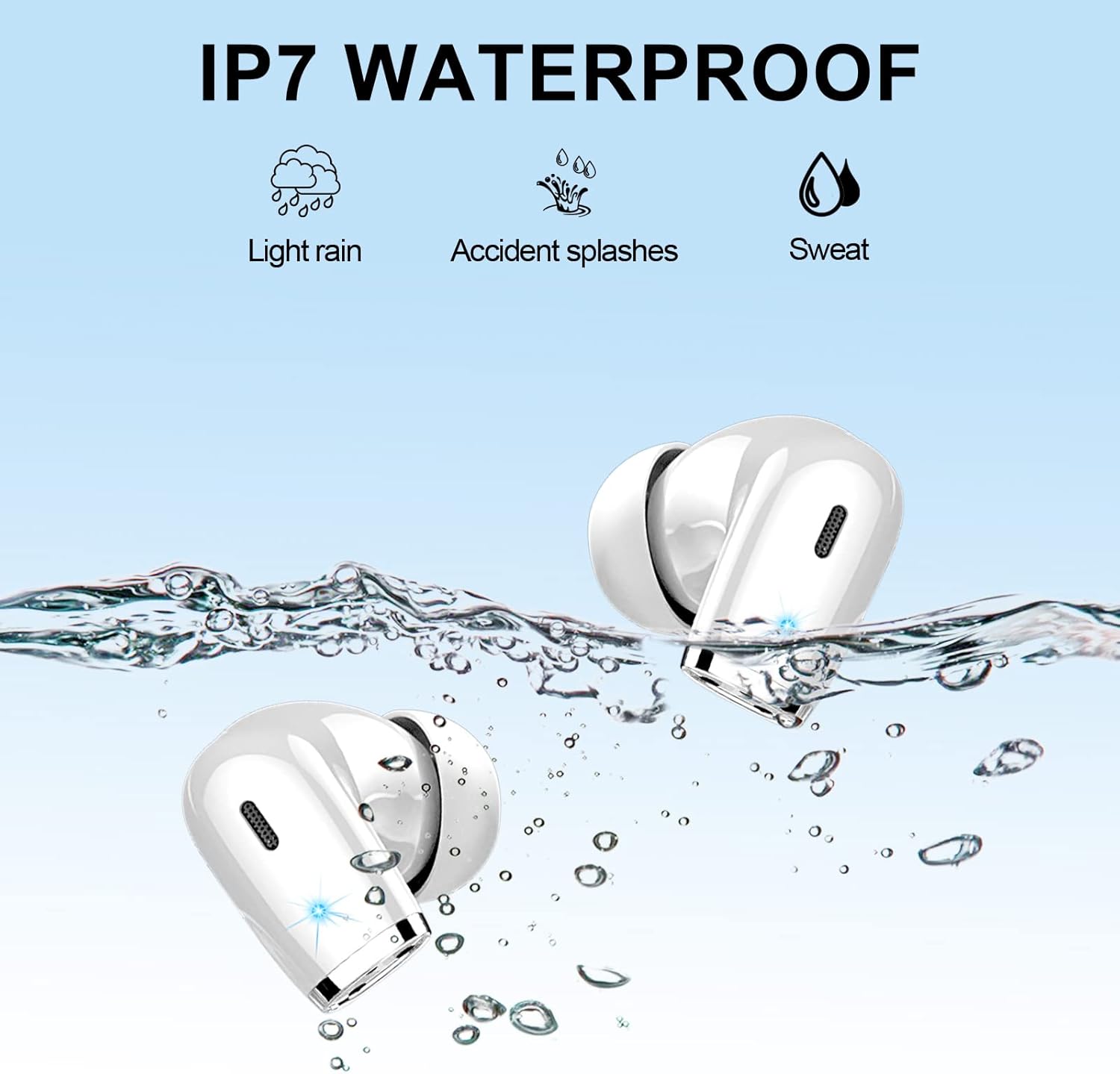
The Renimer IT100 earbuds are rated IP7 waterproof, meaning they are protected against the effects of temporary immersion in water (up to 1 meter for 30 minutes). This makes them suitable for:
- ฝนตกเล็กน้อย
- การกระเด็นโดยไม่ตั้งใจ
- Sweat during sports and exercise
สำคัญ: While IP7 rated, it is recommended to wipe the earbuds dry immediately after contact with water to prevent any potential long-term damage and ensure proper function. The charging case is not waterproof.

รูปที่ 6.1: IP7 Waterproof. This image visually represents the IP7 waterproof capabilities of the earbuds, showing them submerged in water with icons for light rain, accidental splashes, and sweat.
6.3 พื้นที่จัดเก็บ
เมื่อไม่ใช้งาน ควรเก็บหูฟังไว้ในกล่องชาร์จเพื่อป้องกันฝุ่นละออง ความเสียหาย และเพื่อให้หูฟังมีประจุไฟอยู่เสมอ
7 การแก้ไขปัญหา
If you encounter any issues with your Renimer IT100 earbuds, please refer to the following common solutions:
| ปัญหา | สารละลาย |
|---|---|
| หูฟังไม่จับคู่กับอุปกรณ์ |
|
| มีหูฟังใช้งานได้แค่ข้างเดียว |
|
| ระดับเสียงต่ำหรือคุณภาพเสียงไม่ดี |
|
| หูฟังเอียร์บัดไม่ชาร์จ |
|
| ระบบควบคุมแบบสัมผัสไวเกินไปหรือไม่ตอบสนองเลย |
|
8. ข้อมูลจำเพาะ
| หมายเลขรุ่น | IT100 |
| เวอร์ชันบลูทูธ | 5.2 |
| ขนาดลำโพง | 13mm high-efficiency speakers |
| เวลาเล่น (เอียร์บัด) | 7-8 ชั่วโมง (ที่ระดับเสียง 60%) |
| เวลาเล่นทั้งหมด (รวมเคสชาร์จ) | นานถึง 40 ชั่วโมง |
| ระยะเวลาในการชาร์จ (เคส) | ประมาณ 1.5 ชั่วโมง (ผ่าน Type-C) |
| ระดับการกันน้ำ | IP7 (เฉพาะหูฟัง) |
| การควบคุมเสียงรบกวน | CVC 8.0 for calls, Passive Noise Isolation for music |
| วิธีการควบคุม | การควบคุมแบบสัมผัสอัจฉริยะ |
| น้ำหนักหูฟังเอียร์บัดเดียว | 4.1กรัม |
| น้ำหนักเคสชาร์จ | 47กรัม |
| อุปกรณ์ที่รองรับ | iOS 9.0/Android 5.0 or above and Bluetooth 4.0 or later |
9. การรับประกันและการสนับสนุน
Renimer products are designed and manufactured to the highest quality standards. For warranty information, technical support, or customer service inquiries, please refer to the contact information provided with your purchase or visit the official Renimer webไซต์ โปรดเก็บหลักฐานการซื้อไว้เพื่อใช้ในการเรียกร้องการรับประกัน