1. สินค้าหมดview
The STABILA LD220 is a compact and easy-to-use laser distance measuring tool designed for quick and accurate measurements. It features an impact-resistant housing with a shock-absorbent STABILA soft grip casing, ensuring durability in various working conditions. The large digits on the display facilitate easy reading of measurements.
คุณสมบัติหลัก:
- Compact, easy-to-use laser.
- 4 basic measuring functions: length, area, volume, and continuous measurement.
- Calculates measuring results quickly.
- Large digits for easy readability.
- Impact-resistant housing with shock-absorbent STABILA soft grip casing.
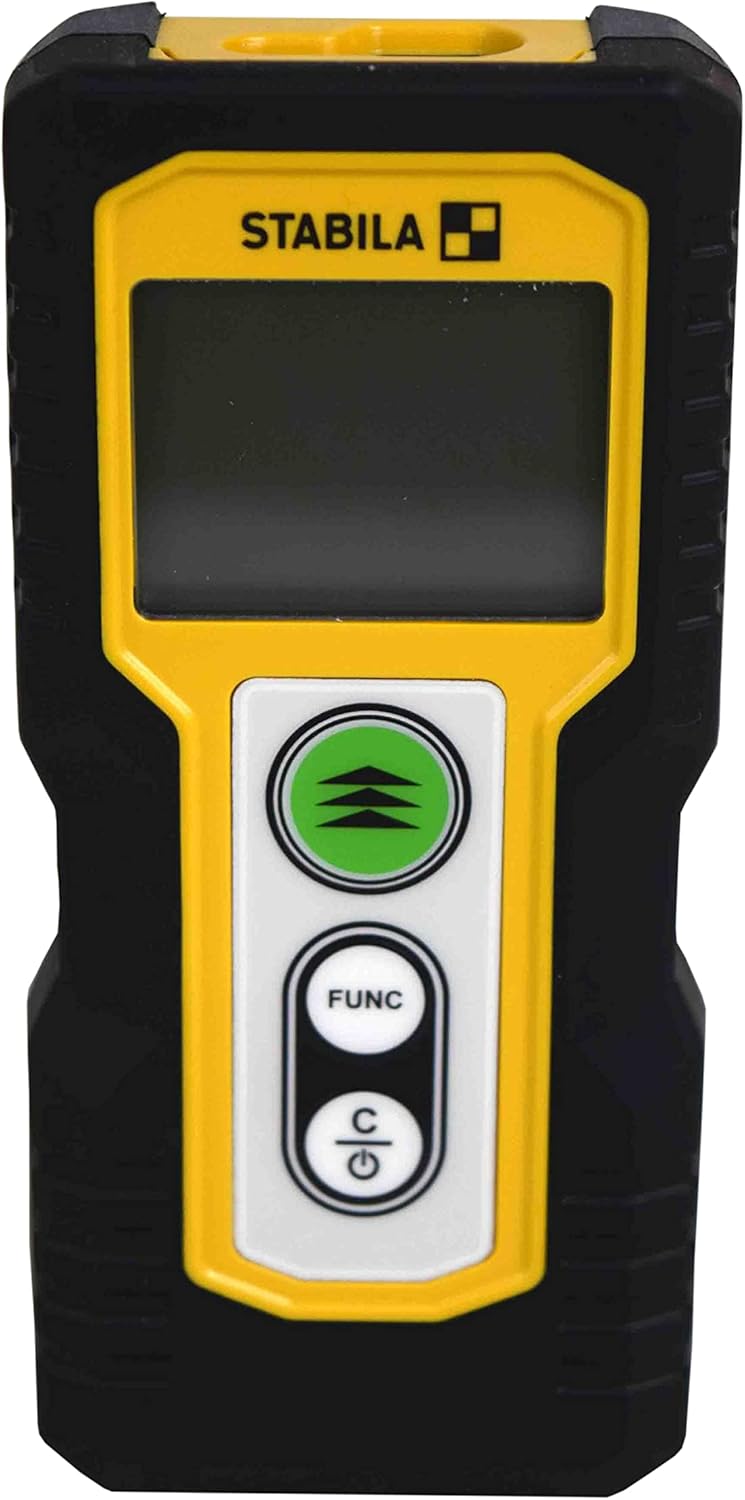
รูปที่ 1.1 : ด้านหน้า view of the STABILA LD220 laser distance measuring tool, showcasinด้วยดีไซน์ที่กะทัดรัดและหน้าจอแสดงผล
2. การเริ่มต้น
2.1 เนื้อหาบรรจุภัณฑ์
ตรวจสอบให้แน่ใจว่ามีส่วนประกอบทั้งหมดอยู่:
- STABILA LD220 Laser Distance Measuring Tool
- Batteries (Alkaline, LR03/AAA type)
2.2 การติดตั้งแบตเตอรี่
The STABILA LD220 requires two AAA alkaline batteries for operation. Follow these steps to install them:
- หาฝาปิดช่องใส่แบตเตอรี่ที่ด้านหลังของอุปกรณ์
- เลื่อนฝาครอบลงหรือตามทิศทางที่ระบุด้วยลูกศรเพื่อเปิด
- Insert two AAA alkaline batteries, ensuring the correct polarity (+ and -) as marked inside the compartment.
- ปิดฝาช่องใส่แบตเตอรี่โดยเลื่อนกลับเข้าที่จนกระทั่งล็อคเข้าที่

Figure 2.1: The STABILA LD220 device shown alongside two AAA batteries, indicating the power source.

รูปที่ 2.2: ภาพระยะใกล้ view of the two AAA alkaline batteries, which power the device.
2.3 การเปิด/ปิดเครื่อง
หากต้องการเปิดเครื่อง ให้กดปุ่ม Power/Clear (C) ปุ่ม หากต้องการปิดเครื่อง ให้กดปุ่มค้างไว้ Power/Clear (C) กดปุ่มค้างไว้สองสามวินาที มิเช่นนั้นอุปกรณ์จะปิดตัวเองโดยอัตโนมัติหลังจากไม่มีการใช้งานเป็นระยะเวลาหนึ่งเพื่อประหยัดพลังงานแบตเตอรี่
3. คู่มือการใช้งาน
The STABILA LD220 offers four primary measuring functions. Familiarize yourself with the buttons:
- Measurement Button (Green, with three arrows): Initiates a measurement or activates continuous measurement.
- Function Button (FUNC): Cycles through different measurement modes (Length, Area, Volume, Continuous).
- Power/Clear Button (C): Powers the device on/off, clears the last measurement, or exits a function.

รูปที่ 3.1: รายละเอียด view of the STABILA LD220's control panel, highlighting the measurement, function, and power/clear buttons.
3.1 การวัดความยาว
This is the default mode for single distance measurements.
- ตรวจสอบให้แน่ใจว่าอุปกรณ์เปิดอยู่
- เล็งลำแสงเลเซอร์ไปที่พื้นผิวเป้าหมาย
- กดปุ่ม ปุ่มวัด once. The measured distance will appear on the display.
3.2 การวัดอย่างต่อเนื่อง (การติดตาม)
This mode allows for dynamic measurement, displaying real-time distance as you move the device.
- กดปุ่ม ฟังค์ชั่น button until the continuous measurement icon (often a series of horizontal lines or a tracking symbol) appears on the display.
- กดปุ่ม ปุ่มวัด เพื่อเริ่มการวัดอย่างต่อเนื่อง
- Move the device slowly towards or away from the target. The display will update the distance continuously.
- กดปุ่ม ปุ่มวัด อีกครั้งหรือ C button to stop continuous measurement.
3.3 การวัดพื้นที่
To calculate the area of a rectangular space (Length x Width).
- กดปุ่ม ฟังค์ชั่น button until the area measurement icon (a square or rectangle) appears.
- Measure the first side (e.g., length) by pointing the laser and pressing the ปุ่มวัด.
- Measure the second side (e.g., width) by pointing the laser and pressing the ปุ่มวัด อีกครั้ง.
- เครื่องจะคำนวณและแสดงพื้นที่ให้อัตโนมัติ
3.4 การวัดปริมาตร
To calculate the volume of a rectangular space (Length x Width x Height).
- กดปุ่ม ฟังค์ชั่น button until the volume measurement icon (a cube or rectangular prism) appears.
- Measure the first side (e.g., length) by pointing the laser and pressing the ปุ่มวัด.
- Measure the second side (e.g., width) by pointing the laser and pressing the ปุ่มวัด.
- Measure the third side (e.g., height) by pointing the laser and pressing the ปุ่มวัด.
- เครื่องจะคำนวณและแสดงปริมาตรโดยอัตโนมัติ

Figure 3.2: The product packaging illustrating the various measuring functions, including length, area, volume, and tracking.
4. การดูแลรักษา
Proper care and maintenance will extend the life of your STABILA LD220.
- การทำความสะอาด: ใช้แบบนุ่มๆamp cloth to clean the device. Do not use harsh chemicals, abrasive cleaners, or solvents. Ensure the laser lens and display are kept clean for accurate readings.
- พื้นที่จัดเก็บ: Store the device in a dry, cool place, away from direct sunlight and extreme temperatures. If storing for an extended period, remove the batteries to prevent leakage.
- การจัดการ: Although the device has an impact-resistant housing, avoid dropping it or subjecting it to severe shocks.
- การดูแลแบตเตอรี่ เปลี่ยนแบตเตอรี่เมื่อไฟแสดงสถานะแบตเตอรี่ต่ำปรากฏขึ้นบนหน้าจอแสดงผล ทิ้งแบตเตอรี่ที่ใช้แล้วตามข้อกำหนดของท้องถิ่น
5 การแก้ไขปัญหา
If you encounter issues with your STABILA LD220, refer to the following common problems and solutions:
| ปัญหา | สาเหตุที่เป็นไปได้ | สารละลาย |
|---|---|---|
| อุปกรณ์ไม่เปิดเครื่อง | แบตเตอรี่เสียหรือติดตั้งไม่ถูกต้อง | ตรวจสอบขั้วแบตเตอรี่ เปลี่ยนแบตเตอรี่ใหม่ด้วยแบตเตอรี่อัลคาไลน์ AAA |
| การวัดที่ไม่ถูกต้อง | Laser lens is dirty; target surface is too reflective/absorbent; device is unstable during measurement. | Clean the laser lens with a soft cloth. Use a target plate for difficult surfaces. Ensure the device is held steady. |
| หน้าจอแสดงข้อความแสดงข้อผิดพลาด | ค่าที่วัดได้อยู่นอกช่วงที่กำหนด; ข้อผิดพลาดภายใน | Ensure target is within the 100ft (30m) range. Power off and restart the device. If the error persists, contact support. |
| ลำแสงเลเซอร์ไม่สามารถมองเห็นได้ | แสงสว่างรอบข้างเพียงพอ; เลเซอร์ไม่ได้เปิดใช้งาน | Use in lower light conditions or use a laser target plate. Press the measurement button to activate the laser. |
6. ข้อมูลจำเพาะทางเทคนิค
Detailed specifications for the STABILA LD220 Laser Distance Measuring Tool:
| ข้อมูลจำเพาะ | ค่า |
|---|---|
| หมายเลขรุ่น | Stabila - 06220 |
| ช่วงการวัด | สูงถึง 100 ฟุต (30 ม.) |
| ฟังก์ชั่นการวัด | Length, Area, Volume, Continuous Measurement |
| สี | สีดำ |
| วัสดุ | พลาสติก |
| ขนาดรายการ (ยาว x กว้าง x สูง) | 8 x 5 x 2 นิ้ว |
| น้ำหนักสินค้า | 8 ออนซ์ |
| แบตเตอรี่ที่จำเป็น | No (Included Components: Stabila - 06220, but requires 2x AAA Alkaline batteries for operation) |
| ประเภทแบตเตอรี่ | อัลคาไลน์ (AAA) |
| ผู้ผลิต | Stabila |
| วันที่พร้อมใช้งานครั้งแรก | 17 มีนาคม 2022 |

รูปที่ 6.1: ด้านหลัง view of the STABILA LD220, displaying the product label with model number, power requirements, and laser class information.
7. การรับประกันและการสนับสนุน
For information regarding product warranty, returns, or technical support, please refer to the documentation included with your purchase or visit the official Stabila webไซต์ เงื่อนไขการรับประกันเฉพาะอาจแตกต่างกันไปตามภูมิภาคและผู้ค้าปลีก


