สินค้าเกินview
This manual provides instructions for the Dexnor Heavy Duty Protective Case designed for the Samsung Galaxy S22 5G. This case offers comprehensive protection with a built-in screen protector and an integrated kickstand.
ความเข้ากันได้
This case is specifically designed for the Samsung Galaxy S22 5G (6.1"). มันคือ ไม่ compatible with Samsung Galaxy S21, Samsung Galaxy S22+, or Samsung Galaxy S22 Ultra.

Image: This case is exclusively designed for the Samsung Galaxy S22 5G (6.1"). It is not compatible with other Samsung Galaxy S series models like S21, S22+, or S22 Ultra.
คำแนะนำในการติดตั้ง
วิดีโอแนะนำ
Video: This video demonstrates the step-by-step installation process for the Dexnor Samsung Galaxy S22 case, including how to separate the case components and properly install your phone.
คำแนะนำทีละขั้นตอน
- แยกคดี: Carefully open the case from the lower right corner to separate the front frame (with screen protector) from the back case.
- Prepare the Screen Protector: Peel off any protective films from the built-in screen protector on the front frame.
- Insert Phone into Front Frame: Place your Samsung Galaxy S22 into the front frame, ensuring it fits securely and all edges are aligned.
- Attach Back Case: Align the front frame with the back case and snap them together, ensuring all edges are sealed and the phone is fully enclosed.
- การตั้งค่าเซ็นเซอร์ลายนิ้วมือ: After installation, wipe the fingerprint area on the screen protector and re-register your fingerprints on your device for optimal performance.

Image: The case consists of two main parts: a front frame with a built-in screen protector and a back case. Gently pry them apart from the designated corner.

ภาพ: ระเบิด view of the case components, illustrating how the phone is placed into the front frame and then secured by the back case for total 360-degree protection.
คุณสมบัติหลัก
- Military Grade Protection: Dual-layer construction with a hard PC shell and shockproof TPU bumper provides full body protection against drops and impacts.
- Built-in Screen Protector: The front frame includes a plastic screen protector for display defense against scratches and minor impacts.
- ขาตั้งแบบบูรณาการ: Features a durable PC kickstand for hands-free viewing in landscape or two different angles of portrait mode.
- Camera and Screen Protection: Raised lips around the screen and camera offer additional protection against scratches and impacts when the phone is placed on flat surfaces.
- รองรับการชาร์จแบบไร้สาย: Designed to be fully compatible with wireless chargers, eliminating the need to remove the case for charging.

Image: The case features reinforced corners designed to absorb shock and withstand extreme drops, providing enhanced protection for your device.

Image: The integrated kickstand offers two ultra-stable standing ways, allowing for comfortable hands-free viewเนื้อหา
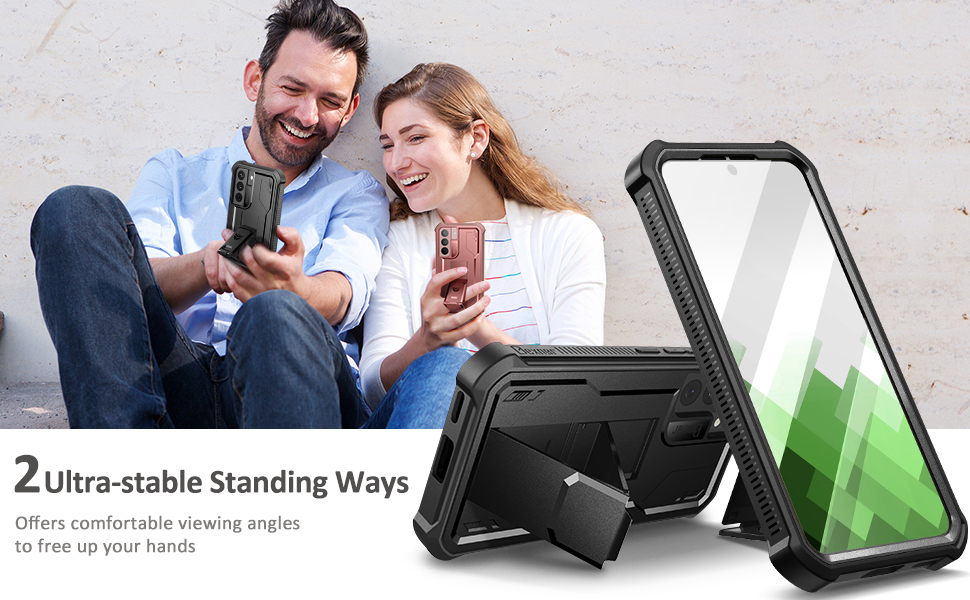
Image: The case features raised lips above the screen (2.6mm) and around the camera (1.8mm) to provide full body protection and prevent direct contact with surfaces.
Operating the Kickstand
To use the kickstand, gently pull it out from the back of the case until it locks into position. The kickstand allows for stable viewing in both horizontal and vertical orientations. Push it back into the case when not in use.
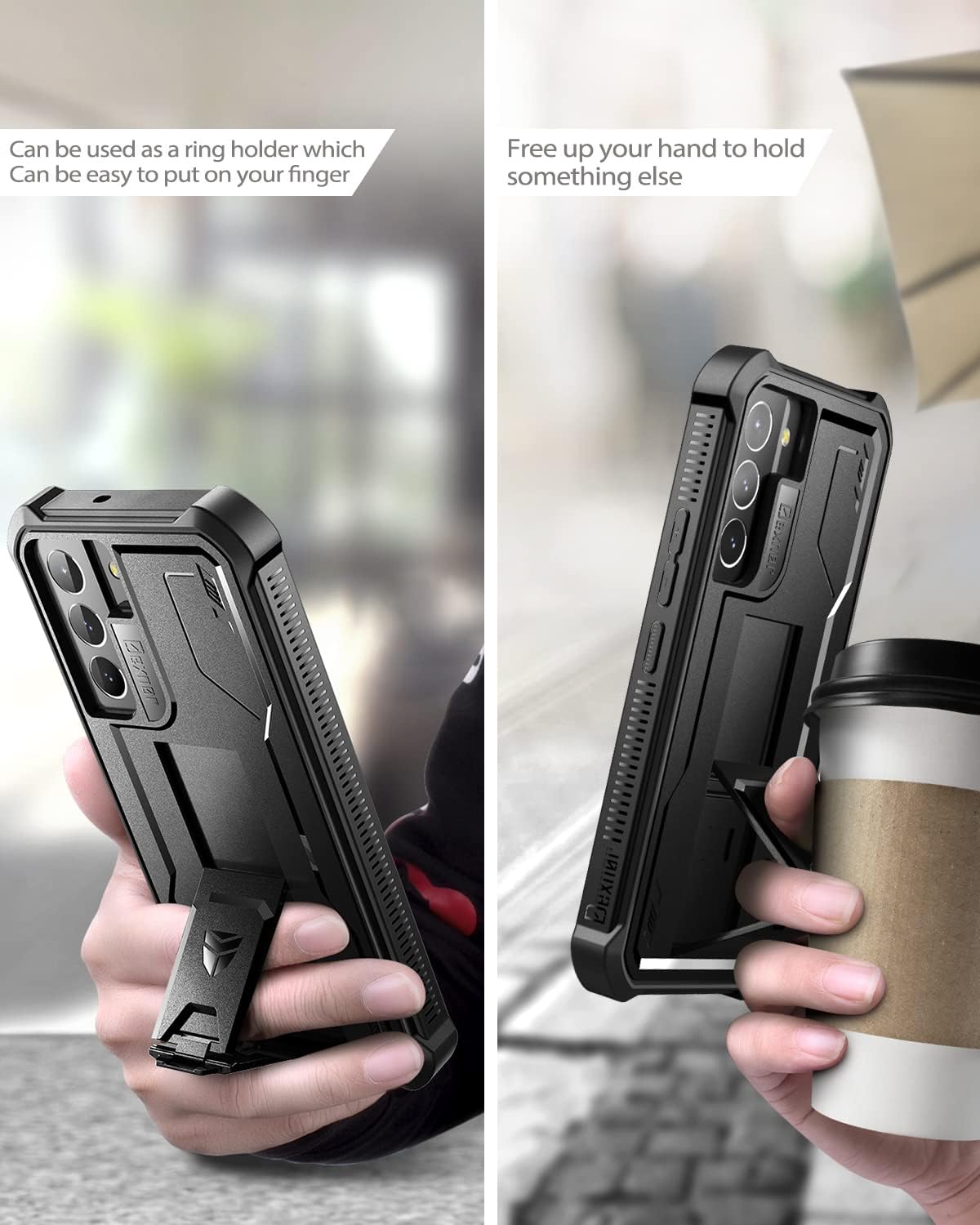
Image: A user demonstrating how to deploy the kickstand, which can also function as a ring holder for a secure grip.
การดูแลรักษา
- ทำความสะอาดเคสเป็นประจำด้วยผ้าเนื้อนุ่มamp ผ้าเพื่อขจัดฝุ่นและเศษซาก
- Avoid using harsh chemicals or abrasive materials, as these can damage the case's finish.
- Ensure the case is properly sealed after cleaning to maintain its protective qualities.
การแก้ไขปัญหา
Fingerprint Sensor Issues
If you experience issues with the fingerprint sensor after installing the case:
- Ensure the fingerprint area on the built-in screen protector is clean and free of dust or air bubbles.
- Re-register your fingerprints on your Samsung Galaxy S22 device with the case installed. This often resolves recognition problems.
- Apply firm pressure when registering and using your fingerprint.
ข้อมูลจำเพาะผลิตภัณฑ์
| คุณสมบัติ | รายละเอียด |
|---|---|
| หมายเลขรุ่น | ซัมซุง กาแล็คซี่ เอส 22 |
| วัสดุ | เทอร์โมพลาสติกโพลียูรีเทน (TPU), โพลีคาร์บอเนต (PC) |
| สี | สีดำ |
| ขนาดสินค้า | 7.03 x 4.13 x 0.55 นิ้ว |
| น้ำหนักสินค้า | 2.82 ออนซ์ |
| ความเข้ากันได้ | Samsung Galaxy S22 5G (6.1") |
ข้อมูลการรับประกัน
Dexnor products are covered under a one-year limited warranty. If you encounter any issues with your item, please contact customer support for assistance.
การสนับสนุนลูกค้า
For further assistance or inquiries, please visit the official Dexnor store on Amazon: Dexnor Store.


