1. สินค้าหมดview
The auna Connect 150 MKII is a versatile 2.1 internet radio system designed for comprehensive audio entertainment. It features Wi-Fi connectivity for internet radio and podcasts, DAB/DAB+ and FM reception, Bluetooth for wireless streaming, and a USB port for local media playback. The unit is equipped with a 2.8-inch TFT color display and can be controlled via an app.
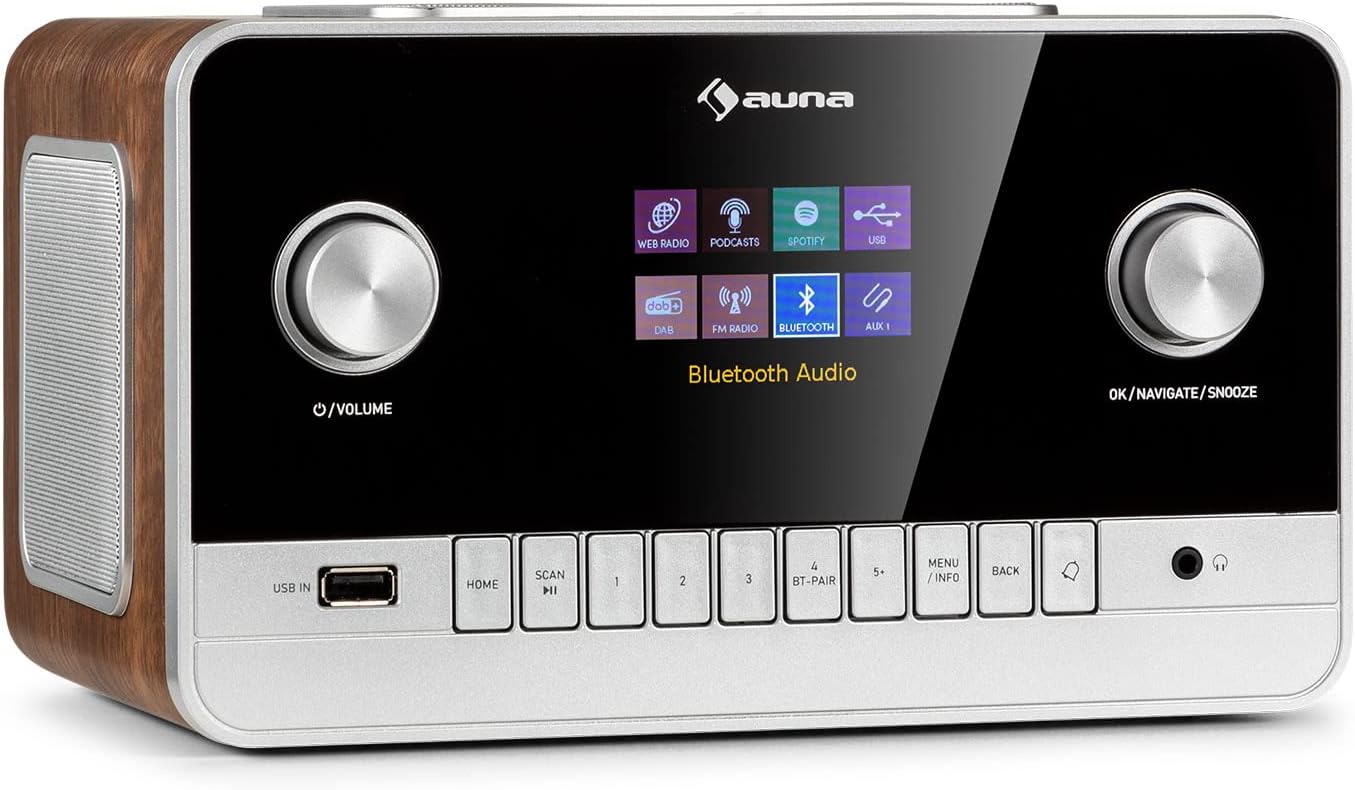
ภาพที่ 1.1: ด้านหน้า view of the auna Connect 150 MKII Internet Radio, showcasing the display, control knobs, and buttons.
2. ข้อมูลด้านความปลอดภัย
Please read this manual carefully before operating the device. Keep it for future reference. Observe all warnings and instructions. Do not expose the device to rain or moisture. Do not block any ventilation openings. Only use attachments/accessories specified by the manufacturer. Disconnect the device during lightning storms or when unused for long periods. Refer all servicing to qualified service personnel.
3. เนื้อหาบรรจุภัณฑ์
- 1 x auna Connect 150 MKII Internet Radio
- 1 x หน่วยจ่ายไฟ
- 1 x Remote Control (2 x 1.5 V AAA batteries not included)
- 1 x Multi-language User Manual (this document)
4. คุณสมบัติของผลิตภัณฑ์
- การเชื่อมต่อ: Wi-Fi (802.11 b/g/n), Bluetooth (2402 - 2480 MHz), USB port, 3.5 mm AUX-in, 3.5 mm AUX-out, 3.5 mm Headphone output.
- เอาต์พุตเสียง: Integrated 2.1 speaker system with 28 watts RMS (2 x 5W + 1 x 18W subwoofer).
- แสดง: 2.8-inch, 320 x 240 pixel TFT color display.
- การรับวิทยุ: Internet Radio, DAB/DAB+, FM.
- สตรีมมิ่ง: UPnP and DLNA support, Spotify Connect.
- ตัวแปลงสัญญาณเสียง: AAC, MP3, FLAC.
- การปรับแต่งเสียง: Equalizer presets (Normal, Flat, Jazz, Rock, Movie, Classical, Pop, News), 2-band equalizer with adjustable treble and bass.
- ความสะดวก: Sleep timer, dual programmable alarms (buzzer, internet radio, DAB, FM), media player with playlist, repeat, and shuffle functions, dimmable display, time and date display with internet synchronization, mute function, setup assistant, software update capability.

Image 4.1: The auna Connect 150 MKII offers a smart variety of listening options including Internet Radio, DAB/DAB+, FM, media players, and Spotify Connect.
5. การควบคุมและการเชื่อมต่อ
5.1 แผงควบคุมด้านหน้า
- ปุ่มเปิดปิด/ปรับระดับเสียง: Turn on/off, adjust volume.
- ปุ่ม OK/Navigate/Snooze: Confirm selections, navigate menus, activate snooze.
- ยูเอสบีใน: พอร์ต USB สำหรับเล่นสื่อต่างๆ
- ปุ่มหน้าแรก: กลับไปยังเมนูหลัก
- ปุ่มสแกน: Initiate station scan.
- ปุ่มตั้งค่าล่วงหน้า (1-5 ขึ้นไป): จัดเก็บและเรียกคืนสถานีโปรด
- BT-PAIR Button: เริ่มการจับคู่บลูทูธ
- MENU/INFO Button: Access menu options or display information.
- ปุ่มย้อนกลับ: กลับไปที่เมนูต่างๆ
- เอาท์พุตหูฟัง: แจ็คขนาด 3.5 มม. สำหรับฟังส่วนตัว
5.2 การเชื่อมต่อแผงด้านหลัง
- สวิตช์เปิด/ปิด: สวิตช์ไฟหลัก
- เสาอากาศยืดไสลด์: For DAB/DAB+ and FM reception.
- ช่องรับสัญญาณเสียงเข้า: 3.5 mm jack for connecting external audio sources.
- AUX ออก: 3.5 mm jack for connecting to external ampเครื่องขยายเสียง หรือ ลำโพง
- DC IN (9V/3A): การเชื่อมต่ออะแดปเตอร์ไฟ
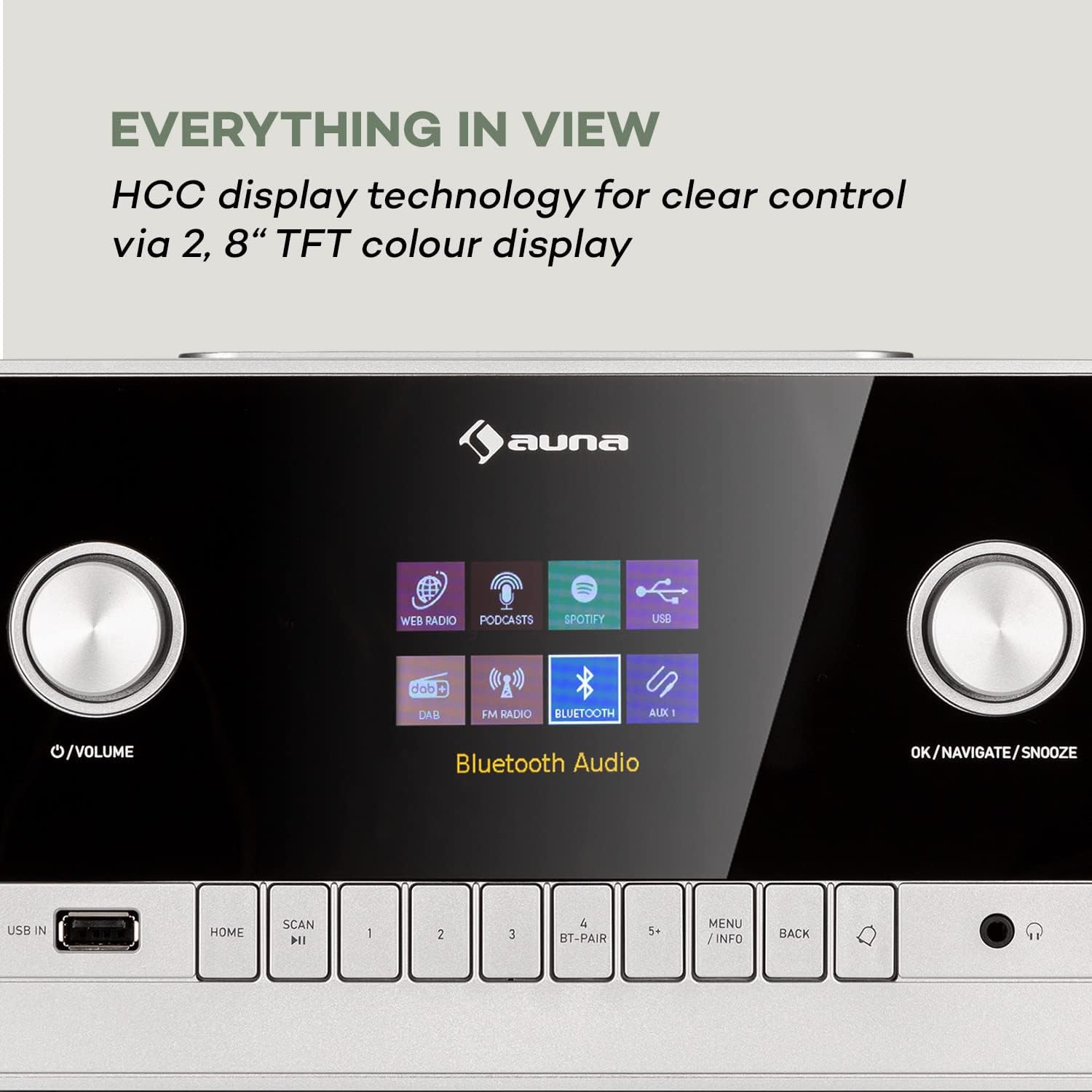
Image 5.1: The 2.8-inch TFT color display provides clear visual feedback for all functions and settings.

Image 5.2: Rear panel connections for additional audio sources and power.
6. การตั้งค่า
6.1 การเชื่อมต่อสายไฟ
- Connect the power supply unit to the DC IN port on the rear of the radio.
- Plug the power supply unit into a suitable wall outlet.
- Flip the ON/OFF switch on the rear panel to the 'ON' position.
6.2 การตั้งค่าเสาอากาศ
Extend the telescopic antenna fully for optimal DAB/DAB+ and FM radio reception. Adjust its position to improve signal strength if needed.
6.3 การตั้งค่าเครือข่าย (Wi-Fi)
- Upon first power-on, the setup assistant will guide you through initial settings, including network configuration.
- Select 'Network Wizard' or 'Wi-Fi Setup' from the menu.
- อุปกรณ์จะสแกนหาเครือข่าย Wi-Fi ที่ใช้งานได้ เลือกเครือข่ายของคุณจากรายการ
- Enter your Wi-Fi password using the navigation knob and 'OK' button. Alternatively, if your router supports WPS, you can select 'WPS' and press the WPS button on your router.
- Once connected, the radio will confirm the connection.
7. คู่มือการใช้งาน
7.1 การทำงานพื้นฐาน
- เปิด/ปิดเครื่อง: Press the Power/Volume knob.
- การควบคุมระดับเสียง: หมุนปุ่มเปิด/ปิดเครื่อง/ระดับเสียง
- การนำทางเมนู: Use the OK/Navigate knob to scroll and press to select. Use the BACK button to return.
7.2 วิทยุอินเทอร์เน็ต
- จากเมนูหลัก เลือก 'วิทยุอินเทอร์เน็ต'
- Browse stations by location, genre, or search for specific stations.
- เลือกสถานีเพื่อเริ่มเล่น
- To save a preset, press and hold one of the preset buttons (1-5+). To recall, press the button briefly.
7.3 วิทยุ DAB/DAB+
- Select 'DAB Radio' from the main menu.
- The radio will automatically scan for available DAB/DAB+ stations. If not, press the SCAN button.
- Use the navigation knob to select a station from the list.
7.4 วิทยุ FM
- Select 'FM Radio' from the main menu.
- Press the SCAN button to automatically search for and store FM stations.
- Manually tune by rotating the navigation knob.
7.5 การสตรีมบลูทูธ
- Select 'Bluetooth' from the main menu. The radio will enter pairing mode.
- On your smartphone or tablet, enable Bluetooth and search for 'auna Connect 150 MKII'.
- Select the radio to pair. Once connected, you can stream audio from your device.
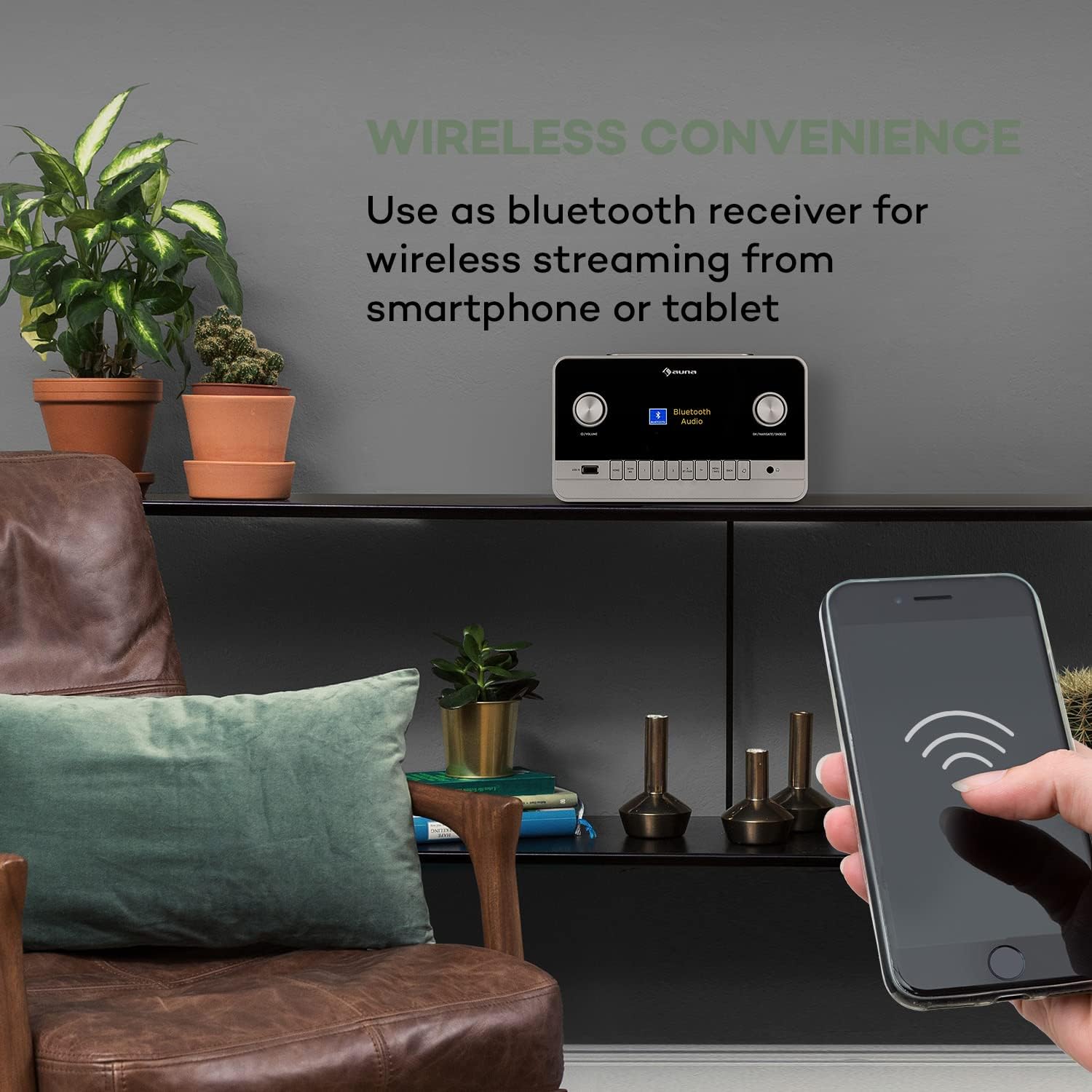
Image 7.1: Enjoy wireless convenience by streaming audio from your smartphone or tablet via Bluetooth.
7.6 การเล่น USB
- Insert a USB flash drive into the USB IN port on the front panel.
- Select 'USB' or 'Media Player' from the main menu.
- เลือกดูเพลงของคุณ files and select a track to play. Supported formats include AAC, MP3, FLAC.
อินพุต AUX 7.7 ช่อง
- Connect an external audio device (e.g., MP3 player) to the AUX IN port on the rear panel using a 3.5 mm audio cable.
- Select 'AUX' from the main menu.
- ควบคุมการเล่นจากอุปกรณ์ภายนอกของคุณ
7.8 Alarm and Sleep Timer
- เตือน: Access the 'Alarm' settings in the main menu to set up two independent alarms. Choose alarm source (buzzer, internet radio, DAB, FM) and volume.
- เวลานอน: Set a timer for the radio to automatically turn off after a specified duration.
การควบคุมแอพ 7.9 ตัว
The auna Connect 150 MKII can be controlled via a dedicated smartphone app (e.g., UNDOK app). Download the app from your device's app store (App Store for iOS, Google Play for Android) and follow the in-app instructions to connect to your radio.

Image 7.2: The UNDOK app provides convenient remote control of the radio from your smartphone.
8. การบำรุงรักษา
- การทำความสะอาด: ใช้ผ้านุ่มและแห้งเช็ดทำความสะอาดภายนอกวิทยุ ห้ามใช้น้ำยาทำความสะอาดที่มีฤทธิ์กัดกร่อนหรือตัวทำละลาย
- พื้นที่จัดเก็บ: หากต้องเก็บรักษาอุปกรณ์เป็นเวลานาน ควรตัดการเชื่อมต่อจากแหล่งจ่ายไฟและเก็บไว้ในที่แห้งและเย็น
- การอัปเดตซอฟต์แวร์: ตรวจสอบการอัปเดตซอฟต์แวร์เป็นระยะผ่านเมนูการตั้งค่าระบบ เพื่อให้มั่นใจได้ถึงประสิทธิภาพสูงสุดและการเข้าถึงคุณสมบัติใหม่ๆ
9 การแก้ไขปัญหา
| ปัญหา | สาเหตุที่เป็นไปได้ | สารละลาย |
|---|---|---|
| ไม่มีไฟฟ้า | Power cable not connected; Rear power switch off | Check power connections; Ensure rear switch is ON |
| ไม่มีเสียง | ระดับเสียงต่ำเกินไป; เปิดใช้งานโหมดปิดเสียง; เลือกแหล่งสัญญาณไม่ถูกต้อง | เพิ่มระดับเสียง; ปิดใช้งานโหมดปิดเสียง; เลือกแหล่งสัญญาณเข้าที่ถูกต้อง |
| ไม่สามารถเชื่อมต่อ Wi-Fi ได้ | Incorrect password; Router too far; Network issues | Re-enter password; Move radio closer to router; Restart router; Check network settings |
| การรับสัญญาณวิทยุ DAB/FM ไม่ดี | เสาอากาศไม่ขยายออก พื้นที่สัญญาณอ่อน | Fully extend and adjust telescopic antenna; Try repositioning the radio |
| การจับคู่บลูทูธล้มเหลว | Device not in pairing mode; Radio not discoverable | Ensure radio is in Bluetooth mode and pairing is active; Check device's Bluetooth settings |
| รีโมตคอนโทรลไม่ทำงาน | Batteries depleted; Obstruction between remote and radio | Replace AAA batteries; Remove any obstructions; Ensure line of sight |
10. ข้อมูลจำเพาะ
| คุณสมบัติ | ข้อมูลจำเพาะ |
|---|---|
| หมายเลขรุ่น | 523747 |
| กำลังขับ | 28 watts RMS (2 x 5W + 1 x 18W) |
| แสดง | 2.8" TFT Color Display (320 x 240 pixels) |
| ไวไฟ | 802.11 b/g/n (WEP, WPA/WPA2, WPS support) |
| ความถี่บลูทูธ | 2402 - 2480 เมกะเฮิรตซ์ |
| ตัวแปลงสัญญาณเสียงที่รองรับ | AAC, MP3, FLAC |
| การเชื่อมต่อ | 1 x 3.5 mm AUX-in, 1 x 3.5 mm AUX-out, 1 x 3.5 mm Headphone output, 1 x USB, DC IN |
| แหล่งจ่ายไฟ | 9 V / 3 A via 100 - 240 V ~ | 50/60 Hz power unit |
| ขนาด (กว้าง x สูง x ลึก) | ประมาณ 24 x 17.6 x 13.8 ซม. |
| น้ำหนัก | ประมาณ 2.1 กก. |

Image 10.1: Product dimensions for placement reference.
11. การรับประกันและการสนับสนุน
This product comes with a standard manufacturer's warranty. For detailed warranty terms and conditions, please refer to the documentation provided with your purchase or contact auna customer support. For technical assistance, troubleshooting beyond this manual, or spare parts, please visit the official auna website or contact their support team directly. Keep your proof of purchase for warranty claims.


