1. บทนำ
This manual provides detailed instructions for the installation, operation, and maintenance of your Vivotek IB9380-H 5MP IR Outdoor Network Bullet Camera. Please read this manual thoroughly before using the product to ensure proper setup and optimal performance. This camera is designed for outdoor security surveillance, offering high-resolution imaging and infrared capabilities for reliable monitoring.
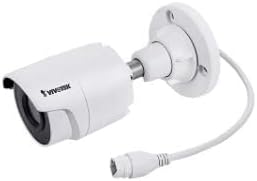
Image 1.1: Vivotek IB9380-H 5MP IR Outdoor Network Bullet Camera overview.
2. ข้อมูลด้านความปลอดภัย
- แหล่งพลังงาน: Use only the specified AC/DC power adapter. Ensure the power supply is stable and meets the camera's requirements (3.5 watts).
- สภาพแวดล้อมการติดตั้ง: This camera is rated for outdoor use (IP9380). Avoid installing in locations with extreme temperatures, high humidity, or corrosive substances beyond its operating specifications.
- การจัดการ: Do not drop or subject the camera to severe shock. Avoid touching the lens directly.
- ถอดชิ้นส่วน: ห้ามพยายามถอดประกอบหรือดัดแปลงกล้อง เพราะอาจทำให้การรับประกันเป็นโมฆะและเกิดความเสียหาย
- การเดินสาย: Ensure all cables are properly secured and protected from environmental damage or tampering
3. เนื้อหาบรรจุภัณฑ์
ตรวจสอบว่ามีรายการทั้งหมดอยู่ในแพ็คเกจ:
- Vivotek IB9380-H 5MP IR Outdoor Network Bullet Camera
- ชุดติดตั้ง (สกรู, พุกยึดผนัง)
- คู่มือการติดตั้งแบบด่วน
- Waterproof Connector for Ethernet Cable
4. การตั้งค่า
4.1. Physical Installation and Mounting
The Vivotek IB9380-H camera is designed for wall mount installation. Choose a suitable location that provides the desired field of view และอยู่ในระยะที่สามารถเชื่อมต่อไฟฟ้าและเครือข่ายได้
- เตรียมพื้นผิวการติดตั้ง: Mark the drilling points on the wall using the mounting template (if provided) or by holding the camera's base against the surface.
- เจาะรู: Drill pilot holes at the marked positions. Insert wall anchors if mounting on drywall or masonry.
- รักษาความปลอดภัยกล้อง: Attach the camera's mounting base to the wall using the provided screws. Ensure it is firmly secured.
- ปรับมุม: Loosen the adjustment screws on the camera body to set the desired viewing angle. Tighten the screws once the angle is satisfactory.

Image 4.1: Camera dimensions and mounting diagram for installation planning.
4.2. การเชื่อมต่อสายเคเบิล
Connect the necessary cables to the camera:
- สายอีเธอร์เน็ต: Connect a standard Ethernet cable (RJ45) to the camera's network port. Use the waterproof connector to protect the connection if exposed to weather.
- สายไฟ: Connect the power adapter to the camera's power input. Ensure the connection is secure.

Image 4.2: Close-up of an Ethernet cable connector, similar to what is used for the camera's network connection.
4.3. เปิดเครื่องครั้งแรก
Once all cables are connected, plug the power adapter into an electrical outlet. The camera will power on and initiate its startup sequence. Observe any indicator lights for status.
5. คู่มือการใช้งาน
5.1. Network Configuration and Access
The Vivotek IB9380-H supports Wi-Fi connectivity. For initial setup, it is recommended to connect via Ethernet to configure network settings.
- ค้นพบกล้องถ่ายรูป: Use the Vivotek IP Search utility or your network router's client list to find the camera's assigned IP address.
- เข้าถึง Web อินเทอร์เฟซ: เปิด web browser and enter the camera's IP address. Log in using the default credentials (refer to the Quick Installation Guide for details).
- ตั้งค่า Wi-Fi: Navigate to the network settings within the web interface. Select your Wi-Fi network, enter the password, and save the settings. Once configured, you may disconnect the Ethernet cable if desired.
5.2. สด View และการบันทึก
After network setup, you can access the camera's live feed and configure recording options.
- สด View: จาก web interface or a compatible mobile application, select the camera to view การถ่ายทอดสด
- การตั้งค่าการบันทึก: Configure recording schedules, continuous recording, or event-triggered recording (e.g., motion detection). Recordings can be stored on a network video recorder (NVR) or a local storage device if supported.
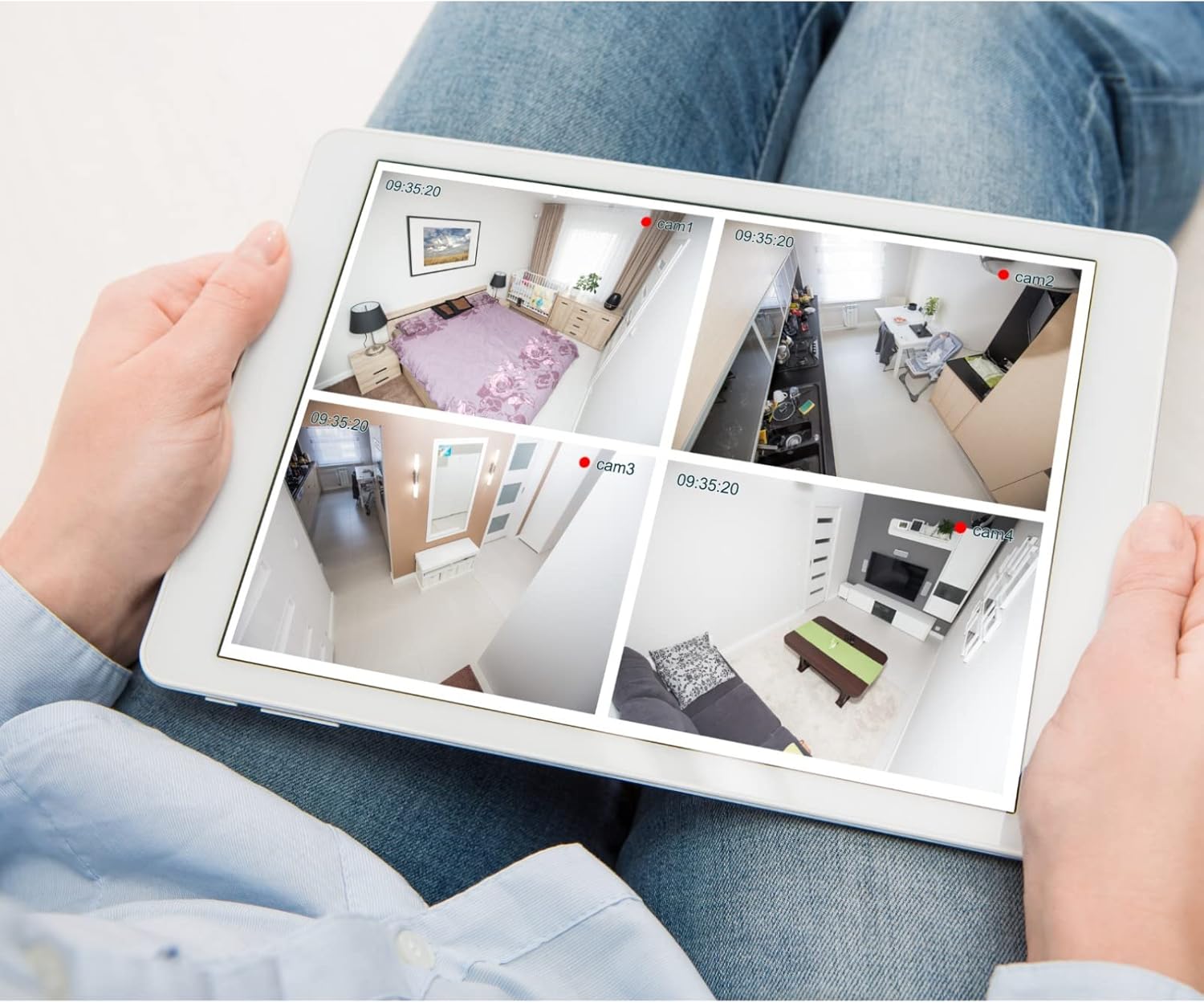
ภาพที่ 5.1: อดีตample of a tablet displaying multiple camera feeds, illustrating remote monitoring capabilities.
5.3. Motion Detection Setup
The camera supports motion-only alerts.
- Access Alert Settings: In the camera's web interface, navigate to the event or alert settings section.
- Configure Motion Detection: Enable motion detection and define the detection zones and sensitivity levels.
- Set Actions: Specify actions to be taken upon motion detection, such as recording, sending email notifications, or triggering alarms.
5.4. การมองเห็นในเวลากลางคืน
The camera features IR (Infrared) and Night Color low light technology for clear imaging in various lighting conditions. These features typically activate automatically based on ambient light levels.
6. การบำรุงรักษา
- การทำความสะอาดเลนส์: Gently wipe the camera lens with a soft, clean cloth. For stubborn dirt, use a lens cleaning solution designed for optical surfaces. Do not use abrasive cleaners.
- อัพเดตเฟิร์มแวร์: Periodically check the Vivotek webเว็บไซต์สำหรับอัปเดตเฟิร์มแวร์ การอัปเดตเฟิร์มแวร์อย่างสม่ำเสมอจะช่วยให้ประสิทธิภาพ ความปลอดภัย และการเข้าถึงฟีเจอร์ใหม่ๆ เป็นไปอย่างเหมาะสม
- การตรวจสอบสิ่งแวดล้อม: Regularly inspect the camera and its mounting for any signs of wear, damage, or loose connections, especially after severe weather conditions.
- วงจรไฟฟ้า: If the camera experiences minor issues, try power cycling it by disconnecting and reconnecting the power supply.
7 การแก้ไขปัญหา
| ปัญหา | สาเหตุที่เป็นไปได้ | สารละลาย |
|---|---|---|
| ไม่มีไฟฟ้า | Power adapter unplugged or faulty; power outlet issue. | Check power connections. Test the outlet with another device. Try a different power adapter if available. |
| ไม่มีฟีดวิดีโอ | Network connection issue; incorrect IP address; camera not configured. | Verify network cable connection or Wi-Fi settings. Confirm camera's IP address. Ensure camera is properly configured in your viewไอเอ็นจีซอฟต์แวร์ |
| คุณภาพของภาพไม่ดี | เลนส์สกปรก; สภาพแสงน้อย; การตั้งค่าความละเอียดไม่ถูกต้อง | Clean the camera lens. Ensure sufficient lighting or verify night vision is active. Check video resolution settings in the camera's interface. |
| การตรวจจับความเคลื่อนไหวไม่ทำงาน | Motion detection disabled; incorrect sensitivity; detection zones not set. | Enable motion detection in settings. Adjust sensitivity and define detection zones. |
8. ข้อมูลจำเพาะ
| คุณสมบัติ | รายละเอียด |
|---|---|
| แบบอย่าง | IB9380-H. |
| ความละเอียดของภาพนิ่งที่มีประสิทธิภาพ | 5 MP |
| ความละเอียดในการจับภาพวิดีโอ | 1080p |
| อัตราเฟรม | 20 เฟรมต่อวินาที |
| เทคโนโลยีแสงน้อย | สีกลางคืน |
| ฟอร์มแฟกเตอร์ | กระสุน |
| การใช้งานภายใน/ภายนอกอาคาร | กลางแจ้ง |
| ประเภทการติดตั้ง | ติดผนัง |
| การสื่อสารแบบไร้สาย | ไวไฟ |
| โปรโตคอลการเชื่อมต่อ | ไวไฟ |
| แหล่งพลังงาน | ไฟฟ้ากระแสสลับ/ไฟฟ้ากระแสตรง |
| วัดtage | 3.5 วัตต์ |
| ประเภทการแจ้งเตือน | การเคลื่อนไหวเท่านั้น |
| วิธีการควบคุม | ระยะไกล |
| ขนาด (กว้าง x ยาว x สูง) | 3.59 x 3.59 x 6.96 นิ้ว |
| การให้คะแนนการคุ้มครองระหว่างประเทศ | IP9380 |
| ยูพีซี | 655255870887, 681541834035 |
9. ข้อมูลการรับประกัน
This Vivotek product is covered by a manufacturer's limited warranty. Please refer to the warranty card included in your package or visit the official Vivotek website for detailed terms and conditions regarding warranty coverage, duration, and claims procedures. Keep your proof of purchase for warranty service.
10. การสนับสนุนลูกค้า
For technical assistance, troubleshooting beyond this manual, or warranty inquiries, please contact Vivotek customer support. You can typically find contact information (phone, email, support portal) on the official Vivotek webไซต์หรือในเอกสารประกอบที่มาพร้อมกับผลิตภัณฑ์ของคุณ
แหล่งข้อมูลออนไลน์: www.vivotek.com


