1. สูงกว่าview
The Nubwo N1 Pro Gaming Headphones are designed to provide an immersive audio experience for gaming and multimedia. Featuring a comfortable on-ear design, a noise-reduction microphone, and versatile connectivity, these headphones are suitable for extended use.

Image 1.1: Nubwo N1 Pro Gaming Headphones with their 3.5mm audio jack, microphone jack, and USB connector for LED lighting.
2. เนื้อหาบรรจุภัณฑ์
โปรดตรวจสอบว่าสินค้าทั้งหมดมีอยู่ในแพ็คเกจ:
- Nubwo N1 Pro Gaming Headphones
- แผ่นรองหูฟัง (ติดตั้งไว้แล้ว)
- ที่คาดศีรษะ (ติดตั้งไว้แล้ว)
- คู่มือการใช้งาน (เอกสารนี้)
3. คำแนะนำในการตั้งค่า
3.1 การเชื่อมต่อหูฟัง
- การเชื่อมต่อเสียง: Locate the 3.5mm audio jack (green connector) on your headphones. Plug this into the audio output port (usually green) on your computer, gaming console controller, or other audio device.
- การเชื่อมต่อไมโครโฟน: Locate the 3.5mm microphone jack (orange connector) on your headphones. Plug this into the microphone input port (usually pink) on your computer or device.
- USB Power for LED Lighting: Plug the USB connector into an available USB port on your computer or gaming console to power the headphone's LED lighting feature. The headphones will function for audio and microphone without the USB connection, but the lights will not illuminate.
3.2 System Configuration (Windows Exampเลอ)
After connecting, you may need to configure your operating system's sound settings:
- Right-click the speaker icon in your taskbar and select 'Sound Settings' or 'Playback devices'.
- Under 'Output', select 'Speakers (Realtek High Definition Audio)' or similar entry corresponding to your 3.5mm jack.
- Under 'Input', select 'Microphone (Realtek High Definition Audio)' or similar entry.
- ปรับระดับเสียงตามต้องการ
4. คู่มือการใช้งาน
4.1 การควบคุมระดับเสียง
The headphones feature an integrated volume knob for convenient audio adjustment.
- เพิ่มปริมาณ: Rotate the volume knob upwards.
- ลดระดับเสียง: Rotate the volume knob downwards.
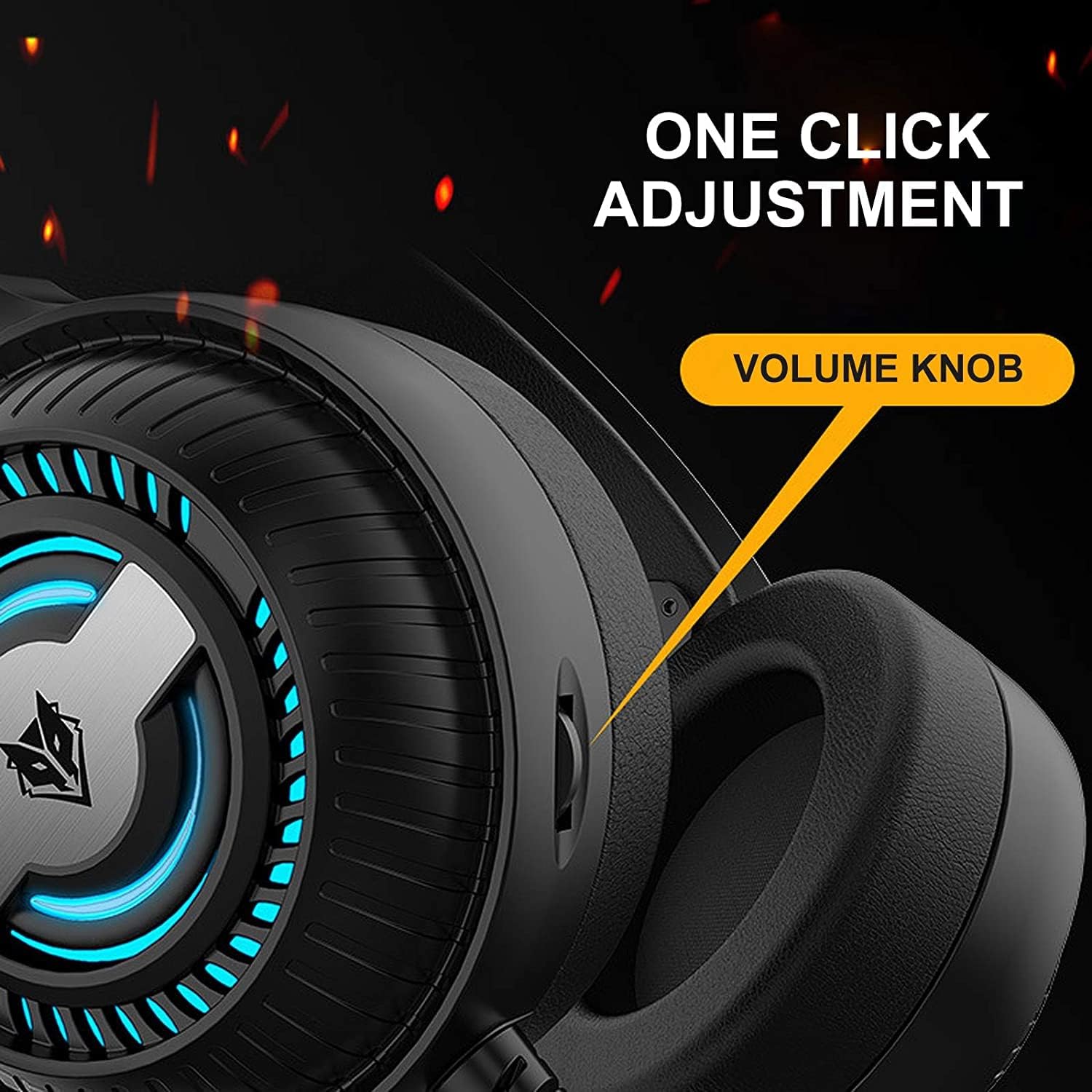
Image 4.1: The volume knob located on the left ear cup for quick audio adjustments.
4.2 การใช้งานไมโครโฟน
The flexible microphone is equipped with noise reduction technology for clear communication.
- การวางตำแหน่ง: ปรับก้านไมโครโฟนแบบยืดหยุ่นให้อยู่ในตำแหน่งที่สบายใกล้ปากของคุณ เพื่อการรับเสียงที่ดีที่สุด
- การลดเสียงรบกวน: The integrated sponge on the microphone helps to reduce ambient noise, ensuring your voice is transmitted clearly.

Image 4.2: The flexible microphone with noise reduction capabilities, shown in various positions.
4.3 ไฟ LED
The headphones feature a breathing lamp effect with 7 different colors, powered via the USB connection.
- The LED lights will automatically cycle through 7 colors when the USB connector is plugged into a powered USB port.
- There is no manual control for changing or turning off the LED colors; they operate in a continuous breathing cycle.

Image 4.3: The ear cup illuminated with the 7-color breathing lamp ผล.
5. การบำรุงรักษา
5.1 การทำความสะอาด
- ใช้ผ้าแห้งนุ่มเช็ดทำความสะอาดพื้นผิวด้านนอกของหูฟัง
- สำหรับเบาะรองหูฟัง ให้เช็ดเบาๆ ด้วยผ้านุ่มๆamp ผ้าและปล่อยให้แห้งสนิทก่อนใช้งาน
- ห้ามใช้สารเคมีรุนแรง ตัวทำละลาย หรือน้ำยาทำความสะอาดที่มีฤทธิ์กัดกร่อน
5.2 พื้นที่จัดเก็บ
- เก็บหูฟังไว้ในที่แห้งและเย็น หลีกเลี่ยงแสงแดดโดยตรงและอุณหภูมิที่สูงหรือต่ำเกินไป
- หลีกเลี่ยงการวางวัตถุหนักบนหูฟัง
5.3 การดูแลสายเคเบิล
- หลีกเลี่ยงการดัดงอหรือดึงสายเคเบิลอย่างรุนแรงเพื่อป้องกันความเสียหาย
- Always grasp the plug, not the cable, when disconnecting.
6 การแก้ไขปัญหา
6.1 No Sound from Headphones
- Ensure the 3.5mm audio jack is fully inserted into the correct audio output port.
- Check the volume knob on the headphones and your device's system volume.
- Verify that the headphones are selected as the default playback device in your sound settings.
- ลองทดสอบหูฟังกับอุปกรณ์อื่นเพื่อตัดปัญหาที่เกิดจากตัวหูฟังเองออกไป
6.2 ไมโครโฟนไม่ทำงาน
- Ensure the 3.5mm microphone jack is fully inserted into the correct microphone input port.
- Verify that the microphone is selected as the default recording device in your sound settings.
- ตรวจสอบการตั้งค่าความเป็นส่วนตัวของไมโครโฟนในระบบปฏิบัติการของคุณ
- ทดสอบไมโครโฟนกับอุปกรณ์หรือแอปพลิเคชันอื่น
6.3 LED Lights Not Illuminating
- ตรวจสอบให้แน่ใจว่าเสียบขั้วต่อ USB เข้ากับพอร์ต USB ที่มีไฟเลี้ยงอย่างแน่นหนาแล้ว
- ลองใช้พอร์ต USB อื่น
7. ข้อมูลจำเพาะ
Key technical specifications for the Nubwo N1 Pro Gaming Headphones:
| คุณสมบัติ | ข้อมูลจำเพาะ |
|---|---|
| ชื่อรุ่น | เอ็น1โปร |
| ชื่อยี่ห้อ | Generic (Nubwo) |
| เทคโนโลยีการเชื่อมต่อ | Wired (3.5mm Audio, 3.5mm Mic, USB for LED) |
| ปัจจัยรูปแบบหูฟัง | บนหู |
| การวางตำแหน่งหูฟัง | บนหู |
| แจ็คหูฟัง | แจ็ค 3.5 มม. |
| ความไวต่อความรู้สึก | 96 เดซิเบล |
| การควบคุมเสียงรบกวน | None (Microphone features noise reduction) |
| สี | สีดำ |
| ส่วนประกอบที่รวมอยู่ | แผ่นรองหู, แถบคาดศีรษะ |
| ขนาดแพ็คเกจ | 25.2 x 19.9 x 12.6 ซม. |
| น้ำหนัก | 450 กรัม |
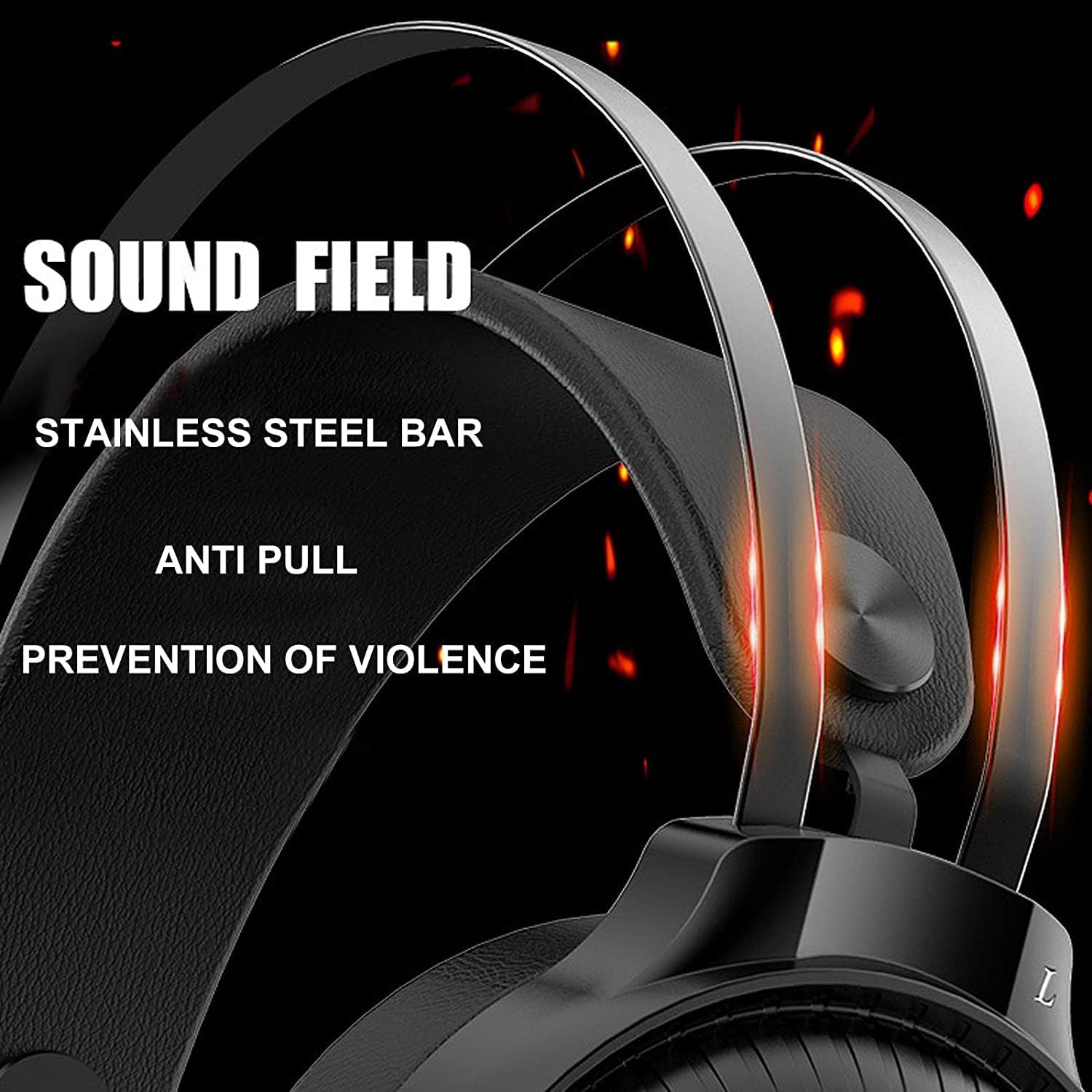
Image 7.1: Illustration of the 50mm horn for sound field and the durable stainless steel bar construction.
8. การรับประกันและการสนับสนุน
For information regarding warranty coverage and technical support, please refer to the retailer or the official Nubwo website where the product was purchased. Keep your proof of purchase for warranty claims.
หากคุณพบปัญหาที่ไม่ได้กล่าวถึงในคู่มือนี้ โปรดติดต่อฝ่ายบริการลูกค้าเพื่อขอความช่วยเหลือ


