1. บทนำ
Welcome to your new Smart Tech 40FN10T2 Full HD LED TV. This manual provides essential information for the safe and efficient setup, operation, and maintenance of your television. Please read this manual thoroughly before using your TV and retain it for future reference.
2. คำแนะนำด้านความปลอดภัยที่สำคัญ
To ensure safe operation and prevent damage, observe the following safety precautions:
- แหล่งพลังงาน: เชื่อมต่อทีวีเข้ากับเต้ารับไฟฟ้ากระแสสลับที่มีแรงดันไฟฟ้าตามที่กำหนดเท่านั้นtage.
- การระบายอากาศ : ตรวจสอบให้แน่ใจว่ามีการระบายอากาศรอบทีวีอย่างเพียงพอ อย่าปิดกั้นช่องระบายอากาศ
- น้ำและความชื้น: อย่านำทีวีไปตากฝน ความชื้น หรือวางสิ่งของที่บรรจุของเหลวไว้บนหรือใกล้ทีวี
- การทำความสะอาด: ถอดปลั๊กทีวีก่อนทำความสะอาด ใช้ผ้านุ่มและแห้ง ห้ามใช้น้ำยาทำความสะอาดชนิดน้ำหรือสเปรย์ทำความสะอาด
- การบริการ: อย่าพยายามซ่อมแซมทีวีด้วยตนเอง แนะนำให้ซ่อมแซมทั้งหมดโดยช่างผู้ชำนาญการ
- การจัดวาง: วางทีวีบนพื้นผิวที่มั่นคงและระดับ หรือยึดเข้ากับผนังอย่างแน่นหนา
3. เนื้อหาบรรจุภัณฑ์
ตรวจสอบว่ามีรายการทั้งหมดอยู่ในแพ็คเกจ:
- Smart Tech 40FN10T2 Full HD LED TV
- รีโมทคอนโทรล
- แบตเตอรี่ AAA (2x)
- ชั้นวางทีวี (2 ชิ้น)
- สกรูสำหรับขาตั้งทีวี
- คู่มือการใช้งาน
4. สินค้าหมดview
4.1 ด้านหน้า View
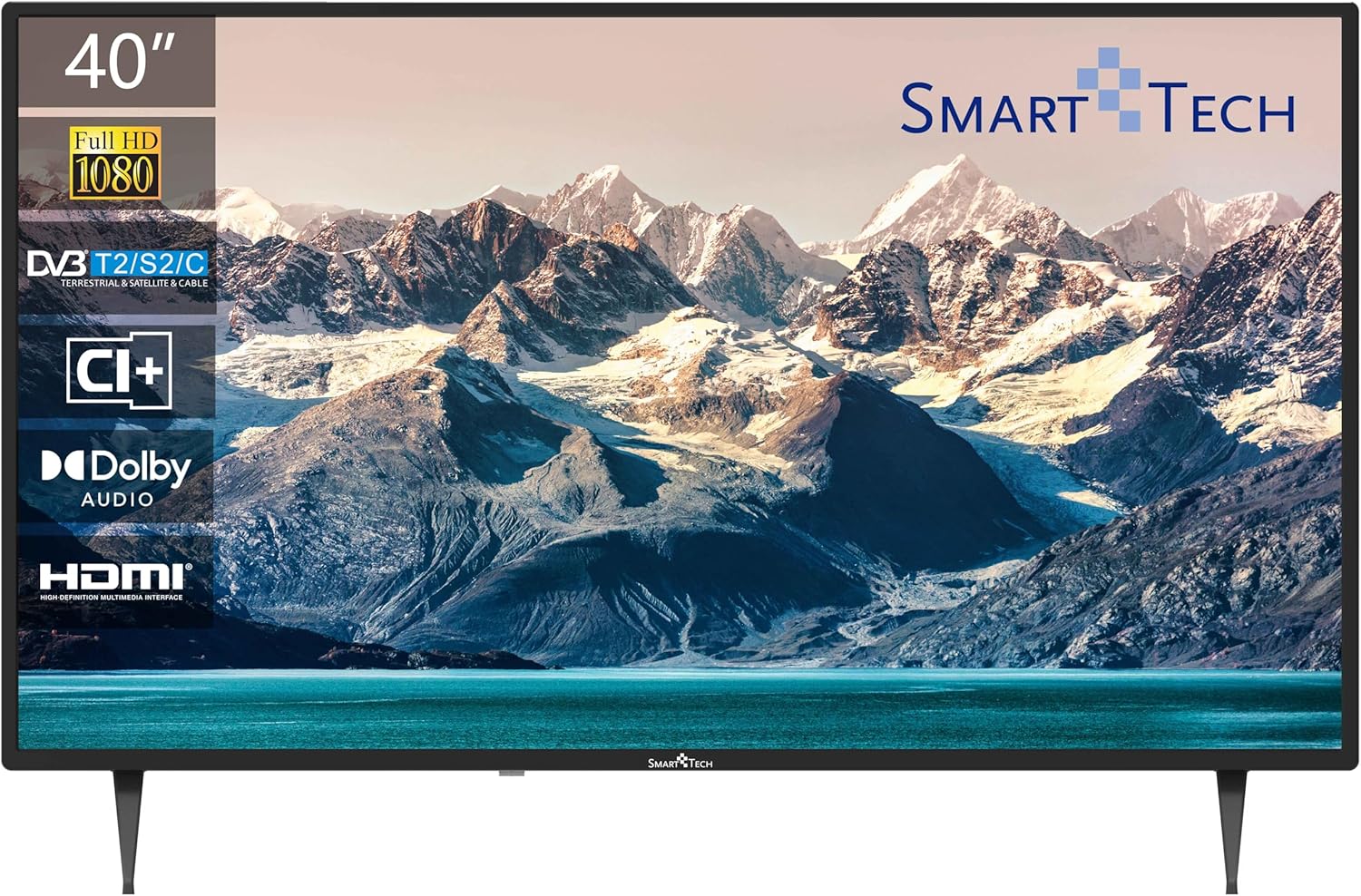
The front of the television features the 40-inch Full HD LED display with a frameless design, providing an immersive viewing experience. The Smart Tech logo is located at the bottom center.
4.2 การเชื่อมต่อแผงด้านหลัง

The back panel provides various input and output ports for connecting external devices:
- USB 1 & USB 2: For connecting USB storage devices for media playback.
- DVB-T/T2: Antenna input for terrestrial digital television.
- DVB-S/S2: Satellite input for satellite digital television.
- HDMI 1, HDMI 2, HDMI 3: High-Definition Multimedia Interface inputs for connecting devices like Blu-ray players, game consoles, or set-top boxes.
- AV ใน: Analog video and audio input for older devices.
- โคแอกเซียล: เอาต์พุตเสียงดิจิตอล
- ซีไอ+: Common Interface Plus slot for conditional access modules.
4.3 มิติ

The television measures approximately 905mm (width) x 515mm (height without stand) x 275mm (depth with stand). The VESA mounting pattern is 200mm x 200mm.
4.4 การควบคุมระยะไกล
The remote control allows you to access all TV functions. Key buttons include Power, Channel Up/Down, Volume Up/Down, Input Source, Menu, Navigation, and Number buttons.
5. การตั้งค่า
5.1 การติดตั้งขาตั้ง
- วางทีวีคว่ำหน้าลงบนพื้นผิวที่นุ่มและสะอาดอย่างระมัดระวังเพื่อป้องกันไม่ให้หน้าจอเสียหาย
- จัดวางขาตั้งให้ตรงกับช่องที่ด้านล่างของทีวี
- ยึดชิ้นส่วนขาตั้งเข้าด้วยกันโดยใช้สกรูที่ให้มา ตรวจสอบให้แน่ใจว่าขันแน่นสนิทแล้ว
5.2 การติดตั้งบนผนัง (ทางเลือก)
This TV supports VESA standard wall mounts with a 200mm x 200mm pattern. Wall mount brackets are sold separately. Follow the instructions provided with your wall mount for proper installation.
5.3 การเชื่อมต่อทีวีของคุณ
- เสาอากาศ/สายเคเบิล: Connect an antenna or cable TV signal to the DVB-T/T2 input.
- ดาวเทียม: Connect a satellite dish cable to the DVB-S/S2 input.
- อุปกรณ์ HDMI: Connect devices like a Blu-ray player, game console, or set-top box to any of the HDMI ports.
- อุปกรณ์ยูเอสบี: Insert a USB flash drive or external hard drive into a USB port for media playback.
- พลัง: เสียบสายไฟเข้ากับทีวีแล้วเสียบเข้ากับเต้ารับที่ผนัง
5.4 First-Time Power On
- กดปุ่มเปิด/ปิดบนรีโมทคอนโทรลหรือทีวี
- Follow the on-screen prompts to select your preferred language and country.
- Initiate the automatic channel scan to find available terrestrial, cable, or satellite channels.
6. การใช้งานทีวีของคุณ
6.1 เปิด/ปิดเครื่อง
กดปุ่ม พลัง button on the remote control to turn the TV on or off.
6.2 การเลือกช่องสัญญาณ
ใช้ CH+/CH- buttons to change channels sequentially, or enter the channel number directly using the number buttons.
6.3 การควบคุมระดับเสียง
ปรับระดับเสียงโดยใช้ปุ่ม ฉบับ+/ฉบับ- กดปุ่ม MUTE ปุ่มสำหรับปิดเสียงชั่วคราว
6.4 การเลือกแหล่งที่มาของอินพุต
กดปุ่ม แหล่งที่มา button on the remote to cycle through available input sources (HDMI 1, HDMI 2, HDMI 3, AV, DVB-T/T2, DVB-S/S2).
6.5 การนำทางเมนู
กดปุ่ม เมนู button to access the main menu. Use the arrow buttons to navigate and OK to confirm selections. Press EXIT เพื่อออกจากเมนู
6.6 ฟังก์ชันจูนเนอร์สามตัว
Your TV is equipped with a triple tuner supporting DVB-T/T2 (terrestrial), DVB-C (cable), and DVB-S/S2 (satellite) signals. You can select the desired tuner mode during the initial setup or via the TV's menu settings.
6.7 การเล่นสื่อ USB
Insert a USB storage device into one of the USB ports. The TV will typically detect the device and prompt you to open the media browser. You can then navigate and play supported video, audio, or image files.
7. การบำรุงรักษา
7.1 การดูแลรักษาและทำความสะอาด
- หน้าจอ: เช็ดหน้าจอเบาๆ ด้วยผ้านุ่มที่ไม่เป็นขุย สำหรับรอยฝังแน่น ให้เช็ดเบาๆampชุบผ้าด้วยน้ำหรือน้ำยาทำความสะอาดหน้าจอชนิดพิเศษ (ตรวจสอบให้แน่ใจว่าปลอดภัยสำหรับใช้กับทีวี) อย่าฉีดน้ำยาลงบนหน้าจอโดยตรง
- Casing: เช็ดทีวีasinเช็ดด้วยผ้านุ่มและแห้ง หลีกเลี่ยงการใช้น้ำยาทำความสะอาดหรือตัวทำละลายที่มีฤทธิ์กัดกร่อน
- ฝุ่น: ปัดฝุ่นช่องระบายอากาศเป็นประจำเพื่อป้องกันความร้อนสูงเกินไป
8 การแก้ไขปัญหา
โปรดดูตารางด้านล่างเพื่อดูปัญหาทั่วไปและวิธีแก้ไข:
| ปัญหา | วิธีแก้ปัญหาที่เป็นไปได้ |
|---|---|
| ไม่มีไฟฟ้า | ตรวจสอบว่าสายไฟเสียบเข้ากับทีวีและเต้ารับที่ผนังแน่นดีแล้ว และตรวจสอบให้แน่ใจว่าเต้ารับมีกระแสไฟฟ้าไหลผ่าน |
| ไม่มีภาพแต่มีเสียง | ตรวจสอบว่าเลือกแหล่งสัญญาณเข้าที่ถูกต้อง ตรวจสอบการเชื่อมต่อสายเคเบิลกับอุปกรณ์ภายนอก |
| ไม่มีเสียงแต่มีภาพ | Check the volume level and ensure the TV is not muted. Verify audio cable connections for external devices. |
| รีโมตคอนโทรลไม่ทำงาน | เปลี่ยนแบตเตอรี่ ตรวจสอบให้แน่ใจว่าไม่มีสิ่งกีดขวางระหว่างรีโมทและเซ็นเซอร์อินฟราเรดของทีวี |
| คุณภาพของภาพไม่ดี | Check antenna or cable connections. Adjust picture settings in the TV menu. If using an external device, check its output resolution. |
9. ข้อมูลจำเพาะทางเทคนิค
Detailed specifications for the Smart Tech 40FN10T2 Full HD LED TV:
| คุณสมบัติ | ข้อมูลจำเพาะ |
|---|---|
| หมายเลขรุ่น | 40FN10T2 |
| ขนาดหน้าจอ | 40 นิ้ว (101 ซม.) |
| เทคโนโลยีการแสดงผล | นำ |
| ปณิธาน | 1080p (Full HD, 1920 x 1080 pixels) |
| อัตราการรีเฟรช | 120 hertz (60 Hz native) |
| ประเภทจูนเนอร์ | DVB-T/T2/C/S/S2 (Triple Tuner) |
| เทคโนโลยีเสียง | ระบบเสียงดอลบี้ |
| การเชื่อมต่อ | 3x HDMI, 2x USB 2.0, CI+, AV In, Coaxial Out |
| คุณสมบัติพิเศษ | การออกแบบ Frameless |
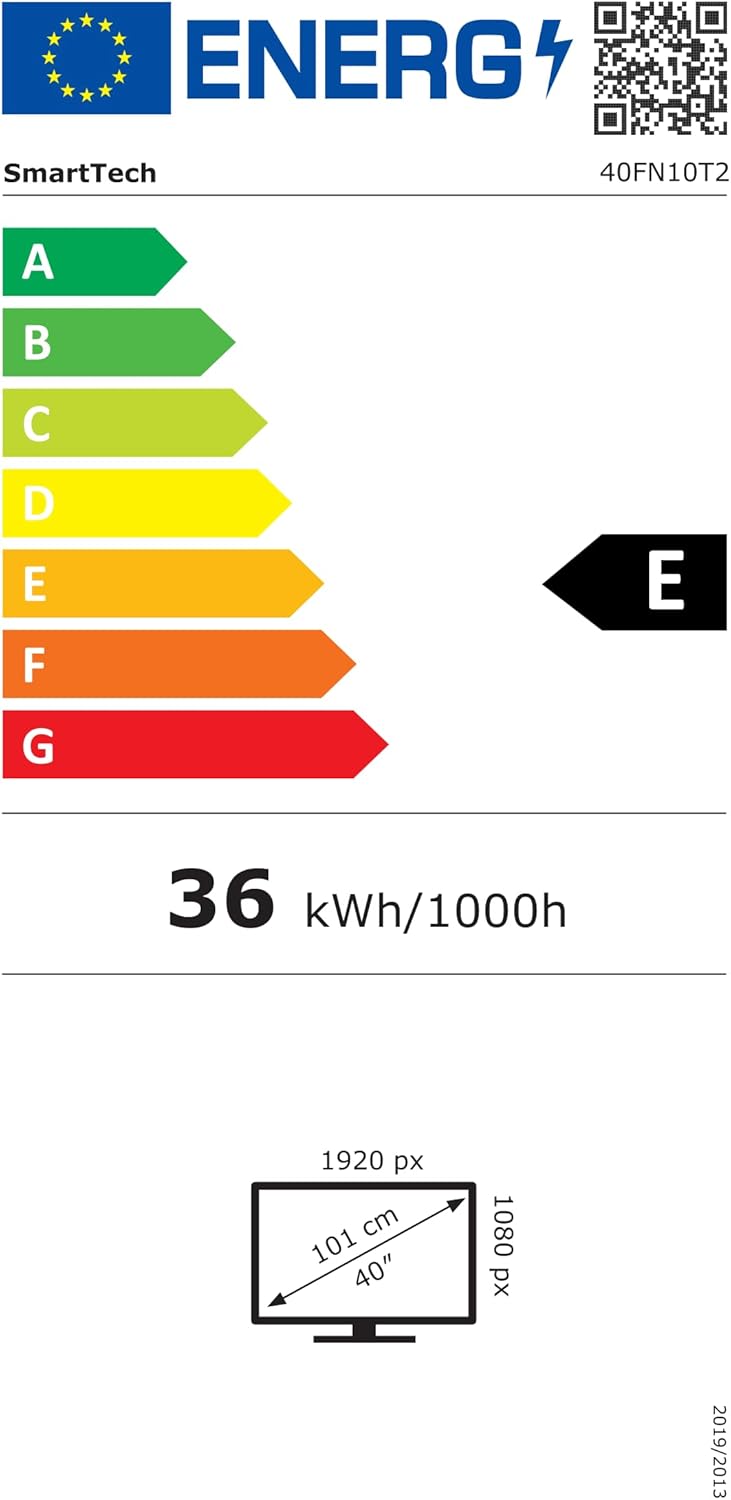
| การใช้พลังงาน (SDR) | 36 กิโลวัตต์ชั่วโมง/1000 ชม. |
| ระดับประสิทธิภาพพลังงาน (SDR) | E |
| ขนาด (กxสxล) | 90.5 x 51.5 x 27.5 ซม. (พร้อมขาตั้ง) |
| ขาแขวนติดผนัง VESA | 200 x 200 มม. |
| ส่วนประกอบที่รวมอยู่ | Remote Control, 2x AAA Batteries |
For detailed energy information, please refer to the official EPREL database: https://eprel.ec.europa.eu/qr/964704
10. การรับประกันและการสนับสนุน
Your Smart Tech 40FN10T2 TV comes with a standard manufacturer's warranty. Please refer to the warranty card included in your package for specific terms and conditions. For technical support, service inquiries, or to obtain replacement parts, please contact your retailer or the Smart Tech customer service department.


