1. บทนำ
Thank you for choosing the MageGee GT860 Wired Keyboard. This manual provides detailed instructions for setting up, operating, and maintaining your new keyboard. The GT860 is a 96-key compact layout keyboard designed for gaming and daily use, featuring RGB backlighting and an ergonomic design.

Image: The MageGee GT860 wired keyboard showcasinด้วยดีไซน์กะทัดรัด 96 ปุ่ม และแสงไฟ RGB ที่สดใส
2. คุณสมบัติ
- 92% Compact Minimalism Layout: Retains all commonly used keys in a space-saving design.
- Membrane with Mechanical Feeling: Utilizes advanced imitation mechanical technology for a tactile typing experience.
- การออกแบบตามหลักสรีรศาสตร์: Key layout is engineered for comfortable use, reducing fatigue during long sessions.
- Upgrade RGB Backlit Lighting Effect: Features a variety of light colors and modes, with adjustable brightness and breathing speed. Letters on keys are illuminated.
- High Quality and Reliable Performance: Plug and play functionality, compatible with Windows 10/8/7/XP/VISTA and Mac OS.

Image: Visual representation of the keyboard's ergonomic design, RGB lighting effects, and adjustable foot support for improved performance.

ภาพ: ภาพระยะใกล้ view of the keyboard with some keycaps removed, illustrating the underlying membrane switch mechanism that provides a mechanical-like feel.
3. คู่มือการติดตั้ง
- แกะคีย์บอร์ดออก: นำคีย์บอร์ดออกจากบรรจุภัณฑ์อย่างระมัดระวัง
- เชื่อมต่อกับคอมพิวเตอร์: Locate an available USB port on your computer. Insert the USB cable from the MageGee GT860 keyboard into the USB port.
- การติดตั้งไดร์เวอร์: The keyboard is plug-and-play. Your operating system (Windows, Mac OS) will automatically detect and install the necessary drivers. No additional software installation is required.
- การจัดวาง: วางแป้นพิมพ์บนพื้นผิวที่มั่นคงและเรียบ ปรับขาตั้งที่อยู่ด้านล่างของแป้นพิมพ์ให้ได้มุมการพิมพ์ที่ต้องการ
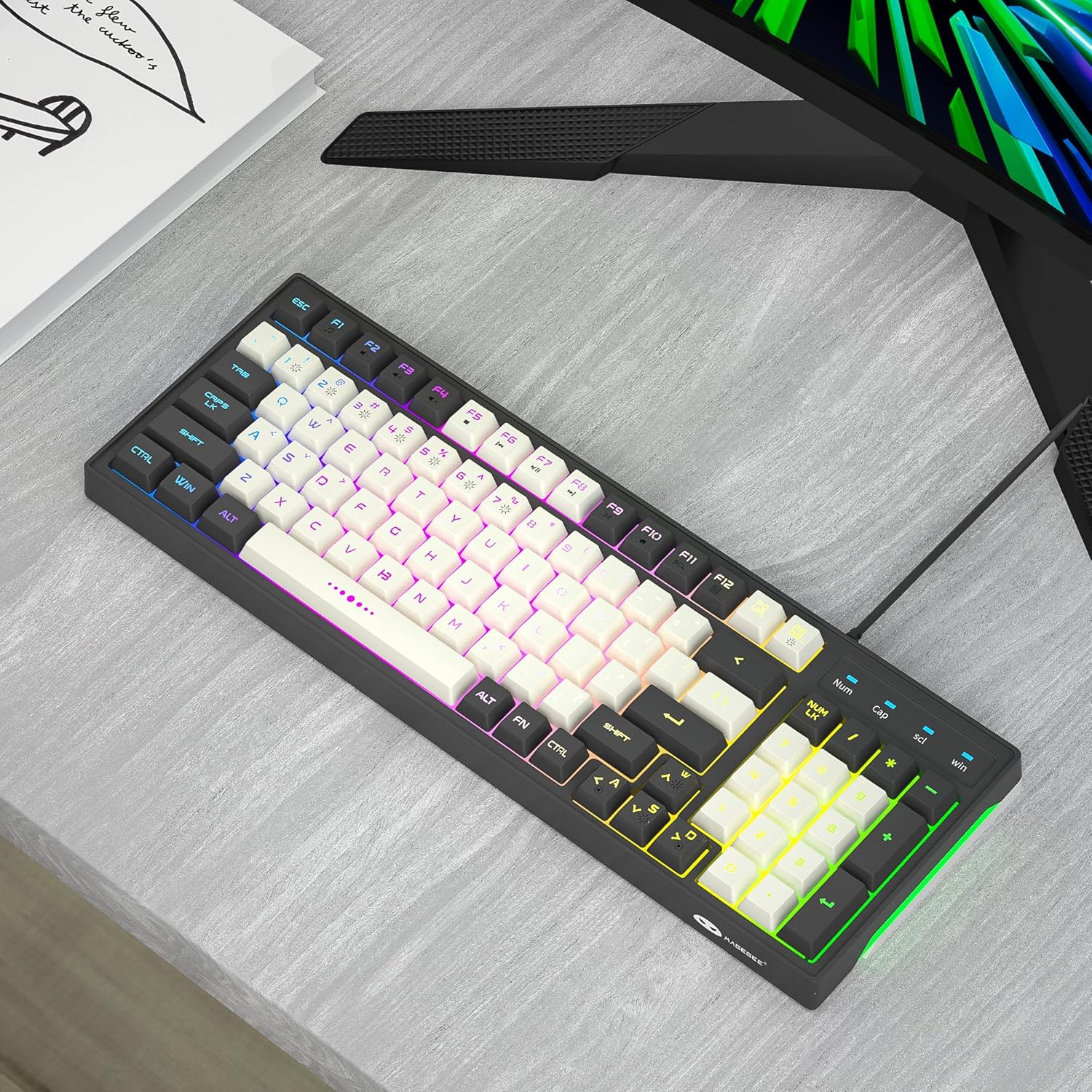
Image: The MageGee GT860 keyboard positioned on a desk, ready for use with a computer monitor, demonstrating a typical setup.
4. คู่มือการใช้งาน
4.1 การควบคุมไฟแบ็คไลท์ RGB
The MageGee GT860 keyboard features multiple RGB lighting modes. Use the Function (Fn) key in combination with other keys to control the backlight:
- Fn + Scroll Lock (SCL): สลับไปมาระหว่างโหมดแสงไฟ RGB ต่างๆ
- Fn + Page Up (PGUP): เพิ่มความสว่างของไฟแบ็คไลท์
- Fn + Page Down (PGDN): ลดความสว่างของแสงไฟด้านหลัง
- กดปุ่ม Fn + ปุ่มลูกศร (ซ้าย/ขวา): Adjust lighting effect speed (for dynamic modes).

Image: The MageGee GT860 keyboard showcasing its 18 distinct RGB lighting modes, illustrating the variety of visual effects available.

Image: A detailed diagram illustrating the various Function (Fn) key combinations for controlling RGB backlight effects and accessing multimedia functions on the MageGee GT860 keyboard.
4.2 ฟังก์ชั่นมัลติมีเดีย
Access multimedia controls by holding the Fn key and pressing the corresponding F-keys:
- Fn+F1: เครื่องเล่นสื่อ
- Fn+F2: ลดระดับเสียง
- Fn+F3: เพิ่มระดับเสียง
- Fn+F4: ปิดเสียง
- Fn+F5: เพลงก่อนหน้า
- Fn+F6: เพลงถัดไป
- Fn+F7: เล่น/หยุดชั่วคราว
- Fn+F8: หยุด
- Fn+F9: อีเมล
- Fn+F10: หน้าแรก
- Fn+F11: ล็อคการเลื่อน
- Fn+F12: เครื่องคิดเลข
5. การบำรุงรักษา
To ensure the longevity and optimal performance of your MageGee GT860 keyboard, follow these maintenance guidelines:
- การทำความสะอาด: Regularly clean the keyboard with a soft, dry cloth. For dust and debris between keys, use compressed air. For stubborn dirt, a slightly damp สามารถใช้ผ้าชุบน้ำสบู่ชนิดอ่อนๆ เช็ดได้ โดยให้แน่ใจว่าไม่มีของเหลวเข้าไปในแป้นพิมพ์
- หลีกเลี่ยงของเหลว: ห้ามทำของเหลวหกใส่แป้นพิมพ์ หากเกิดของเหลวหก ให้ถอดแป้นพิมพ์ออกจากคอมพิวเตอร์ทันที และปล่อยให้แห้งสนิทก่อนเชื่อมต่อกลับเข้าที่
- พื้นที่จัดเก็บ: เมื่อไม่ได้ใช้งานเป็นเวลานาน ควรเก็บแป้นพิมพ์ไว้ในสภาพแวดล้อมที่สะอาดและแห้ง หลีกเลี่ยงแสงแดดโดยตรงและอุณหภูมิที่สูงหรือต่ำเกินไป
- จัดการด้วยความระมัดระวัง: หลีกเลี่ยงการทำแป้นพิมพ์ตกหรือได้รับแรงกระแทกรุนแรง
6 การแก้ไขปัญหา
If you encounter issues with your MageGee GT860 keyboard, refer to the following common problems and solutions:
| ปัญหา | วิธีแก้ปัญหาที่เป็นไปได้ |
|---|---|
| แป้นพิมพ์ไม่ตอบสนอง |
|
| Backlight is not working or is dim. |
|
| ปุ่มบางปุ่มใช้งานไม่ได้ |
|
7. ข้อมูลจำเพาะ
| คุณสมบัติ | รายละเอียด |
|---|---|
| แบบอย่าง | GT860 |
| เทคโนโลยีการเชื่อมต่อ | สาย USB |
| จำนวนคีย์ | 96 |
| คำอธิบายแป้นพิมพ์ | การเล่นเกม |
| คุณสมบัติพิเศษ | RGB Backlit, Ergonomic Design, Anti-Ghosting |
| อุปกรณ์ที่รองรับ | พีซี, คอนโซลเกม (ผ่าน USB) |
| ความเข้ากันได้ของระบบปฏิบัติการ | Windows 10, Windows 8, Windows 7, Windows XP, Windows VISTA, Mac OS |
| ขนาดสินค้า | 14 x 6 x 2 นิ้ว (35.56 x 15.24 x 5.08 ซม.) |
| น้ำหนักสินค้า | 1.63 ปอนด์ (0.74 กก.) |
| สี | Grey White Keycaps |
8. การรับประกันและการสนับสนุน
MageGee products are designed for reliability and performance. For any product inquiries, technical support, or warranty claims, please refer to the contact information provided with your purchase or visit the official MageGee webโปรดเก็บหลักฐานการซื้อไว้เพื่อใช้ในเรื่องการรับประกัน
For further assistance, you may visit the MageGee store on Amazon: ร้านค้า MageGee บน Amazon


