1. บทนำ
Thank you for choosing the DEKCO 2K Solar Security Camera. This wireless outdoor camera provides comprehensive surveillance with its 2K resolution, 360° pan and tilt capabilities, and solar-powered design. Equipped with advanced features like motion detection, two-way audio, and enhanced night vision, it offers reliable home security. This manual provides detailed instructions for installation, operation, and maintenance to ensure optimal performance of your device.
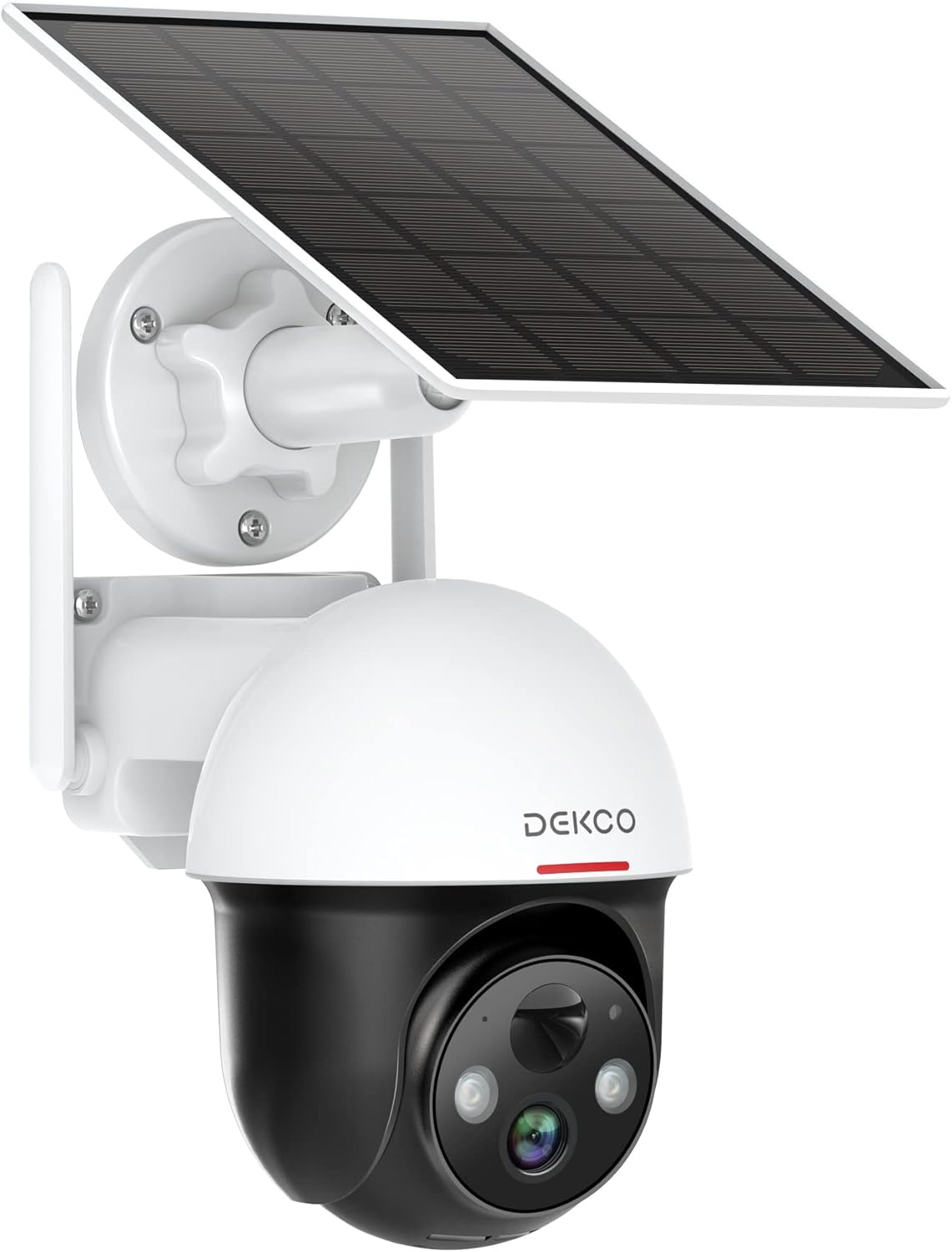
Figure 1.1: DEKCO 2K Solar Security Camera with integrated solar panel.
2. เนื้อหาบรรจุภัณฑ์
Please check the package contents upon opening to ensure all components are present and undamaged. If any items are missing or damaged, please contact DEKCO customer support.

รูปที่ 2.1: รายการสิ่งของที่บรรจุอยู่ในบรรจุภัณฑ์ของผลิตภัณฑ์
- DEKCO 2K Solar Security Camera
- Solar Panel (pre-attached or separate, depending on model variant)
- ตัวยึด
- สายชาร์จ USB
- สกรูยึดและพุกยึดผนัง
- คู่มือการใช้งาน
- คู่มือเริ่มต้นอย่างรวดเร็ว
3. สินค้าหมดview
Familiarize yourself with the main components of your DEKCO solar security camera.

Figure 3.1: Key features of the DEKCO Solar Security Camera.
ส่วนประกอบของกล้อง:
- เลนส์กล้อง: จับภาพวิดีโอ footage.
- ไฟ LED อินฟราเรด: ให้การมองเห็นตอนกลางคืนที่ดีขึ้น
- สปอตไลท์: Illuminates the area for color night vision and acts as a deterrent.
- ไมโครโฟน: บันทึกเสียงสำหรับการสื่อสารสองทาง
- ผู้บรรยาย: Outputs audio for two-way communication and siren.
- เซ็นเซอร์ตรวจจับความเคลื่อนไหว PIR: Detects heat signatures for accurate motion detection.
- เสาอากาศ: For stable 2.4GHz Wi-Fi connectivity.
- แผงโซล่าเซลล์: Charges the internal battery using sunlight.
- ปุ่มรีเซ็ต: ใช้เพื่อรีเซ็ตกล้องให้กลับเป็นการตั้งค่าจากโรงงาน
- ช่องเสียบการ์ด Micro SD: For local video storage (supports 8-128GB, not included).
4. การตั้งค่า
4.1 การชาร์จเริ่มต้น
Before first use, fully charge the camera's internal battery using the provided USB cable and a 5V/2A power adapter (not included). The charging indicator light will turn solid blue when fully charged.
4.2 การดาวน์โหลดและการลงทะเบียนแอปพลิเคชัน
- Scan the QR code below or search for "CloudEdge" in your mobile app store (App Store for iOS, Google Play for Android).
- Download and install the CloudEdge app.
- Open the app and register for a new account using your email address. Follow the on-screen instructions to complete registration.

Figure 4.1: The CloudEdge app is compatible with both Android and iOS devices.
4.3 การเชื่อมต่อ Wi-Fi
Ensure your Wi-Fi network is 2.4GHz. This camera does not support 5GHz Wi-Fi.
- Power on the camera. The indicator light will flash red, indicating it's ready for pairing.
- In the CloudEdge app, tap the "+" icon to add a new device.
- Select "Battery Camera" and follow the prompts.
- Enter your 2.4GHz Wi-Fi network name (SSID) and password.
- Place the QR code generated by the app in front of the camera lens (approx. 15-20 cm / 6-8 inches away) until you hear a prompt sound from the camera.
- เมื่อเชื่อมต่อแล้วไฟแสดงสถานะจะเปลี่ยนเป็นสีน้ำเงินทึบ
4.4 การติดตั้งกล้อง
Choose a location with strong 2.4GHz Wi-Fi signal and direct sunlight exposure for the solar panel.
- โดยใช้ขายึดเป็นแบบในการกำหนดตำแหน่งเจาะรู
- Drill holes and insert wall anchors if mounting on masonry or concrete.
- ยึดขายึดเข้ากับผนังด้วยสกรู
- ติดกล้องเข้ากับขายึด
- Adjust the camera angle and solar panel orientation to maximize sunlight exposure.

Figure 4.2: The camera is designed for wire-free installation, powered by its solar panel.
5. คู่มือการใช้งาน
5.1 สด View
Open the CloudEdge app and select your camera to view the live feed. You can pinch to zoom in on the live view.
5.2 การควบคุมแพนและเอียง
จากการถ่ายทอดสด view screen, use the directional controls to remotely pan (horizontal rotation up to 360°) and tilt (vertical rotation up to 90°) the camera lens to monitor different areas.

Figure 5.1: The camera offers a 360° all-around field of view with pan and tilt functions.
5.3 เสียงสองทาง
Tap the microphone icon in the app to speak through the camera's speaker. Tap again to end. This allows for real-time communication with visitors or to deter intruders.

Figure 5.2: Premium 2-Way Audio allows clear communication.
5.4 การตรวจจับการเคลื่อนไหวและการแจ้งเตือน
The camera uses advanced PIR motion detection to identify human shapes, reducing false alarms. When motion is detected, you will receive instant notifications on your phone.
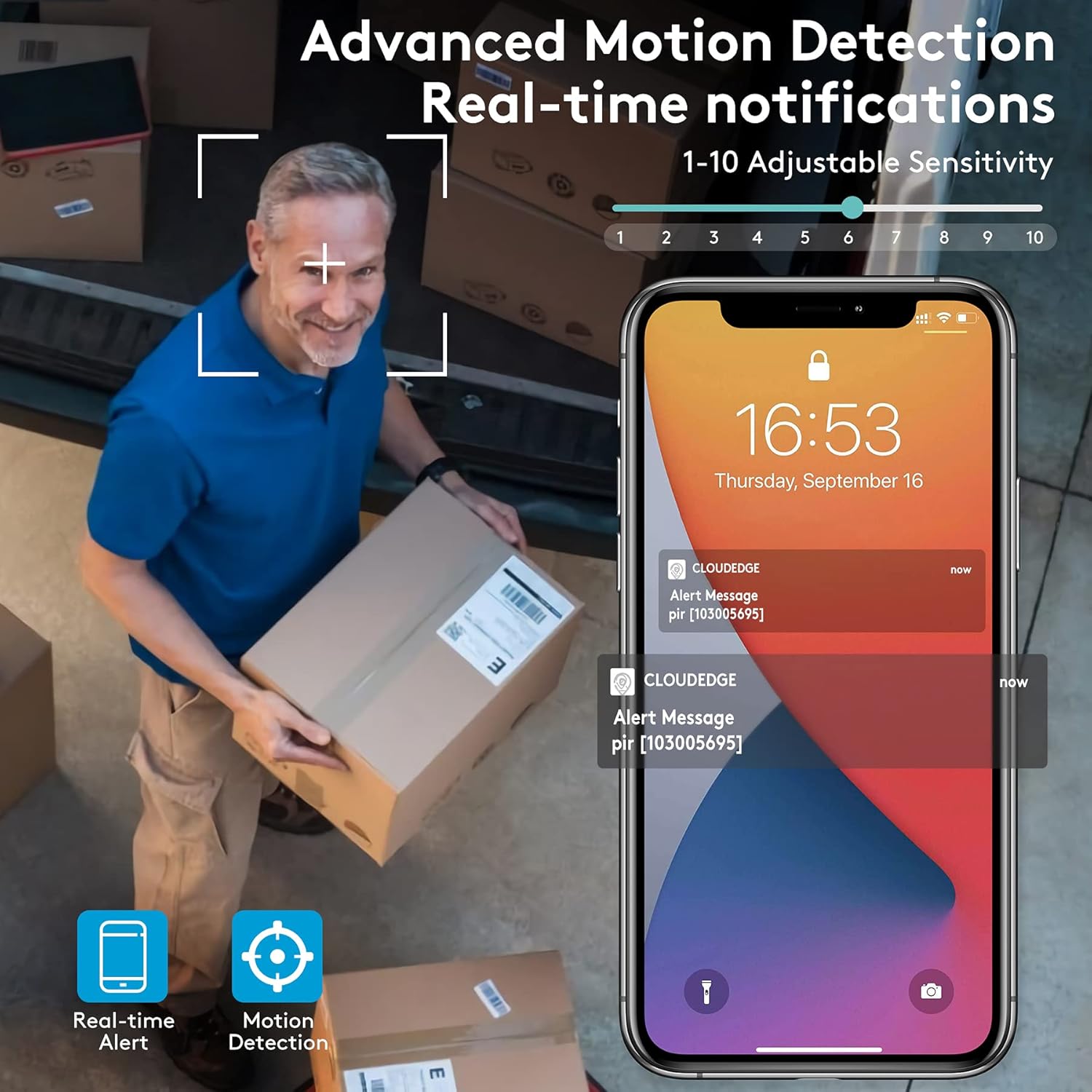
Figure 5.3: Advanced Motion Detection provides real-time notifications with adjustable sensitivity.
- ความไว: Adjust motion detection sensitivity (1-10) in the app settings.
- โซนกิจกรรม: Define specific areas for motion detection to focus on.
- Siren/Spotlight: Configure the camera to activate its siren and/or spotlight upon motion detection for deterrence.

Figure 5.4: The camera can ward off intruders with a motion-activated alarm, including a flashing light and siren.
5.5 การบันทึกและการเล่น
The camera records events triggered by motion detection. You can access these recordings via the CloudEdge app.
- การเก็บข้อมูลบนคลาวด์: Enjoy a free 7-day trial for cloud storage. Subscription plans are available for extended storage.
- การ์ด Micro SD: Insert a Micro SD card (up to 128GB, not included) for local storage. Recordings will loop once the card is full.

Figure 5.5: The camera supports both cloud and local Micro SD card storage.
5.6 การมองเห็นตอนกลางคืน
The camera features upgraded infrared LEDs for clear night vision up to 66ft. When sufficient ambient light is present, it can provide full-color night vision.

Figure 5.6: 2K HD quality with enhanced night vision capabilities.
6. การบำรุงรักษา
6.1 การทำความสะอาด
- เช็ดเลนส์กล้องและแผงโซลาร์เซลล์ด้วยผ้านุ่มๆ เป็นประจำamp ผ้าสำหรับเช็ดฝุ่นและเศษสิ่งสกปรก หลีกเลี่ยงน้ำยาทำความสะอาดที่มีฤทธิ์กัดกร่อน
- Ensure the solar panel is clean for optimal charging efficiency.
6.2 การดูแลแบตเตอรี่
- The camera is designed for continuous power via solar charging. In areas with limited sunlight, occasional manual charging via USB may be required.
- Avoid exposing the camera to extreme temperatures outside its operating range to preserve battery life.
การอัปเดตเฟิร์มแวร์ 6.3 รายการ
Periodically check the CloudEdge app for available firmware updates. Keeping your camera's firmware updated ensures optimal performance, new features, and security enhancements.
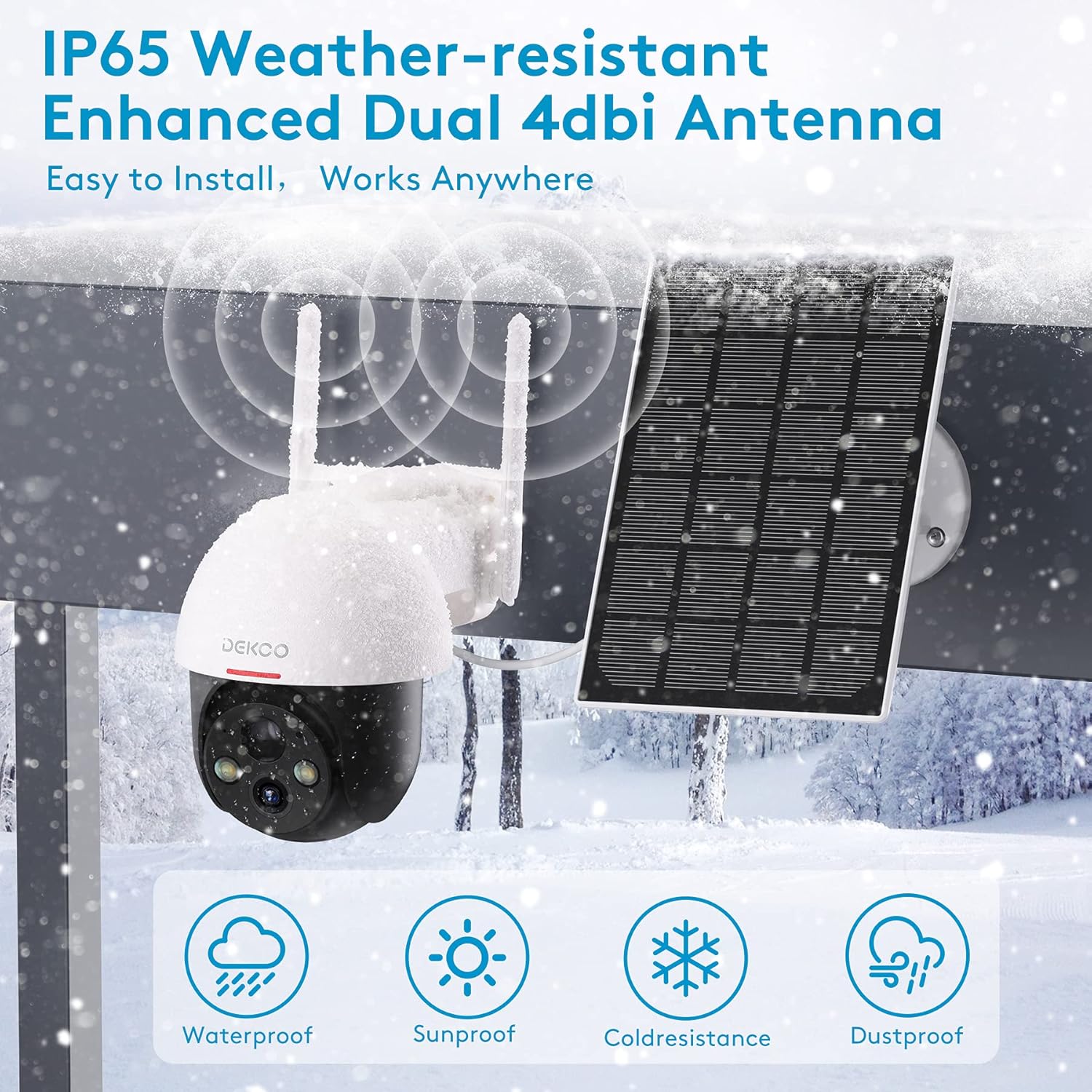
Figure 6.1: The camera is IP65 weather-resistant, designed to withstand various outdoor conditions.
7 การแก้ไขปัญหา
| ปัญหา | สาเหตุที่เป็นไปได้ | สารละลาย |
|---|---|---|
| กล้องไม่เปิดเครื่อง | Low battery; Power button off | Charge the camera fully; Ensure power button is in ON position. |
| ไม่สามารถเชื่อมต่อ Wi-Fi ได้ | Incorrect Wi-Fi password; 5GHz Wi-Fi network; Weak signal | Verify password; Ensure 2.4GHz network; Move camera closer to router or use a Wi-Fi extender. |
| การตรวจจับการเคลื่อนไหวไม่ทำงาน | PIR sensitivity too low; Incorrect activity zone settings; Obstructions | Increase PIR sensitivity in app; Adjust activity zones; Clear any obstructions in the camera's view. |
| คุณภาพของภาพไม่ดี | Dirty lens; Poor lighting; Network bandwidth issues | Clean the lens; Ensure adequate lighting; Check network speed. |
| ปัญหาเสียงสองทาง | Microphone/speaker blocked; App permissions | Ensure microphone/speaker are clear; Grant microphone permissions to the app. |
| Camera offline frequently | Weak Wi-Fi signal; Router issues | Relocate camera or router; Restart router. |
8. ข้อมูลจำเพาะ
| คุณสมบัติ | รายละเอียด |
|---|---|
| แบบอย่าง | 5059648201190 |
| ความละเอียดในการจับภาพวิดีโอ | 3 MP (2K QHD) |
| เทคโนโลยีการเชื่อมต่อ | ไร้สาย (Wi-Fi) |
| การสื่อสารแบบไร้สาย | ไวไฟ 2.4GHz |
| แหล่งพลังงาน | ใช้พลังงานแสงอาทิตย์ ใช้พลังงานจากแบตเตอรี่ |
| ประเภทแบตเตอรี่ | ลิเธียมไอออน (รวมอยู่ด้วย) |
| อายุการใช้งานแบตเตอรี่โดยเฉลี่ย | Approx. 5 months (without solar charging) |
| ช่วงการมองเห็นตอนกลางคืน | สูงถึง 66 ฟุต |
| คุณสมบัติพิเศษ | Battery Powered, Motion Sensor, Night Vision, Solar Powered, Spotlights, Two-Way Audio |
| การใช้งานภายใน/ภายนอกอาคาร | Outdoor (IP65 Weather-resistant) |
| อุปกรณ์ที่รองรับ | สมาร์ทโฟน, แท็บเล็ต (Android, iOS) |
| ตัวเลือกการจัดเก็บข้อมูล | การ์ด Micro SD (8-128GB ไม่รวมอยู่ในชุด), พื้นที่จัดเก็บข้อมูลบนคลาวด์ |
| ช่วงแพน/เอียง | แพน 360°, เอียง 90° |
| วัสดุ | โลหะ |
9. การรับประกันและการสนับสนุน
DEKCO products are designed for reliability and performance. This product comes with a standard manufacturer's warranty. For specific warranty terms and conditions, please refer to the warranty card included in your package or visit the official DEKCO webเว็บไซต์.
If you encounter any issues or have questions regarding your DEKCO 2K Solar Security Camera, please contact our customer support team:
- อีเมล: Refer to your product packaging or the CloudEdge app for support contact information.
- การสนับสนุนทางออนไลน์: Visit the DEKCO official webไซต์สำหรับคำถามที่พบบ่อย คำแนะนำในการแก้ไขปัญหา และแบบฟอร์มติดต่อ
โปรดเตรียมหมายเลขรุ่น (5059648201190) และข้อมูลการซื้อให้พร้อมเมื่อติดต่อฝ่ายสนับสนุน


