คู่มือการใช้งาน
Strong SRT 8119 Digital Terrestrial DVB-T2 HDMI Decoder with Display
รุ่น : SRT8119
1. บทนำ
This manual provides comprehensive instructions for the installation, operation, and maintenance of your Strong SRT 8119 Digital Terrestrial DVB-T2 HDMI Decoder. Please read this manual carefully before using the device to ensure proper functionality and to prevent damage.
The Strong SRT 8119 is designed to receive free-to-air TV programs in high definition, supporting the H.265 standard. It offers features such as recording capabilities, a 700-channel memory capacity, Electronic Program Guide (EPG), parental controls, and various channel editing options for an enhanced viewการสร้างประสบการณ์
2. ข้อมูลด้านความปลอดภัย
Always observe the following safety precautions to avoid electric shock, fire, or damage to the device:
- อย่าให้อุปกรณ์โดนฝนหรือความชื้น
- อย่าเปิดcasinก. ส่งต่อการบริการทั้งหมดให้กับบุคลากรที่มีคุณสมบัติเหมาะสม
- Ensure proper ventilation around the device. Do not block ventilation openings.
- ใช้เฉพาะอะแดปเตอร์แปลงไฟที่ให้มากับเครื่องเท่านั้น
- Disconnect the device from the power outlet during lightning storms or when unused for long periods.
- Keep the device away from direct sunlight, heat sources, and strong magnetic fields.
3. เนื้อหาบรรจุภัณฑ์
ตรวจสอบว่ามีรายการทั้งหมดอยู่ในแพ็คเกจ:
- Strong SRT 8119 Digital Terrestrial DVB-T2 HDMI Decoder
- รีโมทคอนโทรล (รวมแบตเตอรี่ AAA 2 ก้อน)
- คู่มือการใช้งาน (เอกสารนี้)
- อะแดปเตอร์แปลงไฟ

Figure 3.1: Packaging of the Strong SRT 8119 decoder, showing the product box with branding and key features listed.
4. สินค้าหมดview
4.1. แผงด้านหน้า

รูปที่ 4.1 : ด้านหน้า view of the Strong SRT 8119 decoder, featuring the display, Strong logo, Dolby Audio branding, and a USB port on the right.
- แสดง: แสดงหมายเลขช่องหรือเวลา
- พอร์ต USB: For connecting USB storage devices for media playback and software updates.
- ไฟแสดงสถานะพลังงาน: แสดงสถานะพลังงานของอุปกรณ์
4.2. แผงด้านหลัง

รูปที่ 4.2: ด้านหลัง view of the Strong SRT 8119 decoder, clearly showing the input and output ports labeled for connection to a terrestrial antenna, HDMI TV, SCART TV, and S/PDIF coaxial audio output.
- มดใน: เชื่อมต่อกับเสาอากาศภาคพื้นดินของคุณ
- ช่องต่อ HDMI: High-Definition Multimedia Interface output for connecting to an HD TV.
- ทีวี SCART: SCART output for connecting to older TVs.
- โคแอกเซียล S/PDIF: เอาต์พุตเสียงดิจิตอล
- DC IN: ช่องเสียบไฟสำหรับอะแดปเตอร์แปลงไฟภายนอก
4.3. รีโมทคอนโทรล

Figure 4.3: The remote control for the Strong SRT 8119 decoder, showing various buttons for power, channel navigation, volume, menu access, EPG, media playback, and numeric input.
The remote control allows full operation of the decoder. Familiarize yourself with the button layout for easy navigation.
5. การตั้งค่า
5.1. Connecting the Decoder
- เชื่อมต่อเสาอากาศ: เชื่อมต่อสายเคเบิลเสาอากาศภาคพื้นดินของคุณเข้ากับ... มดใน port on the rear panel of the decoder.
- เชื่อมต่อกับทีวี:
- For HD TVs: Connect an HDMI cable from the HDMI port on the decoder to an available HDMI input on your TV.
- For older TVs: Connect a SCART cable from the ทีวี SCART port on the decoder to the SCART input on your TV.
- เชื่อมต่อพลังงาน: Insert the power adapter cable into the ดีซี ใน port on the decoder, then plug the adapter into a wall outlet.
- ใส่แบตเตอรี่: Open the battery compartment on the remote control and insert the two AAA batteries, observing polarity.
5.2. การติดตั้งครั้งแรก
Upon first power-on, the decoder will guide you through the initial setup process:
- เลือกที่ต้องการ ภาษา.
- เลือกของคุณ ประเทศ.
- The decoder will then perform an automatic channel scan. This may take several minutes. Do not interrupt this process.
- Once the scan is complete, the decoder will display the first available channel.
6. คู่มือการใช้งาน
6.1. การทำงานพื้นฐาน
- เปิด/ปิดเครื่อง: กดปุ่ม พลัง ปุ่มบนรีโมทคอนโทรล
- เปลี่ยนช่อง: ใช้ ช+/- กดปุ่มต่างๆ หรือป้อนหมายเลขช่องโดยตรงโดยใช้แป้นพิมพ์ตัวเลข
- การควบคุมระดับเสียง: ใช้ ฉบับ+/- ปุ่ม
- การเข้าถึงเมนู: กดปุ่ม เมนู button to access system settings and features. Use arrow keys to navigate and OK เพื่อยืนยัน.
6.2. คู่มือรายการโทรทัศน์อิเล็กทรอนิกส์ (EPG)
The EPG provides a schedule of current and upcoming programs.
- กดปุ่ม อีพีจี ปุ่มบนรีโมทคอนโทรล
- ใช้ปุ่มลูกศรเพื่อเลื่อนดูช่องและตารางเวลาของรายการต่างๆ
- กด OK ถึง view details about a selected program.
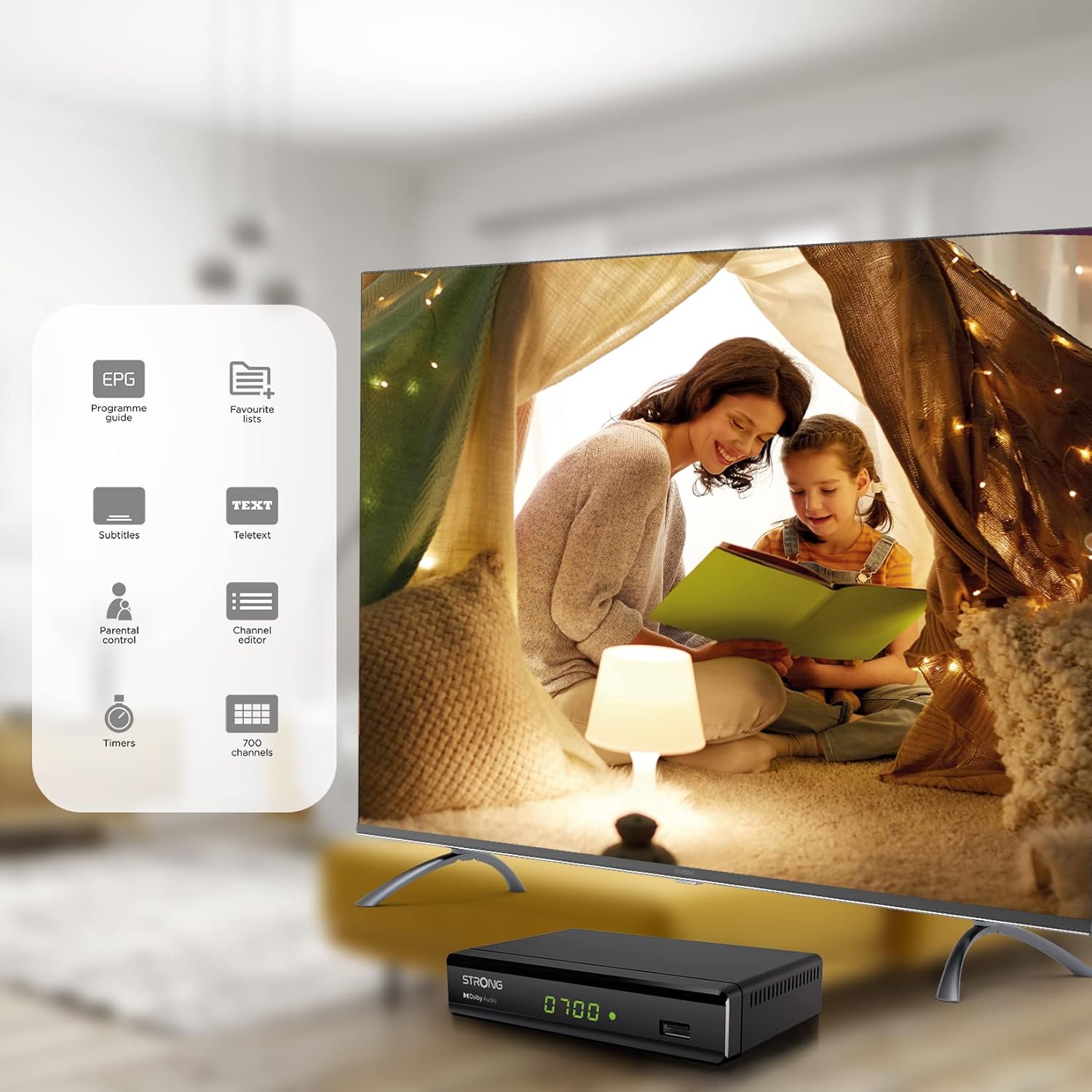
Figure 6.1: Visual representation of the Strong SRT 8119's features, including Electronic Program Guide (EPG), favorite lists, subtitles, teletext, parental control, channel editor, timers, and 700 channel capacity.
6.3. Media Playback and Recording (USB)
The decoder supports media playback from a USB storage device connected to the front USB port. Note: Recording function may not be active in all regions (e.g., Italy).
- Insert a USB flash drive or external hard drive into the front USB port.
- กดปุ่ม สื่อมวลชน button on the remote control to access the media player.
- นำทางไปยังที่ต้องการ file (video, audio, image) and press OK ที่จะเล่น
- หากต้องการบันทึกรายการ ให้กดปุ่ม บันทึก button during live TV. Ensure a USB device with sufficient free space is connected.
- To schedule a recording, use the EPG and select the program, then follow the on-screen prompts to set a timer.

Figure 6.2: The Strong SRT 8119 decoder shown in a living room setting, highlighting its USB playback and recording capabilities. A note indicates that recording is not implemented for Italy.
6.4. การจัดการช่องทาง
- Channel Editor: Access the channel editor via the เมนู to move, delete, or lock channels.
- รายการโปรด: Create up to 4 favorite lists for TV and radio programs for quick access to your preferred channels.
- การควบคุมโดยผู้ปกครอง: Set a password to restrict access to certain channels or programs.
7. การบำรุงรักษา
- การทำความสะอาด: Use a soft, dry cloth to clean the exterior of the decoder. Do not use liquid or aerosol cleaners.
- อัพเดตซอฟต์แวร์: Periodically check the Strong website for available software updates. Updates can typically be installed via the USB port.
- พื้นที่จัดเก็บ: If storing the device for an extended period, disconnect it from power and store in a cool, dry place.
8 การแก้ไขปัญหา
| ปัญหา | สาเหตุที่เป็นไปได้ | สารละลาย |
|---|---|---|
| ไม่มีไฟฟ้า | สายไฟไม่ได้เชื่อมต่อ เต้าเสียบไฟฟ้าชำรุด | ตรวจสอบการเชื่อมต่อสายไฟ ลองใช้ปลั๊กไฟอื่นดู |
| No signal / "No Signal" message | Antenna not connected; Antenna faulty; Incorrect input selected on TV. | Check antenna connection; Ensure antenna is working; Select correct HDMI/SCART input on your TV. |
| ไม่มีภาพแต่มีเสียง | Video cable (HDMI/SCART) loose or faulty. | Check video cable connections; Try a different cable. |
| รีโมตคอนโทรลไม่ทำงาน | Batteries depleted or inserted incorrectly; Obstruction between remote and decoder. | Replace batteries; Ensure correct polarity; Remove obstructions; Point remote directly at the decoder. |
| ไม่สามารถบันทึกรายการได้ | USB device not connected or full; Recording function not available in your region. | Connect a USB device with sufficient space; Check regional limitations for recording. |
9. ข้อมูลจำเพาะ
| หมายเลขรุ่น | SRT8119 |
| ขนาดสินค้า | 4.41 x 5.98 x 1.5 นิ้ว |
| น้ำหนักสินค้า | 9.5 ออนซ์ |
| เทคโนโลยีการเชื่อมต่อ | Antenna (DVB-T2), HDMI, SCART, USB, Coaxial S/PDIF |
| การเข้ารหัสวิดีโอ | เอช.265 |
| ความจุช่องสัญญาณ | 700 ช่อง |
| แบตเตอรี่ | แบตเตอรี่ AAA 2 ก้อน (รวมอยู่ด้วยสำหรับรีโมท) |
| โหมดเอาต์พุตเสียง | ล้อมรอบ |
| การกำหนดค่าช่องเสียงรอบทิศทาง | 5.1 |
10. การสนับสนุน
For further assistance, technical support, or to find useful resources, please visit the official Strong website. You can also find information and support on their Facebook profile and LinkedIn page.
Note: Specific contact numbers or direct links are not provided in this manual. Please refer to the official Strong webเว็บไซต์สำหรับข้อมูลสนับสนุนล่าสุด


