การแนะนำ
Thank you for choosing the KOSETON E9 True Wireless Earbuds. This manual provides essential information for setting up, operating, and maintaining your new earbuds. Please read it carefully to ensure optimal performance and longevity of your device.
มีอะไรอยู่ในกล่อง
- KOSETON E9 Wireless Earbuds
- เคสชาร์จไฟ
- Ear Tips (3 size options: S, M, L)
- สายชาร์จ USB-C
- คู่มือเริ่มต้นอย่างรวดเร็ว
การตั้งค่า
1. การชาร์จหูฟังและเคส
Before first use, fully charge the earbuds and the charging case. Connect the provided USB-C cable to the charging port on the case and to a compatible USB power source.

The KOSETON E9 True Wireless Earbuds are shown in their open baby pink charging case. The earbuds are nestled in their respective slots, and four blue LED indicator lights are visible on the front of the case, indicating battery status.
- ไฟ LED บนเคสชาร์จจะสว่างขึ้นเพื่อแสดงสถานะการชาร์จ
- A full charge provides up to 30 hours of total battery life with the charging case.

This image highlights the 30-hour total battery life of the KOSETON E9 earbuds. The baby pink earbuds and their charging case are depicted alongside large, stylized '30 hours' text, emphasizing extended usage.
2. การจับคู่บลูทู ธ
- เปิดกล่องชาร์จ หูฟังจะเข้าสู่โหมดจับคู่โดยอัตโนมัติ
- เปิดใช้งาน Bluetooth บนอุปกรณ์ของคุณ (สมาร์ทโฟน แท็บเล็ต ฯลฯ)
- ค้นหา "E9" in the list of available Bluetooth devices and select it to connect.
- เมื่อเชื่อมต่อแล้ว คุณจะได้ยินเสียงแจ้งเตือน และหูฟังก็พร้อมใช้งานแล้ว
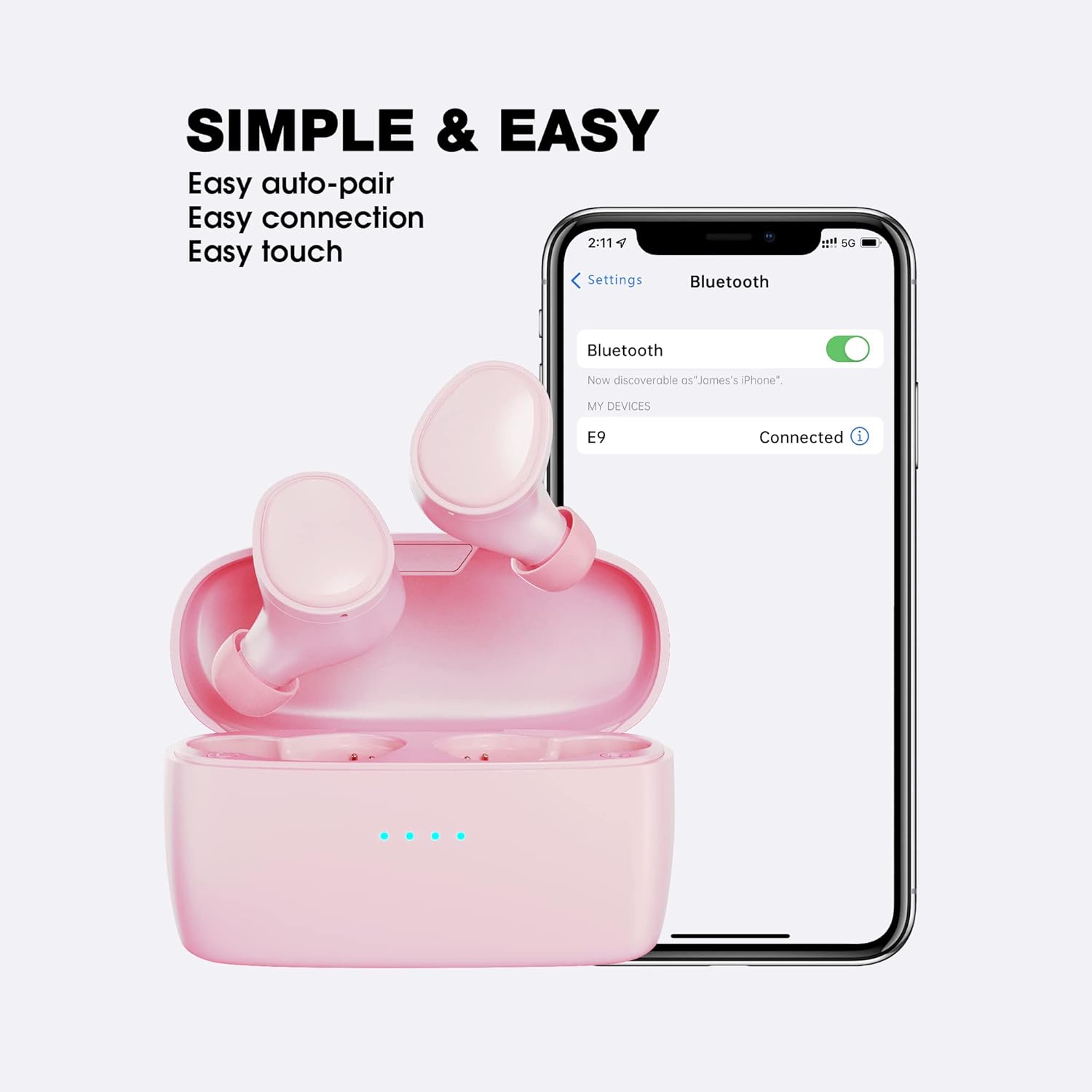
This image illustrates the simple and easy connection process of the KOSETON E9 earbuds. The earbuds are next to a smartphone screen displaying Bluetooth settings, with 'E9' listed as 'Connected', highlighting auto-pairing and easy touch controls.
The KOSETON E9 earbuds are compatible with both iOS and Android devices.
3. ความพอดีที่เหมาะสมที่สุด
For the best sound quality and comfort, choose the ear tips that fit your ears most securely. Three sizes (S, M, L) are included. Gently insert the earbuds into your ear canal and twist slightly to ensure a snug fit.

The KOSETON E9 earbuds, their charging case, three sizes of ear tips, and a USB-C charging cable are displayed. Text emphasizes 'Compact & Comfort for women and kids', indicating the product's ergonomic design and customizable fit.
คำแนะนำการใช้งาน
การควบคุมแบบสัมผัส
The KOSETON E9 earbuds feature intuitive touch controls for various functions:
- เล่น/หยุดชั่วคราว: แตะที่หูฟังข้างใดข้างหนึ่งเพียงครั้งเดียว
- เพลงถัดไป: แตะสองครั้งที่หูฟังด้านขวา
- แทร็กก่อนหน้า: แตะสองครั้งที่หูฟังด้านซ้าย
- รับ/วางสาย: แตะที่หูฟังข้างใดข้างหนึ่งเพียงครั้งเดียว
- ปฏิเสธสาย: กดเอียร์บัดข้างใดข้างหนึ่งค้างไว้ 2 วินาที
- เปิดใช้งาน Voice Assistant: แตะสามครั้งที่หูฟังข้างใดข้างหนึ่ง (เช่น Siri หรือ Google Assistant)
คุณภาพเสียงและการตัดเสียงรบกวน
The KOSETON E9 earbuds deliver crystal-clear sound. They also feature in-ear noise cancellation for clear calls, isolating your voice from ambient noise.

The KOSETON E9 earbuds are shown in their charging case, with one earbud partially removed, next to text stating 'Crystal Clear Sound'. A graphic indicates '3X clearer than ordinary wireless earbuds' with a 'Noise' and 'Voice' bar, suggesting enhanced audio clarity.
การซ่อมบำรุง
- การทำความสะอาด: ควรทำความสะอาดหูฟังและกล่องชาร์จเป็นประจำด้วยผ้าแห้งเนื้อนุ่ม ห้ามใช้สารเคมีรุนแรงหรือวัสดุที่มีฤทธิ์กัดกร่อน
- เคล็ดลับหู: ถอดและทำความสะอาดจุกหูฟังเป็นระยะด้วยสบู่และน้ำอ่อนๆ ตรวจสอบให้แน่ใจว่าแห้งสนิทก่อนติดกลับเข้าไปใหม่
- พื้นที่จัดเก็บ: เมื่อไม่ได้ใช้งาน ให้เก็บหูฟังไว้ในกล่องชาร์จเพื่อปกป้องหูฟังและชาร์จไฟให้หูฟังอยู่เสมอ
- ความต้านทานน้ำ: The earbuds are water-resistant (sweatproof), making them suitable for sports and exercise. However, they are not designed for submersion in water. Avoid exposing them to excessive moisture.
การแก้ไขปัญหา
- หูฟังไม่จับคู่: Ensure both earbuds are in the charging case, then open the lid to activate pairing mode. Check your device's Bluetooth settings to ensure "E9" is selected.
- มีหูฟังเพียงข้างเดียวที่ใช้งานได้: ใส่หูฟังทั้งสองข้างกลับเข้าไปในกล่องชาร์จ ปิดฝา แล้วเปิดอีกครั้ง การทำเช่นนี้มักจะทำให้การเชื่อมต่อระหว่างหูฟังทั้งสองข้างถูกรีเซ็ต
- ไม่มีเสียง: ตรวจสอบระดับเสียงทั้งบนอุปกรณ์ของคุณและหูฟัง ตรวจสอบให้แน่ใจว่าหูฟังเชื่อมต่อผ่านบลูทูธอย่างถูกต้องแล้ว
- ปัญหาการชาร์จ: Verify that the USB-C cable is securely connected to both the charging case and the power source. Ensure the charging contacts on the earbuds and inside the case are clean and free of debris.
ข้อมูลจำเพาะ
| ชื่อรุ่น | E9 |
| เทคโนโลยีการเชื่อมต่อ | ไร้สาย (บลูทูธ 5.0) |
| การวางตำแหน่งหู | ในหู |
| การควบคุมเสียงรบกวน | Sound Isolation (In-Ear Noise Cancelling for Calls) |
| อายุการใช้งานแบตเตอรี่ | สูงสุด 30 ชั่วโมง (พร้อมเคสชาร์จ) |
| วิธีการควบคุม | สัมผัส |
| ระดับความต้านทานต่อน้ำ | กันน้ำ (กันเหงื่อ) |
| น้ำหนักสินค้า | 0.08 กิโลกรัม (2.82 ออนซ์) |
| วัสดุ | พลาสติก |
| อุปกรณ์ที่รองรับ | iOS และ Android |
การรับประกันและการสนับสนุน
KOSETON provides a lifetime warranty for these wireless earbuds. For any support inquiries, please refer to the contact information provided in your Quick Start Guide or visit the official KOSETON webเว็บไซต์.


