1. สินค้าหมดview
The Konnek Stein QC21S is an advanced 2K (2304 x 1296) wireless smart home IP camera designed for indoor security. It features dual-band 2.4G/5G WiFi connectivity, enabling flexible placement and reliable connection. This camera offers comprehensive monitoring capabilities including 355° horizontal and 110° vertical pan/tilt/zoom (PTZ) functionality, two-way audio communication, AI human motion detection with tracking, and clear infrared night vision.

ด้านหน้า view of the Konnek Stein QC21S Indoor Security Camera, showcasing its compact white design and camera lens.

An illustration highlighting the key features: PTZ control, HD resolution, cloud service, two-way audio, hotspot, motion detection, IR night vision, and motion auto-tracking.

Visual comparison demonstrating the superior clarity of 2K (2304x1296) resolution compared to 1080P (1920x1080) for enhanced visual and video recording.

An image illustrating the camera's efficient surveillance system, providing clear images both during the day and in low-light conditions with night vision.
2. เนื้อหาบรรจุภัณฑ์
Please check the package contents carefully upon opening to ensure all items are present and undamaged.
- Camera Body (Konnek Stein QC21S)
- สาย USB-A
- อะแดปเตอร์แปลงไฟ
- คู่มือการใช้งาน (เอกสารนี้)
3. คู่มือการติดตั้ง
Follow these steps to set up your Konnek Stein QC21S camera using the mobile application. Ensure your smartphone is connected to a 2.4 GHz Wi-Fi network during the initial setup process.
- ดาวน์โหลดแอป: Scan the QR code below or search for "Smart Life" in your mobile app store (Google Play for Android, App Store for iOS) to download and install the application.
- ลงทะเบียน/เข้าสู่ระบบ: Open the Smart Life app and register a new account or log in if you already have one.
- เพิ่มอุปกรณ์: Tap the "+" icon or "Add Device" button in the app. Select "Security & Video Surveillance" and then choose "Smart Camera (Wi-Fi)".
- เปิดกล้อง: Plug in your camera. Ensure the camera is powered on and ready for pairing. The camera will emit a prompt sound or indicate readiness.
- ตัวบ่งชี้การยืนยัน: In the app, confirm that the indicator light on the camera is blinking rapidly or that you hear a prompt tone. If not, reset the camera by pressing and holding the reset button (usually a small pinhole) until the indicator blinks rapidly or a tone is heard.
- เชื่อมต่อกับ Wi-Fi: Enter your 2.4 GHz Wi-Fi network name and password in the app. The camera supports both 2.4G and 5G dual-band WiFi, but initial setup often requires 2.4G.
- สแกนรหัส QR: The app will display a QR code. Hold your phone with the QR code approximately 15-20 cm (6-8 inches) in front of the camera lens until you hear a confirmation tone from the camera.
- การเชื่อมต่อเสร็จสมบูรณ์: Once the camera connects, it will indicate successful pairing. The app will then show the camera added to your device list. You can now rename the camera and begin using it.

A visual guide demonstrating the step-by-step process of setting up the camera using the Smart Life mobile application, from downloading the app to connecting the device via QR code.
ดาวน์โหลดแอปสมาร์ทไลฟ์: http://smartapp.tuya.com/smartlife
4. คู่มือการใช้งาน
4.1 สด View และการควบคุม PTZ
Once connected, access the live video feed through the Smart Life app. Use the on-screen controls to remotely pan (355° horizontal) and tilt (110° vertical) the camera lens to monitor different areas of your room. The camera also supports digital zoom.
An illustration showing the camera's 360° comprehensive monitoring capability with 355° horizontal and 80° vertical rotation.
4.2 เสียงสองทาง
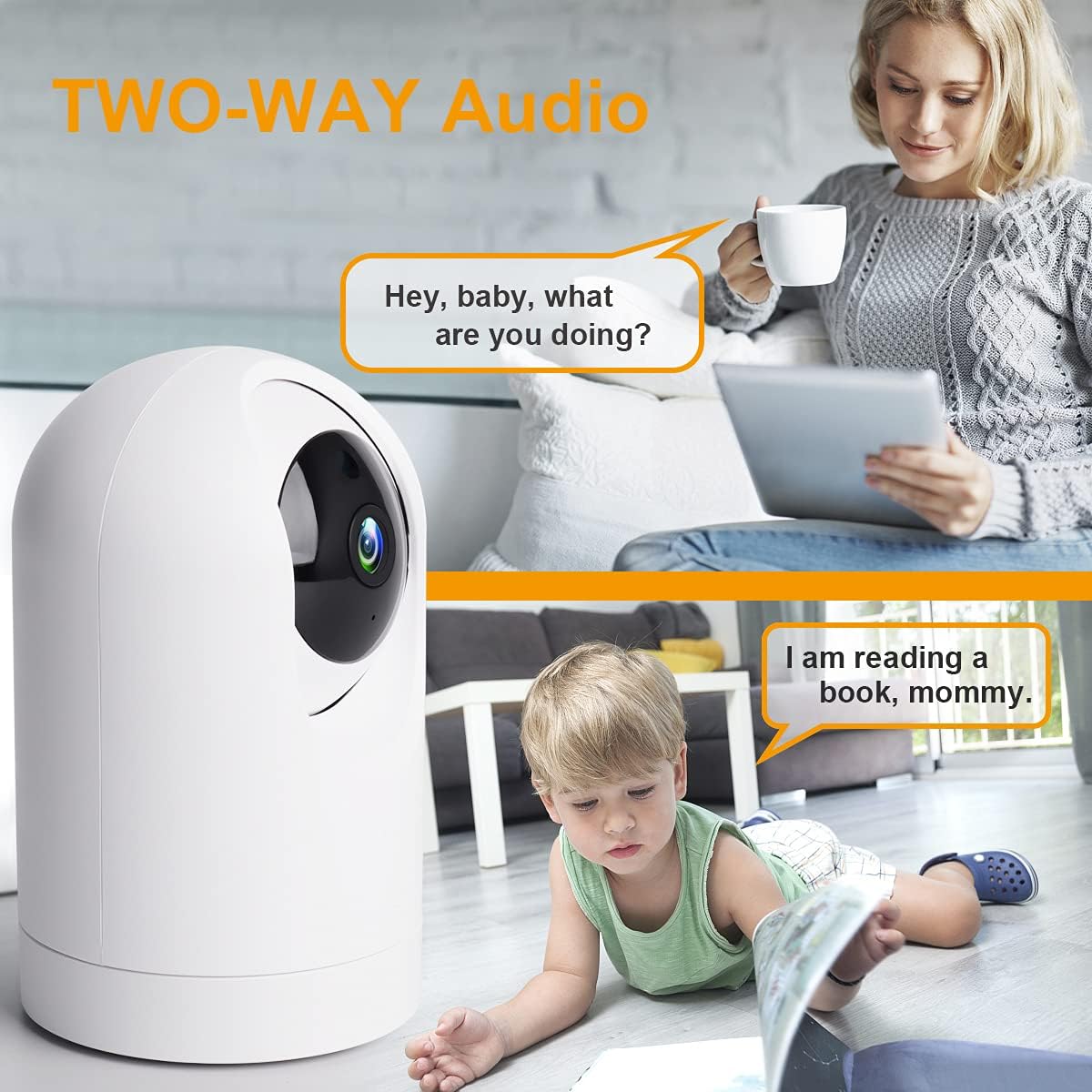
The built-in microphone and speaker allow for clear two-way communication. Tap the microphone icon in the app to speak, and listen through the camera's speaker. This feature is ideal for communicating with family members or pets.

An image depicting the two-way audio functionality, allowing real-time conversation between the user and individuals near the camera.
4.3 AI Human Motion Detection and Tracking
Enable AI human motion detection in the app settings. When human motion is detected, the camera will automatically track the movement, record a video clip, and send an alert notification to your smartphone. Motion events can be saved to an SD card or cloud storage.

An image illustrating the AI motion detection feature, showing an alert notification on a smartphone when suspicious activity is detected by the camera.
4.4 การมองเห็นตอนกลางคืน
The camera is equipped with infrared lights for clear night vision, allowing it to record full HD live video even in complete darkness. This ensures continuous surveillance around the clock.
4.5 ตัวเลือกการจัดเก็บข้อมูล
The camera supports local storage via a TF (microSD) card (up to 128GB) and optional cloud storage services. You can choose either option for recording and playback of video history.

An image showing the camera's support for both SD card local storage and cloud storage options for video recordings.
4.6 Multi-Terminal and Multi-User Sharing
The Smart Life app allows for multi-terminal viewing on Android and iOS devices. You can also share access to your camera's feed with other authorized users.

An image illustrating the ability to view the camera feed on multiple devices (phone, tablet) and share access with other users.
4.7 การบูรณาการผู้ช่วยเสียง
The Konnek Stein QC21S camera is compatible with Amazon Alexa and Google Assistant. You can use simple voice commands to view คุณสามารถรับชมภาพสดจากกล้องวงจรปิดบนจอแสดงผลอัจฉริยะที่รองรับได้
5. การบำรุงรักษา
- การทำความสะอาด: Use a soft, dry cloth to clean the camera body. For the lens, use a lens cleaning cloth specifically designed for optics. Do not use harsh chemicals or abrasive cleaners.
- การจัดวาง: ตรวจสอบให้แน่ใจว่าได้วางกล้องไว้ในตำแหน่งที่มั่นคง ห่างจากแสงแดดโดยตรง แหล่งความร้อน และความชื้นมากเกินไป
- การอัปเดตซอฟต์แวร์: Regularly check the Smart Life app for firmware updates to ensure optimal performance and security.
6 การแก้ไขปัญหา
| ปัญหา | สาเหตุที่เป็นไปได้ | สารละลาย |
|---|---|---|
| กล้องไม่สามารถเชื่อมต่อกับ Wi-Fi ได้ | Incorrect Wi-Fi password; Camera too far from router; Not connected to 2.4 GHz network during setup; Router issues. | Double-check Wi-Fi password. Move camera closer to router. Ensure your phone is on a 2.4 GHz network during setup. Restart your router. Reset the camera and try setup again. |
| No indicator light or prompt tone during setup. | Camera not powered on correctly; Camera not in pairing mode. | Ensure the power adapter is securely connected. Press and hold the reset button on the camera for 5-10 seconds until you hear a prompt tone or the indicator light starts blinking rapidly. |
| สด view ภาพเบลอหรือมืด | Protective film on lens; Poor lighting; Night vision not active. | Remove any protective film from the camera lens. Ensure adequate lighting in the room. Check if night vision is enabled in the app settings if it's dark. |
| เสียงสองทางไม่ชัดเจนหรือใช้งานไม่ได้ | Microphone/speaker blocked; App volume too low; Network latency. | Ensure nothing is obstructing the microphone or speaker. Adjust volume settings in the app and on your phone. Check your internet connection speed. |
For more detailed troubleshooting or specific issues, please refer to the official user manual PDF available online or contact customer support.
7. ข้อมูลจำเพาะ
| คุณสมบัติ | รายละเอียด |
|---|---|
| ชื่อรุ่น | QC21S |
| การใช้งานภายใน/ภายนอกอาคาร | ในร่ม |
| ความละเอียดในการจับภาพวิดีโอ | 2K (2304x1296) ความคมชัดระดับ XNUMXK |
| เทคโนโลยีการเชื่อมต่อ | ไร้สาย (Wi-Fi) |
| เทคโนโลยีการสื่อสารไร้สาย | Wi-Fi (2.4G/5G Dual-Band) |
| แหล่งพลังงาน | สายไฟ |
| เล่มที่tage | 5 โวลต์ (กระแสตรง) |
| วัดtage | 10 วัตต์ |
| ประเภทตัวควบคุม | Google Assistant, Amazon Alexa, App |
| ประเภทการติดตั้ง | Wall Mount (also suitable for table placement) |
| คุณสมบัติพิเศษ | HD Resolution, Night Vision, PTZ Technology, Motion Sensor (AI Human Detection) |
| ระบบเสียงสองทาง | ใช่ |
| ตัวเลือกการจัดเก็บข้อมูล | การ์ด TF (สูงสุด 128GB), ที่เก็บข้อมูลบนคลาวด์ |
| สี | สีขาว |
| วัสดุ | พลาสติก |
| ขนาดรายการ (ยาว x กว้าง x สูง) | 1 x 1 x 1 นิ้ว |
| น้ำหนักสินค้า | 13.1 ออนซ์ |
8. การรับประกันและการสนับสนุน
8.1 การรับประกันของผู้ผลิต
The Konnek Stein QC21S Indoor Security Camera comes with a การรับประกันจากผู้ผลิต 1 ปี นับจากวันที่ซื้อ การรับประกันนี้ครอบคลุมถึงความบกพร่องของวัสดุและฝีมือการผลิตภายใต้การใช้งานปกติ โปรดเก็บหลักฐานการซื้อไว้เพื่อขอรับสิทธิ์การรับประกัน
8.2 การสนับสนุนเพิ่มเติม
For further assistance, detailed instructions, or to download the complete user manual in PDF format, please refer to the official product support page or the document link provided at the time of purchase. You can also find the user manual PDF at: https://manuals.plus/m/cba3a38fdf5a6165f229686b2142bdbbe27727e2e796c909eaec5ce4ab42cea8


