1. บทนำ
The Brook Pocket Auto Catch Plus is an advanced accessory designed to enhance your mobile gaming experience by automating the process of catching virtual creatures and collecting in-game items. This device connects wirelessly via Bluetooth to your smartphone, allowing for automatic actions without constant interaction with your phone screen. It features a vibration feedback system, an ON/OFF switch, and an exclusive companion application for settings adjustment and firmware updates.

Image 1.1: The Brook Pocket Auto Catch Plus device shown with its retail packaging.
2. อะไรอยู่ในกล่อง
โปรดตรวจสอบให้แน่ใจว่ามีอุปกรณ์ครบถ้วนทุกชิ้นก่อนแกะกล่อง:
- 1 x Brook Pocket Auto Catch Plus Unit
- 1 x สายรัดข้อมือ
- สายชาร์จ USB 1 เส้น
3. ข้อมูลจำเพาะ
| คุณสมบัติ | รายละเอียด |
|---|---|
| ขนาดสินค้า | 0.28 x 0.12 x 0.43 นิ้ว |
| น้ำหนักสินค้า | 1.13 ออนซ์ |
| หมายเลขรุ่น | Auto Catch Plus |
| ประเภทแบตเตอรี่ | แบตเตอรี่ลิเธียมโพลิเมอร์ 1 ก้อน (รวมอยู่ด้วย) |
| ความจุของแบตเตอรี่ | 40 มิลลิวินาทีamp ชั่วโมง |
| การเชื่อมต่อ | บลูทู ธ 4.0+ |
| ระบบปฏิบัติการ | Custom/Proprietary OS with Bluetooth 4.0+ support |
| คุณสมบัติพิเศษ | Auto Catch, Auto Spin, Battery Capacity Display, Disconnection Reminder |
4. คำแนะนำในการตั้งค่า
4.1 การชาร์จอุปกรณ์
Before initial use, fully charge your Pocket Auto Catch Plus. Connect the provided USB charging cable to the device and a compatible USB power source. The device's screen will indicate charging status. A full charge typically takes approximately 1 hour.
4.2 การจับคู่กับสมาร์ทโฟนของคุณ
Follow these steps to connect your device to your smartphone:
- Step 1: Enable Bluetooth and Launch Game App
Turn on Bluetooth on your mobile device. Launch the game application (e.g., Pokémon Go) and navigate to the main map view. Tap the Main Menu button within the game. - Step 2: Access Game Settings
Tap 'Settings' located at the top right of the game screen. Then, select 'Pokémon Go Plus' from the settings page. - Step 3: Activate Pocket Auto Catch Plus
Press the red circle button on your Pocket Auto Catch Plus device to turn it on and make it discoverable. - Step 4: Select and Pair
Select 'Pokémon Go Plus' from the list of available devices on your phone screen and wait for pairing to complete. A successful connection will be indicated by a specific icon on the device's screen.

Image 4.1: Mobile phone screen showing Bluetooth enabled and the game's main menu.

Image 4.2: Game settings interface showing the option to select 'Pokémon Go Plus'.
Image 4.3: The device is shown next to the game's pairing screen, indicating it's ready for connection.

Image 4.4: Confirmation of successful pairing between the device and the game application.
5. คู่มือการใช้งาน
5.1 Automatic Catching and Item Collection
Once paired, the Pocket Auto Catch Plus will automatically attempt to catch nearby virtual creatures and spin Pokéstops to collect items. The device uses standard Pokeballs for catching. Ensure you have a sufficient supply of Pokeballs for continuous operation.

Image 5.1: Users engaging in automatic creature catching and item collection with the device.
5.2 Device Features and Indicators
- ข้อเสนอแนะการสั่นสะเทือน: The device provides vibration alerts for various events, including successful catches, item collection, and disconnections.
- สวิตช์เปิด/ปิด: A physical switch allows you to power the device on or off.
- จอแสดงผลความจุแบตเตอรี่: The screen displays the current battery level.
- Disconnection Reminder: The device vibrates and displays an icon when it disconnects from your smartphone.

Image 5.2: Visual representation of the device's key features.
5.3 Using the Brook Pocket Center App
The exclusive "Brook Pocket Center" application allows you to customize settings and update the device's firmware. Download the app from your smartphone's app store. Through the app, you can:
- Adjust auto-catch and auto-spin settings.
- Enable/disable vibration feedback.
- Receive offline push notifications.
- Update device firmware for improved performance and new features.

Image 5.3: The Brook Pocket Center app provides advanced control over the device's functions.
6. การบำรุงรักษา
6.1 การทำความสะอาด
Wipe the device with a soft, dry cloth. Avoid using harsh chemicals or abrasive materials, as these can damage the screen and casing. The device is not waterproof; avoid exposure to water or excessive moisture.
6.2 การดูแลแบตเตอรี่
เพื่อยืดอายุการใช้งานแบตเตอรี่ ควรหลีกเลี่ยงการปล่อยให้แบตเตอรี่หมดจนเกลี้ยงบ่อยๆ ชาร์จอุปกรณ์เป็นประจำ โดยเฉพาะอย่างยิ่งหากจะเก็บไว้เป็นเวลานาน
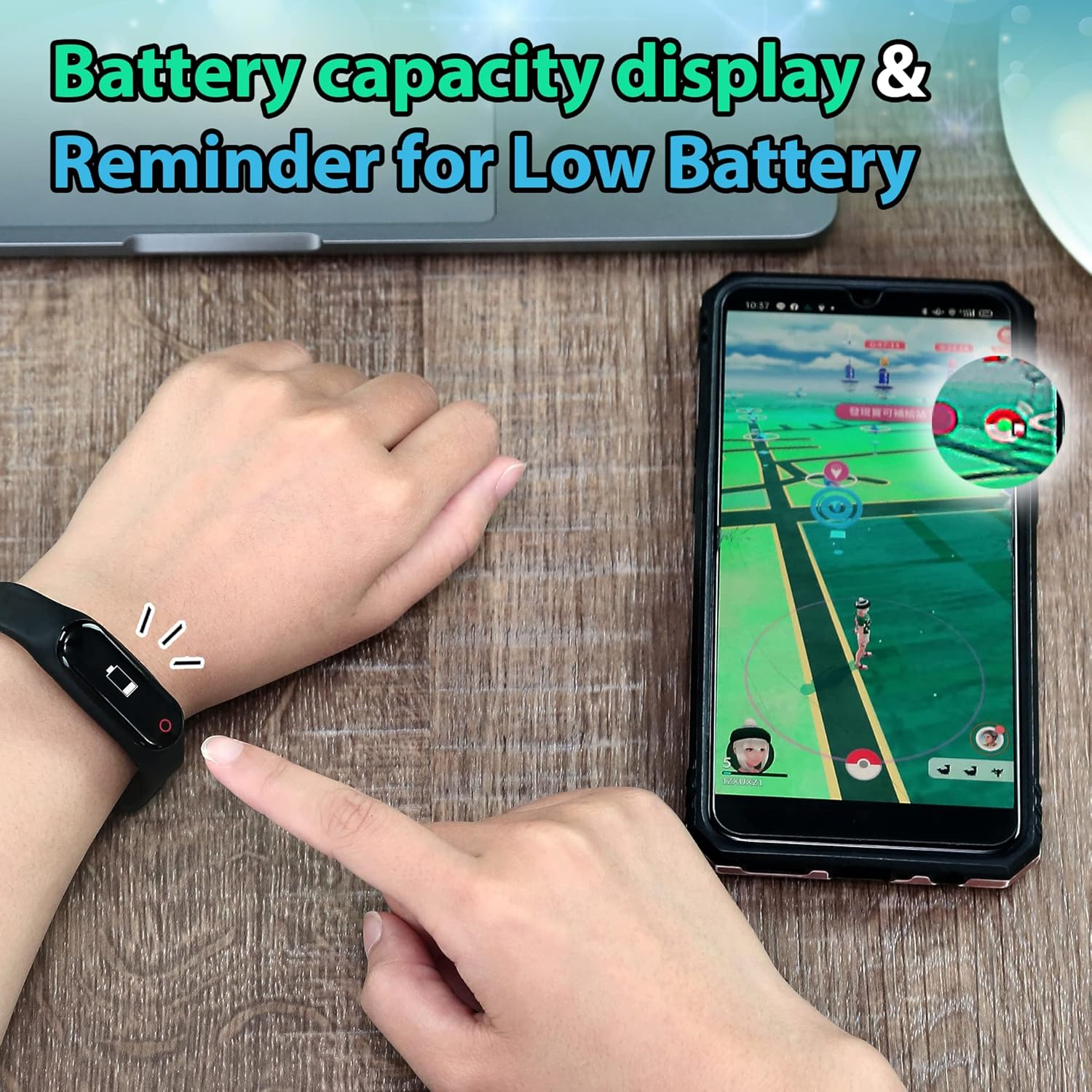
Image 6.1: The device displays battery capacity and provides low battery reminders.
7 การแก้ไขปัญหา
7.1 Device Not Connecting/Frequent Disconnections
- ตรวจสอบให้แน่ใจว่าได้เปิดใช้งาน Bluetooth บนสมาร์ทโฟนของคุณแล้ว
- Verify the device is charged and powered on.
- The game application typically disconnects external devices after one hour of inactivity. Reconnect manually if this occurs.
- Maintain close proximity between the device and your smartphone (within 15 feet). Obstacles or distance can weaken the connection.
- Check the in-game settings for 'Pokémon Go Plus' to ensure it is properly configured.
- If issues persist, try restarting both the device and your smartphone.

Image 7.1: The device provides a vibration reminder and visual cues for disconnection.
7.2 Not Catching Creatures or Spinning Pokéstops
- Confirm the device is successfully paired and connected to the game.
- Ensure you have sufficient Pokeballs in your inventory for catching. The device only uses standard Pokeballs.
- Check the settings within the "Brook Pocket Center" app and the in-game 'Pokémon Go Plus' settings to ensure auto-catch and auto-spin functions are enabled.
- Verify that your in-game item bag and creature storage are not full.
- Poor internet connectivity on your smartphone can affect the device's ability to interact with the game.
8. การรับประกันและการสนับสนุน
For warranty information and technical support, please refer to the official Brook webหรือติดต่อฝ่ายบริการลูกค้าโดยตรง โปรดเก็บใบเสร็จรับเงินไว้เป็นหลักฐานการซื้อสำหรับการเรียกร้องการรับประกัน
ผู้ผลิต: ลำธาร
Webเว็บไซต์: Visit the Brook Store on Amazon


