การแนะนำ
This manual provides comprehensive instructions for the safe and efficient use of your Coby True Wireless Earbuds (Model CETW535). Please read this manual thoroughly before using the product and retain it for future reference.
The Coby True Wireless Earbuds offer a seamless audio experience with Bluetooth 5.3 technology, a smart battery display, and intuitive controls for music and calls. They are designed for comfort and convenience, featuring a built-in microphone for hands-free communication.
เนื้อหาแพ็คเกจ
- Coby True Wireless Earbuds (Left and Right)
- เคสชาร์จพร้อมจอแสดงผลแบตเตอรี่อัจฉริยะ
- สายชาร์จ USB
- คู่มือการใช้งาน (เอกสารนี้)
การตั้งค่า
1. การชาร์จครั้งแรก
Before first use, fully charge the earbuds and the charging case. Connect the charging case to a USB power source using the provided USB cable. The digital display on the case will indicate the charging status and battery level.

Image: The Coby True Wireless Earbuds are shown inside their open charging case, which displays "100%" on its digital screen, indicating a full charge. The earbuds are black and fit snugly into their respective slots.
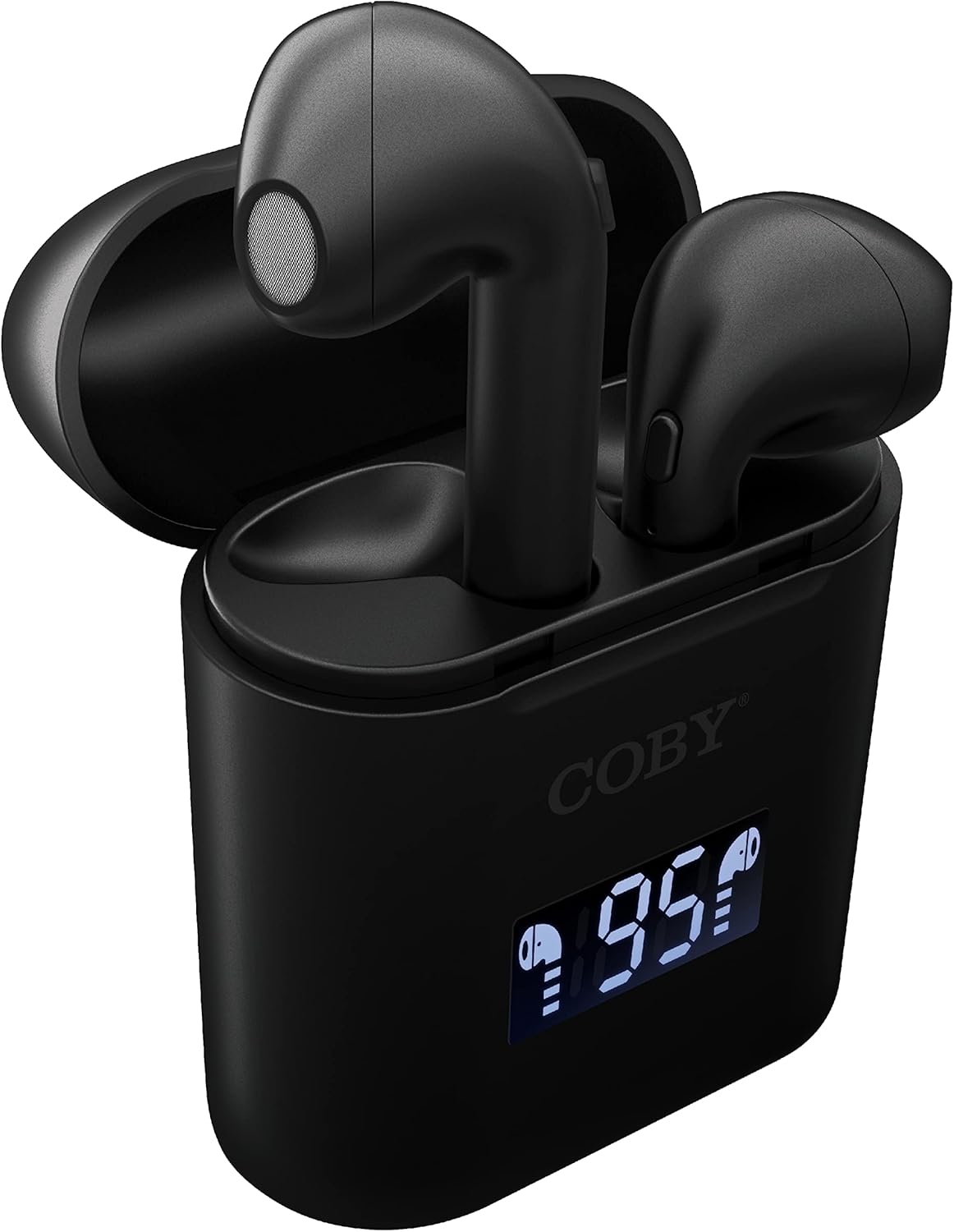
ภาพ: ภาพระยะใกล้ view of the Coby True Wireless Earbuds resting in their open charging case. The case features a digital display showing "95%", indicating the current battery level of the case. The black earbuds are visible, with their microphones facing upwards.
2. การจับคู่กับอุปกรณ์บลูทูธ
- ตรวจสอบให้แน่ใจว่าหูฟังได้รับการชาร์จและอยู่ในกล่องชาร์จ
- เปิดกล่องชาร์จ หูฟังจะเปิดอัตโนมัติและเข้าสู่โหมดจับคู่
- เปิดใช้งาน Bluetooth บนอุปกรณ์ของคุณ (สมาร์ทโฟน แท็บเล็ต ฯลฯ)
- ค้นหา "CETW535" or "Coby Earbuds" in the list of available Bluetooth devices.
- เลือกชื่ออุปกรณ์ที่จะเชื่อมต่อ เมื่อเชื่อมต่อแล้ว คุณจะได้ยินเสียงยืนยัน
- The earbuds will automatically re-pair with the last connected device when removed from the case, if Bluetooth is enabled on the device.
3. การใส่หูฟัง
Gently insert each earbud into the corresponding ear (L for left, R for right). Adjust them slightly until they feel secure and comfortable. A proper fit ensures optimal sound quality and comfort.

Image: A woman is shown smiling while wearing a black Coby True Wireless Earbud in her right ear, demonstrating a comfortable and secure fit.
คำแนะนำการใช้งาน
เปิด/ปิดเครื่อง
- เปิดเครื่อง: Open the charging case, or press and hold the touch control area on each earbud for 3 seconds.
- หมดแรง: Place the earbuds back into the charging case and close the lid, or press and hold the touch control area on each earbud for 5 seconds.
การควบคุมเพลง
The earbuds feature touch-sensitive controls for easy management of your audio playback.
- เล่น/หยุดชั่วคราว: แตะหูฟังเอียร์บัดข้างใดข้างหนึ่งหนึ่งครั้ง
- เพลงถัดไป: แตะสองครั้งที่หูฟังเอียร์บัดด้านขวา
- แทร็กก่อนหน้า: แตะสองครั้งที่หูฟังเอียร์บัดด้านซ้าย
- ปรับระดับเสียงขึ้น: แตะหูฟังเอียร์บัดด้านขวาสามครั้ง
- ลดเสียงลง: แตะหูฟังเอียร์บัดด้านซ้ายสามครั้ง

Image: A man is shown wearing a Coby True Wireless Earbud in his right ear, taking a drink from a water bottle, illustrating the earbuds' use during active moments.
การควบคุมการโทร
Manage your calls effortlessly with the built-in microphone and touch controls.
- รับ/วางสาย: แตะหูฟังเอียร์บัดข้างใดข้างหนึ่งหนึ่งครั้ง
- ปฏิเสธสาย: กดเอียร์บัดข้างใดข้างหนึ่งค้างไว้ 2 วินาที

Image: A man is depicted wearing a Coby True Wireless Earbud in his left ear while concentrating on a laptop screen, highlighting the earbuds' suitability for work or study environments.
การเปิดใช้งานผู้ช่วยเสียง
Activate your device's voice assistant (Siri or Google Assistant) for hands-free commands.
- เปิดใช้งาน Voice Assistant: Press and hold either earbud for 3 seconds (after powering on, before powering off gesture).
Intelligent Digital Battery Display
The charging case features a digital display that shows the remaining battery percentage of the case and individual charging status of the earbuds.
- The large number indicates the charging case's battery percentage.
- Small icons next to the percentage indicate the charging status of the left and right earbuds.

Image: The Coby True Wireless Earbuds are shown in their open charging case, with the digital display indicating "95%" battery life for the case. The black earbuds are visible, ready for use or charging.
การซ่อมบำรุง
- การทำความสะอาด: ใช้ผ้านุ่ม แห้ง และไม่เป็นขุยทำความสะอาดหูฟังและกล่องชาร์จ ห้ามใช้สารเคมีรุนแรงหรือวัสดุที่มีฤทธิ์กัดกร่อน
- พื้นที่จัดเก็บ: เมื่อไม่ใช้งาน ให้เก็บหูฟังไว้ในกล่องชาร์จเพื่อปกป้องหูฟังและรักษาระดับพลังงาน เก็บในที่แห้งและเย็น หลีกเลี่ยงอุณหภูมิที่สูงหรือต่ำเกินไป
- การชาร์จ: To prolong battery life, avoid fully discharging the battery frequently. Charge the case and earbuds regularly, even if not in constant use.
การแก้ไขปัญหา
| ปัญหา | วิธีแก้ปัญหาที่เป็นไปได้ |
|---|---|
| หูฟังไม่จับคู่กับอุปกรณ์ |
|
| Only one earbud is playing sound. |
|
| เคสชาร์จไม่ชาร์จ |
|
| คุณภาพเสียงไม่ดีหรือขาดการเชื่อมต่อ |
|
ข้อมูลจำเพาะ
| คุณสมบัติ | รายละเอียด |
|---|---|
| ยี่ห้อ | โคบี้ |
| ชื่อรุ่น | หูฟังไร้สายแบบ True Wireless |
| หมายเลขรุ่น | CETW535 |
| เทคโนโลยีการเชื่อมต่อ | บลูทูธ 5.3 |
| สี | สีดำ |
| เวลาเล่นหูฟัง | สูงสุด 6.5 ชั่วโมง (เมื่อชาร์จเต็ม) |
| เวลาเล่นทั้งหมด (รวมเคส) | นานถึง 22 ชั่วโมง |
| ไมโครโฟน | ในตัว |
| การสนับสนุนผู้ช่วยเสียง | Siri ผู้ช่วยของ Google |
| ขนาด (กว้าง x ยาว x สูง) | 0.99 x 1.85 x 2.44 นิ้ว (เคสชาร์จ) |
| น้ำหนักสินค้า | 6.1 ออนซ์ |
| ยูพีซี | 643620020982 |
| ผู้ผลิต | บริษัท ซัมมิท อิเล็คทรอนิกส์ จำกัด |
การรับประกันและการสนับสนุน
Specific warranty information for the Coby True Wireless Earbuds (Model CETW535) is not provided within this manual. For details regarding warranty coverage, terms, and conditions, please refer to the warranty card included with your product packaging or visit the official Coby webเว็บไซต์.
For technical support or further assistance, please contact Coby customer service through the contact information provided on their official webบรรจุภัณฑ์ไซต์หรือผลิตภัณฑ์


