1. บทนำ
ขอบคุณสำหรับการซื้อasing the Final UX3000 Bluetooth Wireless Headphones. These headphones are designed to deliver premium Hi-Fi sound quality with hybrid noise-cancelling technology, ensuring an immersive audio experience. With long battery life and versatile connectivity options, the UX3000 is ideal for music listening, movies, and gaming.
Please read this manual thoroughly before using the product to ensure proper operation and to maximize your listening enjoyment.

Image: The Final UX3000 headphones in black, showcasinด้วยการออกแบบที่เพรียวบาง
2. เนื้อหาบรรจุภัณฑ์
ตรวจสอบให้แน่ใจว่ามีรายการทั้งหมดต่อไปนี้รวมอยู่ในแพ็คเกจของคุณ:
- Final UX3000 Headphone
- สายชาร์จ USB-C
- กระเป๋าหิ้วแบบนุ่ม
- 3.5mm Cable for Wired Connection
- คู่มือการใช้งาน (เอกสารนี้)
Note: A USB charger is not included in the package.
3. สินค้าหมดview
3.1 ส่วนประกอบของหูฟัง
Familiarize yourself with the various parts and controls of your Final UX3000 headphones.

ภาพ: รายละเอียด view of the control buttons located on the ear cup.
การควบคุมและตัวบ่งชี้:
- ปุ่มเปิด/ปิด: ใช้เพื่อเปิด/ปิดหูฟังและเริ่มการจับคู่บลูทูธ
- ปุ่มปรับระดับเสียง + / - ปรับระดับเสียง
- ปุ่มมัลติฟังก์ชั่น: Controls playback (play/pause), call management (answer/end calls), and activates voice assistant.
- ปุ่ม ANC: Toggles Active Noise Cancelling on/off.
- Bluetooth / ANC Status Indicator: LED light indicating power, pairing status, and ANC status.
- พอร์ตชาร์จ USB-C: สำหรับการชาร์จหูฟัง
- แจ็คเสียงขนาด 3.5 มม.: สำหรับการเชื่อมต่อแบบมีสาย

Image: Diagram showing the Power Button and Status Indicator.

Image: Diagram showing the Volume Up and Volume Down buttons.
4. การตั้งค่า
4.1 การชาร์จหูฟัง
Before first use, fully charge your UX3000 headphones. Connect the supplied USB-C charging cable to the headphone's USB-C port and the other end to a USB power source (e.g., computer USB port, USB wall adapter). The LED indicator will show charging status and turn off when fully charged.
- เวลาในการชาร์จ: ประมาณ 2.5 ชั่วโมงสำหรับการชาร์จเต็ม
- อายุการใช้งานแบตเตอรี่: สามารถเล่นเพลงได้นานสูงสุด 35 ชั่วโมง
4.2 การจับคู่บลูทูธ
วิธีเชื่อมต่อหูฟังแบบไร้สายกับอุปกรณ์:
- ตรวจสอบให้แน่ใจว่าหูฟังปิดอยู่
- กดปุ่มเปิด/ปิดค้างไว้ประมาณ 5 วินาที จนกว่าไฟ LED จะกะพริบเป็นสีน้ำเงินและสีแดง ซึ่งแสดงว่าเข้าสู่โหมดจับคู่แล้ว
- บนอุปกรณ์ของคุณ (สมาร์ทโฟน แท็บเล็ต คอมพิวเตอร์) เปิดใช้งาน Bluetooth และค้นหาอุปกรณ์ที่มีอยู่
- Select "Final UX3000" from the list of found devices.
- Once connected, the LED indicator will flash blue slowly. A voice prompt will confirm "Device Connected".

Image: The UX3000 headphones positioned beside a smartphone displaying its Bluetooth connection settings.
การเชื่อมต่อแบบหลายจุด:
The UX3000 supports multipoint connection, allowing you to connect to two Bluetooth devices simultaneously. For example, you can be connected to your smartphone and your laptop at the same time, seamlessly switching audio sources.
4.3 การเชื่อมต่อแบบมีสาย
For a wired audio experience or when the battery is depleted, use the supplied 3.5mm audio cable.
- Connect one end of the 3.5mm cable to the audio jack on the headphones.
- ต่อปลายอีกด้านหนึ่งเข้ากับช่องเสียบเสียง 3.5 มม. ของอุปกรณ์ของคุณ
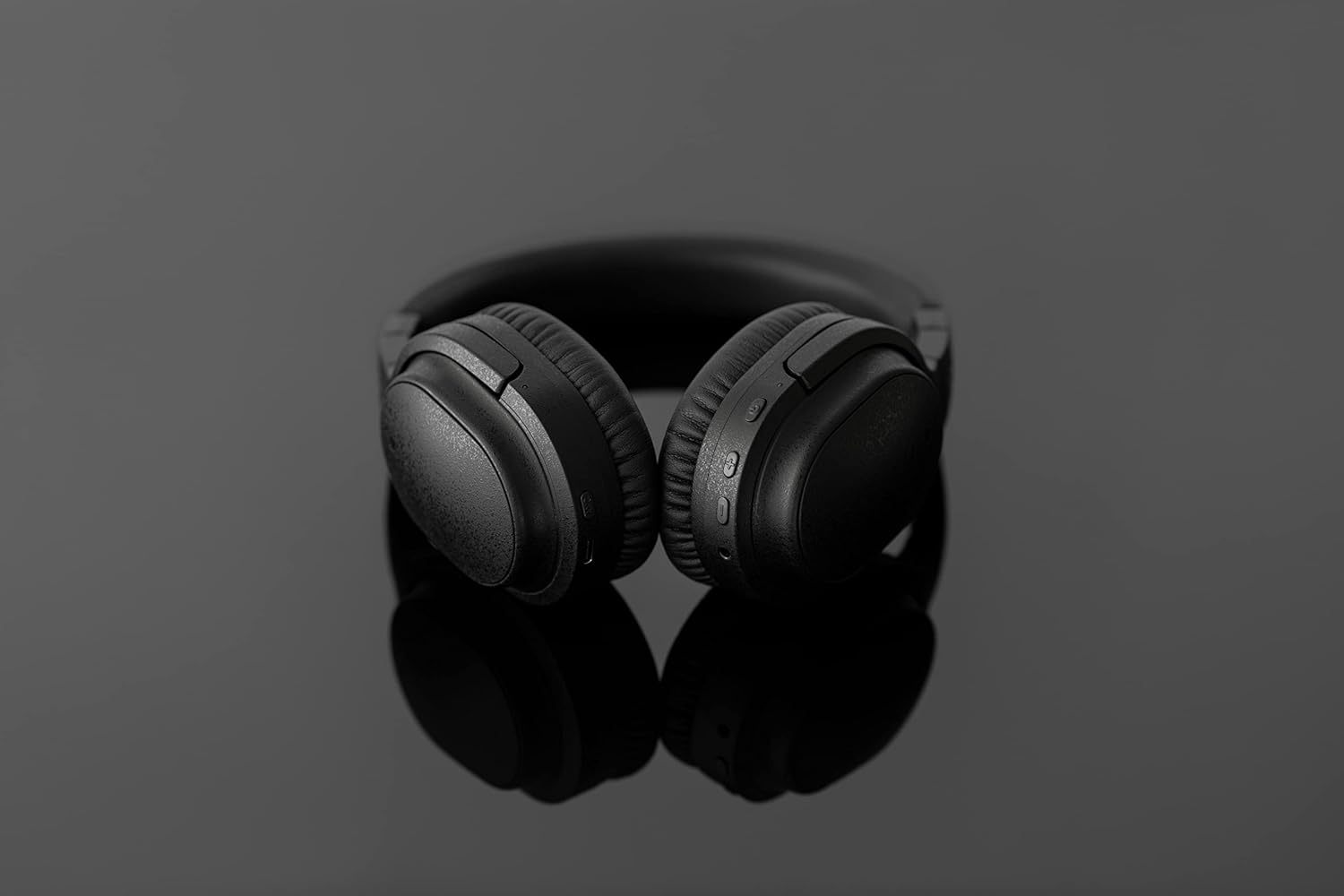
Image: The UX3000 headphones connected to a digital audio player using the 3.5mm audio cable.
5. คู่มือการใช้งาน
5.1 เปิด/ปิดเครื่อง
- เปิดเครื่อง: Press and hold the Power button for 2 seconds. The LED indicator will flash blue.
- หมดแรง: กดปุ่มเปิด/ปิดค้างไว้ 3 วินาที ไฟ LED จะดับลง
5.2 การเล่นเพลง
- เล่น/หยุดชั่วคราว: กดปุ่มมัลติฟังก์ชั่นหนึ่งครั้ง
- เพลงถัดไป: กดปุ่มเพิ่มระดับเสียงค้างไว้ 2 วินาที
- แทร็กก่อนหน้า: กดปุ่มลดระดับเสียงค้างไว้ 2 วินาที
- ปรับระดับเสียงขึ้น: Press the Volume + button briefly.
- ลดเสียงลง: Press the Volume - button briefly.
5.3 Hybrid Noise Cancelling (ANC)
The UX3000 features Hybrid Active Noise Cancelling, utilizing two microphones per ear cup to effectively reduce ambient noise. One microphone collects external noise, and the other collects sound from the driver unit, allowing for highly accurate anti-noise signal generation.
- เปิดใช้งาน/ปิดใช้งาน ANC: Press the ANC button once. A voice prompt will confirm the status.

Image: A schematic diagram explaining how the Hybrid Noise Cancelling technology works with external and internal microphones.
5.4 aptX Low Latency Support
The UX3000 supports aptX Low Latency, which minimizes audio delay and ensures proper synchronization with visuals. This feature provides an optimal experience for watching movies and playing games, preventing noticeable lag between audio and video.

Image: A user wearing the UX3000 headphones, engaged with a laptop, highlighting their suitability for media and communication.
5.5 ฟังก์ชั่นการโทร
- รับ/วางสาย: กดปุ่มมัลติฟังก์ชั่นหนึ่งครั้ง
- ปฏิเสธสาย: กดปุ่มมัลติฟังก์ชั่นค้างไว้ 2 วินาที
- เปิดใช้งาน Voice Assistant: กดปุ่มมัลติฟังก์ชั่นสองครั้ง
6. การบำรุงรักษา
To ensure the longevity and optimal performance of your Final UX3000 headphones, follow these maintenance guidelines:
- การทำความสะอาด: Wipe the headphones with a soft, dry cloth. Do not use abrasive cleaners, solvents, or strong chemicals.
- พื้นที่จัดเก็บ: When not in use, store the headphones in the provided soft carrying pouch to protect them from dust and scratches. The headphones are foldable for compact storage.
- หลีกเลี่ยงความชื้น: Keep the headphones away from water, humidity, and extreme temperatures.
- การชาร์จ: Do not leave the headphones connected to a charger for extended periods after they are fully charged.

Image: The UX3000 headphones shown in their folded configuration, ready for compact storage or travel.
7 การแก้ไขปัญหา
If you encounter issues with your Final UX3000 headphones, refer to the following common problems and solutions:
| ปัญหา | สาเหตุที่เป็นไปได้ | สารละลาย |
|---|---|---|
| หูฟังไม่สามารถเปิดเครื่องได้ | แบตเตอรี่อ่อน | ชาร์จหูฟังให้เต็ม |
| ไม่สามารถจับคู่กับอุปกรณ์ได้ | Headphones not in pairing mode; device's Bluetooth is off; too many paired devices. | Ensure headphones are in pairing mode (flashing red/blue). Turn on Bluetooth on your device. Forget previous pairings on your device and try again. |
| ไม่มีเสียงหรือเสียงเบา | ระดับเสียงเบาเกินไป; ไม่ได้เชื่อมต่อหูฟัง; เลือกเอาต์พุตเสียงไม่ถูกต้องบนอุปกรณ์ | Increase volume on both headphones and device. Reconnect headphones. Check audio output settings on your device. |
| ระบบตัดเสียงรบกวนไม่ได้ผล | ANC not activated; environmental noise too high for full cancellation. | Ensure ANC is activated. ANC is most effective for low-frequency, constant noises. |
| Voice prompts (e.g., "Battery Low") occur frequently even when charged. | Potential firmware issue or specific device interaction. | Ensure headphones are fully charged. If issue persists, contact customer support. |
8. ข้อมูลจำเพาะ
| คุณสมบัติ | รายละเอียด |
|---|---|
| ชื่อรุ่น | UX3000 BLK |
| เทคโนโลยีการเชื่อมต่อ | Wireless (Bluetooth), Wired (3.5 mm Jack) |
| เทคโนโลยีการสื่อสารไร้สาย | บลูทูธ 5.0 |
| ช่วงบลูทูธ | 10 เมตร |
| การควบคุมเสียงรบกวน | ระบบตัดเสียงรบกวนแบบไฮบริด |
| ประเภทไดร์เวอร์เสียง | ไดร์เวอร์แบบไดนามิก |
| ช่วงความถี่ | 20เฮิรตซ์-20กิโลเฮิรตซ์ |
| อายุการใช้งานแบตเตอรี่ | นานถึง 35 ชั่วโมง |
| เวลาในการชาร์จ | 2.5 ชั่วโมง |
| น้ำหนักสินค้า | 260 กรัม (9.2 ออนซ์) |
| การวางตำแหน่งหู | ครอบหู |
| ฟอร์มแฟกเตอร์ | ครอบหู |
| อุปกรณ์ที่รองรับ | Bluetooth-enabled devices supporting HFP, HSP, A2DP, and AVRCP profiles, and specifically compatible with SBC, AAC, aptX, and aptX low latency codecs |
| การใช้งานเฉพาะของผลิตภัณฑ์ | ภาพยนตร์และเกม |
| ผู้ผลิต | เสียงสุดท้าย |
| วันที่พร้อมใช้งานครั้งแรก | วันที่ 14 ธันวาคม 2021 |
9. การรับประกันและการสนับสนุน
The Final UX3000 headphones come with Final's 12 Month Worry-Free Warranty. This warranty covers defects in materials and workmanship under normal use for a period of 12 months from the date of original purchase.
For warranty claims, technical support, or any inquiries regarding your product, please contact Final customer service through the official Final website or your point of purchase. Please have your proof of purchase ready when contacting support.
Final is committed to providing friendly and responsive customer service to ensure your satisfaction.


