1. สินค้าหมดview
The Ledvion Smart RGB+CCT GU10 LED Spot is designed to transform any fixture with a GU10 fitting into a smart lamp. This bulb offers RGB (Red, Green, Blue) and CCT (Correlated Color Temperature) functionality, allowing you to choose from a wide spectrum of colors and adjustable white light (2700K-6500K). It connects easily to your existing 2.4 GHz Wi-Fi network, enabling smart control via mobile applications and voice assistants.
คุณสมบัติหลัก:
- RGB+CCT Functionality: Offers a full range of colors and tunable white light from warm to cool (2700K-6500K).
- หรี่แสงได้: Adjust brightness to your preference.
- การเชื่อมต่อ Wi-Fi: Easy connection to any 2.4 GHz Wi-Fi network for remote control.
- รองรับระบบผู้ช่วยเสียง: ใช้งานได้กับ Amazon Alexa และ Google Home
- ติดตั้งง่าย: GU10 fitting, connects directly to 220-240V without a transformer.
- การออกแบบที่ทนทาน: Made from high-quality aluminum.

Image 1.1: Ledvion Smart RGB+CCT GU10 LED Spot.
2. ข้อมูลด้านความปลอดภัย
โปรดอ่านและทำความเข้าใจคำแนะนำด้านความปลอดภัยทั้งหมดก่อนติดตั้งหรือใช้งานผลิตภัณฑ์นี้ การไม่ปฏิบัติตามคำแนะนำเหล่านี้อาจส่งผลให้เกิดไฟฟ้าช็อต ไฟไหม้ หรืออันตรายอื่นๆ
- ความปลอดภัยทางไฟฟ้า: This product is an electrical device. Installation should only be performed by a qualified electrician if you are unsure. Always disconnect power before installation or maintenance.
- สำหรับใช้ภายในอาคารเท่านั้น: ผลิตภัณฑ์นี้ออกแบบมาสำหรับใช้ภายในอาคาร ห้ามวางในที่ที่มีน้ำหรือความชื้นสูง
- ปฏิบัติการฉบับที่tage: Ensure the power supply is within the specified range of 220-240V, 50Hz.
- ประเภทที่เหมาะสม: Use only with GU10 compatible fixtures.
- ความร้อน: LED bulbs generate heat. Ensure adequate ventilation around the bulb and do not enclose it in a way that prevents heat dissipation.
- การกำจัด: Do not dispose of electrical appliances as unsorted municipal waste. Use separate collection facilities. Contact your local government for information regarding available collection systems.

Image 2.1: Ledvion Product Safety and Information Sheet (example of packaging information).
3. การตั้งค่า
3.1. การติดตั้งทางกายภาพ
- หมดแรง: Before installation, ensure the power supply to the light fixture is turned off at the main switch.
- ใส่หลอดไฟ: Carefully insert the Ledvion Smart GU10 LED Spot into a compatible GU10 fitting. Push and twist clockwise until it is securely in place.
- เปิดเครื่อง: Restore power to the light fixture. The bulb should flash, indicating it is in pairing mode.
3.2. การเชื่อมต่อแอพ
The Ledvion Smart GU10 LED Spot can be controlled using various Tuya-compatible smart home apps, such as the Smart Life App, Calex Smart App, or V-tac Smart Light app. For optimal functionality, we recommend using the Smart Life App.
- ดาวน์โหลดแอพ: Download the Smart Life App (or your preferred compatible app) from your smartphone's app store (iOS or Android).
- ลงทะเบียน/เข้าสู่ระบบ: เปิดแอปและลงทะเบียนบัญชีใหม่หรือเข้าสู่ระบบหากคุณมีบัญชีอยู่แล้ว
- เพิ่มอุปกรณ์: Tap the '+' icon (usually in the top right corner) to add a new device. Select 'Lighting' or 'Light Source (Wi-Fi)'.
- เครือข่าย Wi-Fi: Ensure your smartphone is connected to a 2.4 GHz Wi-Fi network. The smart bulb only supports 2.4 GHz Wi-Fi. Enter your Wi-Fi password.
- โหมดจับคู่: Confirm the bulb is flashing rapidly. If not, turn the light switch ON-OFF-ON-OFF-ON to reset it to pairing mode.
- เชื่อมต่อ: Follow the on-screen instructions in the app to complete the pairing process. Once connected, you can rename your bulb for easier control.

Image 3.1: App control and Wi-Fi network compatibility.
4. ปฏิบัติการ
4.1. การควบคุมแอป
Once connected to the app, you can control your Ledvion Smart GU10 LED Spot from anywhere with an internet connection.
- เปิด/ปิด: เปิดหรือปิดไฟ
- ความสว่าง: Adjust the light intensity (dimmable).
- การเลือกสี: Choose from millions of colors using the RGB color wheel.
- การปรับแสงสีขาว: เปลี่ยนอุณหภูมิสีจากสีขาวโทนอุ่น (2700K) เป็นสีขาวโทนเย็น (6500K)
- ฉาก: Select pre-set lighting scenes or create your own custom scenes for different moods or activities.
- ตัวจับเวลา/ตารางเวลา: Set schedules for the light to turn on/off at specific times or to activate scenes.
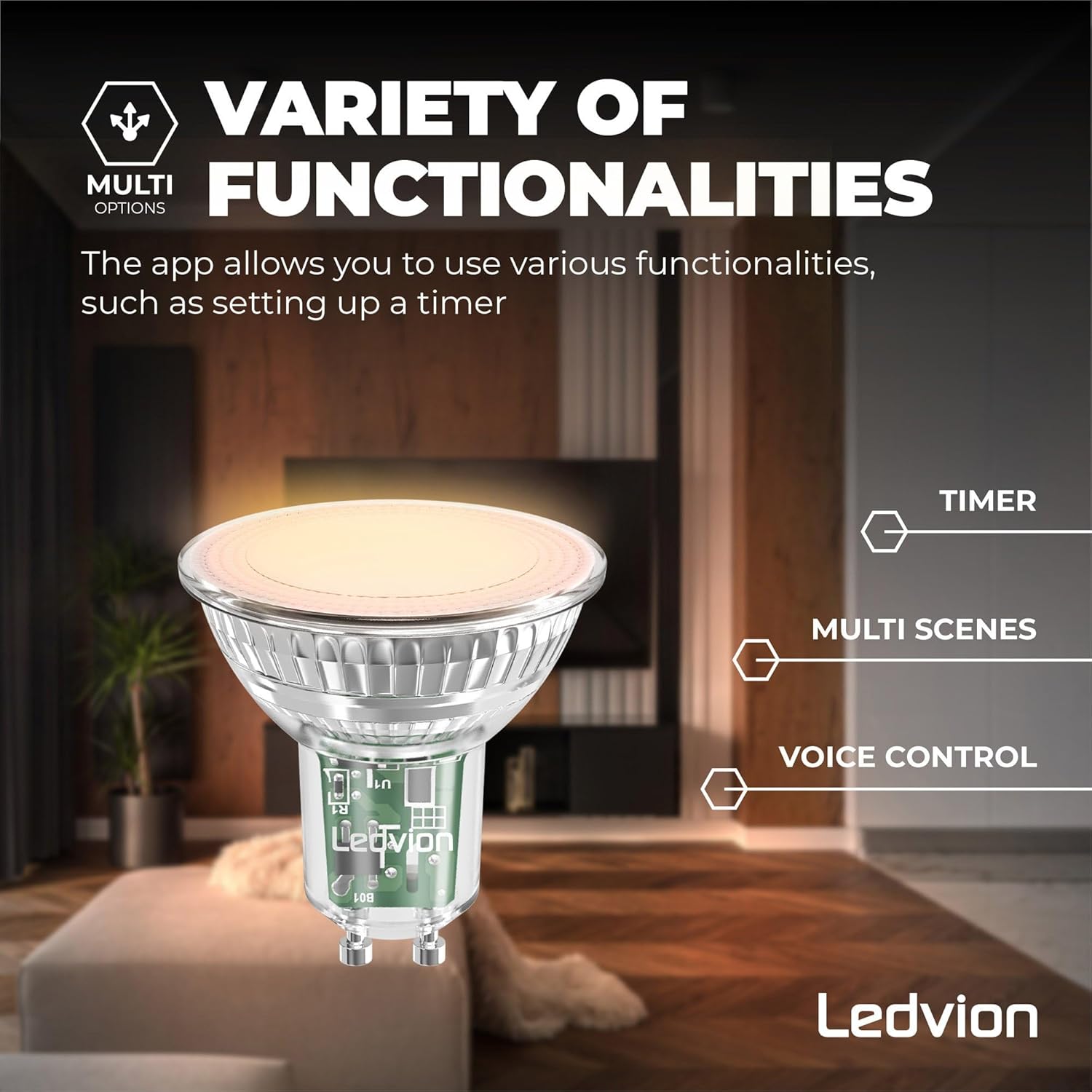
Image 4.1: Variety of functionalities including timer, multi-scenes, and voice control.

Image 4.2: Tunable white and color ambiance control.
4.2. การควบคุมด้วยเสียง
Integrate your Ledvion Smart GU10 LED Spot with popular voice assistants for hands-free control.
- อเมซอนอเล็กซ่า: Link your Smart Life (or compatible) account to Alexa through the Alexa app. Use commands like: "Alexa, turn on [Light Name]", "Alexa, set [Light Name] to blue", "Alexa, dim [Light Name] to 50%".
- หน้าแรกของกูเกิล: Link your Smart Life (or compatible) account to Google Home through the Google Home app. Use commands like: "Hey Google, turn off [Light Name]", "Hey Google, change [Light Name] to warm white", "Hey Google, brighten [Light Name]".
- ทางลัด Siri: For iOS users, you can create custom Siri Shortcuts within the Smart Life app to control your lights with voice commands.

Image 4.3: Compatibility with voice assistants.
5. การบำรุงรักษา
To ensure the longevity and optimal performance of your Ledvion Smart GU10 LED Spot, follow these simple maintenance guidelines:
- การทำความสะอาด: ตรวจสอบให้แน่ใจว่าได้ปิดไฟแล้วก่อนทำความสะอาด ใช้ผ้าแห้งนุ่มๆ เช็ดหลอดไฟ ห้ามใช้น้ำยาทำความสะอาดหรือวัสดุที่มีฤทธิ์กัดกร่อน
- การจัดการ: จัดการหลอดไฟอย่างระมัดระวังเพื่อหลีกเลี่ยงความเสียหายต่อกระจกหรือส่วนประกอบอิเล็กทรอนิกส์
- สิ่งแวดล้อม: Keep the bulb in a dry environment and avoid extreme temperatures.
6 การแก้ไขปัญหา
If you encounter issues with your Ledvion Smart GU10 LED Spot, refer to the following common problems and solutions:
- Bulb Not Connecting to Wi-Fi:
- Ensure your Wi-Fi network is 2.4 GHz. The bulb does not support 5 GHz networks.
- Check if your Wi-Fi password is entered correctly in the app.
- Make sure the bulb is in pairing mode (rapidly flashing). If not, cycle the power switch (ON-OFF-ON-OFF-ON) to reset.
- Move the bulb closer to your Wi-Fi router during the initial setup.
- Bulb Not Responding to App/Voice Commands:
- ตรวจสอบการเชื่อมต่ออินเตอร์เน็ตของคุณ
- Ensure the bulb is still connected to your Wi-Fi network.
- รีสตาร์ทแอปแล้วลองอีกครั้ง
- If using voice control, ensure your voice assistant account is correctly linked to your smart home app.
- Syncing Issues (e.g., one bulb in a group doesn't respond):
- This can sometimes occur with smart bulbs. Try resetting the unresponsive bulb by cycling its power switch (ON-OFF-ON-OFF-ON) and re-pairing it if necessary.
- Ensure all bulbs are within good Wi-Fi range.
- Low Luminosity or Weak Colors:
- Ensure the brightness setting in the app is at 100%.
- Compared to warm/cool white, some colors may appear less bright due to the nature of RGB LEDs. This is normal operation.
- Bulb Died Prematurely:
- While rare, if a bulb fails within the warranty period, please contact customer support for assistance.
7. ข้อมูลจำเพาะ
| คุณสมบัติ | ข้อมูลจำเพาะ |
|---|---|
| หมายเลขรุ่น | LVW10001 |
| ประเภทการติดตั้ง | GU10 |
| วัดtage | 4.9W (เทียบเท่าหลอดไส้ 40W) |
| เอาท์พุตของลูเมน | 345 ลูเมน |
| อุณหภูมิสี | RGB + CCT (2700K - 6500K) |
| เล่มที่tage | 220-240 โวลต์ 50 เฮิรตซ์ |
| การเชื่อมต่อ | Wi-Fi (2.4 GHz) |
| ประเภทการควบคุม | App (Smart Life, Calex, V-tac), Amazon Alexa, Google Home |
| อายุการใช้งาน | 15,000 ชั่วโมง |
| ดัชนีความถูกต้องของสี (CRI) | 80 |
| วัสดุ | อลูมิเนียม, พลาสติก |
| ขนาดสินค้า | 50 มม. (เส้นผ่านศูนย์กลาง) x 58 มม. (สูง) |
7.1. ขนาด

Image 7.1: Product dimensions (50mm diameter, 54mm height).
7.2. ฉลากพลังงาน

Image 7.2: Energy Label for Ledvion LVW10001. For more details, visit eprel.ec.europa.eu/qr/694883.
8. การรับประกันและการสนับสนุน
8.1. การรับประกัน
This Ledvion product comes with a รับประกัน 2 ปี นับจากวันที่ซื้อสินค้า การรับประกันนี้ครอบคลุมถึงข้อบกพร่องในวัสดุและฝีมือการผลิตภายใต้การใช้งานปกติ ไม่ครอบคลุมถึงความเสียหายที่เกิดจากการใช้งานผิดวิธี อุบัติเหตุ การดัดแปลงโดยไม่ได้รับอนุญาต หรือการติดตั้งที่ไม่ถูกต้อง

Image 8.1: 2-Year Warranty information.
8.2. การสนับสนุนลูกค้า
For technical assistance, warranty claims, or any questions regarding your Ledvion Smart RGB+CCT GU10 LED Spot, please contact Ledvion customer support. You can typically find contact information on the product packaging or the official Ledvion webเว็บไซต์.
ข้อมูลผู้ผลิต:
Ledvion B.V.
Tielweg 9
2803 PK Gouda
ประเทศเนเธอร์แลนด์


