1. บทนำ
ขอบคุณสำหรับการซื้อasing the LEICKE DJ ROXXX Partybox Aurora Bluetooth Speaker. This portable 800W party speaker is designed to deliver powerful sound and a unique party lighting experience. It features multiple connectivity options including Bluetooth, USB, Aux-In, and FM Radio, along with microphone inputs for karaoke. This manual provides detailed instructions for setup, operation, maintenance, and troubleshooting to ensure you get the most out of your device.
2. คำแนะนำด้านความปลอดภัย
- อ่านคำแนะนำทั้งหมดอย่างละเอียดก่อนใช้ผลิตภัณฑ์
- อย่าให้ลำโพงโดนน้ำ ความชื้น หรืออุณหภูมิที่สูงหรือต่ำเกินไป
- Keep the speaker away from heat sources such as radiators, heat registers, stoves, or other apparatus that produce heat.
- ใช้เฉพาะอะแดปเตอร์ไฟฟ้าที่ผู้ผลิตจัดหาให้เท่านั้น
- อย่าปิดกั้นช่องระบายอากาศใดๆ ติดตั้งตามคำแนะนำของผู้ผลิต
- ปกป้องสายไฟไม่ให้ถูกเหยียบหรือถูกหนีบ โดยเฉพาะที่ปลั๊ก เต้ารับไฟฟ้า และจุดที่สายไฟออกจากเครื่อง
- ถอดปลั๊กเครื่องในระหว่างที่มีพายุฝนฟ้าคะนองหรือเมื่อไม่ได้ใช้งานเป็นเวลานาน
- ส่งต่อการบริการทั้งหมดไปยังช่างบริการที่ผ่านการรับรอง จำเป็นต้องเข้ารับบริการเมื่ออุปกรณ์ได้รับความเสียหายแต่อย่างใด
3. เนื้อหาบรรจุภัณฑ์
กรุณาตรวจสอบเนื้อหาแพ็คเกจเมื่อแกะกล่อง:
- 1 x DJ ROXXX Partybox Aurora Speaker
- อะแดปเตอร์ไฟฟ้า 1 ตัว
- 1 x สาย AUX (3.5 มม.)
- 1 x รีโมทคอนโทรล
- 1 x คู่มือผู้ใช้
4. สินค้าหมดview
4.1 Speaker Design and Features
The LEICKE DJ ROXXX Partybox Aurora is designed for portability and powerful audio performance, featuring integrated LED lighting for a dynamic visual experience.

Figure 4.1: LEICKE DJ ROXXX Partybox Aurora Speaker and its retail packaging.

รูปที่ 4.2 : ด้านหน้า view ของการแสดงของผู้พูดasinด้วยแสงไฟ LED ที่สดใสสวยงาม

Figure 4.3: The speaker's dynamic light effects and sound projection.
4.2 แผงควบคุมและพอร์ต
The top panel of the speaker houses all the essential controls and connectivity ports.
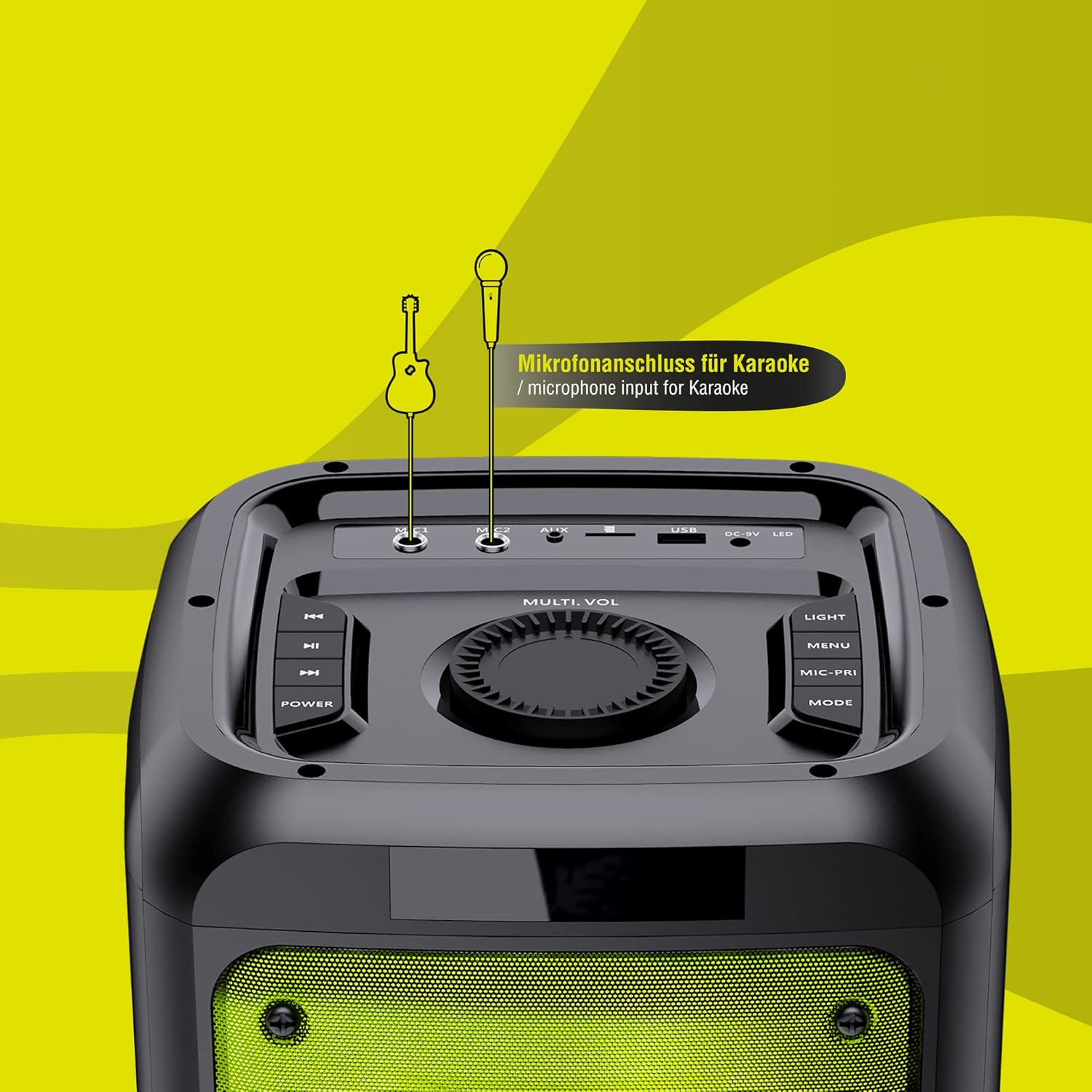
รูปที่ 4.4: รายละเอียด view of the control panel with various buttons and input jacks.
- ปุ่มเปิด/ปิด: เปิด/ปิดลำโพง
- Multi-Vol Knob: ปรับระดับเสียงหลัก
- ปุ่มไฟ: Cycles through light modes or turns lights off.
- ปุ่มเมนู: Accesses various settings.
- ปุ่มโหมด: สลับระหว่างโหมดอินพุต (บลูทูธ, USB, AUX, FM)
- Mic-Fri Button: Microphone priority/echo function.
- พอร์ต USB: สำหรับแฟลชไดรฟ์ USB
- พอร์ต AUX-IN: แจ็คขนาด 3.5 มม. สำหรับอุปกรณ์เสียงภายนอก
- อินพุตไมโครโฟน: Two 6.35mm jacks for microphones.
- อินพุต DC 9V: สำหรับชาร์จลำโพง
5. การตั้งค่า
5.1 การชาร์จลำโพง
The speaker is equipped with a 10000mAh battery. Before first use, fully charge the speaker.
- Connect the supplied 9V/1.5A power adapter to the DC 9V input port on the speaker.
- เสียบอะแดปเตอร์ไฟฟ้าเข้ากับเต้ารับไฟฟ้าที่ผนัง
- ไฟแสดงสถานะการชาร์จจะสว่างขึ้น เมื่อชาร์จเต็มแล้ว ไฟแสดงสถานะอาจเปลี่ยนสีหรือดับลง
- A full charge provides up to 8 hours of playback, depending on volume and LED effects.
5.2 การเปิด/ปิดเครื่อง
- หากต้องการเปิดลำโพง ให้กดปุ่มค้างไว้ พลัง ปุ่ม.
- หากต้องการปิดลำโพง ให้กดปุ่มค้างไว้ พลัง ปุ่มอีกครั้ง
6. คู่มือการใช้งาน
6.1 การจับคู่บลูทูธ
- Turn on the speaker. It will automatically enter Bluetooth pairing mode, indicated by a flashing "BLUE" on the display.
- บนสมาร์ทโฟน แท็บเล็ต หรือพีซีของคุณ ให้เปิดใช้งานบลูทูธ แล้วค้นหาอุปกรณ์ที่ใช้งานได้
- Select "LEICKE DJ ROXXX Aurora" from the list.
- Once paired, the speaker will emit a confirmation sound, and "BLUE" will stop flashing.
- ตอนนี้คุณสามารถเล่นเสียงจากอุปกรณ์ของคุณผ่านลำโพงได้
6.2 การเล่น USB
- ใส่แฟลชไดรฟ์ USB ที่มีไฟล์เสียง MP3 fileลงในพอร์ต USB
- ลำโพงจะสลับไปที่โหมด USB โดยอัตโนมัติและเริ่มเล่นแทร็กแรก หากไม่เป็นเช่นนั้น ให้กดปุ่ม โหมด ปุ่มเพื่อเลือกโหมด USB
- Use the playback controls (Previous/Next Track, Play/Pause) on the speaker or remote control.
6.3 โหมด AUX-In
- Connect one end of the supplied 3.5mm AUX cable to the AUX-IN port on the speaker.
- Connect the other end to the headphone jack or audio output of your external device (e.g., mobile phone, laptop, CD player).
- กดปุ่ม โหมด ปุ่มเพื่อเลือกโหมด AUX
- ควบคุมการเล่นจากอุปกรณ์ภายนอกของคุณ
6.4 วิทยุ FM
- กดปุ่ม โหมด กดปุ่มเพื่อสลับไปยังโหมดวิทยุ FM
- กดปุ่มเล่น/หยุดชั่วคราวค้างไว้เพื่อสแกนและบันทึกสถานี FM ที่มีอยู่โดยอัตโนมัติ
- ใช้ปุ่มแทร็กก่อนหน้า/ถัดไปเพื่อนำทางระหว่างสถานีที่บันทึกไว้
6.5 Microphone and Karaoke Function
- Connect one or two microphones to the microphone input jacks on the control panel.
- Adjust the microphone volume using the dedicated controls (if available) or the main volume knob.
- ใช้ Mic-Fri button to activate microphone priority (music volume lowers when speaking into the mic) or echo effects.
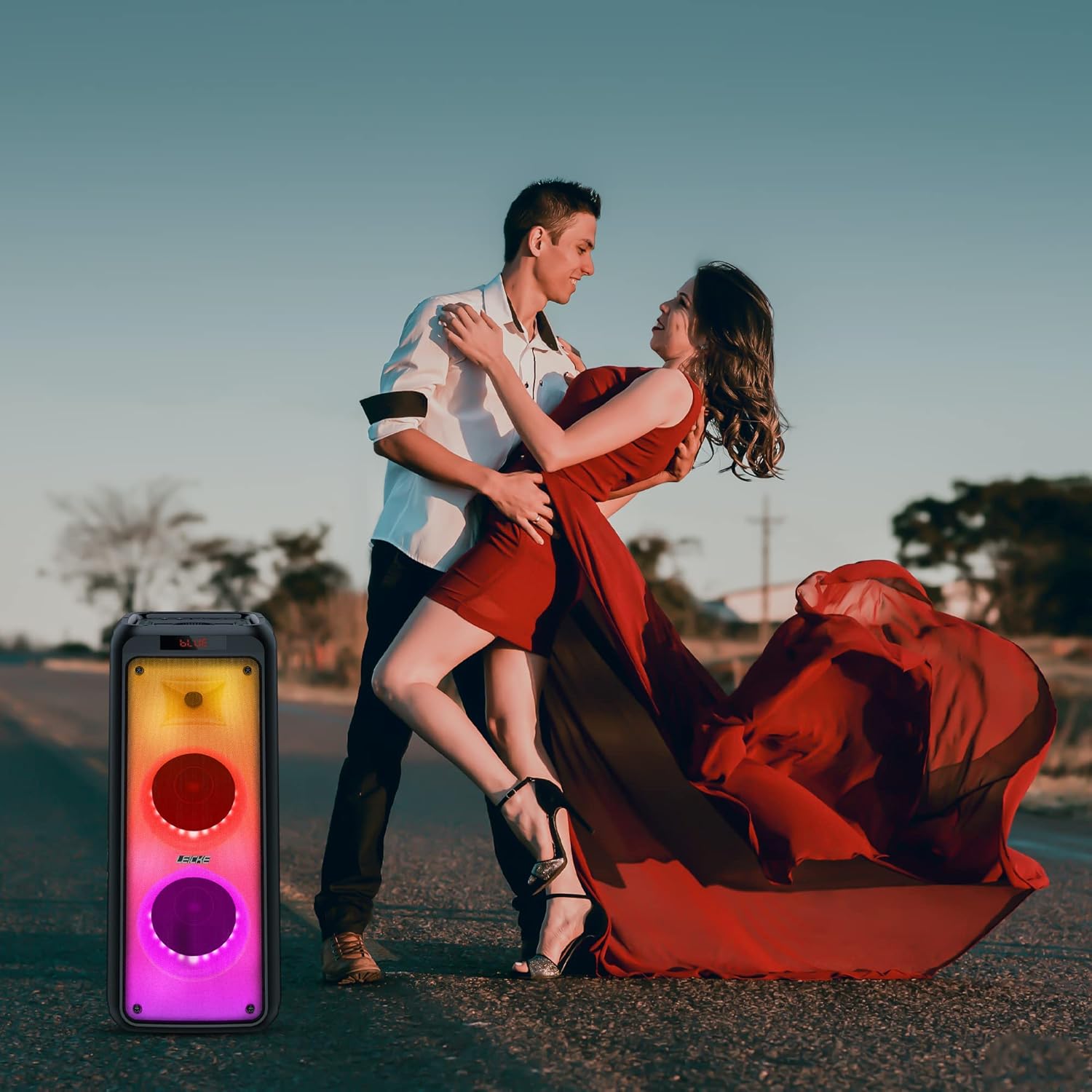
Figure 6.1: The speaker is ideal for karaoke sessions.
6.6 Light Effects Control
The DJ ROXXX Partybox Aurora features powerful multi-colored LED light effects that react to music.
- กดปุ่ม แสงสว่าง ปุ่มสำหรับสลับเปลี่ยนโหมดแสงต่างๆ
- กด . ต่อไป แสงสว่าง button to turn the light effects off.
Video 6.1: Demonstration of the dynamic LED light effects of the Partybox Aurora.
6.7 ฟังก์ชั่น True Wireless Stereo (TWS)
The TWS function allows you to connect two DJ ROXXX Partybox Aurora speakers for a true stereo sound experience.
- ตรวจสอบให้แน่ใจว่าลำโพงทั้งสองตัวเปิดใช้งานอยู่และอยู่ในโหมดบลูทูธ แต่ห้ามเชื่อมต่อกับอุปกรณ์ใดๆ
- On one speaker (this will be the master), press and hold the โหมด button until you hear a confirmation sound, indicating TWS pairing mode.
- The two speakers will automatically connect to each other. Once connected, you will hear another confirmation sound.
- ทีนี้ ให้เชื่อมต่ออุปกรณ์บลูทูธของคุณกับลำโพงหลักตามที่อธิบายไว้ในหัวข้อ 6.1 เสียงจะเล่นในระบบสเตอริโอผ่านลำโพงทั้งสองตัว

รูปที่ 6.2: ลำโพงสองตัวที่จับคู่กันเพื่อให้ได้เสียงสเตอริโอไร้สายแบบ True Wireless Stereo
7. การบำรุงรักษา
- ทำความสะอาดลำโพงด้วยผ้านุ่มและแห้ง ห้ามใช้น้ำยาทำความสะอาดหรือสารละลายที่มีฤทธิ์กัดกร่อน
- ห้ามถอดชิ้นส่วนลำโพง การทำเช่นนั้นจะทำให้การรับประกันเป็นโมฆะ
- เก็บลำโพงไว้ในที่แห้งและเย็นเมื่อไม่ได้ใช้งานเป็นเวลานาน
- Charge the battery at least once every three months to prolong its lifespan.
8 การแก้ไขปัญหา
| ปัญหา | สาเหตุที่เป็นไปได้ | สารละลาย |
|---|---|---|
| ลําโพงไม่เปิดขึ้น | แบตเตอรี่หมด | Charge the speaker using the supplied power adapter. |
| ไม่มีเสียง. | ระดับเสียงเบาเกินไปหรือปิดเสียงอยู่ โหมดอินพุตไม่ถูกต้อง | เพิ่มระดับเสียง กดปุ่ม โหมด ปุ่มเพื่อเลือกอินพุตที่ถูกต้อง |
| การจับคู่บลูทูธล้มเหลว | ลำโพงไม่อยู่ในโหมดจับคู่ อุปกรณ์อยู่ไกลเกินไป มีสัญญาณรบกวน | ตรวจสอบให้แน่ใจว่าลำโพงอยู่ในโหมดจับคู่ ขยับอุปกรณ์ให้ใกล้ขึ้น ปิดอุปกรณ์บลูทูธอื่นๆ |
| ไมโครโฟนไม่ทำงาน | Microphone not connected properly. Microphone volume too low. | Ensure microphone is fully plugged in. Adjust microphone volume. |
| Light effects not working. | ไฟถูกปิดแล้ว | กดปุ่ม แสงสว่าง button to activate light modes. |
9. ข้อมูลจำเพาะ
| คุณสมบัติ | รายละเอียด |
|---|---|
| หมายเลขรุ่น | EP18240 |
| ยี่ห้อ | ลีค |
| ขนาดสินค้า (กว้าง x ยาว x สูง) | 25 x 24 x 63 ซม. |
| น้ำหนัก | 6 กิโลกรัม |
| เทคโนโลยีการเชื่อมต่อ | บลูทูธ, USB, AUX |
| สี | ออโรร่า |
| อุปกรณ์ที่รองรับ | แล็ปท็อป สมาร์ทโฟน |
| อายุการใช้งานแบตเตอรี่ | ใช้งานได้นานสูงสุด 8 ชั่วโมง (ขึ้นอยู่กับการใช้งาน) |
| กำลังขับ | 800W (สูงสุด) |
10. การรับประกันและการสนับสนุน
LEICKE products come with a standard warranty. For detailed warranty information, technical support, or service requests, please visit the official LEICKE webเว็บไซต์หรือติดต่อฝ่ายบริการลูกค้าของพวกเขา
LEICKE Official Store: Visit LEICKE Store on Amazon


