1. บทนำ
This manual provides instructions for the Akko ACR61 61-Key 60% RGB Hot-swappable Wired Mechanical Gaming Keyboard. It covers setup, operation, maintenance, and troubleshooting to ensure optimal performance and longevity of your device.
The Akko ACR61 keyboard features a 60% layout, RGB backlighting, and hot-swappable switches, allowing for customization and enhanced typing experiences. It utilizes PBT double-shot keycaps for durability and N-key rollover for precise input.
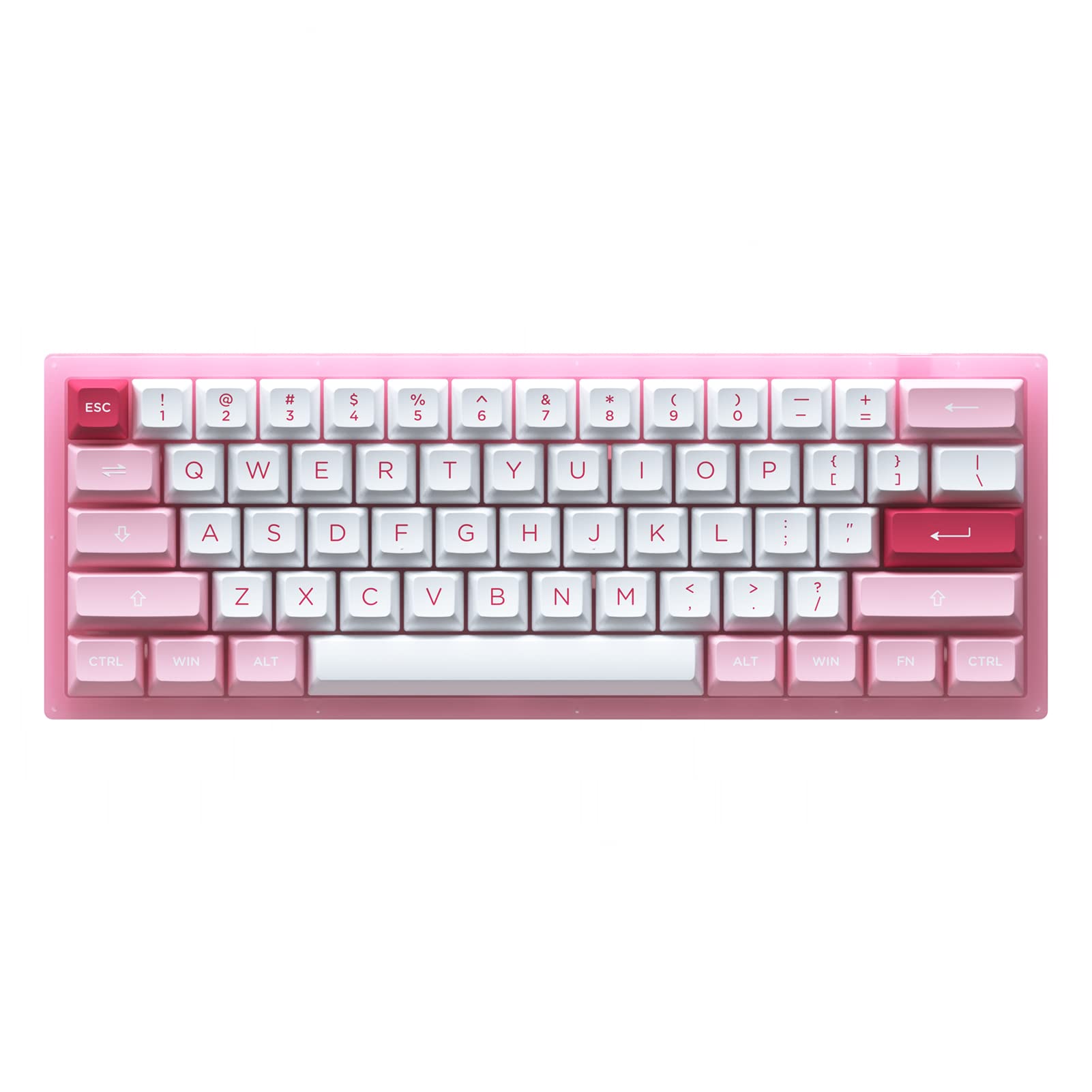
Image 1.1: Akko ACR61 keyboard showcasing the Prunus Lannesiana design and Jelly Pink switches.
2. การตั้งค่า
2.1 เนื้อหาบรรจุภัณฑ์
- Akko ACR61 Mechanical Keyboard
- สาย USB-C ถึง USB-A
- ตัวดึงกุญแจ
- ตัวดึงสวิตช์
- Additional Keycaps (if included)
2.2 การเชื่อมต่อคีย์บอร์ด
- Locate the USB-C port on the back or side of the Akko ACR61 keyboard.
- เชื่อมต่อปลาย USB-C ของสายเคเบิลที่ให้มากับแป้นพิมพ์
- เสียบปลายสาย USB-A เข้ากับพอร์ต USB ที่ว่างอยู่บนคอมพิวเตอร์หรืออุปกรณ์ของคุณ
- The keyboard will be automatically recognized by most operating systems. No additional drivers are typically required for basic functionality.
3. คู่มือการใช้งาน
3.1 ฟังก์ชันหลักพื้นฐาน
The Akko ACR61 is a 60% keyboard, meaning some functions are accessed via the 'Fn' key combined with other keys. Refer to the keycap legends for specific Fn combinations.
- Fn + [ปุ่ม]: Accesses secondary functions printed on the front or side of keycaps (e.g., arrow keys, F-row keys, multimedia controls).
- การพลิกแป้น N-Key (NKRO): The keyboard supports simultaneous key presses without conflicts, which is beneficial for fast typing and gaming.
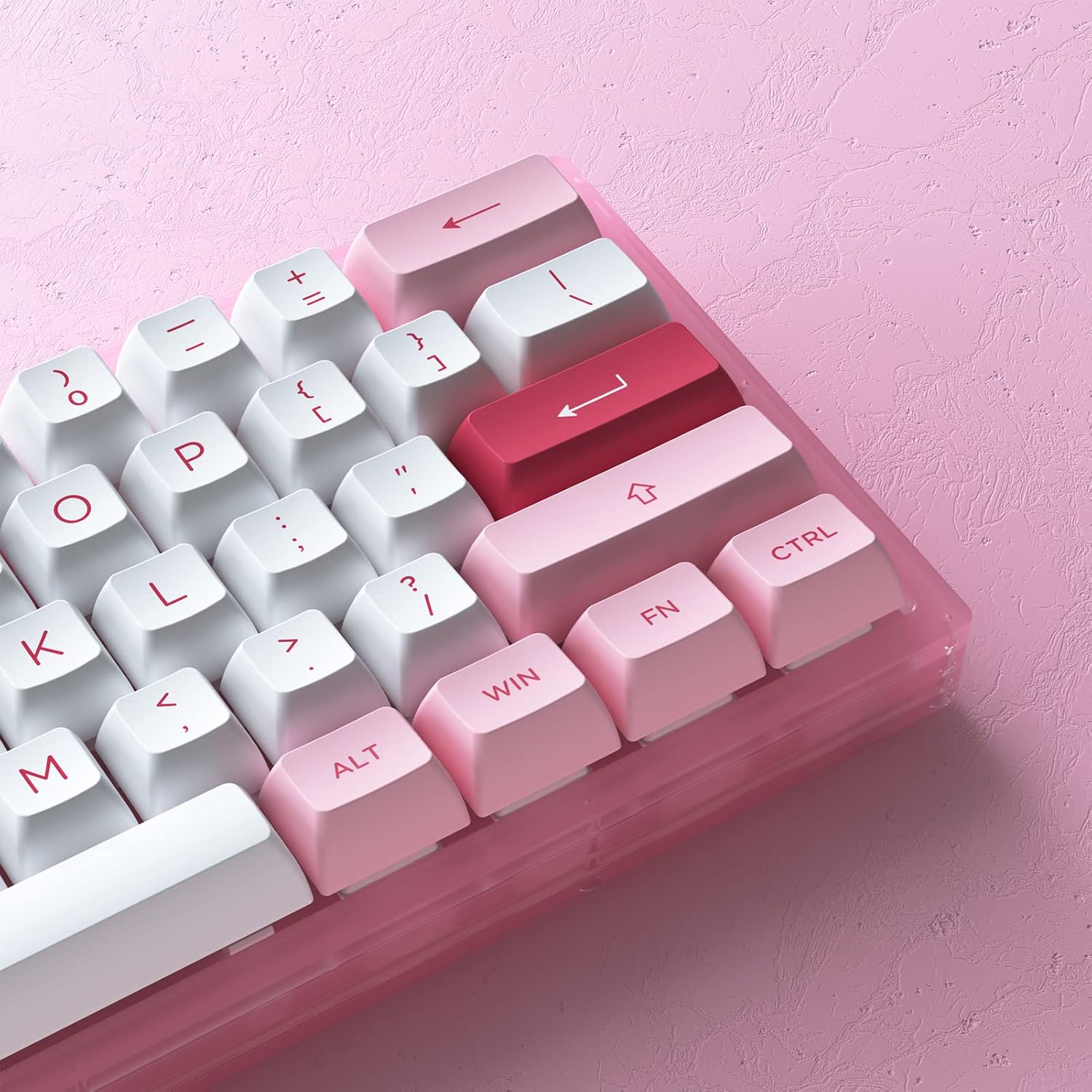
ภาพที่ 3.1: ภาพระยะใกล้ view of the Akko ACR61 keycaps, illustrating primary and secondary functions.
3.2 การควบคุมไฟแบ็คไลท์ RGB
The keyboard features built-in RGB backlighting with customizable light animation effects. Specific key combinations, often involving the 'Fn' key, are used to cycle through lighting modes, adjust brightness, and change colors.
- Fn + [ปุ่ม]: Typically used to change RGB effects, speed, or direction. Consult the keyboard's specific keycap legends or software for exact combinations.
- ไฟ LED ใต้ท้องรถ: The keyboard also features underglow LED lighting, which can be controlled independently or in conjunction with the main RGB backlighting.
3.3 ความสามารถในการตั้งโปรแกรม
The Akko ACR61 keyboard is programmable, allowing users to remap keys and create macro sequences. This functionality is typically managed through dedicated software provided by Akko. Keys used for controlling Macro mode (Esc/Win/Fn) cannot be remapped.
- การรีแมปคีย์: Assign different functions to individual keys.
- การบันทึกมาโคร: Record a sequence of keystrokes and assign it to a single key for quick execution.
4. การบำรุงรักษา
4.1 การทำความสะอาดแป้นพิมพ์
การทำความสะอาดเป็นประจำจะช่วยรักษารูปลักษณ์และการทำงานของแป้นพิมพ์
- ถอดแป้นพิมพ์ออกจากคอมพิวเตอร์ของคุณ
- ใช้แปรงขนนุ่มหรือลมอัดเพื่อขจัดฝุ่นและเศษต่างๆ ออกจากระหว่างปุ่มต่างๆ
- For keycap cleaning, gently remove keycaps using a keycap puller. Wash them with mild soap and water, then ensure they are completely dry before reattaching.
- เช็ดพื้นผิวแป้นพิมพ์ด้วยผ้าที่เปียกหมาดๆampผ้าที่ไม่เป็นขุย หลีกเลี่ยงความชื้นมากเกินไป
4.2 สวิตช์แบบ Hot-Swappable
The Akko ACR61 features premium TTC gaming 5-pin hot-swappable sockets, allowing you to change switches without soldering.

Image 4.1: A Jelly Pink mechanical switch, illustrating the hot-swappable design.
- การถอดสวิตช์: Use the provided switch puller to carefully grip the top and bottom clips of the switch. Gently pull the switch straight up and out of the socket. Avoid bending the pins.
- Installing a Switch: Align the pins of the new switch with the holes in the PCB socket. Ensure the pins are straight. Gently push the switch straight down until it clicks into place. Do not force the switch; if resistance is met, check pin alignment.
5 การแก้ไขปัญหา
5.1 แป้นพิมพ์ไม่ตอบสนอง
- ตรวจสอบให้แน่ใจว่าสาย USB เชื่อมต่อกับคีย์บอร์ดและคอมพิวเตอร์อย่างแน่นหนา
- ลองเชื่อมต่อคีย์บอร์ดกับพอร์ต USB อื่นบนคอมพิวเตอร์ของคุณ
- ทดสอบแป้นพิมพ์บนคอมพิวเตอร์เครื่องอื่นเพื่อตัดปัญหาเฉพาะระบบ
- หากใช้ฮับ USB ให้ลองเชื่อมต่อโดยตรงกับคอมพิวเตอร์
5.2 ไฟ RGB ไม่ทำงานหรือแสดงผลไม่ถูกต้อง
- ตรวจสอบให้แน่ใจว่าแป้นพิมพ์เชื่อมต่อและเปิดเครื่องอย่างถูกต้อง
- Use the designated Fn key combinations to cycle through lighting modes or adjust brightness.
- If using Akko software, ensure it is running and configured correctly.
5.3 ปุ่มบางปุ่มใช้งานไม่ได้
- For hot-swappable switches, carefully remove the keycap and then the switch for the affected key. Reinstall the switch, ensuring the pins are straight and fully seated.
- Test with a known working switch in the problematic socket to determine if the issue is with the switch or the socket.
- ตรวจสอบให้แน่ใจว่าไม่มีเศษสิ่งสกปรกกีดขวางกลไกสวิตช์
6. ข้อมูลจำเพาะ
| คุณสมบัติ | รายละเอียด |
|---|---|
| แบบอย่าง | ACR61 |
| เค้าโครง | 61-Key (60%) |
| การเชื่อมต่อ | แบบมีสาย (USB-C) |
| สวิตซ์ | Hot-swappable TTC Gaming 5-pin sockets (Jelly Pink Switches included) |
| ปุ่มกด | PBT Double Shot ASA Profile |
| การแบ็คไลท์ | RGB with Underglow LED |
| ป้องกันการโดนผีหลอก | การพลิกแป้น N-Key (NKRO) |
| ความสามารถในการตั้งโปรแกรมได้ | Yes (via software, excluding Esc/Win/Fn) |
| วัสดุ | โพลีบิวทิลีนเทเรฟทาเลต (ปุ่มกด) |
| น้ำหนักสินค้า | 15.5 ออนซ์ |
| ขนาดแพ็คเกจ | 13.7 x 8.78 x 1.93 นิ้ว |
7. การรับประกันและการสนับสนุน
สำหรับข้อมูลการรับประกันและการสนับสนุนทางเทคนิค โปรดดูที่เว็บไซต์อย่างเป็นทางการของ Akko webหรือติดต่อฝ่ายบริการลูกค้าโดยตรง โปรดเก็บหลักฐานการซื้อไว้เพื่อใช้ในกรณีที่ต้องการเคลมประกัน
ร้านค้าอย่างเป็นทางการของ Akko: Akko Store on Amazon


