การแนะนำ
The Festool Cordless VECTURO Oscillating Multi-Tool is designed for versatile cutting, sanding, and scraping applications. This manual provides essential information for the safe and efficient operation, maintenance, and care of your tool.
The VECTURO OSC 18 HPC 4,0 EI-Set features a StarlockMax® holding system for quick blade changes, a brushless EC-TEC motor for durability, and vibration isolation for user comfort. It operates on an 18V lithium-ion battery system.
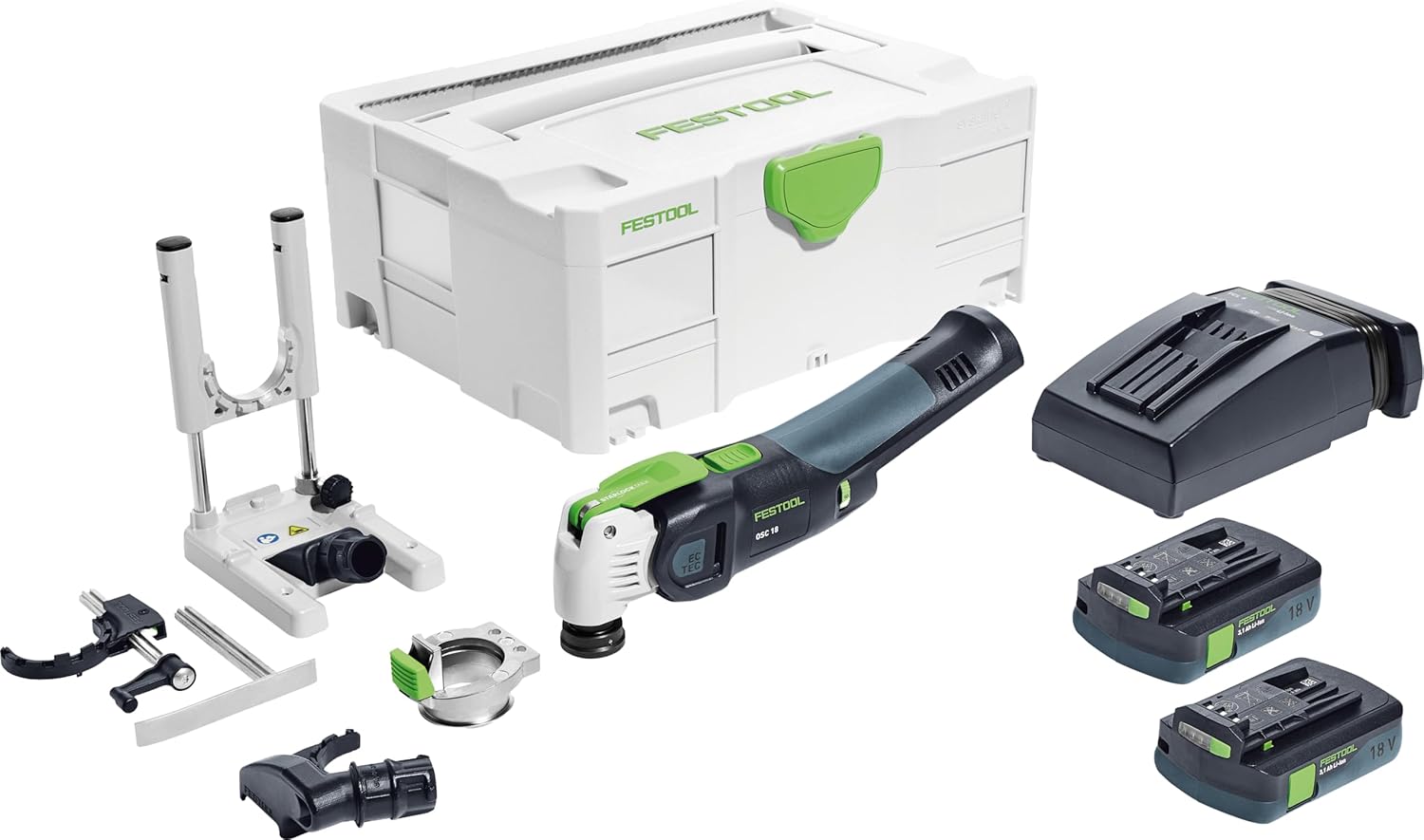
รูปที่ 1: The Festool VECTURO OSC 18 HPC 4,0 EI-Set, including the multi-tool, two 18V battery packs, a rapid charger, various accessories, and a Systainer SYS3 M 187 for storage and transport.
ข้อมูลด้านความปลอดภัย
Always observe general power tool safety guidelines. Read all safety warnings, instructions, illustrations, and specifications provided with this power tool. Failure to follow all instructions listed below may result in electric shock, fire, and/or serious injury.
- สวมใส่อุปกรณ์ป้องกันส่วนบุคคล (PPE) ที่เหมาะสม เช่น แว่นตานิรภัย อุปกรณ์ป้องกันการได้ยิน และถุงมือ
- ตรวจสอบให้แน่ใจว่าชิ้นงานยึดแน่นดีแล้วก่อนเริ่มดำเนินการ
- โปรดระวังอย่าให้มือและส่วนต่างๆ ของร่างกายอยู่ใกล้ใบมีดที่กำลังสั่นขณะใช้งาน
- ถอดแบตเตอรี่ออกก่อนทำการปรับแต่ง เปลี่ยนอุปกรณ์เสริม หรือจัดเก็บเครื่องมือ
- Use only Festool-approved accessories and replacement parts.
ส่วนประกอบที่รวมอยู่
The Festool VECTURO OSC 18 HPC 4,0 EI-Set includes the following items:
- Vecturo Multi-Tool
- Two BP 18 Li 4.0 Ah HPC-ASI Battery Packs
- TCL 6 Rapid Charger
- OSC-A Adapter
- OSC-AH Position Aid
- OSC-AV Dust Extraction Device
- OSC-TA Depth Stop
- USB 78/32/Bi/OSC Universal Saw Blade
- USB 50/35/Bi/OSC Universal Saw Blade
- HSB 100/Bi/OSC Wood Saw Blade
- ไซสเตนเนอร์ SYS3 M 187
การตั้งค่า
1. การชาร์จแบตเตอรี่และการติดตั้ง
- Insert the battery pack into the TCL 6 Rapid Charger. The charger's indicator light will show the charging status.
- เมื่อชาร์จเต็มแล้ว ให้ถอดแบตเตอรี่ออกจากเครื่องชาร์จ
- Align the charged battery pack with the battery slot on the VECTURO Multi-Tool and slide it in until it clicks securely into place.
2. Blade Installation (StarlockMax System)
The VECTURO features a keyless StarlockMax® quick-change system for fast and easy blade replacement.
- ตรวจสอบให้แน่ใจว่าถอดแบตเตอรี่ออกจากเครื่องมือแล้ว
- Press the green lever on the tool head to release the blade holder.
- Align the desired StarlockMax blade with the holder and press it firmly until it clicks into place.
- Verify the blade is securely attached before use.
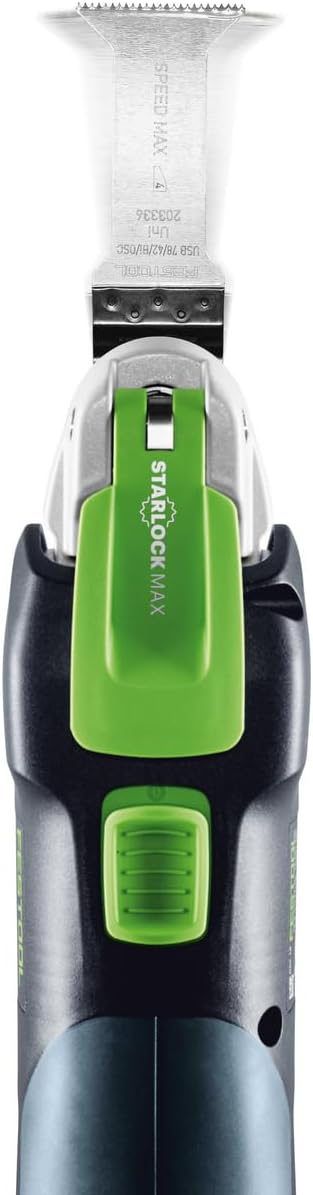
รูปที่ 2: สูงสุด view of the tool demonstrating the StarlockMax blade attachment mechanism.
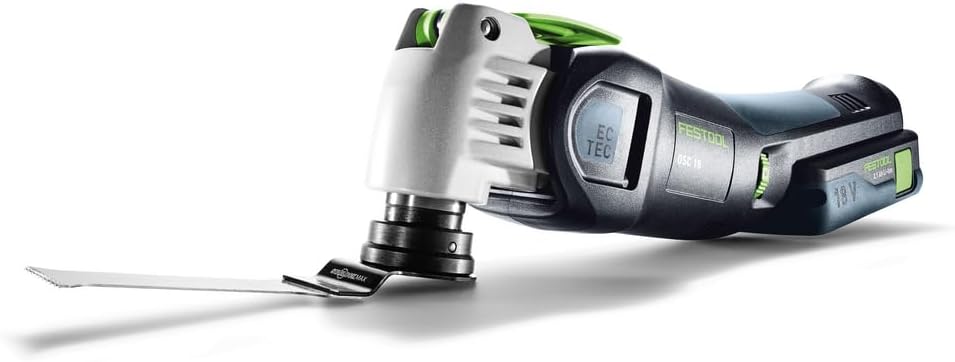
รูปที่ 3: The VECTURO Multi-Tool with a saw blade securely installed.
3. Accessory Attachment (Dust Extraction, Depth Stop, Position Aid)
Attach optional accessories as needed for specific applications.
- OSC-AV Dust Extraction Device: Slide the dust extraction device onto the tool head until it locks into place. Connect a compatible dust extractor hose for dust-free operation.
- OSC-TA Depth Stop: Attach the depth stop for controlled plunge cuts. Adjust the depth setting according to your requirements.
- OSC-AH Position Aid: Use the position aid for precise guidance during cuts, especially for delicate or intricate work.
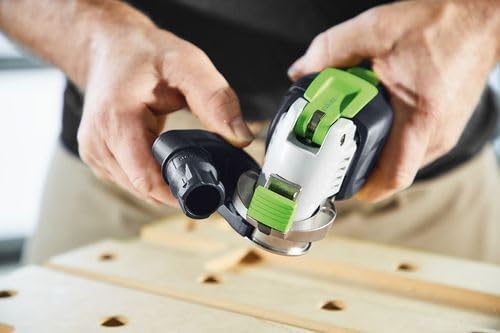
รูปที่ 4: Attaching the OSC-AV Dust Extraction Device to the VECTURO Multi-Tool.
คำแนะนำการใช้งาน
1. การเปิด/ปิดเครื่องและการควบคุมความเร็ว
- To turn the tool on, press the power switch.
- To turn the tool off, release the power switch.
- The brushless EC-TEC motor features variable speed control. Adjust the speed dial to match the material and application for optimal results.
2. การลดค่าใช้จ่าย
Always ensure the workpiece is stable and secured. Apply gentle, consistent pressure. The tool's vibration isolation system enhances comfort during extended use.
- การตัดแบบ Plunge Cut: For precise plunge cuts, use the OSC-TA Depth Stop. Position the blade over the desired cutting area and slowly lower the tool into the material.
- การตัดทั่วไป: Guide the tool along the cutting line, allowing the blade to do the work. Avoid forcing the tool, which can lead to overheating or damage.

รูปที่ 5: Demonstrating a controlled plunge cut with the VECTURO Multi-Tool.

รูปที่ 6: The VECTURO Multi-Tool performing a cut with the OSC-TA Depth Stop attached for accuracy.
การซ่อมบำรุง
1. การทำความสะอาด
- After each use, disconnect the battery and clean the tool with a dry cloth.
- Remove any dust or debris from the ventilation openings to prevent overheating.
- Periodically clean the blade holder mechanism to ensure smooth operation.
2. การเปลี่ยนใบมีด
Replace blades when they become dull or damaged to maintain cutting efficiency and safety. Refer to the "Blade Installation" section for detailed steps.
3. การดูแลแบตเตอรี่
- เก็บแบตเตอรี่ไว้ในที่แห้งและเย็น หลีกเลี่ยงแสงแดดโดยตรงและอุณหภูมิที่สูงหรือต่ำเกินไป
- Do not allow battery packs to fully discharge for extended periods. Recharge them regularly.
- If a battery pack is damaged, discontinue use and replace it with an authorized Festool battery.
การแก้ไขปัญหา
This section addresses common issues you might encounter with your Festool VECTURO Multi-Tool.
| ปัญหา | สาเหตุที่เป็นไปได้ | สารละลาย |
|---|---|---|
| เครื่องมือไม่เริ่มทำงาน | แบตเตอรี่ไม่ได้ชาร์จหรือติดตั้งไม่ถูกต้อง | ตรวจสอบให้แน่ใจว่าแบตเตอรี่ชาร์จเต็มและใส่เข้าที่อย่างแน่นหนา |
| ประสิทธิภาพการตัดต่ำ | Dull or incorrect blade. Incorrect speed setting. | Replace blade. Select appropriate speed for the material. |
| แรงสั่นสะเทือนหรือเสียงดังมากเกินไป | Blade not properly secured. Damaged blade. | ตรวจสอบการติดตั้งใบมีด เปลี่ยนใบมีดที่ชำรุด |
| เครื่องมือร้อนเกินไป | Blocked ventilation. Overloading the tool. | Clean ventilation openings. Reduce pressure and allow tool to cool. |
If you encounter issues not listed here or if solutions do not resolve the problem, contact Festool customer support.
ข้อมูลจำเพาะ
| คุณสมบัติ | รายละเอียด |
|---|---|
| ยี่ห้อ | เฟสตูล |
| หมายเลขรุ่น | 576590 |
| แหล่งพลังงาน | ใช้พลังงานจากแบตเตอรี่ |
| เล่มที่tage | 18 โวลต์ |
| ประเภทแบตเตอรี่ | ลิเธียมไอออน (รวม 2 อัน) |
| ประเภทมอเตอร์ | Brushless EC-TEC |
| Blade Holder System | StarlockMax® |
| น้ำหนักสินค้า | 13.58 pounds (with packaging) |
| ขนาดสินค้า | 15.59 x 11.65 x 7.36 นิ้ว |
| วัสดุที่ใช้ทำด้ามจับ | Thermoplastic Elastomers or Plastic |
| คำแนะนำด้านพื้นผิว | Wood (compatible with various materials depending on blade) |
| สี | Dark Gray Or Black |
การรับประกันและการสนับสนุน
ข้อมูลการรับประกัน
All Festool power tools, including the VECTURO OSC 18 HPC 4,0 EI-Set, come with a comprehensive 3-year wear-and-tear warranty. This warranty also includes a 2-day standard repair time และก รับประกันความพึงพอใจ 1 เดือน.
For detailed warranty terms and conditions, please refer to the official Festool webไซต์หรือติดต่อฝ่ายสนับสนุนลูกค้า
การสนับสนุนลูกค้า
For technical assistance, service, or warranty claims, please contact Festool customer support through their official channels. Visit the ร้าน Festool บน Amazon หรืออย่างเป็นทางการของพวกเขา webเว็บไซต์สำหรับข้อมูลการติดต่อ


