1. บทนำ
Thank you for choosing the ddpai Mini 5 Dash Cam. This manual provides essential information for the proper installation, operation, and maintenance of your device. Please read it carefully before use and retain it for future reference.
เนื้อหาแพ็คเกจ
โปรดตรวจสอบให้แน่ใจว่าสินค้าทุกรายการที่ระบุไว้ด้านล่างอยู่ในบรรจุภัณฑ์ของคุณ หากมีสินค้าใดขาดหายหรือเสียหาย โปรดติดต่อฝ่ายบริการลูกค้า
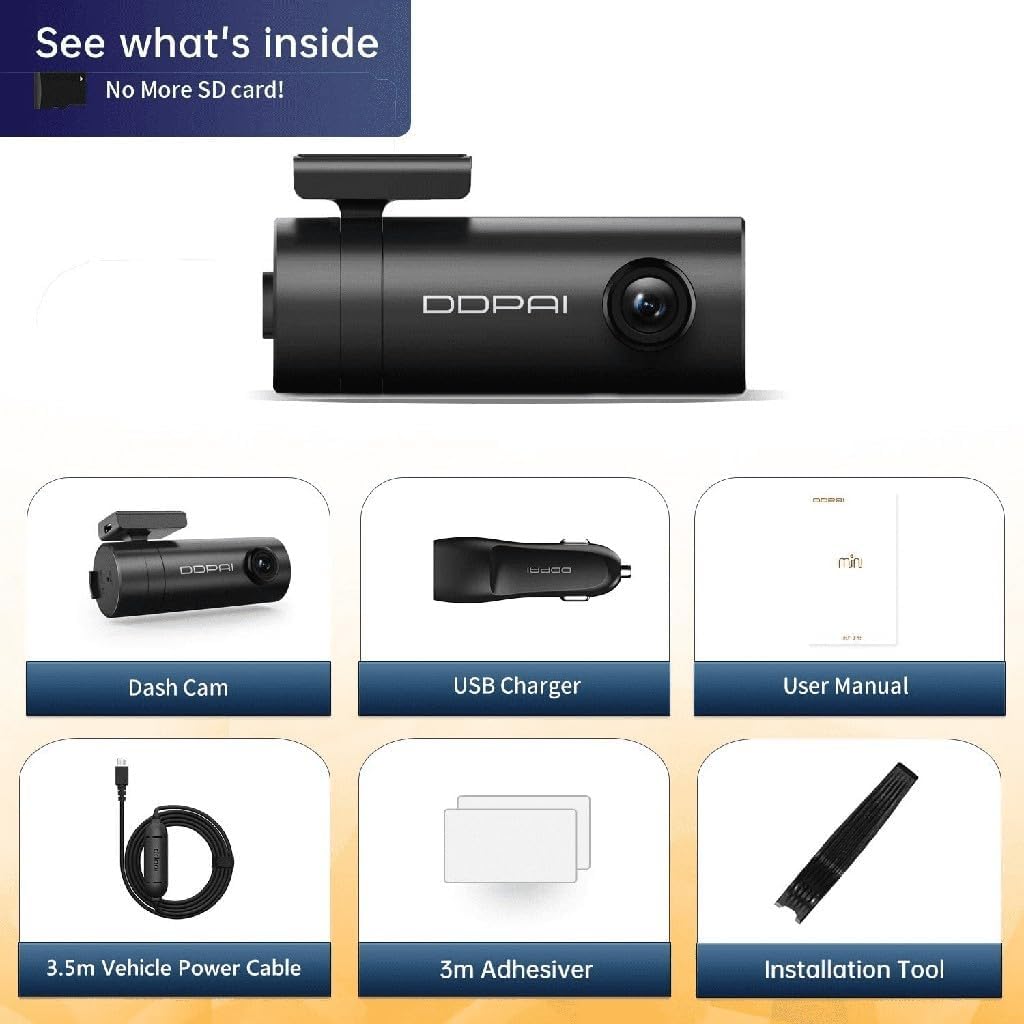
ภาพที่ 1.1: Package Contents. This image displays the ddpai Mini 5 Dash Cam, a USB charger, the user manual, a 3.5m vehicle power cable, 3m adhesive pads, and an installation tool.
- ddpai Mini 5 Dash Cam
- ที่ชาร์จในรถยนต์ USB
- คู่มือการใช้งาน (เอกสารนี้)
- สายไฟรถยนต์ 3.5 ม.
- 3m Adhesive Pads
- เครื่องมือติดตั้ง
2. ข้อมูลด้านความปลอดภัย
โปรดปฏิบัติตามคำแนะนำด้านความปลอดภัยต่อไปนี้เพื่อป้องกันความเสียหายต่ออุปกรณ์หรือการบาดเจ็บต่อตัวคุณเอง:
- Do not attempt to disassemble, repair, or modify the device. This may void the warranty and pose safety risks.
- ตรวจสอบให้แน่ใจว่าอุปกรณ์ติดตั้งอย่างแน่นหนาและไม่กีดขวางทัศนวิสัยของคนขับ view หรือรบกวนการควบคุมรถ
- Use only the provided power cable and charger. Using incompatible accessories may cause damage or fire.
- Avoid exposing the device to extreme temperatures, direct sunlight for prolonged periods, or excessive moisture. The operating temperature range is -20°C to 70°C.
- รักษาเลนส์ให้สะอาดเพื่อให้ได้ภาพที่คมชัด
- ห้ามใช้งานอุปกรณ์ขณะขับรถ ปรับการตั้งค่าเฉพาะเมื่อรถจอดสนิทแล้วเท่านั้น
3. สินค้าหมดview
The ddpai Mini 5 is a compact and intelligent dash camera designed to record your journeys in high definition and provide enhanced vehicle security features.
คุณสมบัติหลัก
- บันทึกวิดีโอความละเอียด Full HD 1080p: Captures clear video at 30 frames per second.
- เลนส์หมุนได้ 330°: Allows for flexible adjustment of the recording angle.
- กว้าง 140° View มุม: Covers multiple lanes of traffic.
- Wi-Fi ในตัว: Connects to your smartphone for easy video management and settings adjustment via the ddpai app.
- เซ็นเซอร์ G (การตรวจจับการชน): Automatically detects impacts and locks the current recording to prevent overwriting.
- โหมดจอดรถ 24 ชั่วโมง: Monitors your vehicle even when parked, with motion and collision detection (requires optional hardwire kit).
- ซูเปอร์ไนท์วิชั่น: Enhanced low-light performance for clear nighttime recordings.
- การบันทึกแบบวนซ้ำ: บันทึกอย่างต่อเนื่องโดยเขียนทับไฟล์ foo ที่เก่าที่สุดtagเช่นเมื่อการ์ดหน่วยความจำเต็ม
- ตัวเก็บประจุยิ่งยวดในตัว: Provides reliable power in extreme temperatures and offers a longer lifespan compared to traditional batteries.
- การออกแบบอย่างพิถีพิถัน: Compact form factor allows for unobtrusive installation behind the rearview กระจกเงา.
- Supports up to 128GB Storage: Ample storage for extended recording.
ลักษณะพิเศษด้านภาพ

ภาพที่ 3.1: คุณสมบัติที่สำคัญมากกว่าview. This image highlights the 1080p resolution, 330° rotatable lens, emergency lock function, support for up to 128GB storage, 140° view angle, and super capacitor for reliable power.
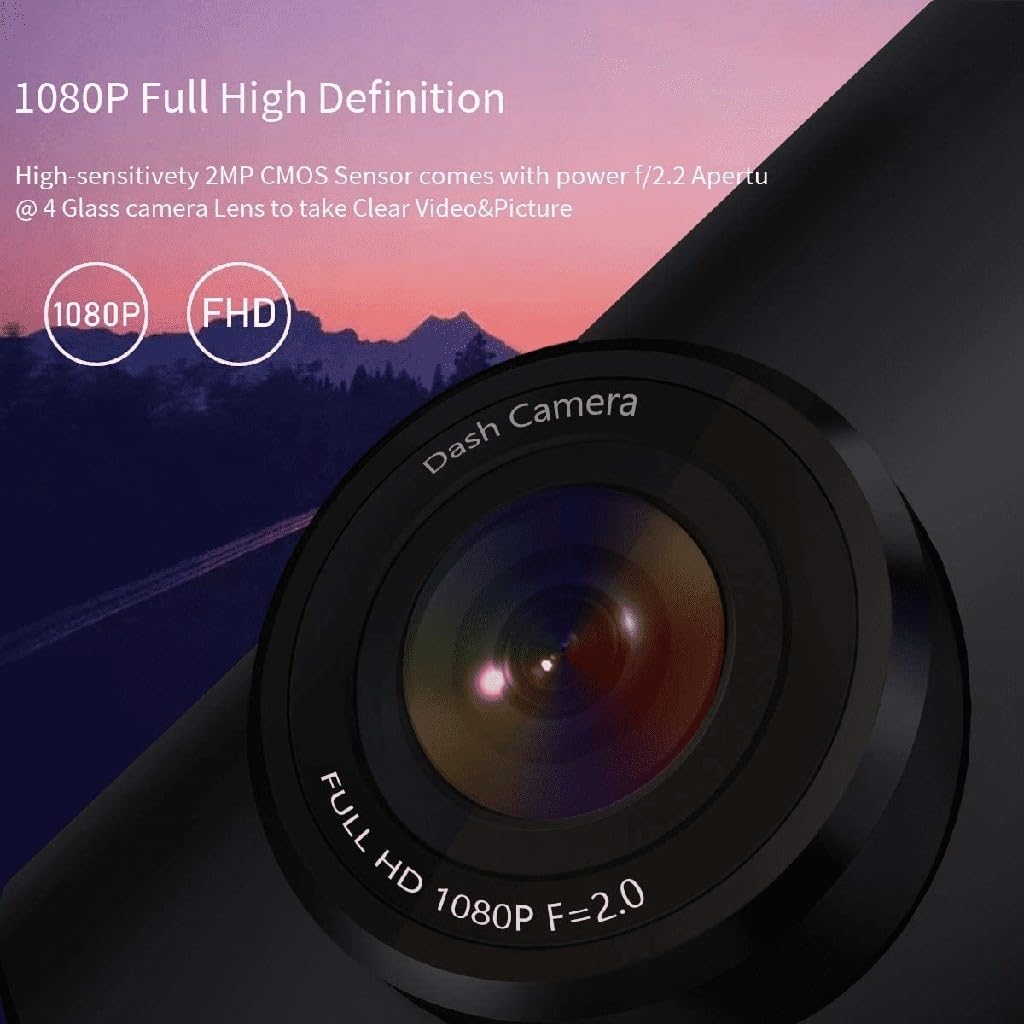
ภาพที่ 3.2: 1080p Full High Definition. This image shows a close-up of the dash cam lens, emphasizing its 1080p Full HD recording capability with an f/2.0 aperture for clear video and pictures.
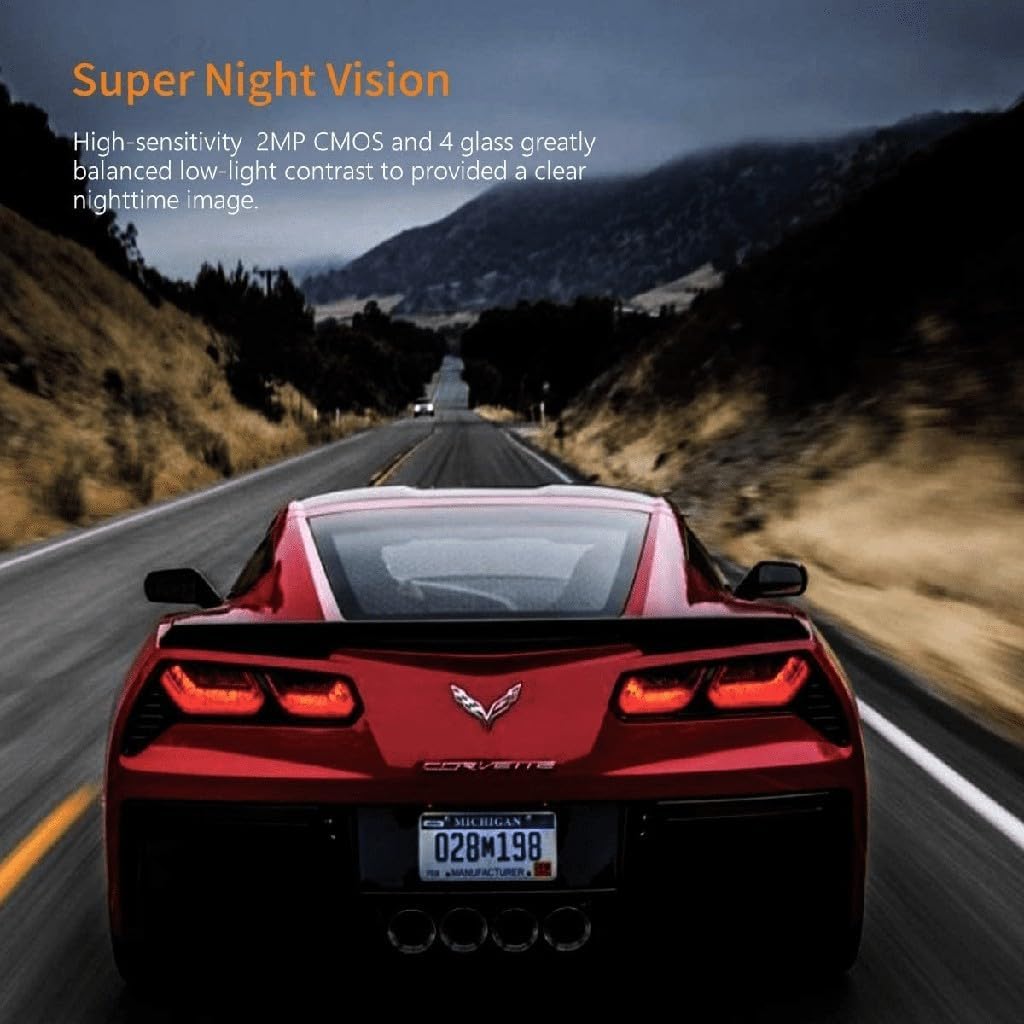
ภาพที่ 3.3: Super Night Vision. This image demonstrates the dash cam's ability to capture clear images in low-light conditions, thanks to its high-sensitivity 2MP CMOS sensor and 4-glass lens.
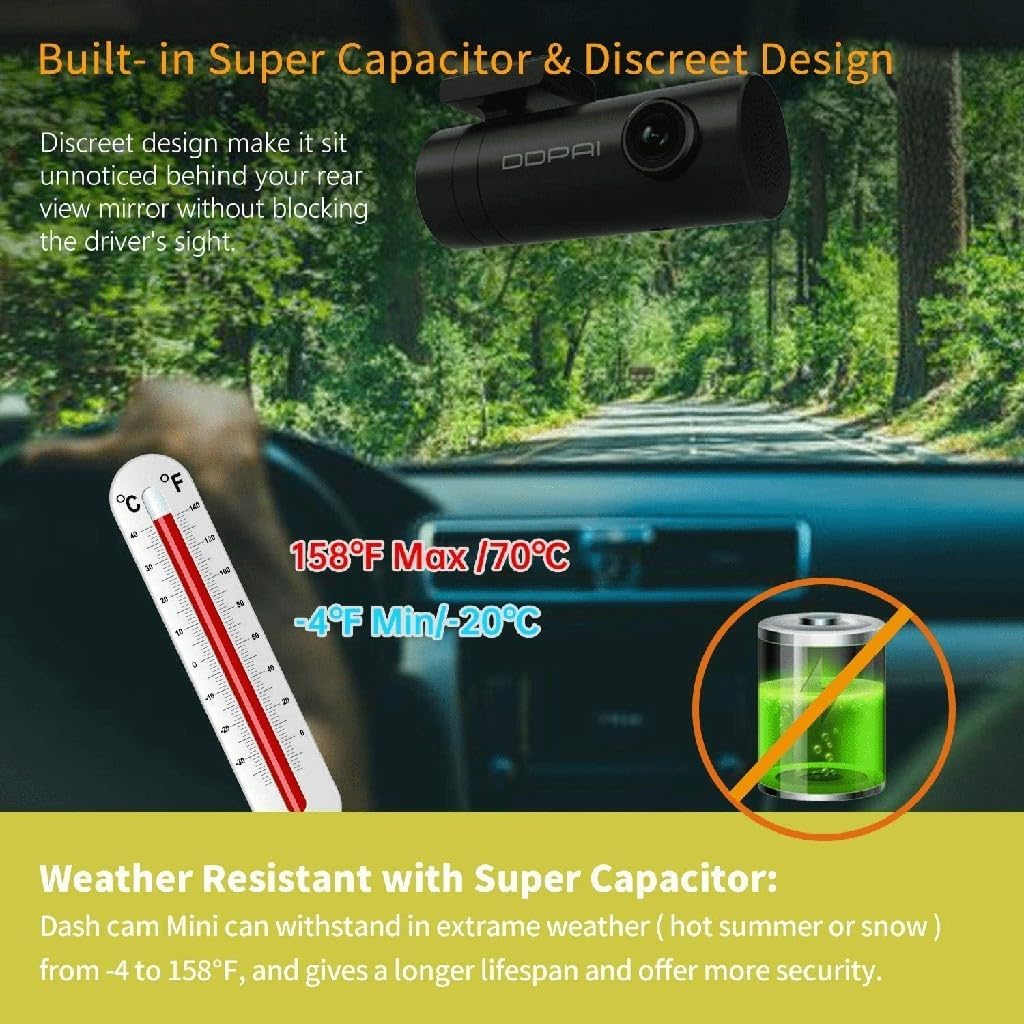
ภาพที่ 3.4: Built-in Super Capacitor & Discreet Design. This image illustrates the compact design of the dash cam, allowing it to be mounted unobtrusively. It also highlights the weather resistance provided by the super capacitor, capable of operating from -20°C to 70°C.
4. การตั้งค่า
4.1 การติดตั้ง
- เลือกตำแหน่ง: Select a position on your windshield, preferably behind the rearview กระจกที่ไม่กีดขวางทางของคุณ view or interfere with airbags. The discreet design of the Mini 5 allows for minimal visibility.
- ทำความสะอาดกระจกหน้ารถ: Ensure the chosen area on the windshield is clean and dry.
- Attach the Adhesive Mount: Peel off the protective film from one side of the 3m adhesive pad and apply it to the dash cam mount. Then, peel off the other side and firmly press the mount onto the windshield for at least 30 seconds.
- ปรับมุมเลนส์: Once mounted, rotate the camera body to achieve the desired recording angle. The 330° rotatable lens allows for flexible positioning.
4.2 การเชื่อมต่อสายไฟ
- Connect the 3.5m vehicle power cable to the dash cam's power input port.
- Route the power cable along the edge of the windshield and dashboard to the vehicle's 12V power outlet (cigarette lighter socket). Use the included installation tool to tuck the cable neatly.
- Plug the USB car charger into the 12V power outlet and connect the power cable to the charger.
- The dash cam will power on automatically when the vehicle's ignition is turned on.
4.3 Initial Configuration (via ddpai App)
- Download the 'ddpai' app from your smartphone's app store (iOS or Android).
- Turn on the dash cam. The Wi-Fi indicator light will illuminate.
- On your smartphone, go to Wi-Fi settings and connect to the ddpai dash cam's Wi-Fi network (e.g., 'ddpai_Mini5_XXXX'). The default password is '1234567890'.
- Open the ddpai app. The app will automatically connect to the dash cam.
- Follow the on-screen prompts to set the date, time, and other preferences.
5. คู่มือการใช้งาน
5.1 การบันทึกพื้นฐาน
Once powered on, the ddpai Mini 5 will automatically begin continuous loop recording. Video files are saved in segments (e.g., 1, 3, or 5 minutes) to the internal storage. When the storage is full, the oldest unprotected fileไฟล์เสียง s จะถูกแทนที่ด้วยไฟล์เสียงบันทึกใหม่
5.2 เซ็นเซอร์ G (ระบบล็อคฉุกเฉินเมื่อเกิดอุบัติเหตุ)
The built-in G-sensor detects sudden impacts or collisions. When an event is detected, the current video segment is automatically locked and saved to a separate folder, preventing it from being overwritten by loop recording. This ensures critical evidence is preserved.

ภาพที่ 5.1: Emergency Accident Lock. This image illustrates how the 3-axis Gravity Sensor detects collisions and automatically protects important video clips from being overwritten, securing crucial evidence.
5.3 โหมดจอดรถ 24 ชั่วโมง
For continuous surveillance when your vehicle is parked, the ddpai Mini 5 offers a 24-hour parking mode. This feature requires a separate hardwire kit (ASIN: B074KDXCX1) to be installed, providing constant power to the dash cam.
- การตรวจจับการเคลื่อนไหว: The camera will automatically wake up and record if it detects movement around your vehicle.
- การตรวจจับการชน: If an impact is detected while parked, the camera will automatically record the event.

ภาพที่ 5.2: 24 Hours Parking Mode & G Sensor. This image explains the 24-hour parking mode, which includes motion detection (auto wake up and record movement) and collision detection (auto detect impact and record even when the dash cam is off). Note that this mode requires an external hardwire kit, sold separately.
5.4 การจัดการการบันทึกผ่านแอปพลิเคชัน
Connect your smartphone to the dash cam's Wi-Fi network and use the ddpai app to:
- View อยู่ footage จากกล้อง
- Browse and playback recorded videos.
- Download important video clips to your phone.
- Adjust camera settings (e.g., resolution, G-sensor sensitivity, parking mode settings).
6. การบำรุงรักษา
6.1 การทำความสะอาดเลนส์
Regularly clean the camera lens with a soft, lint-free cloth to ensure clear video quality. Avoid using abrasive cleaners or solvents.
การอัปเดตเฟิร์มแวร์ 6.2 รายการ
Check the ddpai app periodically for available firmware updates. Keeping your dash cam's firmware up-to-date ensures optimal performance and access to new features.
6.3 การจัดการการจัดเก็บข้อมูล
While loop recording manages storage automatically, it is recommended to periodically review and delete unnecessary locked files from the app to free up space, especially if you have many emergency recordings.
7 การแก้ไขปัญหา
If you encounter issues with your ddpai Mini 5 Dash Cam, refer to the following common problems and solutions:
| ปัญหา | สาเหตุที่เป็นไปได้ / วิธีแก้ไข |
|---|---|
| กล้องติดรถยนต์ไม่สามารถเปิดได้ |
|
| ไม่สามารถเชื่อมต่อ Wi-Fi ได้ |
|
| วิดีโอ footage ไม่ชัดเจนหรือไม่ชัดเจน |
|
| Recordings are not saving or loop recording is not working. |
|
| โหมดจอดรถไม่ทำงาน |
|
8. ข้อมูลจำเพาะ
| คุณสมบัติ | รายละเอียด |
|---|---|
| ยี่ห้อ | ddpai |
| ชื่อรุ่น | มินิ 5 |
| ปณิธาน | 1080p Full HD (1920 x 1080) @ 30fps |
| เลนส์ | f/2.2 Aperture, 4-Glass Lens, 330° Rotatable |
| View มุม | 140° |
| การเชื่อมต่อ | ไวไฟ, ยูเอสบี |
| คุณสมบัติพิเศษ | Built-in Display, Built-in WiFi, App Control, G-Sensor (Accelerometer), Loop Recording, 24-Hour Parking Mode (requires hardwire kit), Super Night Vision, Super Capacitor |
| การสนับสนุนการจัดเก็บข้อมูล | Up to 128GB (internal storage) |
| อุณหภูมิในการทำงาน | -20°C ถึง 70°C (-4°F ถึง 158°F) |
| ประเภทบริการยานพาหนะ | รถ |
9. การรับประกันและการสนับสนุน
The ddpai Mini 5 Dash Cam comes with a standard manufacturer's warranty. Please refer to the warranty card included in your package or visit the official ddpai webเว็บไซต์สำหรับข้อกำหนดและเงื่อนไขการรับประกันโดยละเอียด
For technical support, troubleshooting assistance, or warranty claims, please contact ddpai customer service through their official webไซต์หรือข้อมูลการติดต่อที่ให้ไว้ในบรรจุภัณฑ์ผลิตภัณฑ์ของคุณ