1. บทนำและเรื่องอื่นๆview
Welcome to the EKSA EM200 Gaming Mouse user manual. This guide provides comprehensive instructions for setting up, operating, and maintaining your new gaming mouse. The EM200 is designed for gamers seeking an ergonomic, customizable, and high-performance wired mouse experience.

Figure 1: The EKSA EM200 Gaming Mouse, showcasing its interchangeable back cover and tunable weight system.
2. การตั้งค่า
The EKSA EM200 Gaming Mouse is a plug-and-play device, requiring no additional drivers for basic functionality on most operating systems. Simply connect the USB cable to an available USB port on your computer.
2.1 การเชื่อมต่อเมาส์
- Unpack the EKSA EM200 Gaming Mouse from its packaging.
- Locate an available USB port on your Windows PC, Mac, or Laptop.
- Insert the USB connector of the mouse cable firmly into the USB port.
- The mouse's RGB lighting will illuminate, indicating a successful connection. Your computer should automatically detect the device.
Video 1: An official EKSA video demonstrating the unboxing and initial setup of the EM200 Gaming Mouse, including connecting it to a laptop and showcasing แสงไฟ RGB ของมัน
3. Features and Customization
3.1 Adjustable DPI (Dots Per Inch)
The EM200 features a 12,000 DPI optical sensor with 6 adjustable DPI settings: 1000/2000/3200/4800/6400/12000. This allows for on-the-fly sensitivity adjustments to match different gaming scenarios or work tasks.
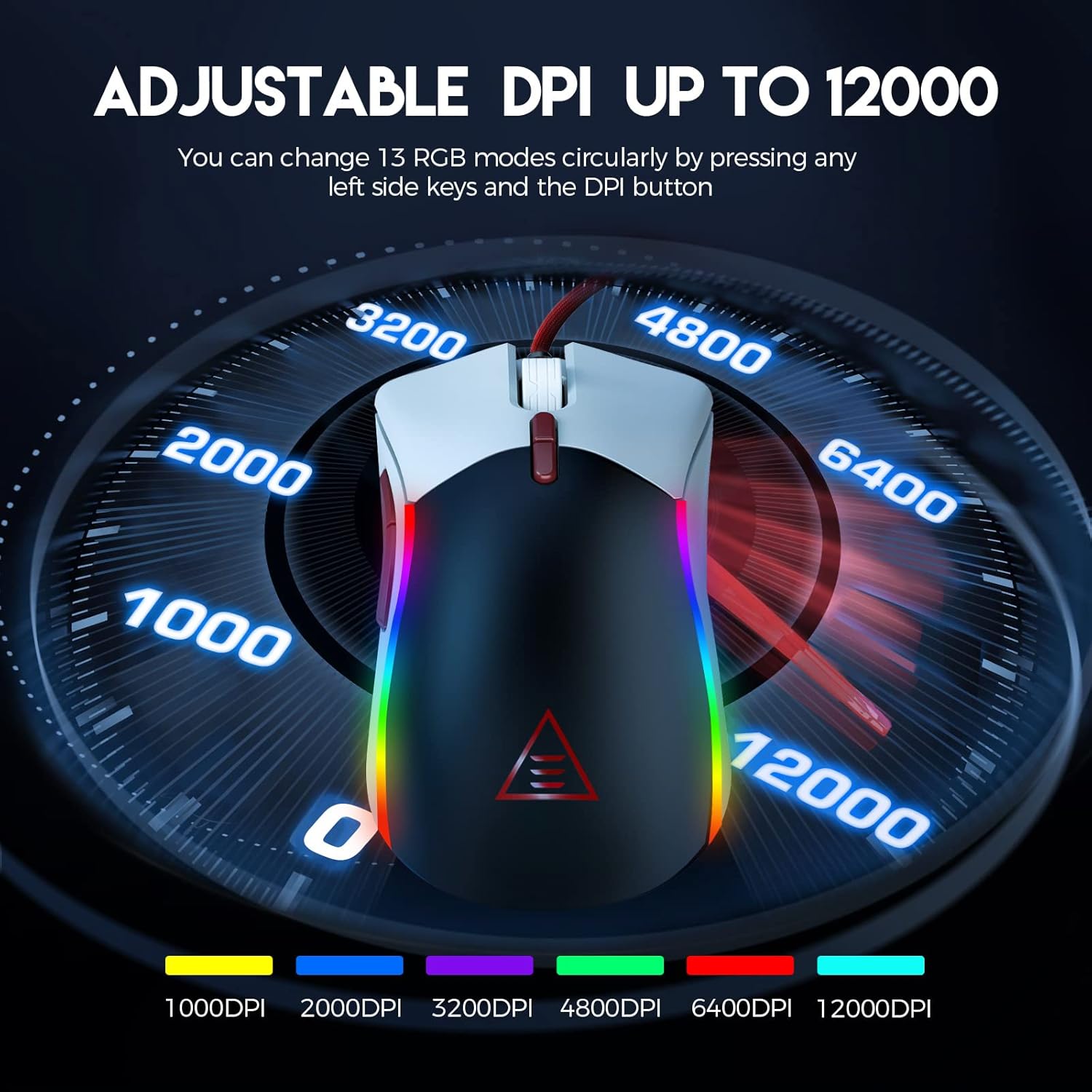
Figure 2: Visual representation of the adjustable DPI settings on the EKSA EM200 Gaming Mouse, highlighting the range from 1000 to 12000 DPI.
3.2 แสงไฟ RGB ที่ปรับแต่งได้
Personalize your gaming atmosphere with 13 customizable RGB lighting modes, offering 16.8 million color combinations. These modes can be cycled through using the dedicated buttons.
3.3 Tunable Weight System
Adjust the mouse's weight from 91.8g to 108g using the 6 included 2.7g weights. This allows for personalized weight and balance tuning, enabling lightning-fast reactions or precise control depending on your gameplay style.

Figure 3: The tunable weight system of the EKSA EM200, illustrating the compartment for six 2.7g weights.
3.4 7 Programmable Buttons
The EM200 features 7 programmable buttons, allowing you to assign macros and secondary functions for superior productivity and efficiency in various gaming and application scenarios.

Figure 4: A detailed diagram labeling the 7 programmable buttons on the EKSA EM200 Gaming Mouse, including left, right, scroll, forward, backward, DPI+, and DPI- buttons.
3.5 Interchangeable Back Covers
Customize the aesthetic of your mouse with two removable magnetic back covers (black & white), allowing you to switch styles effortlessly.
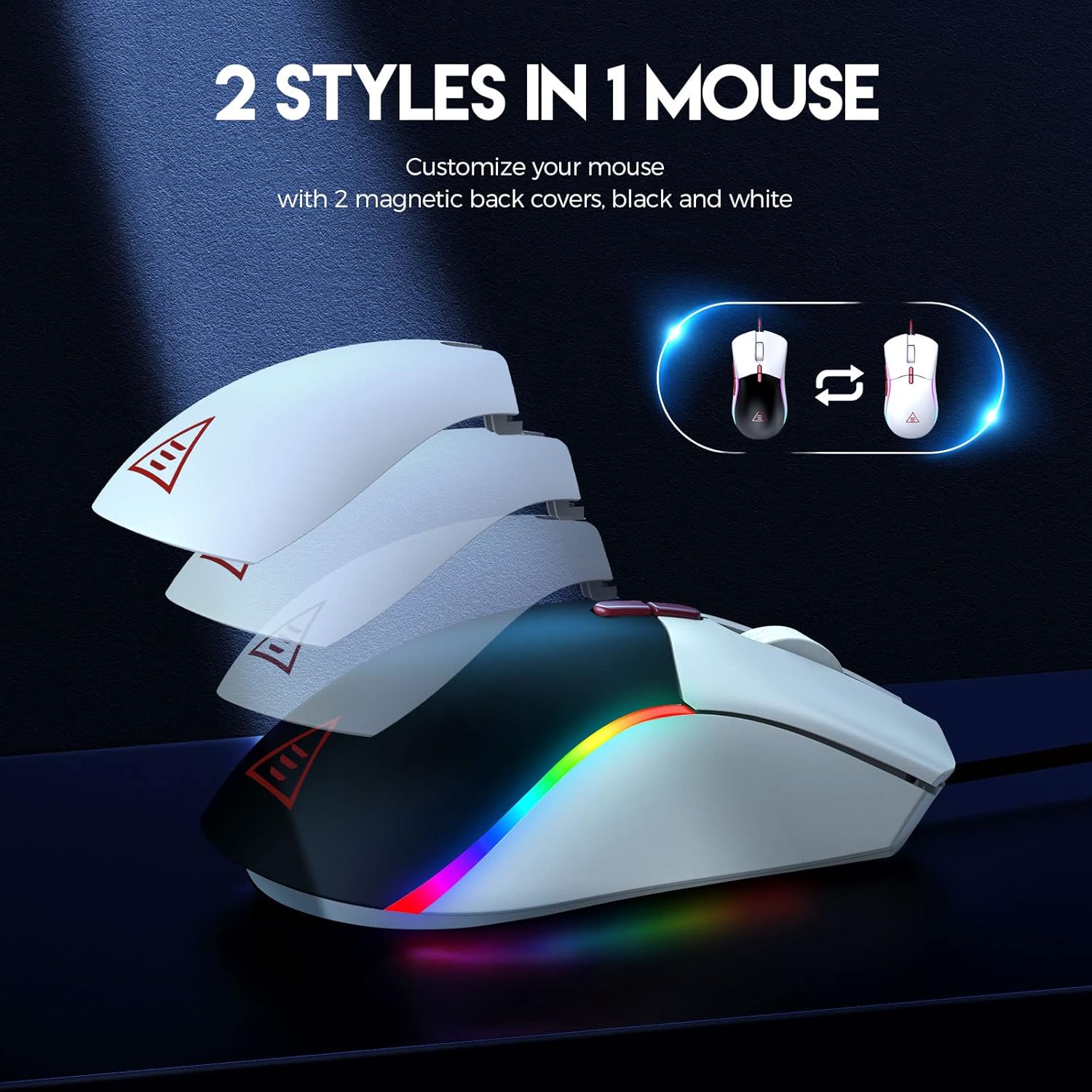
Figure 5: The EKSA EM200 Gaming Mouse demonstrating its two interchangeable magnetic back covers, offering different aesthetic options.
3.6 การออกแบบตามหลักสรีรศาสตร์
The mouse features a comfortable contoured shape with high-performance rubber grips, designed to naturally fit your hand and reduce fatigue during extended use. Its universal symmetrical design is suitable for both left and right-handed users.

Figure 6: An illustration highlighting the ergonomic design of the EKSA EM200 Gaming Mouse, emphasizing its comfortable fit for prolonged use.
4. คู่มือการใช้งาน
4.1 การปรับ DPI
Use the DPI+ and DPI- buttons (located below the scroll wheel) to cycle through the available DPI settings (1000/2000/3200/4800/6400/12000). Each setting may correspond to a different LED color for easy identification.
4.2 Changing RGB Modes
The EM200 offers 13 RGB modes. You can customize these modes by pressing any left side keys and the DPI button simultaneously, or through dedicated software if available (refer to manufacturer's webเว็บไซต์สำหรับความพร้อมใช้งานของซอฟต์แวร์)
4.3 Customizing Weight
- ค่อยๆ ถอดฝาครอบแม่เหล็กด้านหลังของเมาส์ออก
- Locate the weight compartment.
- Add or remove the 2.7g weights as desired to achieve your preferred mouse feel.
- Securely reattach the magnetic back cover.
4.4 การใช้งานปุ่มที่ตั้งโปรแกรมได้
The 7 programmable buttons can be assigned specific functions or macros. For advanced customization and macro programming, please download the official EKSA software from the manufacturer's website. The software interface allows you to reassign button functions to suit your gaming or productivity needs.

Figure 7: The EKSA software interface, demonstrating how to program the 7 buttons for different gaming needs.
5. การบำรุงรักษา
To ensure the longevity and optimal performance of your EKSA EM200 Gaming Mouse, follow these maintenance guidelines:
- การทำความสะอาด: ใช้ผ้าแห้งนุ่มเช็ดทำความสะอาดเมาส์เป็นประจำ สำหรับคราบสกปรกที่ติดแน่น ให้ใช้ผ้าชุบน้ำหมาดๆ เช็ดทำความสะอาดamp สามารถใช้ผ้าได้ แต่ต้องแน่ใจว่าไม่มีความชื้นเข้าไปในส่วนประกอบภายใน หลีกเลี่ยงสารเคมีรุนแรงหรือน้ำยาทำความสะอาดที่มีฤทธิ์กัดกร่อน
- การดูแลเซ็นเซอร์: รักษาเซ็นเซอร์ออปติคัลที่อยู่ใต้เมาส์ให้สะอาดและปราศจากฝุ่นหรือเศษต่างๆ เพื่อให้การติดตามแม่นยำ
- การจัดการสายเคเบิล: Avoid sharp bends or excessive pulling on the braided USB cable to prevent damage. Use the included cable tie to keep it neatly organized when not in use.
- พื้นที่จัดเก็บ: เมื่อไม่ได้ใช้งาน ให้เก็บเมาส์ไว้ในสภาพแวดล้อมที่สะอาดและแห้ง ห่างจากอุณหภูมิที่สูงหรือต่ำเกินไป
6 การแก้ไขปัญหา
If you encounter any issues with your EKSA EM200 Gaming Mouse, please try the following steps:
- เมาส์ไม่ตอบสนอง:
- ตรวจสอบให้แน่ใจว่าสาย USB เสียบเข้ากับพอร์ต USB ของคอมพิวเตอร์อย่างแน่นหนา
- ลองเสียบเมาส์เข้ากับพอร์ต USB อื่น
- รีสตาร์ทเครื่องคอมพิวเตอร์ของคุณ
- การติดตามไม่แม่นยำ:
- ทำความสะอาดเซ็นเซอร์ออปติคัลที่อยู่ใต้เมาส์
- Ensure you are using the mouse on a clean, non-reflective surface or a mouse pad.
- ปรับการตั้งค่า DPI ไปที่ระดับอื่น
- ไฟ RGB ไม่ทำงาน/แสดงผลผิดปกติ:
- ตรวจสอบให้แน่ใจว่าเชื่อมต่อเมาส์อย่างถูกต้อง
- Cycle through the RGB modes using the designated buttons.
- If using software, ensure it is up-to-date and configured correctly.
If these steps do not resolve the issue, please refer to the Warranty & Support section for further assistance.
7. ข้อมูลจำเพาะ
| คุณสมบัติ | รายละเอียด |
|---|---|
| ขนาดสินค้า | 5 x 2.6 x 1.6 นิ้ว |
| น้ำหนักสินค้า | 7.4 ออนซ์ |
| หมายเลขรุ่นสินค้า | เอ็ม200 |
| ยี่ห้อ | เอกสา |
| สี | EM200 White |
| เทคโนโลยีการเชื่อมต่อ | ยูเอสบี |
| คุณสมบัติพิเศษ | การออกแบบตามหลักสรีรศาสตร์ |
| เทคโนโลยีตรวจจับการเคลื่อนไหว | ออฟติคอล |
8. การรับประกันและการสนับสนุน
The EKSA EM200 Gaming Mouse comes with a standard manufacturer's warranty. For detailed warranty information, product registration, and technical support, please visit the official EKSA webหรือติดต่อฝ่ายบริการลูกค้าโดยตรง โปรดเก็บใบเสร็จรับเงินไว้เป็นหลักฐานการซื้อสำหรับการเรียกร้องการรับประกัน
For the latest drivers, software, and FAQs, please visit the EKSA Official Store on Amazon.


