1. บทนำ
This manual provides essential information for setting up, operating, maintaining, and troubleshooting your Google Pixel 6 Pro smartphone. The Pixel 6 Pro is a powerful 5G Android device featuring the custom Google Tensor processor, an advanced camera system, and enhanced security features, designed to deliver a smart and fast mobile experience.
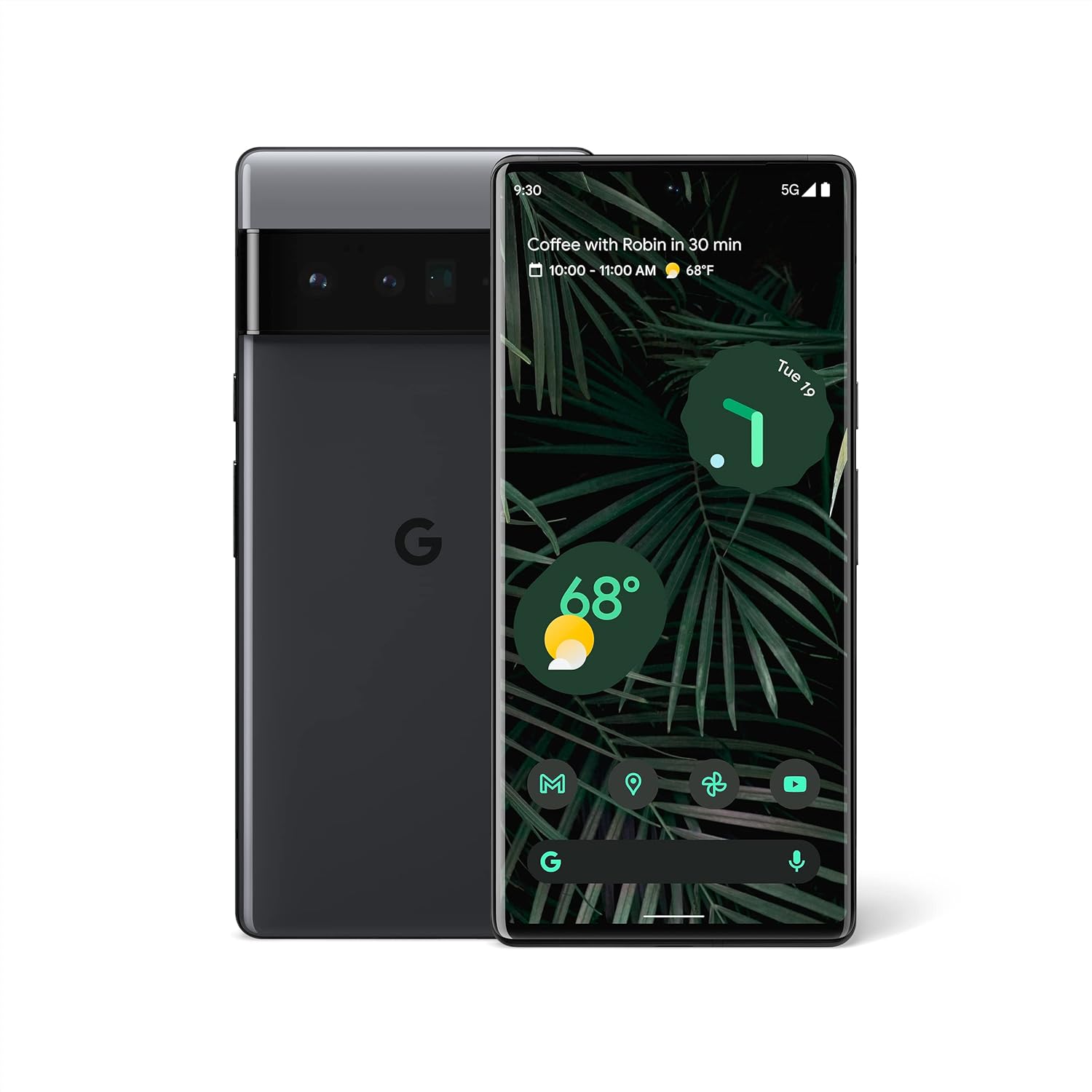
รูปที่ 1.1: ด้านหน้าและด้านหลัง view of the Google Pixel 6 Pro in Stormy Black. The front displays the home screen with time, weather, and app icons, while the back shows the distinctive camera bar and Google logo.
2. คู่มือการติดตั้ง
2.1 การแกะกล่องและการตรวจสอบเบื้องต้น
เมื่อเปิดบรรจุภัณฑ์ ให้แน่ใจว่ามีส่วนประกอบทั้งหมดครบถ้วน:
- โทรศัพท์มือถือ Google Pixel 6 Pro
- สาย USB-C ถึง USB-C
ตรวจสอบอุปกรณ์ว่าได้รับความเสียหายทางกายภาพหรือไม่ก่อนดำเนินการต่อ
2.2 การใส่ซิมการ์ด
- Locate the SIM card tray on the side of your Pixel 6 Pro.
- ใส่เครื่องมือถอดซิม (หรือคลิปหนีบกระดาษขนาดเล็ก) เข้าไปในรูเล็กๆ บนถาด แล้วกดเบาๆ จนกว่าถาดจะดีดออกมา
- วางซิมการ์ดนาโนลงในถาดโดยให้ด้านขั้วสัมผัสสีทองคว่ำลง และจัดมุมที่มีรอยบากให้ตรงกัน
- ค่อยๆ ดันถาดกลับเข้าไปในช่องจนกระทั่งล็อคเข้าที่
2.3 การเปิดเครื่องและการกำหนดค่าเริ่มต้น
- Press and hold the Power button (located on the right side) until the Google logo appears on the screen.
- ทำตามคำแนะนำบนหน้าจอเพื่อเลือกภาษา เชื่อมต่อกับเครือข่าย Wi-Fi และลงชื่อเข้าใช้ด้วยบัญชี Google ของคุณ
- คุณจะได้รับคำแนะนำในการตั้งค่าคุณสมบัติด้านความปลอดภัย เช่น การปลดล็อกด้วยลายนิ้วมือและการล็อกหน้าจอ
2.4 Transferring Data from Your Old Phone
The Pixel 6 Pro offers a seamless way to transfer your messages, contacts, photos, and other data from your previous device during the initial setup process. Use the provided USB-C cable and follow the on-screen instructions.

Figure 2.1: A Google Pixel 6 Pro connected via USB-C cable to another smartphone, illustrating the data transfer process. The Pixel's screen shows options to copy messages, contacts, photos, and other data.
3. Operating Your Pixel 6 Pro
3.1 คุณสมบัติการแสดงผล
The Pixel 6 Pro features a 6.7-inch LTPO QHD+ Smooth Display with a resolution of 1080 x 2340 pixels and a 120Hz refresh rate for fluid scrolling and responsiveness. The display is protected by Corning Gorilla Glass Victus for enhanced durability.
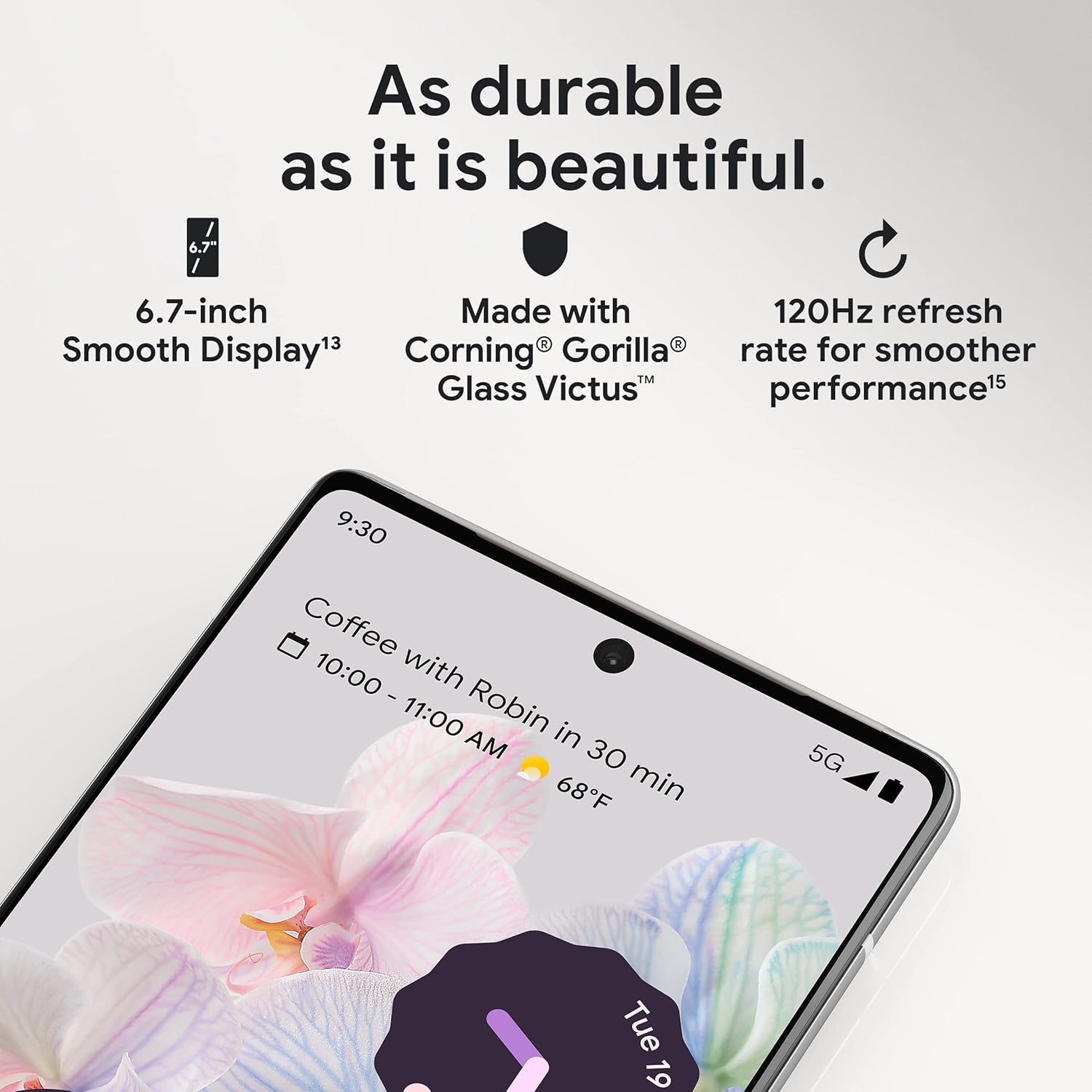
รูปที่ 3.1: ภาพระยะใกล้ view of the Pixel 6 Pro's display, highlighting its durability with Corning Gorilla Glass Victus and the smooth performance enabled by its 120Hz refresh rate.
3.2 ระบบกล้อง
The Pixel 6 Pro is equipped with an advanced camera system:
- 50 MP Wide Camera: Captures 150% more light for detailed photos.
- 48 MP Telephoto Camera: Offers 4x optical zoom for distant subjects.
- 12 MP Ultrawide Camera: For expansive landscape and group shots.
- กล้องหน้า: เพื่อการถ่ายเซลฟี่และวิดีโอคอลคุณภาพสูง
คุณสมบัติหลักของกล้องประกอบด้วย:
- ยางลบวิเศษ: Removes unwanted objects or people from your photos.
- โหมดการเคลื่อนไหว: Creates dynamic long-exposure shots.
- โหมดแนวตั้ง: Artfully blurs backgrounds for professional-looking portraits.

รูปที่ 3.2: แผนภาพภายใน view of the Pixel 6 Pro's camera array, detailing the 50 MP wide camera, 48 MP telephoto camera with 4x optical zoom, and 12 MP ultrawide camera.

Figure 3.3: Visual demonstrations of the Pixel 6 Pro's advanced camera tools: Magic Eraser removing background elements, Motion Mode capturing light trails, and Portrait Mode creating a blurred background effect.
3.3 การปฏิบัติงาน
The Pixel 6 Pro is powered by the custom-built Google Tensor processor, which provides a significant boost in performance compared to previous Pixel models. This chip enables advanced on-device AI capabilities and contributes to maximum battery efficiency.
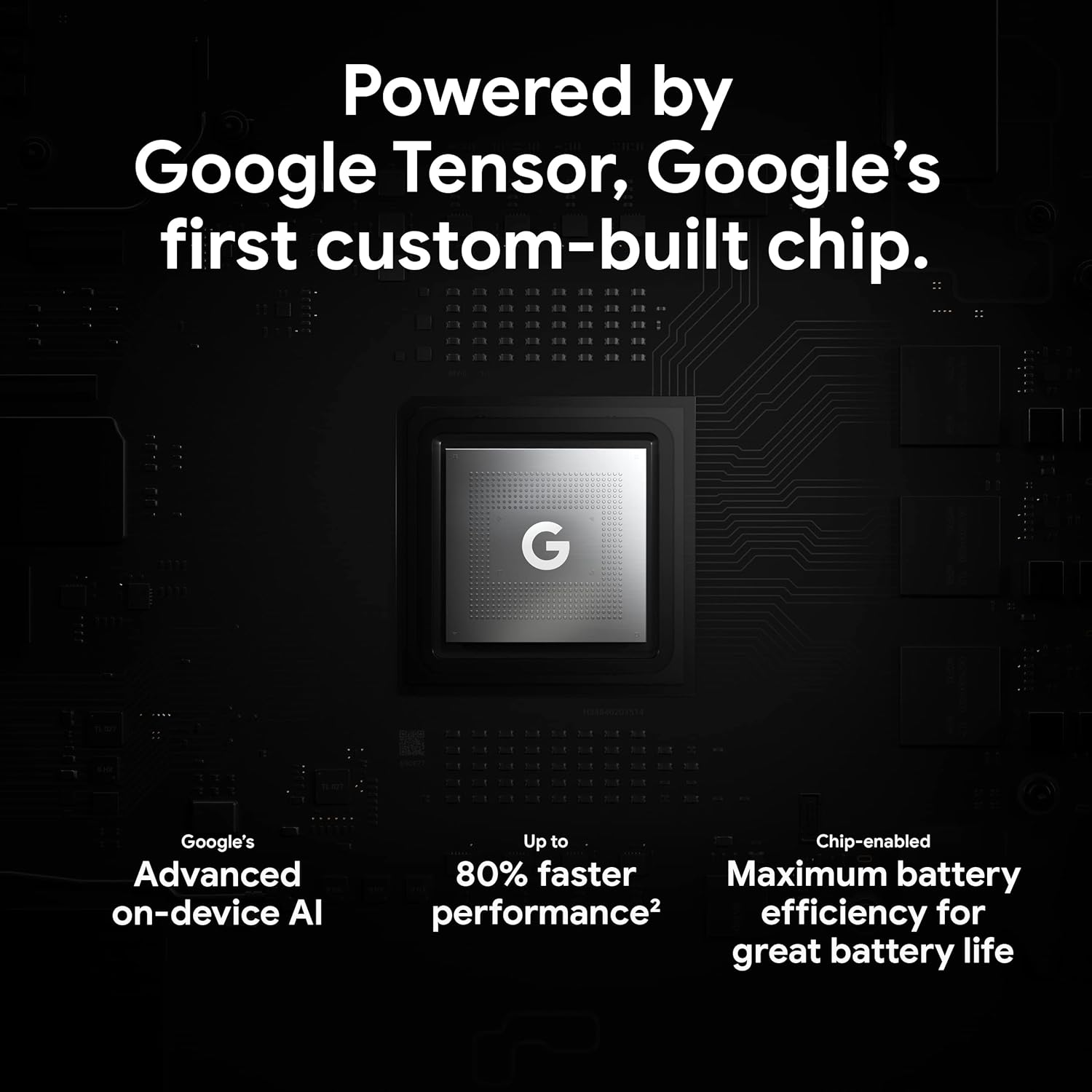
Figure 3.4: An illustration of the Google Tensor chip, highlighting its role in providing advanced on-device AI and up to 80% faster performance for improved battery efficiency.
3.4 คุณสมบัติด้านความปลอดภัย
Your Pixel 6 Pro is built with robust security:
- Titan M2™ chip: Provides next-generation hardware security.
- การอัปเดตด้านความปลอดภัย: Guaranteed 5 years of security updates to protect against threats.
- การป้องกันน้ำและฝุ่น IP68: Offers resistance against water and dust ingress.
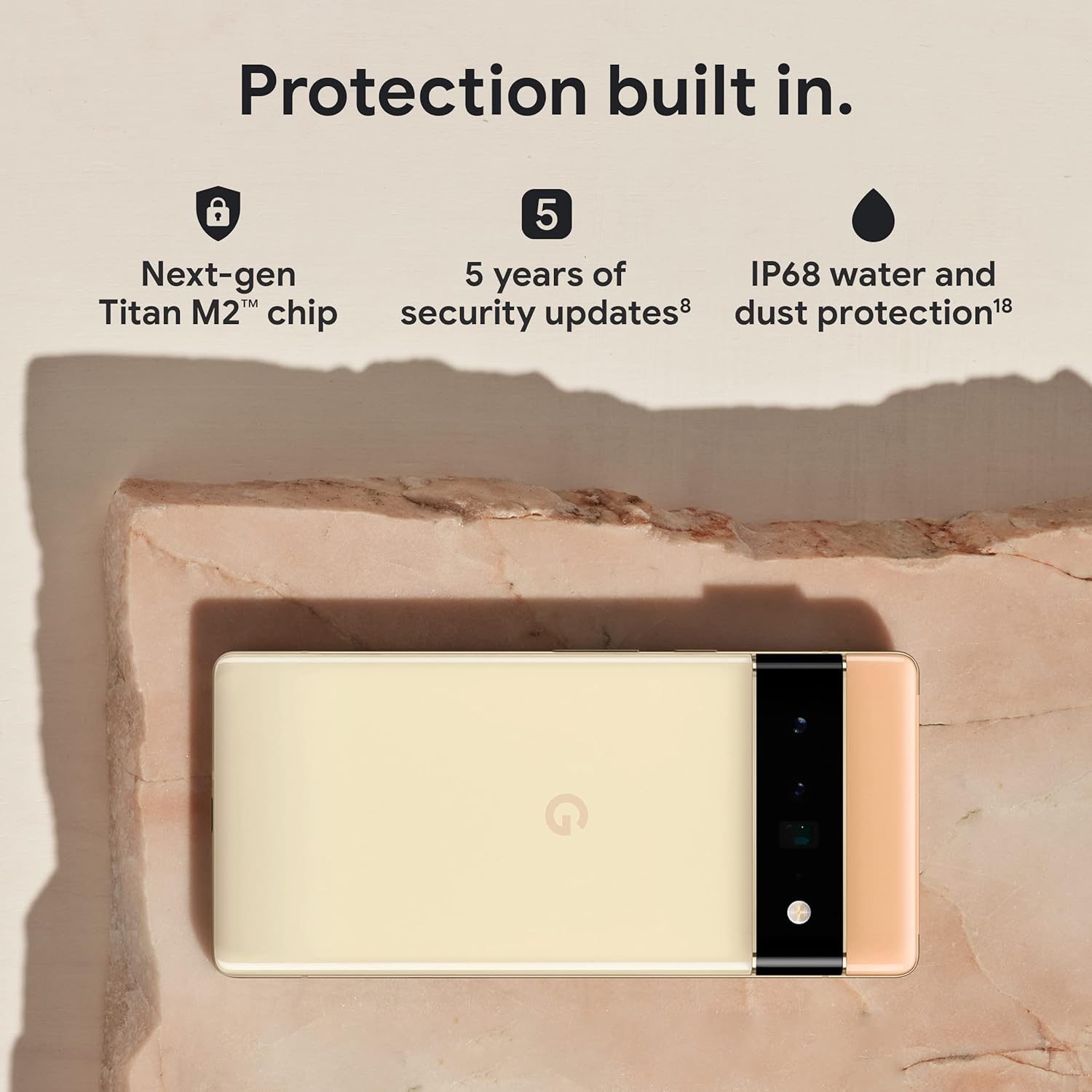
Figure 3.5: The Pixel 6 Pro shown alongside icons representing its built-in security features: the Titan M2 chip, 5 years of security updates, and IP68 water and dust protection.
3.5 แบตเตอรี่และการชาร์จ
The device is equipped with a large 5003 mAh battery. It supports fast wired charging (with a compatible 30W USB-C charger, sold separately) and adapts to your usage patterns to save power for frequently used applications, extending battery life beyond 24 hours.

รูปที่ 3.6: โอเวอร์เฮด view of a person using the Pixel 6 Pro, with icons illustrating the phone's battery capabilities: super-fast charging, power saving for frequently used apps, and extended battery life.
3.6 Software and User Interface
The Pixel 6 Pro runs on the Android 12 operating system, offering a modern and intuitive user interface. It includes features like Material You for personalized themes and enhanced privacy controls.
3.7 ความสามารถในการแปล
The device comes with Google Translate pre-installed, allowing you to translate private chats, messages, and live video captions in up to 55 languages directly on your phone.
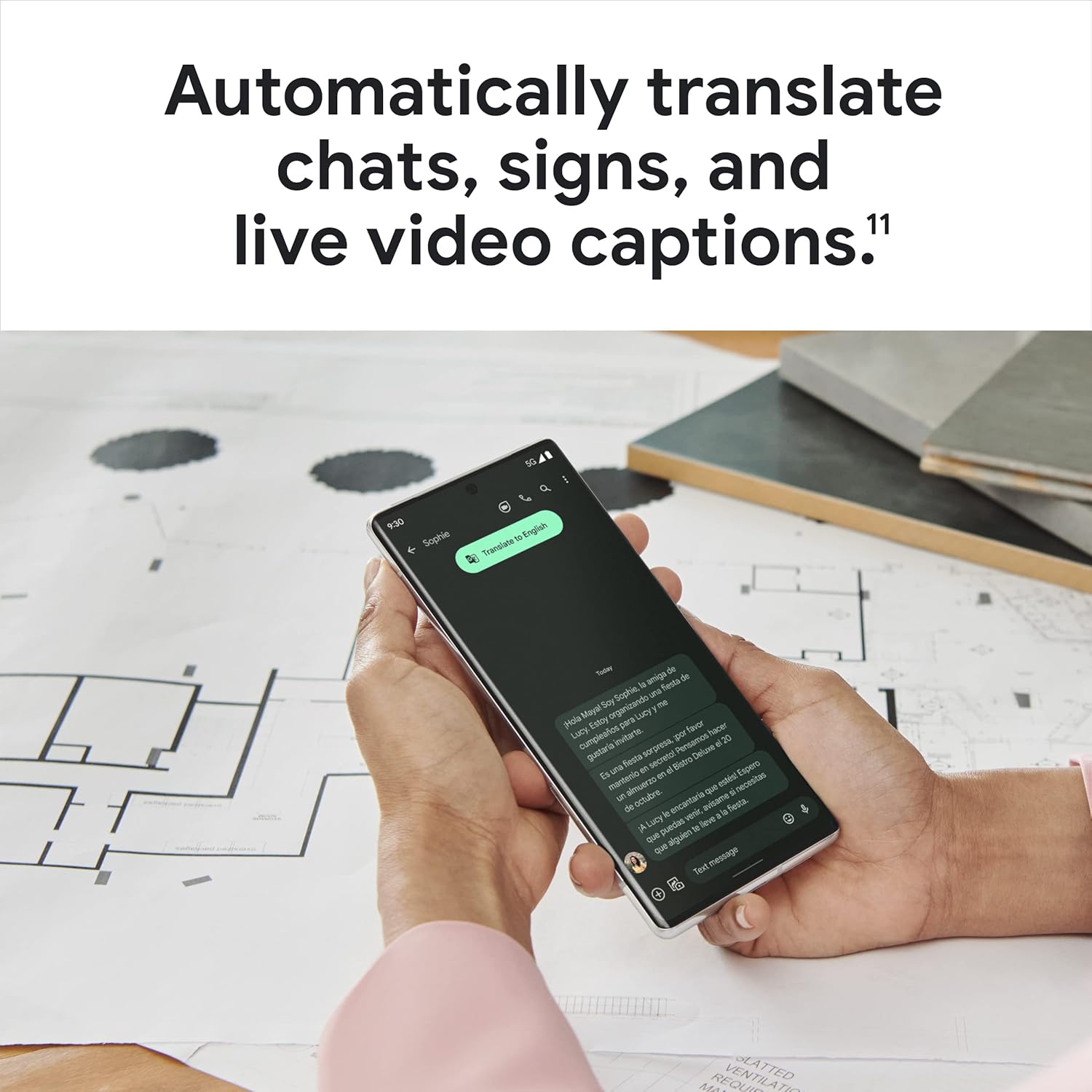
Figure 3.7: A user holding the Pixel 6 Pro, which displays a live translation of text on its screen, demonstrating the device's automatic translation capabilities for chats, signs, and live video captions.
3.8 การเชื่อมต่อ
The Pixel 6 Pro supports various connectivity options for seamless integration with other devices and services:
- ยูเอสบี: สำหรับการชาร์จและถ่ายโอนข้อมูล
- ไวไฟ : เพื่อการเข้าถึงอินเตอร์เน็ตแบบไร้สาย
- บลูทูธ: สำหรับเชื่อมต่ออุปกรณ์เสริมไร้สาย
- NFC: สำหรับการชำระเงินแบบไร้สัมผัสและการจับคู่ที่รวดเร็ว
4. การบำรุงรักษา
4.1 การดูแลทั่วไป
- Keep your device away from extreme temperatures, direct sunlight, and excessive moisture.
- Avoid dropping the phone or exposing it to strong impacts.
- Use a screen protector and a protective case to minimize damage from drops and scratches.
4.2 การทำความสะอาดอุปกรณ์ของคุณ
To clean your Pixel 6 Pro:
- ปิดเครื่องก่อนทำความสะอาด
- ใช้ผ้าเนื้อนุ่มที่ไม่เป็นขุย (เช่น ผ้าไมโครไฟเบอร์) เช็ดหน้าจอและตัวเครื่องเบา ๆ
- สำหรับรอยเปื้อนฝังแน่น ให้เช็ดออกเล็กน้อยampชุบผ้าด้วยน้ำหรือน้ำยาทำความสะอาดหน้าจอที่ออกแบบมาสำหรับอุปกรณ์อิเล็กทรอนิกส์โดยเฉพาะ หลีกเลี่ยงสารเคมีรุนแรงหรือวัสดุที่มีฤทธิ์กัดกร่อน
4.3 การอัปเดตซอฟต์แวร์
Regularly check for and install software updates. These updates often include performance improvements, new features, and critical security patches that keep your device running optimally and securely.
5 การแก้ไขปัญหา
5.1 อุปกรณ์ไม่เปิด
- ตรวจสอบแบตเตอรี่: Ensure the battery is charged. Connect the phone to a charger for at least 15-30 minutes.
- บังคับให้เริ่มใหม่: กดปุ่มเปิด/ปิดค้างไว้ประมาณ 30 วินาที
- Check Charger/Cable: Try a different charger and USB-C cable to rule out faulty accessories.
5.2 ปัญหาการเชื่อมต่อเครือข่าย
- Restart Phone: การรีสตาร์ทแบบง่ายๆ มักจะสามารถแก้ไขปัญหาเครือข่ายชั่วคราวได้
- สลับโหมดเครื่องบิน: Turn Airplane Mode on for a few seconds, then turn it off.
- ตรวจสอบซิมการ์ด: ตรวจสอบให้แน่ใจว่าใส่ซิมการ์ดอย่างถูกต้อง
- รีเซ็ตการตั้งค่าเครือข่าย: Go to Settings > System > Reset options > Reset Wi-Fi, mobile & Bluetooth. Note: This will erase saved Wi-Fi passwords.
5.3 แอปขัดข้องหรือหยุดทำงาน
- Force Close App: Swipe up from the bottom of the screen, find the problematic app, and swipe it away to close.
- Clear Cache/Data: Go to Settings > Apps > See all apps, select the app, then Storage & cache > Clear cache. If the issue persists, try Clear storage (this will delete app data).
- อัปเดตแอป: ตรวจสอบให้แน่ใจว่าแอปได้รับการอัปเดตเป็นเวอร์ชันล่าสุดจาก Google Play Store
- Restart Phone: A full device restart can often resolve app-related issues.
5.4 แบตเตอรี่หมดเร็ว
- Identify Usage: Go to Settings > Battery > Battery usage to see which apps are consuming the most power.
- ปรับความสว่างหน้าจอ: ลดความสว่างหน้าจอหรือเปิดใช้งานการปรับความสว่างอัตโนมัติ
- ปิดใช้งานคุณสมบัติที่ไม่ได้ใช้: Turn off Wi-Fi, Bluetooth, GPS, or NFC when not in use.
- การรีเฟรชแอปพื้นหลัง: Limit apps running in the background.
6. ข้อมูลจำเพาะ
| คุณสมบัติ | ข้อมูลจำเพาะ |
|---|---|
| ขนาดสินค้า | 6.45 x 2.98 x 0.35 นิ้ว |
| น้ำหนักสินค้า | 7.4 ออนซ์ |
| หมายเลขรุ่นสินค้า | GA03149 |
| ระบบปฏิบัติการ | แอนดรอยด์ 12.0 |
| แรม | 12GB |
| ความจุของหน่วยความจำ | 128GB |
| ขนาดหน้าจอ | 6.7 นิ้ว |
| ปณิธาน | 1080 x 2340 |
| อัตราการรีเฟรช | 120 เฮิรตซ์ |
| ความจุของแบตเตอรี่ | 5003 มิลลิแอมป์ |
| เวลาสนทนาทางโทรศัพท์ | 25.5 ชั่วโมง |
| เวลาในการชาร์จ | 119 minutes (with compatible 30W charger) |
| เทคโนโลยีการสื่อสารไร้สาย | บลูทูธ, เอ็นเอฟซี, ไวไฟ |
| เทคโนโลยีการเชื่อมต่อ | บลูทูธ, NFC, USB, Wi-Fi |
| คุณสมบัติพิเศษ | High-Refresh-Rate Screen, Wireless Charging, Fast Charging, Powerful Camera System with Magic Eraser and Deblurring, Custom Google Tensor Processor |
| สี | Stormy Black |
| อะไรอยู่ในกล่อง | Cell Phone, USB Cable |
7. การรับประกันและการสนับสนุน
For detailed warranty information and customer support, please refer to the official Google support website or the warranty card included with your purchase. Google provides comprehensive support resources, including FAQs, troubleshooting guides, and contact options for technical assistance.
Visit the official Google Support page: support.google.com/pixelphone


