1. สินค้าหมดview
The Candy Moderna CMGA20TNDB is a 20-liter microwave oven with an integrated grill function, designed for modern kitchens. It features a digital control panel, multiple power levels, and various cooking programs, including a dedicated Autoclean function for easy maintenance. This appliance is also compatible with the hOn App, providing access to additional recipes and cooking tips.
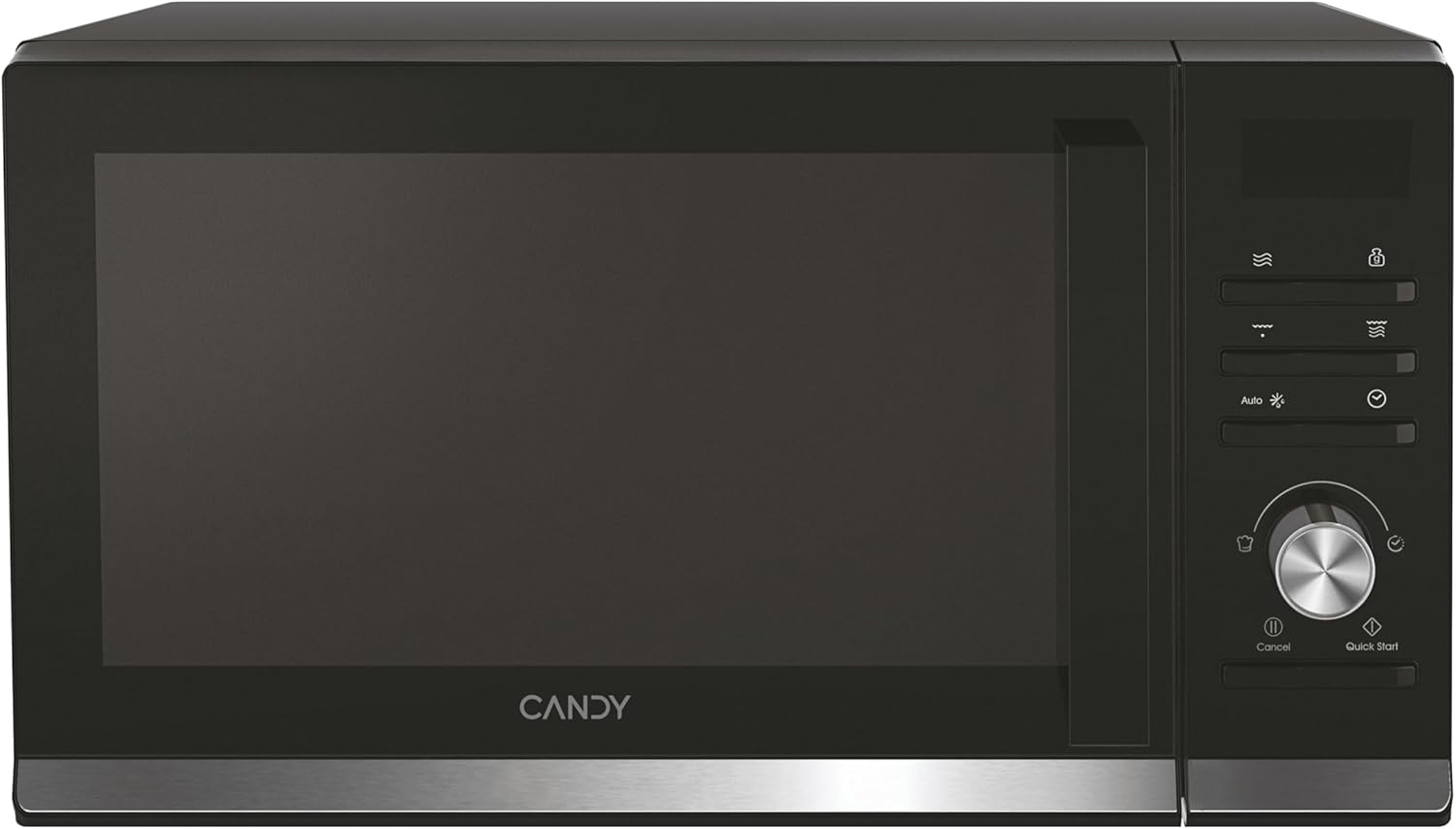
รูปที่ 1.1 : ด้านหน้า view of the Candy Moderna CMGA20TNDB Microwave with Grill, showcasinด้วยดีไซน์สีดำเพรียวบางและแผงควบคุมแบบดิจิทัล
2. การตั้งค่าและการติดตั้ง
Before operating your new microwave, ensure proper setup and installation to guarantee safe and efficient performance.
2.1 การแกะกล่อง
Carefully remove the microwave from its packaging. Retain all packaging materials for future transport or storage. Inspect the appliance for any signs of damage. If damage is found, do not use the microwave and contact customer support.
2.2 ส่วนประกอบที่รวมอยู่
- Microwave with Grill unit
- สายต่อสายไฟ
- คู่มือการใช้งาน (เอกสารนี้)
- 25.5 cm Glass Turntable
- ตะแกรงย่าง
2.3 การจัดวาง
The Candy Moderna CMGA20TNDB is a freestanding microwave. Place the microwave on a stable, flat surface that can support its weight (approximately 11.3 kg). Ensure there is adequate ventilation around the unit. Maintain a minimum clearance of 10 cm at the back, 15 cm on the sides, and 30 cm above the microwave for proper airflow and heat dissipation.

Figure 2.1: The microwave positioned on a kitchen counter, illustrating the recommended placement for optimal ventilation.
2.4 การเชื่อมต่อสายไฟ
Connect the power cable to a grounded 230 Volt AC outlet. Ensure the outlet is easily accessible. Do not use extension cords or adapters unless absolutely necessary, and ensure they are rated for the microwave's power requirements (700 watts microwave, 1250 watts grill).
3. คู่มือการใช้งาน
This section details the functions and operation of your Candy Moderna microwave.
3.1 แผงควบคุมโอเวอร์view
The microwave features an intuitive digital control panel with a display, function buttons, and a rotary knob for setting time and power levels.

รูปที่ 3.1: รายละเอียด view of the digital control panel, showing the display, function icons, and rotary knob.
3.2 การทำงานของไมโครเวฟขั้นพื้นฐาน
- วางอาหารไว้ในภาชนะที่ใช้กับไมโครเวฟได้บนจานหมุนกระจก
- ปิดประตูไมโครเวฟให้แน่น
- Select the desired power level (6 available levels) using the appropriate button or rotary knob.
- Set the cooking time using the rotary knob.
- กดปุ่ม Start เพื่อเริ่มทำอาหาร
3.3 ฟังก์ชั่นการย่าง
To use the grill function, place food on the provided grill rack. Select the grill function and set the desired cooking time. The grill function is ideal for browning and crisping food.
3.4 ฟังก์ชั่นละลายน้ำแข็ง
The microwave includes a defrost function. Select the defrost mode and input the weight of the food or the desired defrost time. The microwave will automatically adjust power levels for optimal defrosting.
โปรแกรมอัตโนมัติ 3.5 โปรแกรม
The microwave offers 8 pre-set automatic cooking programs for various food types. Refer to the display or the hOn App for a list of available programs and their usage.
3.6 ชั่วโมง การเชื่อมต่อแอป
Enhance your cooking experience by connecting your microwave to the hOn App. The app provides access to over 130 recipes, cooking tips, and additional functionalities. Download the hOn App from your device's app store and follow the in-app instructions for pairing.
3.7 ล็อคนิรภัย
The safety lock feature prevents unintended operation, especially useful in households with children. Consult the control panel instructions for activating and deactivating the safety lock.
4. การบำรุงรักษาและการทำความสะอาด
การทำความสะอาดและบำรุงรักษาอย่างสม่ำเสมอจะช่วยให้ไมโครเวฟของคุณมีอายุการใช้งานยาวนานและทำงานได้อย่างมีประสิทธิภาพสูงสุด
4.1 โปรแกรมทำความสะอาดอัตโนมัติ
The Autoclean program simplifies the cleaning process. Add a small amount of water to a microwave-safe bowl and place it inside. Activate the Autoclean function. The steam generated will loosen food residues and odors, making it easier to wipe the interior clean with a damp ผ้า.
4.2 การทำความสะอาดทั่วไป
- ถอดปลั๊กไมโครเวฟก่อนทำความสะอาดทุกครั้ง
- เช็ดพื้นผิวภายในและภายนอกด้วยน้ำยาอ่อนdamp ผ้าและผงซักฟอกอ่อนๆ หลีกเลี่ยงน้ำยาทำความสะอาดที่มีฤทธิ์กัดกร่อนหรือแผ่นขัด
- Clean the glass turntable and grill rack with warm, soapy water. They are typically dishwasher safe.
- Ensure the microwave is completely dry before plugging it back in and using it.
5 การแก้ไขปัญหา
If you encounter issues with your microwave, refer to the following common troubleshooting steps. For problems not listed here, contact customer support.
5.1 Microwave Not Starting
- ตรวจสอบให้แน่ใจว่าเสียบสายไฟเข้ากับเต้ารับไฟฟ้าอย่างแน่นหนา
- Check if the door is fully closed and latched. The microwave will not operate if the door is open.
- Verify that the safety lock is not activated.
- ตรวจสอบเบรกเกอร์หรือกล่องฟิวส์ในบ้านของคุณ
5.2 Food Not Heating Evenly
- Ensure the glass turntable is correctly placed and rotating freely.
- คนหรือพลิกอาหารเมื่อปรุงไปได้ครึ่งทางเพื่อให้ความร้อนกระจายทั่วถึงยิ่งขึ้น
- Use microwave-safe dishes that allow for proper heat distribution.
5.3 เสียงผิดปกติระหว่างการใช้งาน
- Ensure the turntable and turntable support are clean and correctly positioned.
- Check for any foreign objects inside the microwave cavity.
6. ข้อมูลจำเพาะ
| คุณสมบัติ | รายละเอียด |
|---|---|
| ยี่ห้อ | ลูกอม |
| หมายเลขรุ่น | CMGA20TNDB (8059019042022) |
| สี | สีดำ |
| ความจุ | 20 ลิตร |
| พลังงานไมโครเวฟ | 700 วัตต์ |
| กริลล์พาวเวอร์ | 1250 วัตต์ |
| เล่มที่tage | 230 โวลต์ |
| ขนาด (สูง x กว้าง x ลึก) | 26.2 x 45.2 x 35.7 ซม. |
| น้ำหนัก | 11.3 กก. |
| วัสดุ | สแตนเลส, แก้ว |
| ระดับเสียง | 44 เดซิเบล |
| คุณสมบัติพิเศษ | 8 Cooking Functions, hOn App, Autoclean, Defrost, Programmable, Safety Lock |
| ประเภทการติดตั้ง | อิสระ |
7. การรับประกันและการสนับสนุน
7.1 นโยบายการคืนสินค้า
This product is subject to a 30-day return policy for refund or replacement, as per the seller's terms (Amazon).
7.2 การสนับสนุนลูกค้า
For technical assistance, warranty claims, or further inquiries, please contact Candy customer support. You can also visit the official Candy brand store for more information and resources:
Visit the Candy Brand Store on Amazon
Please have your model number (CMGA20TNDB) and purchase details ready when contacting support.


