1. บทนำ
This manual provides comprehensive instructions for the setup, operation, and maintenance of your VTech CS2001 DECT 2 Handset Cordless Telephone system. Please read this manual thoroughly before using your new telephone to ensure proper functionality and to familiarize yourself with all features.

Image: The VTech CS2001 DECT 2 Handset Cordless Telephone system, showing one handset on its main base unit and a second handset on its auxiliary charging cradle. Both handsets feature a digital display and a standard telephone keypad.
2. การตั้งค่า
Follow these steps to set up your VTech CS2001 DECT Cordless Telephone system.
2.1 เนื้อหาบรรจุภัณฑ์
ตรวจสอบให้แน่ใจว่ามีส่วนประกอบทั้งหมดอยู่:
- 1 หน่วยฐาน
- อะแดปเตอร์ AC 2 ตัว
- 2 battery packs (NiMH)
- โทรศัพท์ไร้สาย 2 เครื่อง
- 2 chargers (for auxiliary handset)
- คู่มือเริ่มต้นอย่างรวดเร็ว
- สายโทรศัพท์
2.2 การติดตั้งและการชาร์จแบตเตอรี่
- เปิดฝาช่องใส่แบตเตอรี่ที่ด้านหลังของโทรศัพท์มือถือแต่ละเครื่อง
- Connect the battery pack connector securely into the socket inside the compartment.
- วางชุดแบตเตอรี่ลงในช่องใส่แบตเตอรี่
- ปิดฝาช่องใส่แบตเตอรี่
- Place each handset onto its respective base unit or charger. Ensure the "Charge" indicator on the base/charger illuminates.
- Allow the handsets to charge for at least 16 hours before initial use to ensure optimal battery performance.
2.3 การเชื่อมต่อหน่วยฐาน
- เชื่อมต่อปลายด้านหนึ่งของสายโทรศัพท์เข้ากับแจ็ค TEL LINE บนฐานยูนิต
- เชื่อมต่อปลายอีกด้านหนึ่งของสายโทรศัพท์เข้ากับช่องเสียบโทรศัพท์บนผนัง
- Connect the AC adaptor to the POWER jack on the base unit.
- เสียบอะแดปเตอร์ AC เข้ากับเต้ารับไฟฟ้ามาตรฐาน
- For the auxiliary charger, connect its AC adaptor to the charger and then to an electrical outlet.
บันทึก: Use only the supplied power adaptors and battery packs. Incorrect adaptors may damage the unit.
3. คู่มือการใช้งาน
3.1 การโทรออกและรับสาย
- การโทร: กด พูดคุย, then dial the number. Alternatively, dial the number first and then press พูดคุย.
- เพื่อรับสาย: เมื่อโทรศัพท์ดัง ให้กด พูดคุย.
- การสิ้นสุดการโทร: กด จบ หรือวางโทรศัพท์กลับลงบนฐาน/แท่นชาร์จ
3.2 ฟังก์ชันลำโพงสนทนา
The handsfree speakerphone allows you to converse without holding the handset.

Image: A VTech CS2001 handset is shown on a kitchen counter, with a person in the background engaged in an activity, illustrating the convenience of the handsfree speakerphone feature.
- เพื่อเปิดใช้งาน: ระหว่างการโทร ให้กด ลำโพงโทรศัพท์ button (usually marked with a speaker icon).
- วิธีปิดใช้งาน: กดปุ่ม ลำโพงโทรศัพท์ button again or lift the handset to switch back to normal mode.
3.3 อินเตอร์คอมและการโอนสาย
The two handsets can communicate with each other and transfer calls.
- อินเตอร์คอม: กดปุ่ม อินที button on one handset to call the other.
- โอนสาย: ระหว่างการโทรจากภายนอก ให้กด อินที, select the other handset, and once connected, press โอนย้าย.
4. คุณสมบัติหลัก
4.1 DECT Technology and Long Range
The VTech CS2001 utilizes DECT (Digital Enhanced Cordless Telecommunications) technology, ensuring clear sound quality and secure communication. It offers a reliable long operating range of up to 300 meters outdoors.

Image: A woman is shown talking on a VTech cordless phone in a spacious, modern home environment, with graphic elements illustrating the phone's reliable long-range capability.
4.2 Nuisance Call Blocker
This feature helps manage unwanted calls. You can block specific numbers or calls from unknown numbers. The system can store up to 30 blacklisted numbers. An option to block all calls during a programmable period is also available.
บันทึก: This feature requires a Caller Display service subscription from your network provider, which may be chargeable.

Image: A man is depicted relaxing on a sofa, reading a book, with a VTech CS2001 handset on a table beside him. A graphic overlay signifies the call blocker feature, promoting peace of mind from unwanted calls.
4.3 Phonebook Directory
Store up to 30 names and numbers in the phonebook directory. Entries added to one handset are automatically shared with the other.

Image: A VTech CS2001 handset is shown on its charging base, accompanied by a graphic representation of a phonebook list, highlighting the 30 name and number storage capacity.
4.4 การระบุหมายเลขผู้โทรและการรอสาย
The system records up to 20 names and numbers for Caller ID. It also supports Call Waiting functionality.
บันทึก: These features require a Caller Display service subscription from your network provider, which may be chargeable.
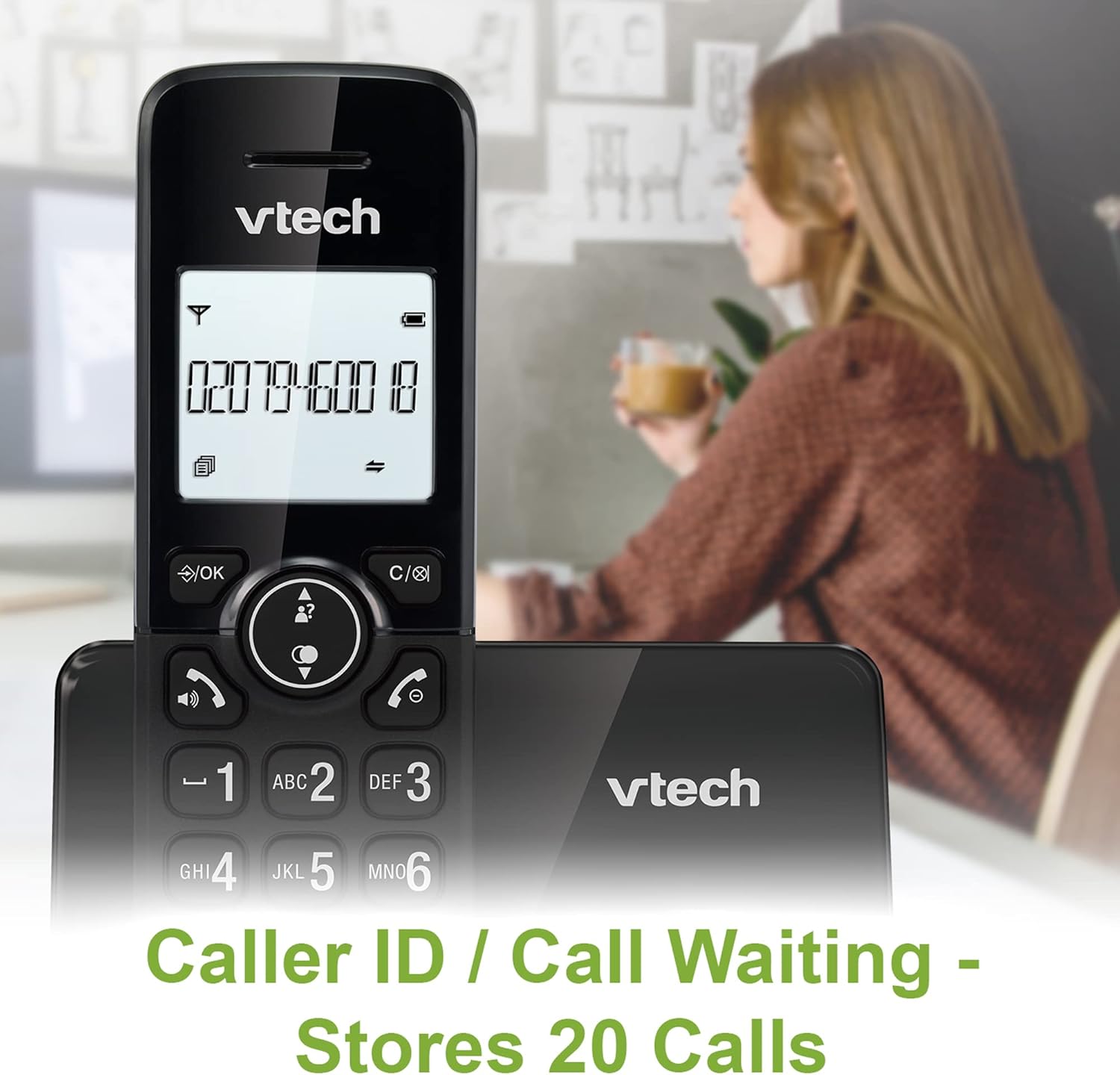
Image: A VTech CS2001 handset is positioned on its base, with its screen clearly displaying a phone number, illustrating the Caller ID feature. A person is visible in the blurred background.
4.5 1.8" Backlit Display
Each handset features a 1.8-inch backlit display, enhancing visibility and readability, especially in low-light conditions.

ภาพ: ภาพระยะใกล้ view of the VTech CS2001 handset's 1.8-inch backlit display, clearly showing the text "HANDSET 1", demonstrating its enhanced visibility.
4.6 Adjustable Ring Volume and Melody
Customize your phone experience by adjusting the ring volume and selecting from various melodies.

Image: A VTech CS2001 handset rests on a wooden table, with a graphic overlay highlighting the adjustable ring volume and melody features, allowing for personalized sound settings.
4.7 โหมด ECO
The handset automatically adjusts the radio frequency strength based on its distance from the base station, optimizing power consumption.
4.8 Alarm and Mute Function
The phone includes an alarm function and a mute feature for privacy during calls.

Image: A split image visually represents the alarm and mute functions. One side shows a woman exercising with an alarm clock icon, while the other shows a couple relaxing with a music note icon, symbolizing the phone's versatile features.
5. การบำรุงรักษา
- การทำความสะอาด: Wipe the handsets and base unit with a soft, damp cloth. Do not use cleaning sprays or abrasive cleaners.
- การดูแลแบตเตอรี่ Replace batteries when their performance significantly degrades. Use only NiMH battery packs specified for this model.
- สิ่งแวดล้อม: Keep the telephone away from heat sources, direct sunlight, and moisture.
6 การแก้ไขปัญหา
If you experience issues with your VTech CS2001, refer to the following common problems and solutions:
| ปัญหา | สารละลาย |
|---|---|
| ไม่มีเสียงสัญญาณโทรศัพท์ |
|
| โทรศัพท์ไม่ชาร์จ |
|
| คุณภาพเสียงไม่ดี / สัญญาณรบกวน |
|
| ไม่สามารถโทรออก/รับสายได้ |
|
7. ข้อมูลจำเพาะ
| คุณสมบัติ | รายละเอียด |
|---|---|
| ยี่ห้อ | VTech |
| แบบอย่าง | ซีเอส2001 |
| ประเภทโทรศัพท์ | ไร้สาย (DECT) |
| จำนวนเครื่อง | 2 |
| แสดง | 1.8" Backlit |
| ความจุสมุดโทรศัพท์ | 30 ชื่อและหมายเลข |
| Caller ID Records | 20 ชื่อและหมายเลข |
| Call Blocker Capacity | มากถึง 30 หมายเลข |
| โทรซ้ำหมายเลขล่าสุด | 10 บันทึก |
| แหล่งพลังงาน | Battery Powered (AC adaptors for base/chargers) |
| ประเภทแบตเตอรี่ | NiMH (2 AAA batteries per handset, included) |
| รองรับคลื่นวิทยุ | 1.9 กิกะเฮิรตซ์ (DECT) |
| ช่วงกลางแจ้ง | สูงถึง 300 เมตร |
| น้ำหนักสินค้า | 680 กรัม |
| สี | สีดำ |
8. การรับประกันและการสนับสนุน
สำหรับข้อมูลการรับประกันและการสนับสนุนทางเทคนิค โปรดดูเอกสารที่แนบมากับผลิตภัณฑ์ของคุณ หรือเยี่ยมชมเว็บไซต์อย่างเป็นทางการของ VTech webไซต์ โปรดเก็บใบเสร็จรับเงินไว้เป็นหลักฐานการซื้อ


