การแนะนำ
This manual provides detailed instructions for the installation, operation, and maintenance of your AXAGON ADSA-ST USB 3.0 Docking Station. This device is designed to connect 2.5" and 3.5" SATA SSDs and HDDs to your computer via a USB 3.0 interface, offering fast data transfer speeds.
โปรดอ่านคู่มือนี้อย่างละเอียดก่อนใช้งานผลิตภัณฑ์ เพื่อให้มั่นใจได้ว่าผลิตภัณฑ์ทำงานได้อย่างถูกต้องและป้องกันความเสียหาย
เนื้อหาแพ็คเกจ
ตรวจสอบว่ามีส่วนประกอบทั้งหมดอยู่ในแพ็คเกจ:
- AXAGON ADSA-ST Docking Station
- USB 3.0 Type-A to Micro-B cable
- อะแดปเตอร์แปลงไฟ
- คู่มือการใช้งาน (เอกสารนี้)

Image: The AXAGON ADSA-ST Docking Station shown alongside its retail packaging, illustrating the product and its box.
คุณสมบัติหลัก
- Supports 2.5" and 3.5" SATA I/II/III SSDs and HDDs.
- USB 3.0 (USB 3.2 Gen 1) interface with up to 5 Gbps transfer speed.
- SATA 6G (SATA III) support.
- UASP (USB Attached SCSI Protocol) support for enhanced performance.
- TRIM support for SSDs.
- HDD Auto Spindown function.
- LED indication for power and activity.
- Compact design with aluminum body.

ภาพ: ก. view of the AXAGON ADSA-ST Docking Station highlighting its 5 Gbps USB 3.2 Gen 1 speed and compact size.
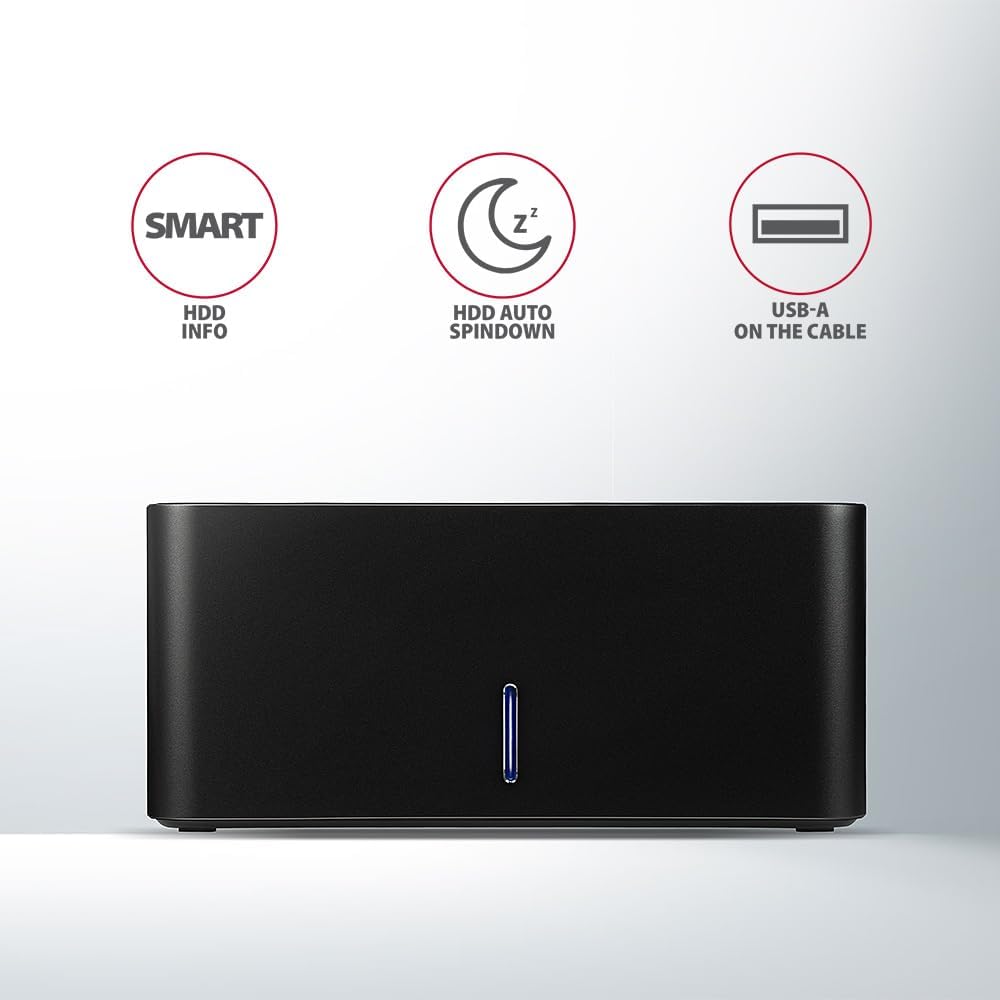
Image: The docking station from the front, indicating features like SMART HDD info, automatic HDD spindown, and USB-A connectivity.
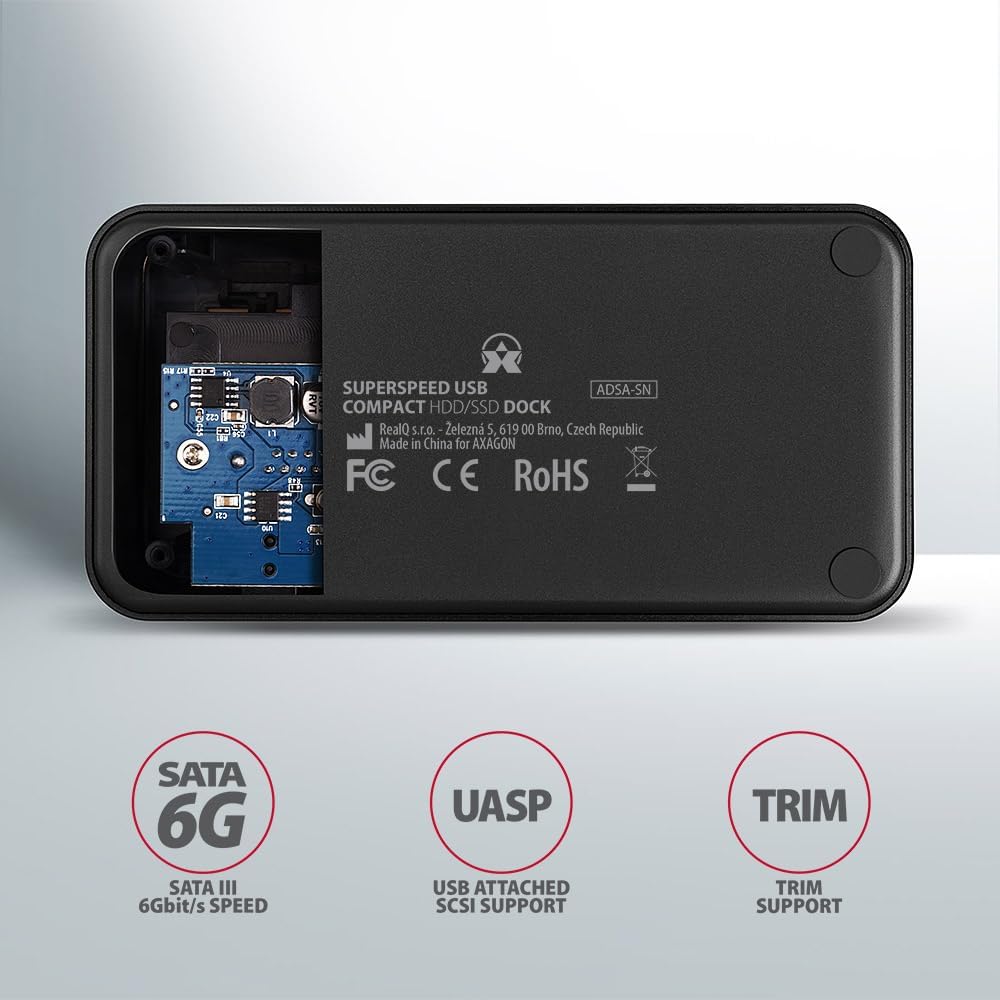
Image: The underside of the docking station, showing internal components and highlighting SATA 6G, UASP, and TRIM support.
คำแนะนำการตั้งค่า
- เชื่อมต่ออะแดปเตอร์ไฟ: Plug the included power adapter into the DC IN port on the back of the docking station and then into a power outlet.
- เชื่อมต่อกับคอมพิวเตอร์: Connect the USB 3.0 cable from the docking station's Micro-B port to an available USB 3.0 (or higher) port on your computer.
- ใส่ HDD/SSD:
- For 2.5" SSD/HDD: Gently slide the 2.5" drive into the slot until it connects firmly with the SATA connector.
- For 3.5" HDD: Gently slide the 3.5" drive into the slot until it connects firmly with the SATA connector.
Ensure the drive is inserted correctly with the SATA connector facing the correct direction. Do not force the drive.

Image: A 2.5-inch SSD being inserted into the docking station, demonstrating compatibility with smaller drives.
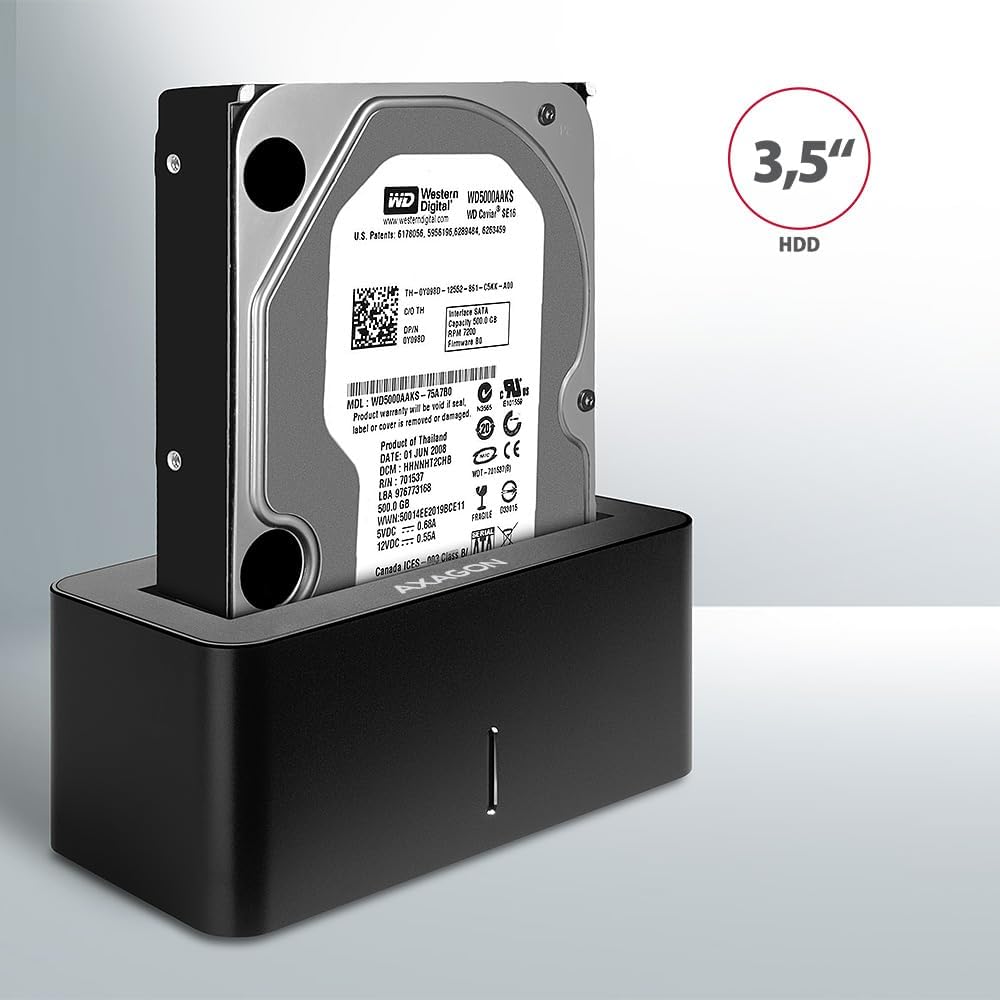
Image: A 3.5-inch HDD being inserted into the docking station, demonstrating compatibility with larger drives.
- เปิดเครื่อง: Press the power button located on the back of the docking station. The LED indicator on the front will illuminate.
Image: The rear panel of the docking station, showing the power button, USB Micro-B port, and power input for connection.
คำแนะนำการใช้งาน
Drive Recognition
Once powered on and connected, your operating system should automatically detect the inserted drive. If it's a new drive, you may need to initialize and format it through Disk Management (Windows) or Disk Utility (macOS) before it appears in File นักสำรวจ/ผู้ค้นหา
ไฟ LED แสดงสถานะ
The LED indicator on the front of the docking station provides status information:
- ของแข็งสีฟ้า: Power on, drive idle.
- ไฟกระพริบสีน้ำเงิน: Drive activity (reading or writing data).
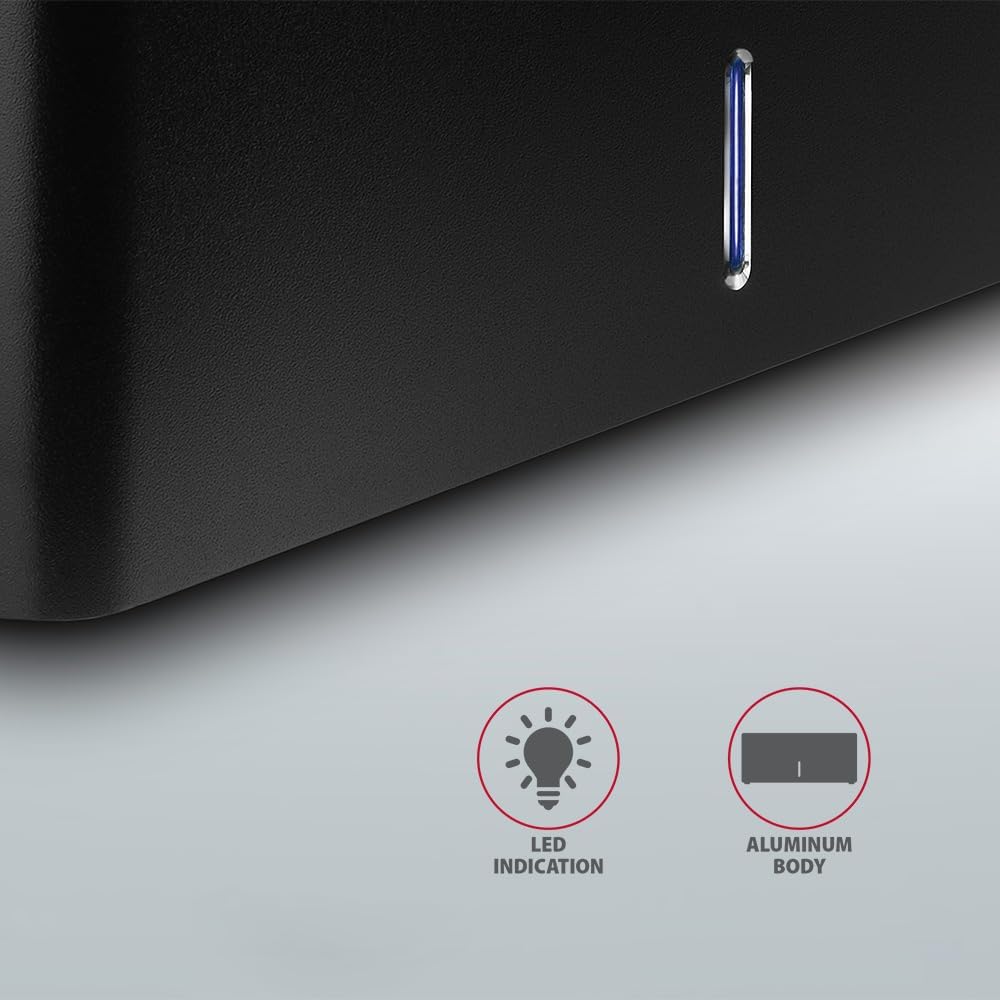
ภาพ: ภาพระยะใกล้ view of the docking station's front panel, highlighting the LED indicator light.
Removing a Drive
Before removing a drive, always safely eject it from your operating system to prevent data corruption. After ejection, gently pull the drive straight out of the docking station slot.
HDD Auto Spindown
The docking station supports automatic spindown of the HDD when it is idle for a certain period, conserving power and extending drive lifespan. This feature is managed by the operating system or the drive itself.
การซ่อมบำรุง
- รักษาความสะอาดของแท่นวางและกำจัดฝุ่น ใช้ผ้าแห้งนุ่มๆ ในการทำความสะอาด
- หลีกเลี่ยงการให้อุปกรณ์สัมผัสกับอุณหภูมิ ความชื้น หรือแสงแดดโดยตรง
- อย่าพยายามถอดประกอบหรือซ่อมแซมอุปกรณ์ด้วยตนเอง โปรดติดต่อช่างผู้ชำนาญการ
- ตรวจสอบให้แน่ใจว่ามีการระบายอากาศที่เหมาะสมบริเวณแท่นวางขณะใช้งาน
การแก้ไขปัญหา
- ไม่พบไดรฟ์:
- ตรวจสอบให้แน่ใจว่าได้เสียบอะแดปเตอร์แปลงไฟแน่นสนิทแล้ว และแท่นวางเปิดใช้งานอยู่
- ตรวจสอบให้แน่ใจว่าได้เสียบสาย USB เข้ากับแท่นวางและคอมพิวเตอร์อย่างถูกต้องแล้ว
- ลองใช้พอร์ต USB อื่นบนคอมพิวเตอร์ของคุณ
- Ensure the HDD/SSD is fully seated in the docking station's slot.
- Check Disk Management (Windows) or Disk Utility (macOS) to see if the drive is recognized but uninitialized/unformatted.
- Test with a different HDD/SSD to rule out a drive issue.
- ความเร็วในการถ่ายโอนช้า:
- Ensure the docking station is connected to a USB 3.0 (or higher) port on your computer. USB 2.0 ports will limit speeds.
- ตรวจสอบว่าระบบปฏิบัติการและไดรเวอร์ของคุณเป็นเวอร์ชันล่าสุดแล้ว
- The actual speed depends on the drive's performance and your computer's USB controller.
- Drive disconnects randomly:
- ตรวจสอบการเชื่อมต่อสายเคเบิลทั้งหมด
- ตรวจสอบให้แน่ใจว่าอะแดปเตอร์ไฟฟ้าจ่ายไฟได้เสถียร
- Disable USB power saving features in your computer's operating system settings.
ข้อมูลจำเพาะทางเทคนิค
| คุณสมบัติ | รายละเอียด |
|---|---|
| ยี่ห้อ | แอกซากอน |
| หมายเลขรุ่น | ADSA-SN |
| แพลตฟอร์มฮาร์ดแวร์ | PC |
| อุปกรณ์ที่รองรับ | แล็ปท็อป, คอมพิวเตอร์ตั้งโต๊ะ |
| ความเข้ากันได้ของไดรฟ์ | 2.5" / 3.5" SATA I/II/III SSD/HDD |
| อินเทอร์เฟซ | ยูเอสบี 3.0 (ยูเอสบี 3.2 เจนเนอเรชั่น 1) |
| อัตราการถ่ายโอนข้อมูล | Up to 5 Gbps (USB 3.0), 6 Gbps (SATA III) |
| พอร์ต USB รวม | 1 (Micro-B) |
| จำนวนช่องใส่ไดรฟ์ | 1 |
| สี | สีดำ |
| น้ำหนักสินค้า | 2.2 ปอนด์ (ประมาณ 1 กก.) |
| ขนาดแพ็คเกจ | 3.94 x 0.79 x 0.39 นิ้ว (ประมาณ 10 x 2 x 1 ซม.) |
| วันที่พร้อมใช้งานครั้งแรก | 30 มีนาคม 2021 |
การรับประกันและการสนับสนุน
สำหรับข้อมูลการรับประกันและการสนับสนุนทางเทคนิค โปรดดูที่เว็บไซต์อย่างเป็นทางการของ AXAGON webหรือติดต่อตัวแทนจำหน่ายในพื้นที่ของคุณ เก็บหลักฐานการซื้อไว้เพื่อใช้ในการเคลมประกัน


