การแนะนำ
The LC-dolida Sleep Mask with Bluetooth Headphones is designed to provide a comfortable and immersive audio experience while promoting restful sleep. It integrates a soft eye mask with built-in Bluetooth speakers, allowing users to listen to music, audiobooks, or white noise without external headphones. This manual provides detailed instructions for its proper use and maintenance.
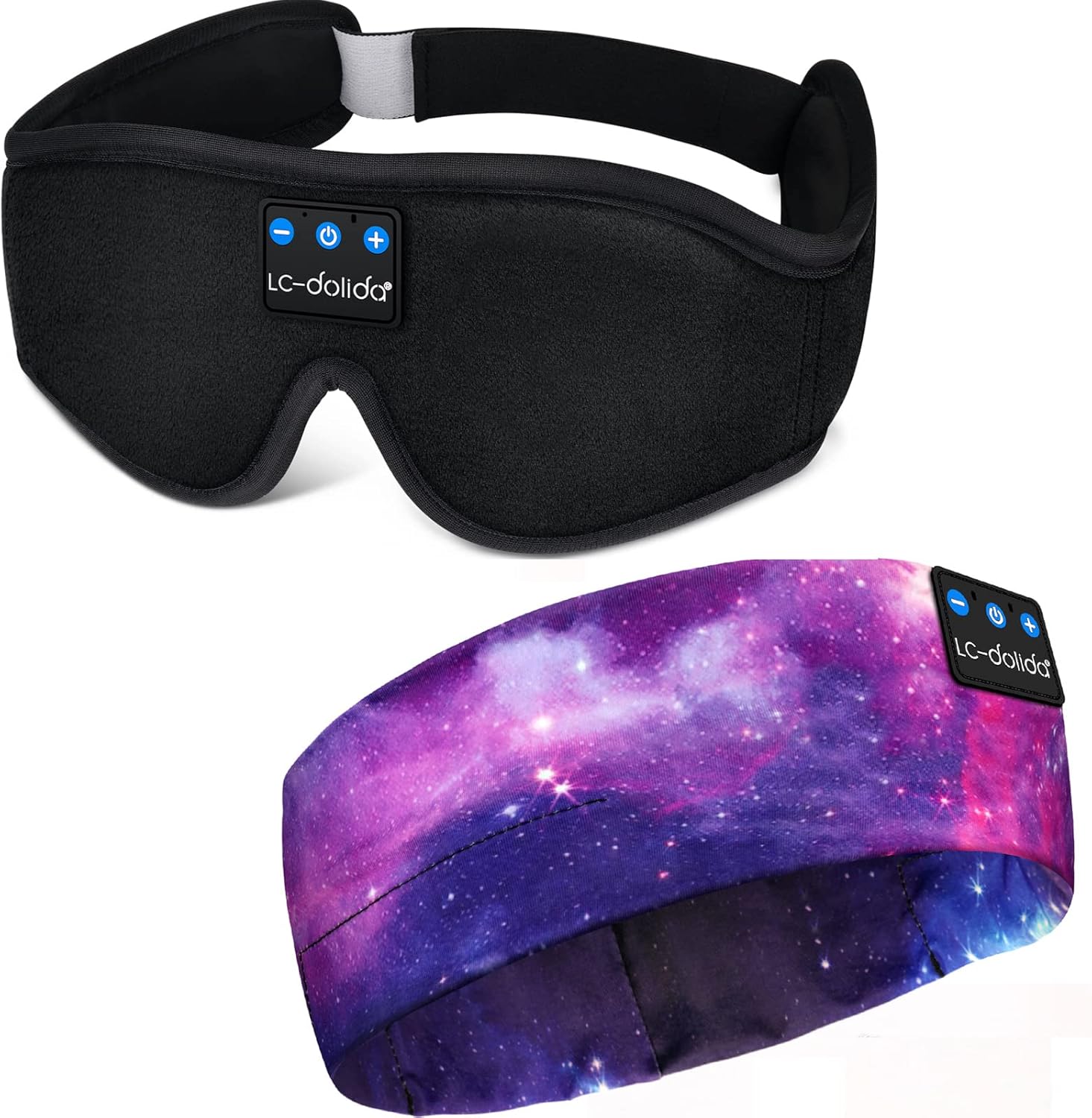
Image: The LC-dolida Sleep Mask with Bluetooth Headphones, featuring a black contoured design with integrated control panel.
คุณสมบัติผลิตภัณฑ์
- 3D Contour Design: Ergonomically shaped eye area provides zero pressure on the eyes, allowing free eye movement and solving tightness issues.
- บลูทูธ V5.2: Ensures stable connectivity and high-fidelity stereo sound for an immersive audio experience.
- อายุการใช้งานแบตเตอรี่ยาวนาน: Offers approximately 8-10 hours of playtime on a 1-2 hour charge, suitable for overnight use.
- Effective Light Blocking: Full coverage and a unique nose area design prevent light leakage, enhancing sleep quality.
- ผ้าที่สะดวกสบาย: Made from memory foam and super soft, skin-friendly, breathable material for comfort.
- การออกแบบล้างทำความสะอาดได้: The electronic module is removable, allowing the fabric mask to be cleaned.
- สายปรับได้: Designed to fit head sizes between 22.4 inches and 24.8 inches without tangling hair.

Image: Illustration highlighting the 3D contoured eye space for no pressure on eyes, 99% light blocking, and skin-friendly, breathable fabric.
การตั้งค่าและการเริ่มต้นใช้งาน
1. การชาร์จครั้งแรก
Upon first receiving the device, it is recommended to fully charge it. Connect the provided USB charging cable to the charging port on the control module and to a standard USB power source. The indicator light will show charging status. Charge for at least 20 minutes to activate the battery if the device does not power on initially.
2. การเปิด/ปิดเครื่อง
- การเปิดเครื่อง: Press and hold the Power button (ⓘ) on the control module for approximately 3 seconds until the indicator light flashes.
- วิธีปิดเครื่อง: Press and hold the Power button (ⓘ) for approximately 3 seconds until the indicator light turns off.
3. การจับคู่บลูทู ธ
- Ensure the sleep mask is powered off.
- Press and hold the Power button (ⓘ) for 5-7 seconds until the indicator light flashes red and blue alternately. This indicates pairing mode.
- บนสมาร์ทโฟนหรืออุปกรณ์ที่รองรับ Bluetooth ของคุณ ให้เปิดใช้งาน Bluetooth และค้นหาอุปกรณ์ที่มีอยู่
- Select "BT-FAAH" (or similar name) from the list of devices.
- Once paired, the indicator light on the sleep mask will flash blue slowly.
4. การปรับความพอดี
Place the sleep mask over your eyes and adjust the Velcro strap at the back of your head for a snug yet comfortable fit. Ensure the speakers inside the mask are aligned with your ears for optimal sound quality.

Image: A person wearing the sleep mask, illustrating its use during sleep and showing the integrated control panel on the forehead.
คำแนะนำการใช้งาน
ฟังก์ชั่นแผงควบคุม:
- ปุ่มเปิด/ปิด (ⓘ):
- กดค้างไว้ 3 วินาทีเพื่อเปิด/ปิดเครื่อง
- Press and hold for 5-7 seconds to enter Bluetooth pairing mode.
- Short press to Play/Pause music.
- Short press to Answer/End phone calls.
- Press and hold for 2 seconds to Reject an incoming call.
- ปุ่มเพิ่มเสียง / ปุ่มเล่นเพลงถัดไป (+):
- กดสั้นเพื่อเพิ่มระดับเสียง
- กดค้างเพื่อข้ามไปยังเพลงถัดไป
- ปุ่มลดเสียง / ปุ่มเล่นเพลงก่อนหน้า (-):
- กดสั้น ๆ เพื่อลดระดับเสียง
- กดค้างเพื่อไปยังเพลงก่อนหน้า
การปรับลำโพง
The internal speakers can be gently moved within the mask to better align with your ears for optimal sound clarity and comfort.
การซ่อมบำรุง
Cleaning the Sleep Mask
The fabric portion of the sleep mask is washable. To clean:
- Carefully remove the Bluetooth control module and speakers from the internal pouch of the mask.
- Hand wash the fabric mask with mild soap and cool water.
- Rinse thoroughly and allow to air dry completely before reinserting the electronic components.
- Ensure the electronic module is completely dry before reinserting and using.
การชาร์จไฟ
Charge the device using the provided USB cable. Avoid using damaged cables or chargers. Do not overcharge the device; disconnect once fully charged to prolong battery life.

ภาพ: รายละเอียด view showing the soft fabric of the mask, the adjustable Velcro strap, and the removable electronic module for cleaning.
การแก้ไขปัญหา
- อุปกรณ์จะไม่เปิด: Ensure the device is fully charged. If it's the first use or after a long period of inactivity, charge for at least 20 minutes to activate the battery.
- ไม่สามารถจับคู่กับอุปกรณ์บลูทูธได้:
- Ensure the sleep mask is in pairing mode (indicator light flashing red and blue alternately).
- Make sure Bluetooth is enabled on your source device.
- Move the sleep mask closer to your source device.
- Turn off and restart both the sleep mask and your source device.
- No sound or low sound:
- Check the volume level on both the sleep mask and your source device.
- Ensure the speakers are correctly positioned over your ears.
- Verify that the device is successfully paired and connected.
- การเชื่อมต่อไม่ต่อเนื่อง: Ensure there are no obstructions between the sleep mask and your source device. Avoid exceeding the typical Bluetooth range (approx. 10 meters).
ข้อมูลจำเพาะ
- แบบอย่าง: B09FY413HP
- ยี่ห้อ: LC-โดลิดา
- เวอร์ชันบลูทูธ: วี5.2
- วัสดุ: Memory Foam, Silk
- คุณสมบัติพิเศษ: Lightweight, Microphone, Sports-and-Exercise compatibility
- จำนวนหน่วย: 1 จำนวน
- Suitable Head Size: 22.4 in - 24.8 in
- เวลาในการชาร์จ: ประมาณ 1-2 ชั่วโมง
- เวลาเล่น: ประมาณ 8-10 ชั่วโมง
การรับประกันและการสนับสนุน
This LC-dolida Sleep Mask with Bluetooth Headphones comes with a รับประกัน 12 เดือน นับจากวันที่ซื้อ โปรดเก็บหลักฐานการซื้อไว้เพื่อใช้ในการเคลมประกัน
For further assistance or support, please refer to the contact information provided with your product packaging or visit the official LC-dolida webเว็บไซต์.


