1. บทนำ
This manual provides comprehensive instructions for the installation, operation, and maintenance of your Intel Core i7-12700K Gaming Desktop Processor. The Intel Core i7-12700K is a high-performance processor designed for gaming, content creation, and demanding multitasking, featuring Intel's performance hybrid architecture with 12 cores (8 Performance-cores + 4 Efficient-cores) and integrated Intel UHD 770 Graphics.
It is compatible with Intel 600 series and 700 series chipset-based motherboards and offers up to 5.0 GHz unlocked clock speed for enhanced performance.
เนื้อหาแพ็คเกจ:
- Intel Core i7-12700K Processor
- เอกสารประกอบ (คู่มือนี้, ข้อมูลการรับประกัน)
- Note: A CPU cooler is not included and must be purchased separately.

Figure 1.1: The retail packaging for the Intel Core i7-12700K processor, showcasing the product branding and model information.
2. ข้อมูลด้านความปลอดภัย
Please read and understand all safety precautions before installing or operating the processor. Failure to do so may result in personal injury or damage to your system components.
- การป้องกันไฟฟ้าสถิต (ESD): ควรจับที่ขอบของตัวประมวลผลเสมอ สวมสายรัดข้อมือป้องกันไฟฟ้าสถิต และทำงานบนแผ่นรองป้องกันไฟฟ้าสถิตเพื่อป้องกันความเสียหายจากไฟฟ้าสถิต (ESD)
- การตัดการเชื่อมต่อไฟฟ้า: Ensure your computer system is completely powered off and unplugged from the wall outlet before beginning any installation.
- ความเข้ากันได้ของส่วนประกอบ: Verify that your motherboard, RAM, and power supply are compatible with the Intel Core i7-12700K processor. Refer to your motherboard's manual for specific compatibility lists.
- การจัดการความร้อน: An adequate CPU cooler is essential for proper operation and longevity. Ensure the cooler is correctly installed and thermal paste is applied.
- การระบายอากาศ : Ensure your computer case has sufficient airflow to dissipate heat generated by the processor and other components.
3. การตั้งค่าและการติดตั้ง
This section guides you through the physical installation of the Intel Core i7-12700K processor into your motherboard.
3.1. Preparing Your Motherboard
- Unpack Motherboard: Carefully remove your motherboard from its packaging and place it on an anti-static surface.
- ค้นหาตำแหน่งซ็อกเก็ต CPU: Identify the LGA1700 CPU socket on your motherboard.
- คันโยกเปิดซ็อกเก็ต: Gently push down and away on the small metal lever next to the CPU socket to release it. Lift the load plate.
- ถอดฝาครอบป้องกันออก: The socket will have a plastic protective cover. Do not touch the pins inside the socket.
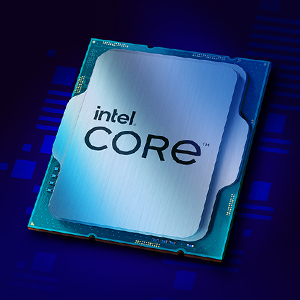
รูปที่ 3.1: ภาพระยะใกล้ view of the Intel Core i7 processor chip, showing its metallic surface and integrated components.
3.2 การติดตั้งโปรเซสเซอร์
- Handle Processor: Remove the Intel Core i7-12700K processor from its packaging, holding it only by the edges. Avoid touching the gold contacts on the underside or the top surface.
- ตัวประมวลผลการจัดเรียง: Align the two notches on the sides of the processor with the corresponding keys on the CPU socket. Ensure the small golden triangle on one corner of the processor aligns with the triangle on the socket.
- Gently Place: ค่อยๆ วางตัวประมวลผลลงในซ็อกเก็ตอย่างระมัดระวัง อย่าฝืนดัน ควรวางลงไปจนแนบสนิทโดยไม่มีแรงต้าน
- Close Socket: Lower the load plate back down over the processor. Push the metal lever back into its locked position. This will secure the processor firmly in place.
3.3. การติดตั้งตัวระบายความร้อน CPU
A CPU cooler is critical for dissipating heat from the processor. Follow the instructions provided with your specific CPU cooler for installation. General steps include:
- ใช้วางความร้อน: If your cooler does not have pre-applied thermal paste, apply a small amount (pea-sized dot) to the center of the processor's integrated heat spreader (IHS).
- ติดตั้งอุปกรณ์ระบายความร้อน: Carefully place the cooler onto the CPU, aligning it with the mounting holes or brackets on the motherboard.
- ตู้แช่เย็นที่ปลอดภัย: Fasten the cooler securely according to its manufacturer's instructions. Ensure even pressure is applied to prevent uneven thermal paste spread.
- เชื่อมต่อพัดลม: เชื่อมต่อสายพัดลมของตัวระบายความร้อน CPU เข้ากับหัวต่อ "CPU_FAN" บนเมนบอร์ดของคุณ
4. การใช้งานระบบของคุณ
Once the processor and cooler are installed, you can proceed with assembling the rest of your computer system and powering it on.
- การบูตครั้งแรก: หลังจากประกอบคอมพิวเตอร์เสร็จแล้ว ให้เชื่อมต่อจอภาพ คีย์บอร์ด และเมาส์ จากนั้นเปิดเครื่อง
- การตั้งค่า BIOS/UEFI: Access your motherboard's BIOS/UEFI settings (usually by pressing DEL or F2 during boot). Verify that the processor is recognized correctly. You may need to enable XMP/DOCP for your RAM.
- การติดตั้งระบบปฏิบัติการ: Install your preferred operating system (e.g., Windows 10/11, Linux).
- การติดตั้งไดร์เวอร์: ติดตั้งไดรเวอร์ชิปเซ็ตเวอร์ชั่นล่าสุดจากผู้ผลิตเมนบอร์ดของคุณ website and the latest graphics drivers for the integrated Intel UHD 770 Graphics from Intel's official webเว็บไซต์.
- การติดตามประสิทธิภาพการทำงาน: Utilize software tools (e.g., Intel Extreme Tuning Utility, HWMonitor) to monitor CPU temperatures and clock speeds to ensure optimal performance and stability.

รูปที่ 4.1: ตัวอย่างample of a multi-monitor setup, illustrating the capabilities of the Intel Core i7-12700K processor for gaming, streaming, and multitasking.
5. การบำรุงรักษา
Proper maintenance ensures the longevity and stable performance of your Intel Core i7-12700K processor.
- การกำจัดฝุ่น: ควรทำความสะอาดฝุ่นจากพัดลมระบายความร้อน CPU และพัดลมเคสเป็นประจำโดยใช้ลมเป่า ฝุ่นที่สะสมอาจขัดขวางการไหลเวียนของอากาศและทำให้อุณหภูมิสูงขึ้น
- การเปลี่ยนซิลิโคนระบายความร้อน: Consider replacing thermal paste every 2-3 years, or if you remove and re-install your CPU cooler, to maintain optimal thermal conductivity.
- การอัปเดตซอฟต์แวร์: Keep your operating system, motherboard BIOS/UEFI, and Intel drivers updated to benefit from performance improvements, security patches, and bug fixes.
- การตรวจสอบระบบ: Periodically check CPU temperatures and usage patterns. Unusual spikes or consistently high temperatures may indicate a cooling issue.
6 การแก้ไขปัญหา
ส่วนนี้จะกล่าวถึงปัญหาทั่วไปที่คุณอาจพบเจอเกี่ยวกับโปรเซสเซอร์ของคุณ
| ปัญหา | สาเหตุที่เป็นไปได้ | สารละลาย |
|---|---|---|
| ระบบไม่บูต / ไม่มีภาพแสดงผล | CPU not seated correctly, power cables loose, incompatible RAM/motherboard. | Re-seat CPU, check all power connections (24-pin ATX, 8-pin CPU), verify RAM and motherboard compatibility. |
| อุณหภูมิ CPU สูง | การติดตั้งพัดลมระบายความร้อนไม่ถูกต้อง การใช้ซิลิโคนระบายความร้อนไม่เพียงพอ การระบายอากาศภายในเคสไม่ดี | Ensure cooler is securely mounted, re-apply thermal paste, improve case ventilation. |
| ระบบล่มหรือค้าง | Overheating, unstable overclock, outdated drivers, faulty RAM. | Monitor temperatures, reset BIOS to default, update drivers, test RAM with diagnostic tools. |
| Poor performance in applications/games | Outdated drivers, background processes, power settings, thermal throttling. | Update drivers, close unnecessary background apps, set Windows power plan to "High Performance", check temperatures. |
7. ข้อมูลจำเพาะ
Detailed technical specifications for the Intel Core i7-12700K processor:
- ความถี่พื้นฐานของโปรเซสเซอร์: 3.6 กิกะเฮิรตซ์
- Max Turbo Frequency: สูงสุด 5.0 GHz
- แกนทั้งหมด: 12 (8 คอร์ประสิทธิภาพสูง, 4 คอร์ประหยัดพลังงาน)
- Total Threads: 20
- กราฟิกโปรเซสเซอร์: กราฟิก Intel UHD 770
- Graphics Base Frequency: 300 เมกะเฮิรตซ์
- Graphics Max Dynamic Frequency: 1.45 กิกะเฮิรตซ์
- แคช: แคชอัจฉริยะ Intel 25 MB
- อัตราผลตอบแทนจากการลงทุน: 125W (Processor Base Power)
- Max Turbo Power: 190วัตต์
- ซ็อกเก็ต: LGA1700
- ประเภทหน่วยความจำ: Up to DDR5 4800 MT/s, DDR4 3200 MT/s
- Max Memory Size: 128GB
- PCI Express Revision: 5.0 และ 4.0
- การกำหนดค่า PCI Express: Up to 1x16+4, 2x8+4
- Intel Optane Memory Supported: ใช่
- Intel Thermal Velocity Boost: เลขที่
- Intel Turbo Boost Max Technology 3.0: ใช่
- เทคโนโลยี Intel Hyper Threading: ใช่
- เทคโนโลยีเสมือนจริงของ Intel (VT-x): ใช่
- Intel VT-d for Directed I/O (VT-d): ใช่
- คำแนะนำใหม่ของ Intel AES: ใช่
- ขนาดสินค้า : 4.57 x 1.73 x 3.98 นิ้ว
- น้ำหนักสินค้า: 2.82 ออนซ์
8. การรับประกันและการสนับสนุน
Intel provides a limited warranty for its processors. For detailed warranty terms and conditions, please refer to the official Intel webเว็บไซต์หรือบัตรรับประกันที่รวมอยู่ในผลิตภัณฑ์ของคุณ
- ระยะเวลารับประกัน: Typically 3 years from the date of purchase for boxed processors.
- การเรียกร้องการรับประกัน: Contact Intel Customer Support or your point of purchase for warranty service.
- การสนับสนุนด้านเทคนิค: For technical assistance, driver downloads, and troubleshooting guides, visit the official Intel Support webเว็บไซต์: www.intel.com/support
- Product Compatibility Tool: To find compatible motherboards and other related information, use the Intel Product Compatibility Tool: เครื่องมือความเข้ากันได้ของผลิตภัณฑ์ Intel


