1. บทนำ
This manual provides detailed instructions for setting up, operating, and maintaining your Tenda Nova MX6 AX1800 Whole Home Mesh WiFi 6 System. This system is designed to provide extensive and stable Wi-Fi coverage throughout your home, eliminating dead zones and supporting numerous connected devices with high-speed Wi-Fi 6 technology.
2. เนื้อหาบรรจุภัณฑ์
โปรดตรวจสอบว่าสินค้าทั้งหมดมีอยู่ในแพ็คเกจของคุณ:
- Customer manual
- MX6 Mesh x 3 units
- อะแดปเตอร์แปลงไฟ x 3
- RJ45 Gigabit Ethernet cable x 1
3. สินค้าหมดview
The Tenda Nova MX6 units are compact, white, and designed for discreet placement. Each unit features multiple Gigabit Ethernet ports for wired connections and internal antennas for optimal wireless performance.

Figure 1: Three Tenda Nova MX6 mesh units, showcasing their design and compact form factor.

รูปที่ 2: ด้านหลัง view of a Tenda Nova MX6 unit, highlighting the three Gigabit Ethernet ports for wired connections.
4. คุณสมบัติหลัก
- Super-Fast Wi-Fi 6 Mesh: The MX6 system utilizes dual-band WiFi 6 (802.11ax) for speeds up to 1775Mbps, enhanced by a 1.5GHz Quad-Core Broadcom high-performance processor for a responsive and stable distributed mesh network.
- ครอบคลุมอย่างกว้างขวาง: Provides up to 6,000 sq.ft. of whole-home coverage, effectively eliminating Wi-Fi dead zones and offering a faster, more stable Wi-Fi mesh network.
- การโรมมิ่งแบบไร้รอยต่อ: All units work together under a single network name and password, ensuring that Wi-Fi enabled devices automatically connect to the strongest access point node as you move around your home.
- High Capacity & Flexibility: Powered by MU-MIMO and OFDMA technology, the AX1800 Dual Band Nova Mesh Wi-Fi system supports over 160 devices with a lag-free experience.
- Secure Wi-Fi Mesh Network: Utilizes WPA3 encryption to protect your network and connected devices from unauthorized access. A guest network feature is available for visitors, safeguarding your privacy.

Figure 3: The 1.5GHz Quad-Core Broadcom CPU ensures powerful processing and ultra-low latency for the mesh system.

Figure 4: A set of three Nova units can cover up to 6,000 sq.ft., providing comprehensive Wi-Fi throughout a home.

Figure 5: Seamless roaming ensures uninterrupted connectivity as users move between different areas of the home.

Figure 6: The system supports over 160 connected devices, providing a faster and smoother experience for various online activities.
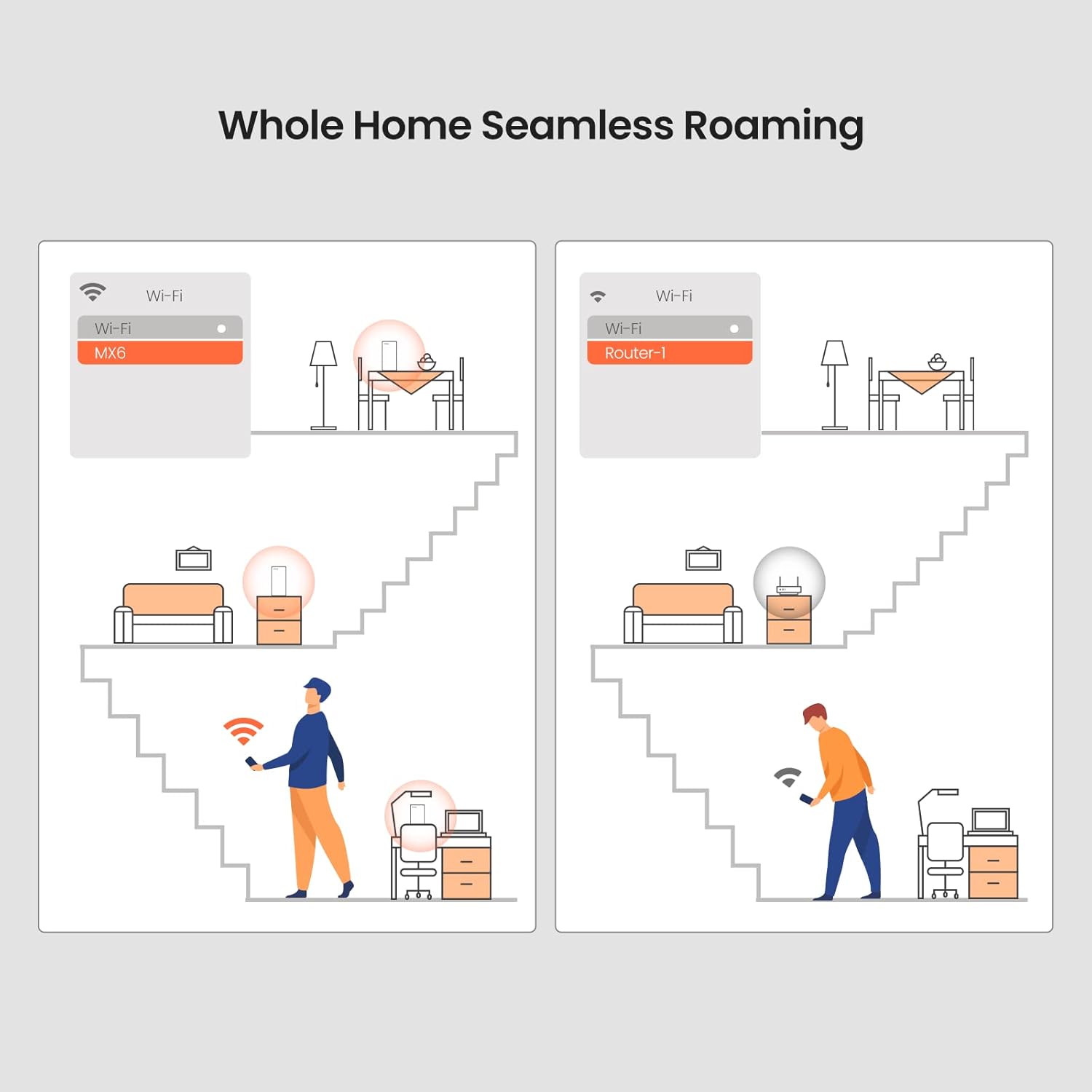
Figure 7: WPA3 provides a new level of cyber security for your mesh network, protecting your data and devices.
5. การตั้งค่า
Setting up your Tenda Nova MX6 system is designed to be quick and straightforward:
- Download the Tenda Wi-Fi App: ค้นหา 'Tenda Wi-Fi' in your mobile app store and install it.
- เชื่อมต่อหน่วยหลัก: Connect one MX6 unit to your modem using the provided Ethernet cable. Power on the unit.
- การกำหนดค่าเริ่มต้น: Follow the on-screen instructions in the Tenda Wi-Fi App to set up your primary mesh unit and create your Wi-Fi network.
- เพิ่มหน่วยเพิ่มเติม: Place the other MX6 units in desired locations within your home. Power them on. They will automatically connect to the main unit to form a seamless mesh network. A new node can also be added to existing Nova networks with the push of the Mesh button.

Figure 8: Easy setup and remote management are available through the Tenda Wi-Fi App or Web GUI
Video 1: An official product video demonstrating the features and setup of the Tenda Nova MX6 WiFi 6 Mesh Whole Home WiFi System.
6. การใช้งานระบบ Mesh
6.1 การโรมมิ่งแบบไร้รอยต่อ
The Tenda Nova MX6 system ensures that your devices automatically switch to the strongest Wi-Fi signal as you move around your home, providing a continuous and stable connection without manual intervention.
6.2 การควบคุมโดยผู้ปกครอง
Manage your children's online time and supervise content through the Tenda Wi-Fi App or Web GUI. This feature allows you to set schedules for internet access and filter inappropriate content.
6.3 เครือข่ายแขก
Create a separate guest network for visitors. This isolates your main network, enhancing security and privacy. You can easily set up guest access, online period time, and speed limits via the smartphone app.
6.4 Amazon Alexa Integration
The Tenda Nova MX6 system is compatible with Amazon Alexa, allowing you to control certain network functions using voice commands. For example, you can ask Alexa to turn on or off the guest network.

Figure 9: The Tenda Nova MX6 works with Amazon Alexa, enabling voice control for network features like parental controls.
7. การบำรุงรักษา
7.1 อัพเกรดเฟิร์มแวร์
Regularly check for and install firmware upgrades through the Tenda Wi-Fi App or Web GUI เพื่อให้มั่นใจได้ถึงประสิทธิภาพ ความปลอดภัย และการเข้าถึงคุณสมบัติใหม่ๆ อย่างเหมาะสม
7.2 Auto System Maintenance
The system includes an auto system maintenance feature to help keep your network running smoothly. Refer to the app settings for configuration options.
8 การแก้ไขปัญหา
If you encounter any issues with your Tenda Nova MX6 system, consider the following basic troubleshooting steps:
- ไม่มีการเชื่อมต่ออินเทอร์เน็ต: Verify that your modem is working correctly and that the main MX6 unit is properly connected to it. Check the status indicator lights on the MX6 units.
- สัญญาณอ่อน หรือ บริเวณอับสัญญาณ: Ensure that the MX6 units are placed optimally, avoiding obstructions and maintaining a reasonable distance from each other. Adding more units may be necessary for very large homes.
- ปัญหาการเชื่อมต่ออุปกรณ์: Restart the problematic device and try reconnecting to the Wi-Fi network. Ensure the device's Wi-Fi adapter supports Wi-Fi 6 for optimal performance.
- แอพหรือ Web การเข้าถึง GUI: If you cannot access the Tenda Wi-Fi App or Web GUI, ensure your device is connected to the Nova MX6 network and try restarting the app or browser.
For more complex issues or persistent problems, please contact Tenda's professional support team.
9. ข้อมูลจำเพาะ
| คุณสมบัติ | ข้อมูลจำเพาะ |
|---|---|
| ประเภทไร้สาย | 802.11ax (ไวไฟ 6) |
| ยี่ห้อ | เทนด้า |
| หมายเลขรุ่น | เอ็มเอ็กซ์6 |
| น้ำหนักสินค้า | 4.11 ปอนด์ |
| ขนาดสินค้า กxยxส | ขนาด 3.35 x 0.01 นิ้ว |
| สี | สีขาว |
| คุณสมบัติพิเศษ | ดับบลิวพีเอส |
| ระดับย่านความถี่ | ดูอัลแบนด์ |
| อุปกรณ์ที่รองรับ | All WiFi Enabled Devices |
| การใช้งานที่แนะนำสำหรับผลิตภัณฑ์ | บ้าน |
| เทคโนโลยีการเชื่อมต่อ | อีเธอร์เน็ต, Wi-Fi 6 |
| ประเภทเสาอากาศ | ภายใน |
10. การรับประกันและการสนับสนุน
Tenda offers a 3-year warranty for its mesh Wi-Fi products. For any technical issues or inquiries, please feel free to contact Tenda's professional support team via the Amazon Message Center. A satisfactory solution is promised.


