MARKLIFE Label Maker Machine User Manual
Model: P50 | Brand: MARKLIFE
สินค้าเกินview
The MARKLIFE P50 Label Maker is a mini portable Bluetooth thermal label printer designed for various labeling needs in homes, offices, and small businesses. It utilizes thermal printing technology, eliminating the need for ink or toner, and supports black and white printing.
คุณสมบัติที่สำคัญ ได้แก่:
- การประยุกต์ใช้ที่กว้าง: Supports label widths from 0.59'' to 2.24'', suitable for address, clothing, price, cable, jewelry, and ingredient labels.
- ไร้สายและพกพา: Lightweight design with Bluetooth 4.0 connectivity for convenient, smooth, and fast printing from smartphones (Android & iOS) within 33 feet.
- Smart Printing Features: Offers voice and image recognition, barcode generation from scans, PDF batch printing, and the ability to print photos on labels. USB connection and online software are available for Windows PC.
- ฉลากทนทาน: Labels are designed to be tear-proof, watertight, and oil-proof, ensuring longevity.
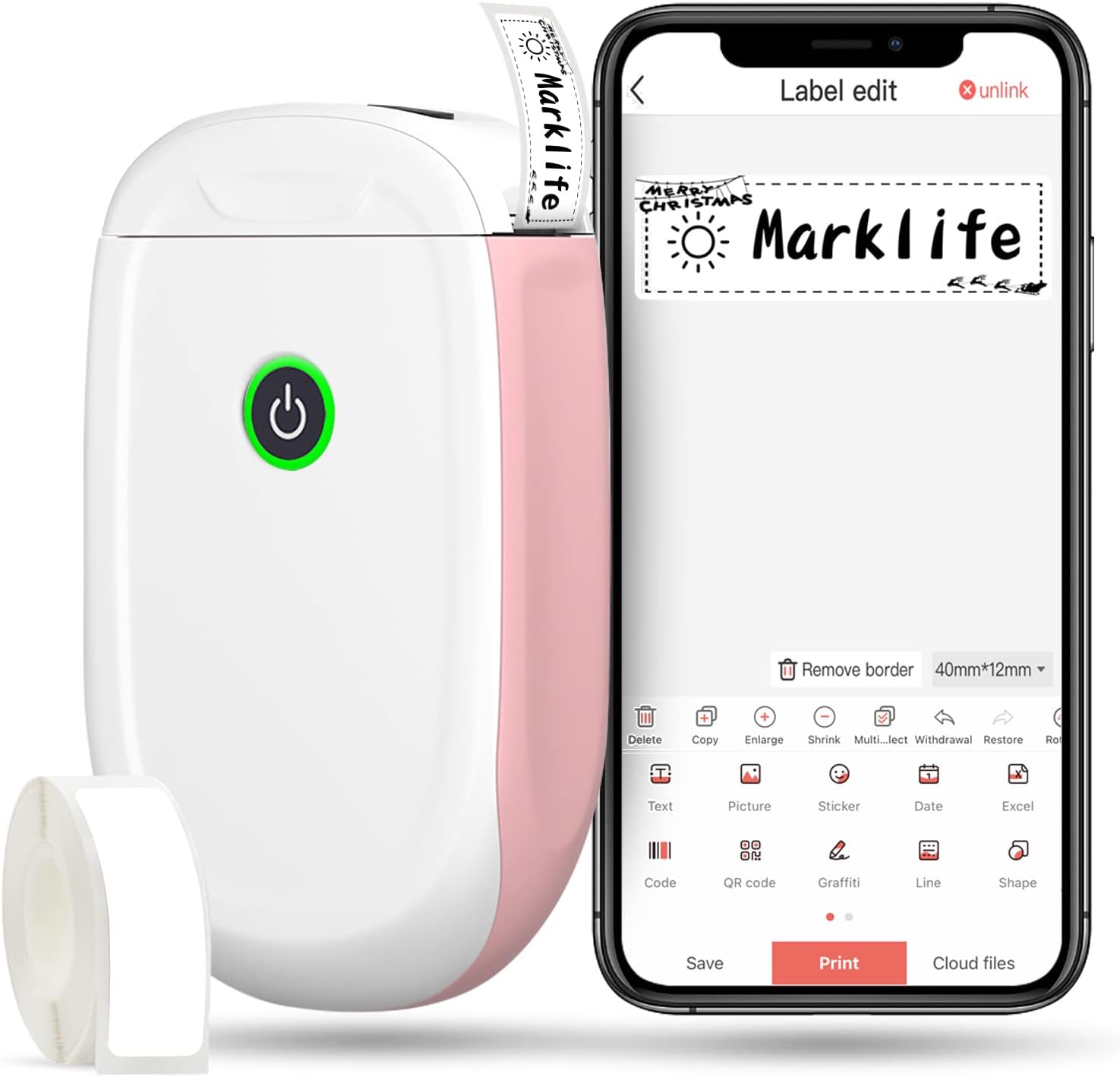
Figure 1: MARKLIFE P50 Label Maker and companion app.
คู่มือการติดตั้ง
Follow these steps to set up your MARKLIFE P50 Label Maker:
- ใส่กระดาษฉลาก: Open the cover and insert the label roll with the printing side facing up. Close the cover securely.
- ดาวน์โหลดแอป: ค้นหา "Marklife" in your smartphone's app store (available for Android and iOS) and install it.
- เปิดบลูทูธ: เปิดใช้งานบลูทูธบนสมาร์ทโฟนของคุณ
- เชื่อมต่อกับอุปกรณ์: Open the Marklife app, turn on the labeler, and connect to the device via Bluetooth. The device name will typically start with "P11" or "P50".

Figure 2: Quick setup guide for the Marklife P50.
Video 1: Demonstrates the setup and basic usage of the Marklife P11 (similar to P50) label maker, including loading paper, connecting via Bluetooth, and printing a label.
คำแนะนำการใช้งาน
Once connected, you can begin creating and printing labels:
- Choose a Template: In the Marklife app, select from various pre-designed templates or start a new blank label.
- แก้ไขเนื้อหาป้ายกำกับ: Double-click on the label area to input text. You can customize font, size, alignment, and add elements like images, icons, dates, or barcodes.
- พรีview และพิมพ์: ก่อนการพิมพ์ให้ทำการview your label to ensure it looks as desired. Then, tap the "Print" button to send the design to the label maker.
- คุณสมบัติขั้นสูง:
- บาร์โค้ด/คิวอาร์โค้ด: Generate barcodes or QR codes directly from the app. Example barcode: 46745875478655
- Image Recognition (OCR): Use your phone's camera as an OCR scanner within the app to convert text from images into editable label content.
- การพิมพ์แบทช์: Print multiple labels from a PDF or a list for efficiency.
- การปรับแต่ง: Access over 600 combinations of templates, 9 languages, 600+ symbols, 27+ frames, and 15+ fonts.

Figure 3: Customize your own labels with various design elements.

Figure 4: Many designing items available in the app.
การซ่อมบำรุง
To ensure the longevity and optimal performance of your MARKLIFE P50 Label Maker, follow these maintenance guidelines:
- การทำความสะอาด: Regularly wipe the exterior of the device with a soft, dry cloth. For the print head, use a cotton swab lightly dampened with rubbing alcohol, ensuring the device is off and disconnected from power. Allow it to dry completely before use.
- พื้นที่จัดเก็บ: เก็บเครื่องพิมพ์ฉลากไว้ในที่แห้งและเย็น หลีกเลี่ยงแสงแดดโดยตรงและอุณหภูมิที่สูงหรือต่ำเกินไป
- การดูแลม้วนฉลาก: เก็บม้วนฉลากที่ยังไม่ได้ใช้ไว้ในบรรจุภัณฑ์เดิมเพื่อป้องกันฝุ่นและความชื้น
- การดูแลแบตเตอรี่ เพื่อให้แบตเตอรี่ใช้งานได้นานที่สุด ควรชาร์จอุปกรณ์เป็นประจำ แม้ว่าจะไม่ได้ใช้งานบ่อยก็ตาม หลีกเลี่ยงการปล่อยให้แบตเตอรี่หมดเกลี้ยงเป็นเวลานาน

Figure 5: Thermal printing technology requires no ink, simplifying maintenance.

Figure 6: Labels are designed for durability and resistance to water and oil.
การแก้ไขปัญหา
If you encounter issues with your MARKLIFE P50 Label Maker, try the following solutions:
| ปัญหา | สาเหตุที่เป็นไปได้ | สารละลาย |
|---|---|---|
| อุปกรณ์เปิดไม่ติด | แบตเตอรี่อ่อน | ชาร์จอุปกรณ์โดยใช้สาย USB ที่ให้มา |
| ไม่สามารถเชื่อมต่อผ่านบลูทูธได้ | Bluetooth is off on phone/device, or device is out of range. | Ensure Bluetooth is enabled on your phone and the label maker is within 33 feet. Restart both devices. |
| คุณภาพการพิมพ์ไม่ดี หรือฉลากว่างเปล่า | Incorrect label paper loading, dirty print head, or low battery. | Re-load label paper correctly. Clean the print head. Charge the device. |
| แอปพลิเคชันขัดข้องหรือหยุดทำงาน | ความผิดพลาดของซอฟต์แวร์หรือแอปเวอร์ชันเก่าเกินไป | รีสตาร์ทแอป ตรวจสอบการอัปเดตแอปใน App Store หากจำเป็นให้ติดตั้งแอปใหม่ |
| ป้ายฉลากป้อนไม่ถูกต้อง | Paper jam or incorrect paper type. | Open the cover and clear any jammed paper. Ensure you are using compatible Marklife label rolls. |
ข้อมูลจำเพาะ
| คุณสมบัติ | รายละเอียด |
|---|---|
| ชื่อรุ่น | P50 |
| ยี่ห้อ | มาร์คไลฟ์ |
| เทคโนโลยีการพิมพ์ | เทอร์มอล |
| เทคโนโลยีการเชื่อมต่อ | บลูทูธ |
| เอาท์พุตเครื่องพิมพ์ | Monochrome (Black ink) |
| ความเร็วในการพิมพ์สูงสุด (ขาวดำ) | 30 หน้าต่อนาที |
| ขนาดสื่อสูงสุด | 3 x 5 นิ้ว |
| Label Width Range | 0.59'' - 2.24'' |
| น้ำหนักสินค้า | 9.6 ออนซ์ (272 กรัม) |
| ขนาดสินค้า | 3.14 x 5.5 x 1.18 นิ้ว (ประมาณ 7.5 x 13.6 x 2.8 ซม.) |
| อุปกรณ์ที่รองรับ | Android & iOS mobile devices, Windows PC (via USB) |
| ส่วนประกอบที่รวมอยู่ | Label Maker, Label Tape |
แอปพลิเคชั่น
The MARKLIFE P50 Label Maker is versatile and can be used in various scenarios:
- การจัดระเบียบภายในบ้าน: Labeling spice jars, storage containers, baby items, and personal belongings.
- ใช้ในสำนักงาน: การจัดระเบียบ files, marking cables, labeling office tools, and creating name tags. อดีตample barcode: 6953124066961
- ธุรกิจขนาดเล็ก: การสร้างราคา tags, product labels, barcode labels, and shipping labels for retail, clothing, and jewelry.
- การใช้งานส่วนบุคคล: Labeling gifts, creating custom stickers, and marking food expiration dates.
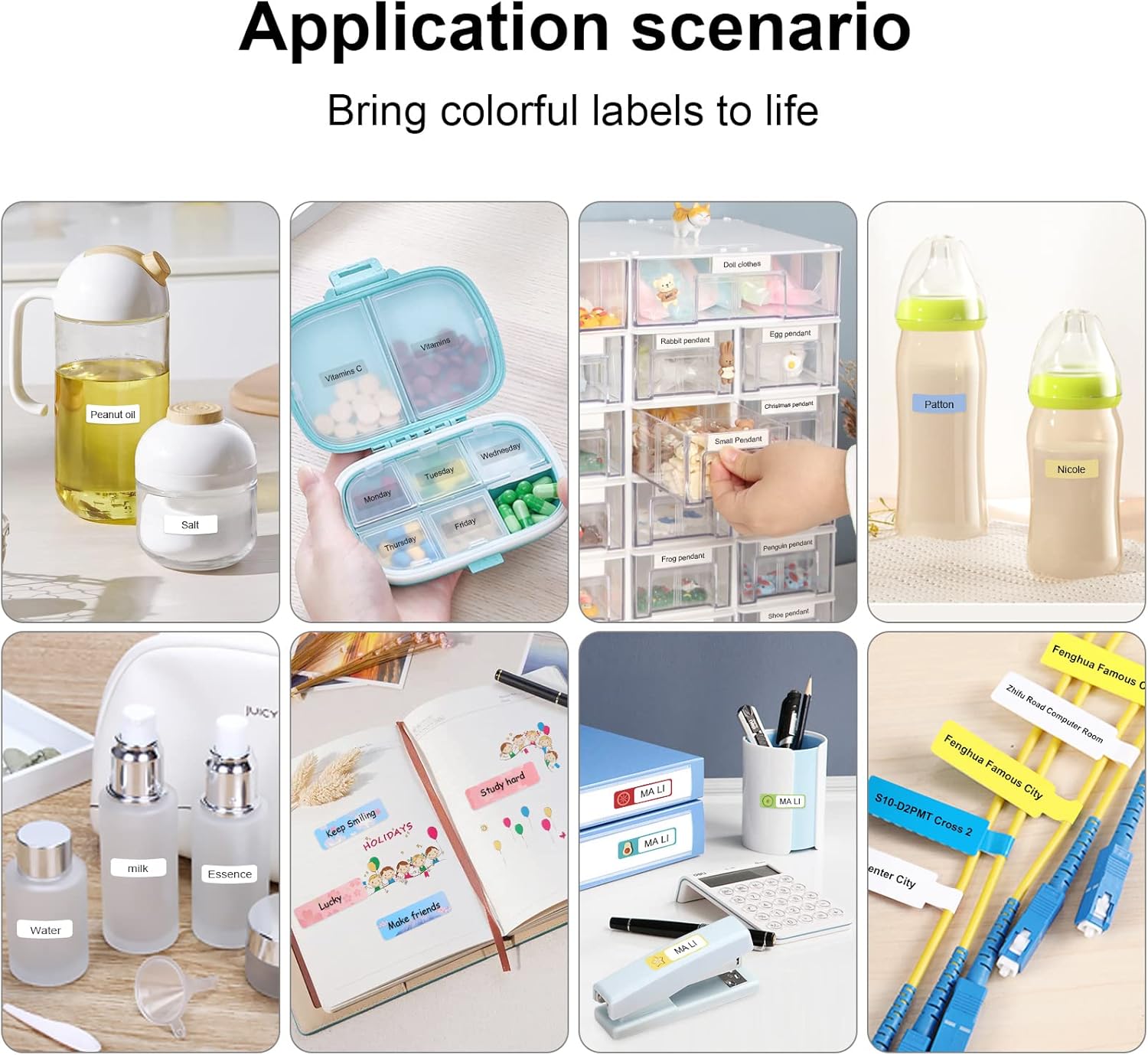
Figure 7: Diverse application scenarios for home and personal use.
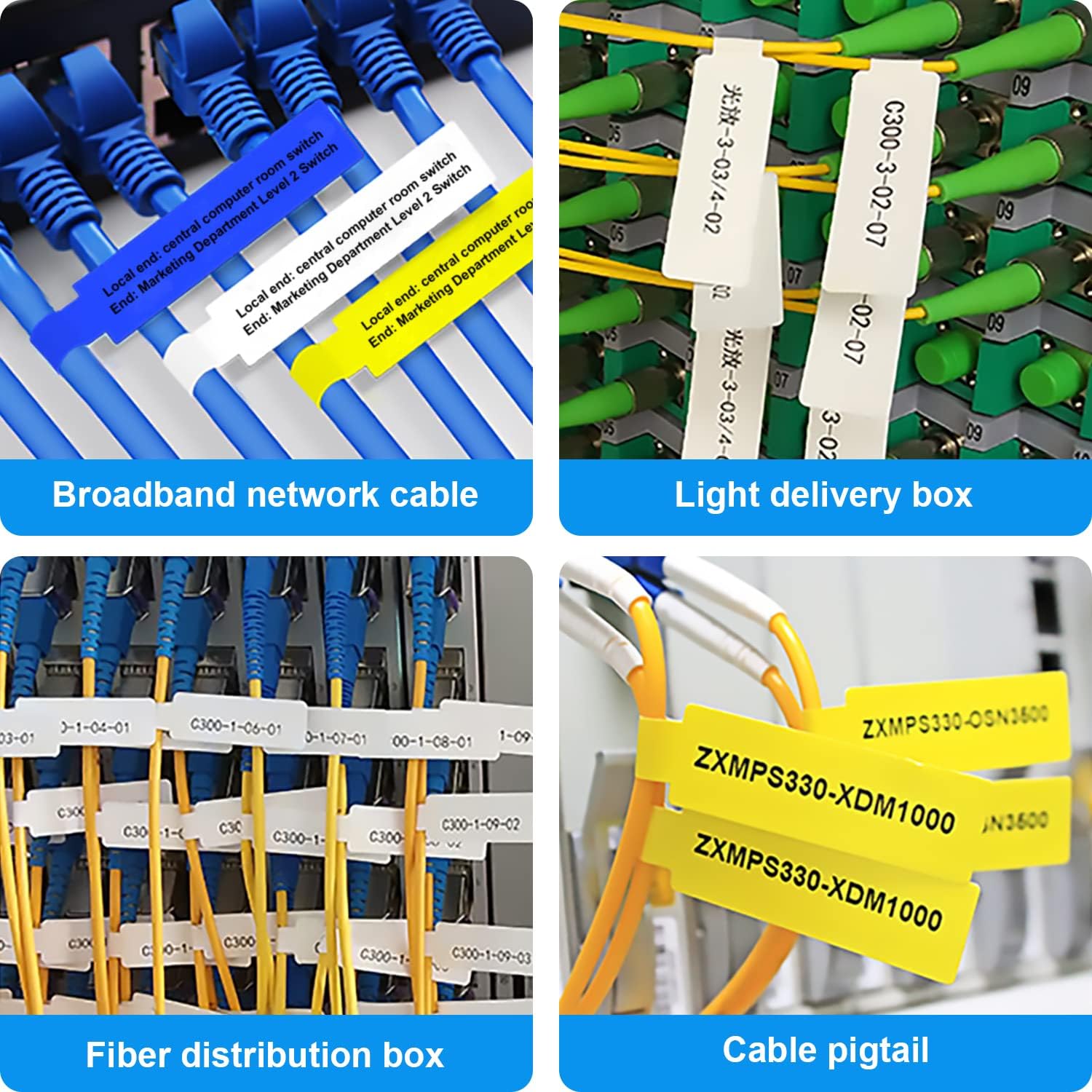
Figure 8: Labeling solutions for various types of cables and wiring.

Figure 9: Practical applications for office organization.

Figure 10: Creative uses for gift labeling.
การรับประกันและการสนับสนุน
MARKLIFE products are designed for reliability and performance. For specific warranty information and support, please refer to the warranty card included with your product or visit the official MARKLIFE website. For common inquiries, please consult the troubleshooting section of this manual or the FAQ section within the Marklife app.
You can also visit the official MARKLIFE store on Amazon for more information and product updates: MARKLIFE Store.


