1. การเริ่มต้น
1.1 เนื้อหาบรรจุภัณฑ์
กรุณาตรวจสอบแพ็คเกจสำหรับรายการต่อไปนี้:
- WENKEY E2 Wireless Earbuds (Left and Right)
- เคสชาร์จไฟ
- สายชาร์จ USB
- Multiple Sizes of Ear Tips (XS, S, M, L, XL)
- คู่มือการใช้งาน
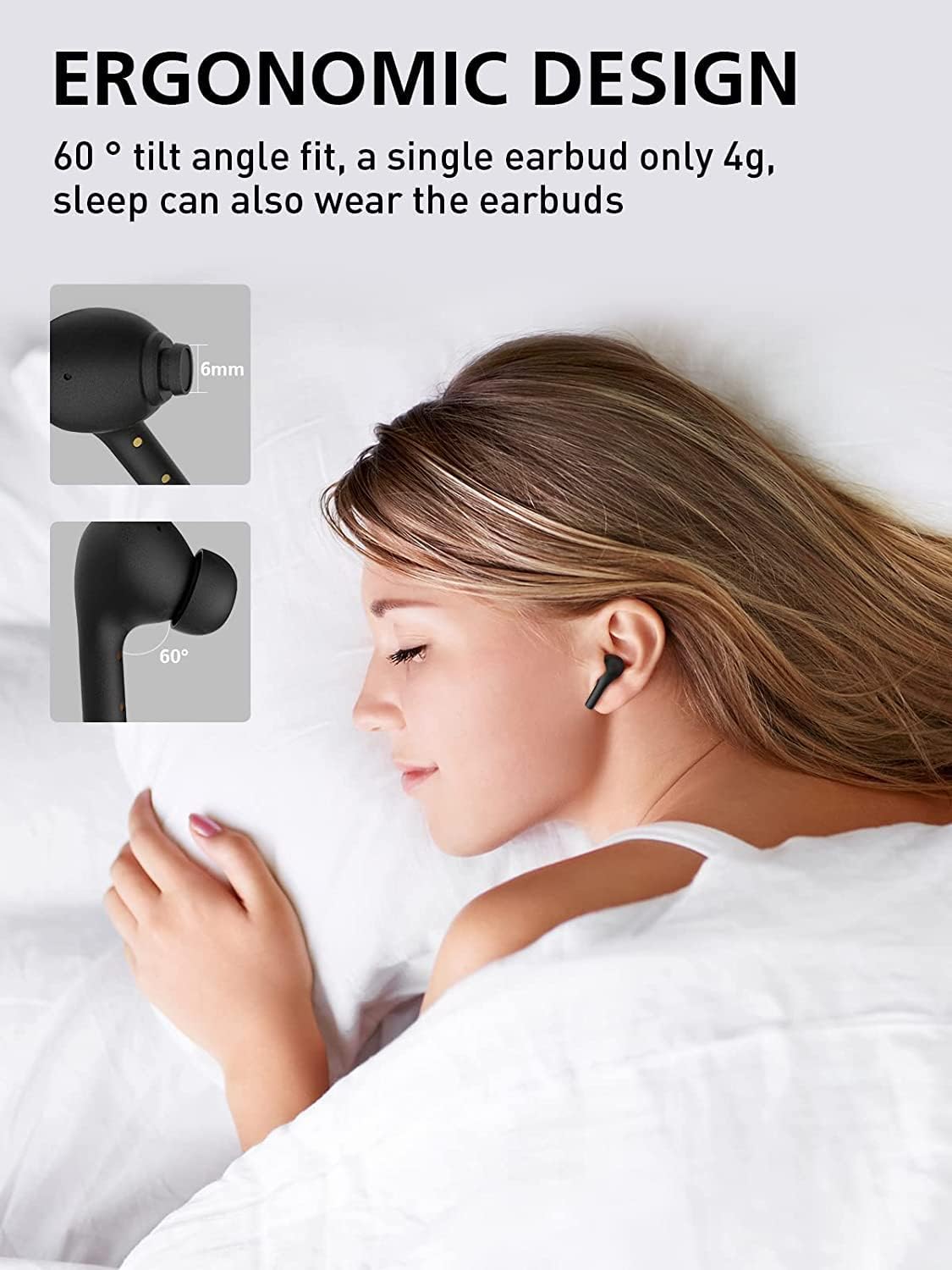
Image: All components included in the WENKEY E2 Earbuds package.
1.2 การชาร์จหูฟังและเคส
Before first use, fully charge the earbuds and the charging case. The charging case provides up to 5 full charges for the earbuds, extending total listening time to 30 hours.
- Place the earbuds into the charging case. Ensure they are correctly seated; the indicator lights on the earbuds will illuminate.
- เชื่อมต่อเคสชาร์จเข้ากับแหล่งจ่ายไฟ USB โดยใช้สาย USB ที่ให้มา
- The LED indicators on the charging case will show the charging status. Four lights indicate a full charge.

Image: WENKEY E2 Earbuds seated in their charging case, ready for charging.

Image: Visual representation of the charging case's LED indicators and their battery level meanings.
1.3 การจับคู่กับอุปกรณ์ของคุณ
The earbuds feature one-step pairing for convenience.
- เปิดกล่องชาร์จ หูฟังจะเปิดอัตโนมัติและเข้าสู่โหมดจับคู่
- บนอุปกรณ์ของคุณ (สมาร์ทโฟน แท็บเล็ต แล็ปท็อป) ให้เปิดใช้งาน Bluetooth
- ค้นหา "WENKEY E2" in the list of available Bluetooth devices and select it to connect.
- เมื่อเชื่อมต่อแล้ว คุณจะได้ยินเสียงยืนยัน และหูฟังจะพร้อมใช้งาน
The advanced Bluetooth 5.1 technology ensures a fast, stable connection with a range of up to 15 meters.
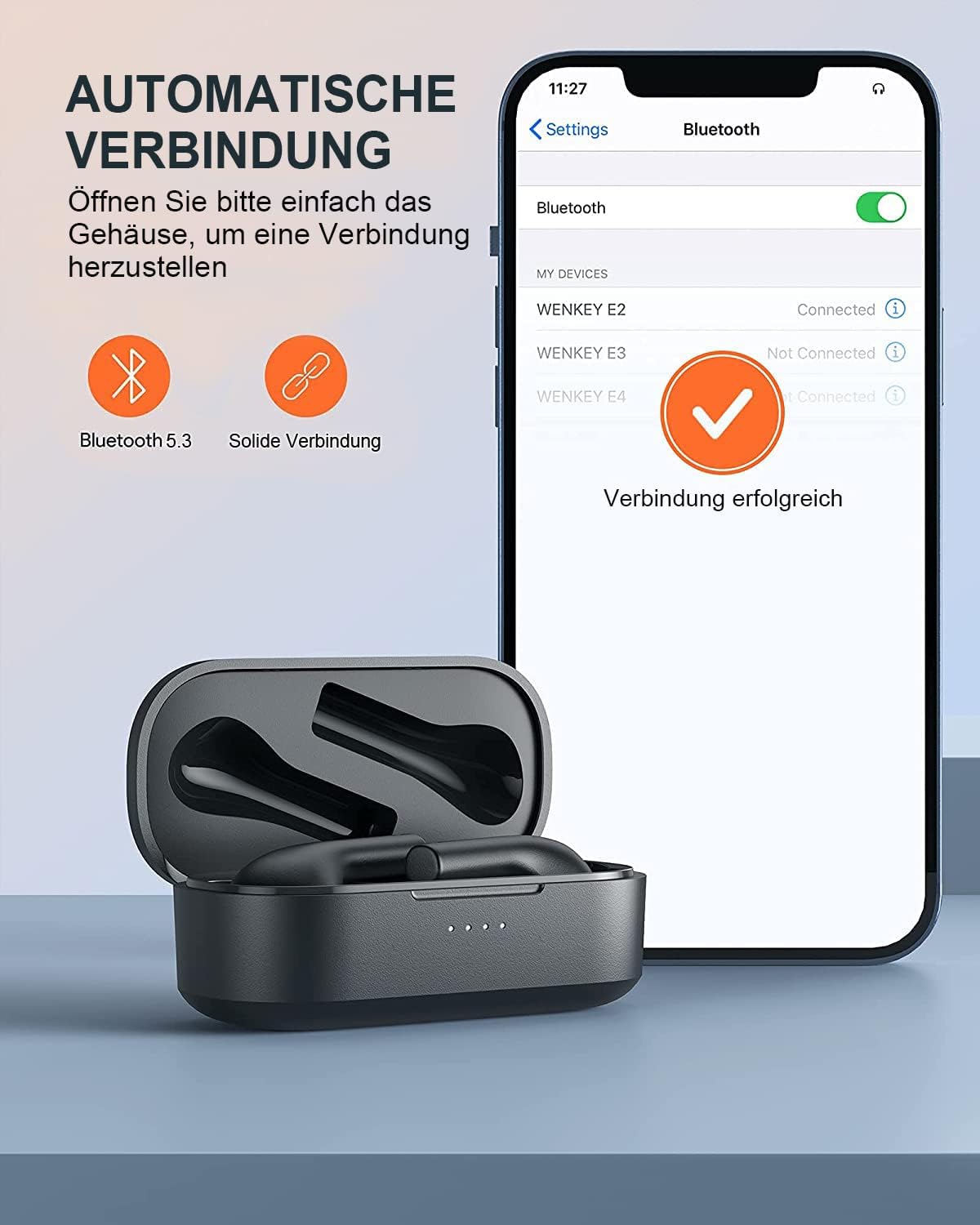
Image: Automatic pairing process shown on a smartphone's Bluetooth settings.
2. การใช้งานหูฟัง
2.1 การสวมหูฟัง
The WENKEY E2 earbuds are designed with an ergonomic 60-degree tilt angle for a secure and comfortable fit. Choose the ear tips that best fit your ear canal for optimal sound quality and noise isolation.

Image: Ergonomic design of the earbuds for comfortable and secure wear.

Image: Selection of ear tip sizes for a customized and comfortable fit.
2.2 ระบบควบคุมแบบสัมผัส
The earbuds feature intuitive touch controls for managing media playback and calls.
| การทำงาน | การกระทำ |
|---|---|
| เล่น/หยุดชั่วคราว | แตะหูฟังเอียร์บัดข้างใดข้างหนึ่งสองครั้ง |
| เพลงถัดไป | แตะและกดหูฟังด้านขวาค้างไว้ 2 วินาที |
| เพลงก่อนหน้า | Touch and hold the left earbud for 2 seconds |
| รับสาย/วางสาย | แตะหูฟังเอียร์บัดข้างใดข้างหนึ่งสองครั้ง |
| ปฏิเสธการรับสาย | แตะเอียร์บัดข้างใดข้างหนึ่งค้างไว้ 2 วินาที |
| ผู้ช่วยเสียง | แตะหูฟังข้างใดข้างหนึ่งสามครั้ง |

ภาพ: คำแนะนำภาพเกี่ยวกับฟังก์ชันการควบคุมแบบสัมผัสบนหูฟัง
2.3 Call Functions and Audio Quality
The earbuds feature ENC (Environmental Noise Cancellation) microphones, ensuring clear calls even in noisy environments. Experience Hi-Fi stereo sound with enhanced bass for an immersive audio experience.

Image: Explanation of the noise-canceling microphone technology for clear calls.

Image: Internal structure of the earbud driver, emphasizing high-fidelity audio.
2.4 การใช้หูฟังข้างเดียว
Either earbud can be used independently as a mono Bluetooth headset, allowing you to stay aware of your surroundings while enjoying audio or making calls.

Image: Demonstrating the flexibility of using a single earbud.
3. การบำรุงรักษา
3.1 การทำความสะอาด
เพื่อรักษาประสิทธิภาพและสุขอนามัยที่ดีที่สุด ควรทำความสะอาดหูฟังและเคสชาร์จเป็นประจำ
- ใช้ผ้าแห้งนุ่มและไม่ขุยเช็ดหูฟังและกล่องชาร์จ
- ค่อยๆ ขจัดขี้หูหรือสิ่งสกปรกออกจากจุกหูฟังและตะแกรงลำโพงโดยใช้แปรงขนาดเล็กที่สะอาดหรือสำลีพันก้าน
- ห้ามใช้สารทำความสะอาดที่มีฤทธิ์กัดกร่อน แอลกอฮอล์ หรือตัวทำละลายเคมี
3.2 ความต้านทานน้ำ (IPX6)
The WENKEY E2 earbuds are IPX6 waterproof, meaning they are resistant to sweat, water splashes, and rain. They are suitable for sports and outdoor activities.
Note: The charging case is not waterproof. Do not expose the charging case to liquids.

Image: Visual representation of the earbuds' IPX6 water resistance.
3.3 พื้นที่จัดเก็บ
เมื่อไม่ได้ใช้งาน ให้เก็บหูฟังไว้ในกล่องชาร์จเพื่อปกป้องหูฟังและเพื่อให้แน่ใจว่าหูฟังจะยังคงชาร์จอยู่
4 การแก้ไขปัญหา
If you encounter any issues with your WENKEY E2 earbuds, please refer to the following common solutions:
| ปัญหา | วิธีแก้ปัญหาที่เป็นไปได้ |
|---|---|
| หูฟังไม่จับคู่/เชื่อมต่อ |
|
| ไม่มีเสียงหรือเสียงเบา |
|
| Intermittent connection/sound flickering |
|
| หูฟังเอียร์บัดไม่ชาร์จ |
|
5. ข้อมูลจำเพาะ
| คุณสมบัติ | รายละเอียด |
|---|---|
| หมายเลขรุ่น | E2 |
| ยี่ห้อ | เวนกี้ |
| เทคโนโลยีการเชื่อมต่อ | ไร้สาย (บลูทูธ 5.1) |
| เทคโนโลยีการสื่อสารไร้สาย | บลูทูธ |
| ระดับความต้านทานต่อน้ำ | IPX6 (Sweatproof, Water-resistant) |
| อายุการใช้งานแบตเตอรี่ (หูฟัง) | สูงสุด 5 ชั่วโมงต่อการชาร์จหนึ่งครั้ง |
| เวลาเล่นทั้งหมดพร้อมเคสชาร์จ | นานถึง 30 ชั่วโมง |
| คุณสมบัติพิเศษ | Fast Charging, ENC Noise Cancellation, Hi-Fi Stereo Sound |
| สี | สีดำ |
| ฟอร์มแฟกเตอร์ | อินเอียร์ |
| วัสดุ | พลาสติก |

Image: Illustration of the extended battery life with the charging case.

Image: Compatibility of WENKEY E2 earbuds with various operating systems.
6. การรับประกันและการสนับสนุน
6.1 ข้อมูลการรับประกัน
Specific warranty details for the WENKEY E2 earbuds are not provided in the product data. Please refer to the warranty card included in your product packaging or contact the retailer/manufacturer directly for warranty terms and conditions.
6.2 การสนับสนุนลูกค้า
For further assistance, technical support, or inquiries, please contact WENKEY customer service. Contact information is typically found on the product packaging, the official WENKEY webไซต์หรือผ่านแพลตฟอร์มการซื้อของคุณ
7. วิดีโอผลิตภัณฑ์อย่างเป็นทางการ
ไม่พบวิดีโอแนะนำผลิตภัณฑ์อย่างเป็นทางการจากผู้ขายในข้อมูลที่ให้มา


