การแนะนำ
Welcome to the Helix TIMEX METALFIT 2.0 Smartwatch user manual. This guide provides detailed instructions on how to set up, operate, and maintain your smartwatch. Please read this manual carefully to ensure proper use and to maximize the device's features.
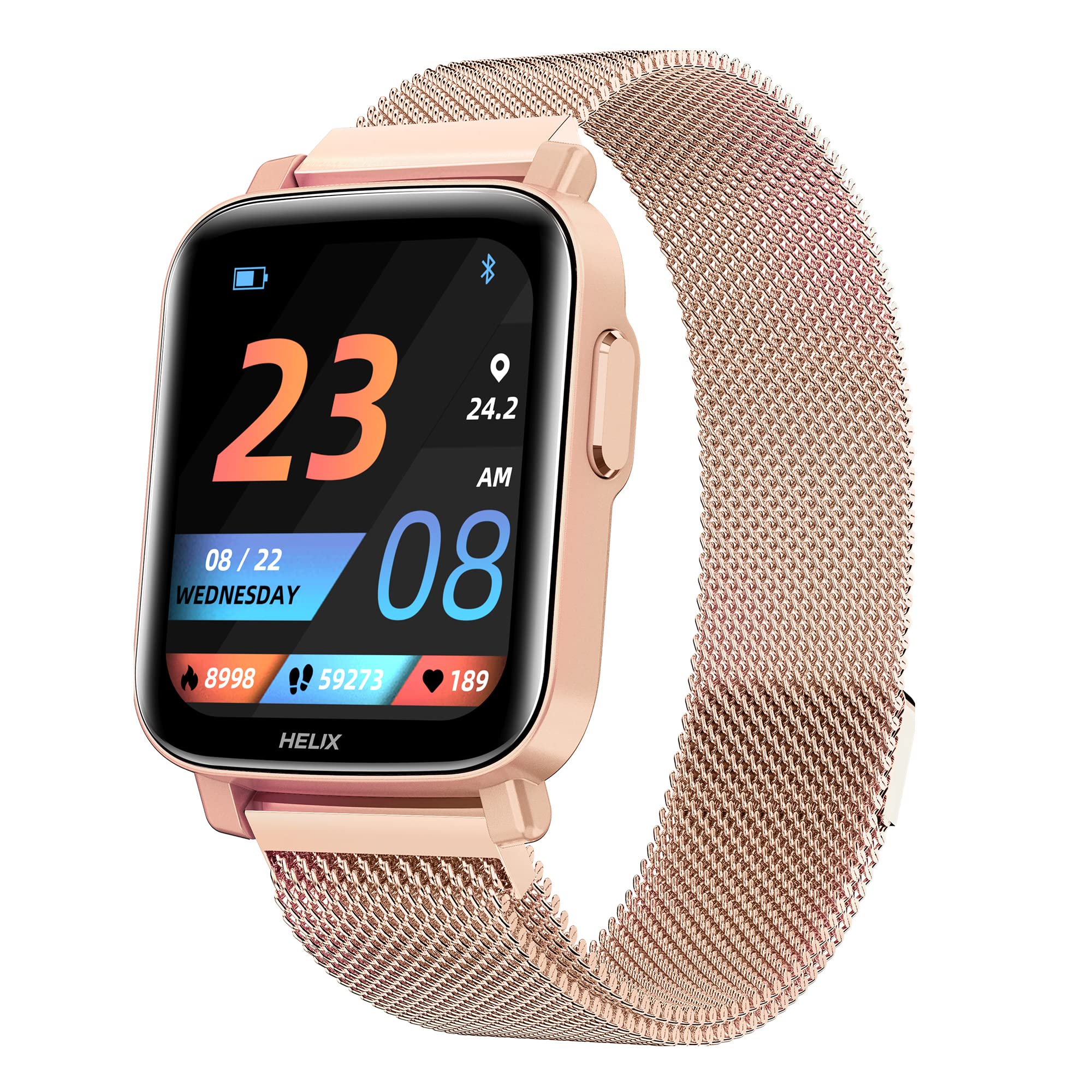
Image: The Helix TIMEX METALFIT 2.0 smartwatch, showcasinด้วยการออกแบบและการแสดงผลที่เพรียวบาง
การตั้งค่า
1. การชาร์จสมาร์ทวอทช์
Before first use, fully charge your smartwatch. Connect the magnetic charging cable to the charging pins on the back of the watch and plug the USB end into a standard USB power adapter (not included).
- โดยทั่วไปการชาร์จเต็มจะใช้เวลาประมาณ 2 ชั่วโมง
- ไอคอนแบตเตอรี่บนหน้าจอจะแสดงสถานะการชาร์จ
2. Installing the Helix Smart App
To unlock the full potential of your METALFIT 2.0 smartwatch, download and install the 'Helix Smart' application on your smartphone.
- Scan the QR code provided in the watch packaging or search for 'Helix Smart' in the Google Play Store (for Android) or Apple App Store (for iOS).
- ติดตั้งแอปพลิเคชันบนสมาร์ทโฟนของคุณ

Image: Screenshots of the Helix Smart App interface on a smartphone, showing options for Google Play and App Store downloads.
3. Pairing the Smartwatch with Your Phone
โปรดตรวจสอบให้แน่ใจว่าได้เปิดใช้งานบลูทูธบนสมาร์ทโฟนแล้ว และสมาร์ทวอทช์ของคุณมีแบตเตอรี่เพียงพอ
- Open the 'Helix Smart' app on your phone.
- ปฏิบัติตามคำแนะนำบนหน้าจอเพื่อสร้างบัญชีหรือเข้าสู่ระบบ
- Navigate to the 'Device' section and select 'Add Device'.
- The app will search for available devices. Select 'METALFIT 2.0' from the list.
- ยืนยันคำขอจับคู่บนโทรศัพท์และสมาร์ทวอทช์ของคุณทั้งคู่
การใช้งานสมาร์ทวอทช์
1. การนำทางพื้นฐาน
The METALFIT 2.0 features a 1.5-inch HD IPS full-touch display for intuitive interaction.

Image: Close-up of the smartwatch display showing time, date, and activity metrics, highlighting the large touchscreen with auto brightness.
- ปัดขึ้น/ลง: เลื่อนดูเมนูและการแจ้งเตือน
- ปัดไปทางซ้าย/ขวา: เข้าถึงฟังก์ชันหรือวิดเจ็ตต่างๆ ได้อย่างรวดเร็ว
- แตะ: เลือกสินค้าหรือยืนยันการดำเนินการ
- ปุ่มด้านข้าง: กดเพื่อปลุกหน้าจอ กลับไปยังหน้าจอหลัก หรือเข้าถึงเมนูหลัก
2. การโทรผ่านบลูทูธ
The smartwatch supports Bluetooth calling, allowing you to make and receive calls directly from your wrist when connected to your smartphone.

Image: A person wearing the smartwatch, with an enlarged view of the watch display showing an incoming call interface, indicating dial pad, inbuilt contacts, microphone, and speaker.
- โทรออก: เข้าถึงแป้นกดหมายเลขหรือรายชื่อผู้ติดต่อบนนาฬิกาเพื่อโทรออก
- การรับสาย: An incoming call notification will appear on the watch. Tap to answer or decline.
- The watch utilizes an inbuilt microphone and speaker for call functionality.
3. การติดตามสุขภาพ
The METALFIT 2.0 provides comprehensive health monitoring features.

Image: The smartwatch display showing SpO2 (blood oxygen) measurement at 98%, alongside icons for Female Health Tracking, SpO2 Monitor, Temperature Sensor, and Stress Monitor.
- เครื่องตรวจวัด SpO2: วัดระดับความอิ่มตัวของออกซิเจนในเลือด
- อุณหภูมิร่างกาย: ตรวจสอบอุณหภูมิร่างกายของคุณ
- ความดันโลหิต (BP): ให้ข้อมูลเกี่ยวกับการวัดความดันโลหิต
- เครื่องวัดอัตราการเต้นของหัวใจ: ตรวจสอบอัตราการเต้นของหัวใจอย่างต่อเนื่อง
- การติดตามการนอนหลับ: วิเคราะห์รูปแบบการนอนหลับของคุณ
- การติดตามสุขภาพสตรี: Offers dedicated tracking for female health cycles.
หมายเหตุ: ข้อมูลการติดตามสุขภาพใช้เพื่อเป็นข้อมูลอ้างอิงเท่านั้น และไม่ควรนำไปใช้ในการวินิจฉัยหรือรักษาทางการแพทย์ โปรดปรึกษาแพทย์หากมีข้อสงสัยเกี่ยวกับสุขภาพ
4. โหมดกีฬา
Engage in various physical activities with 20 built-in sports modes.
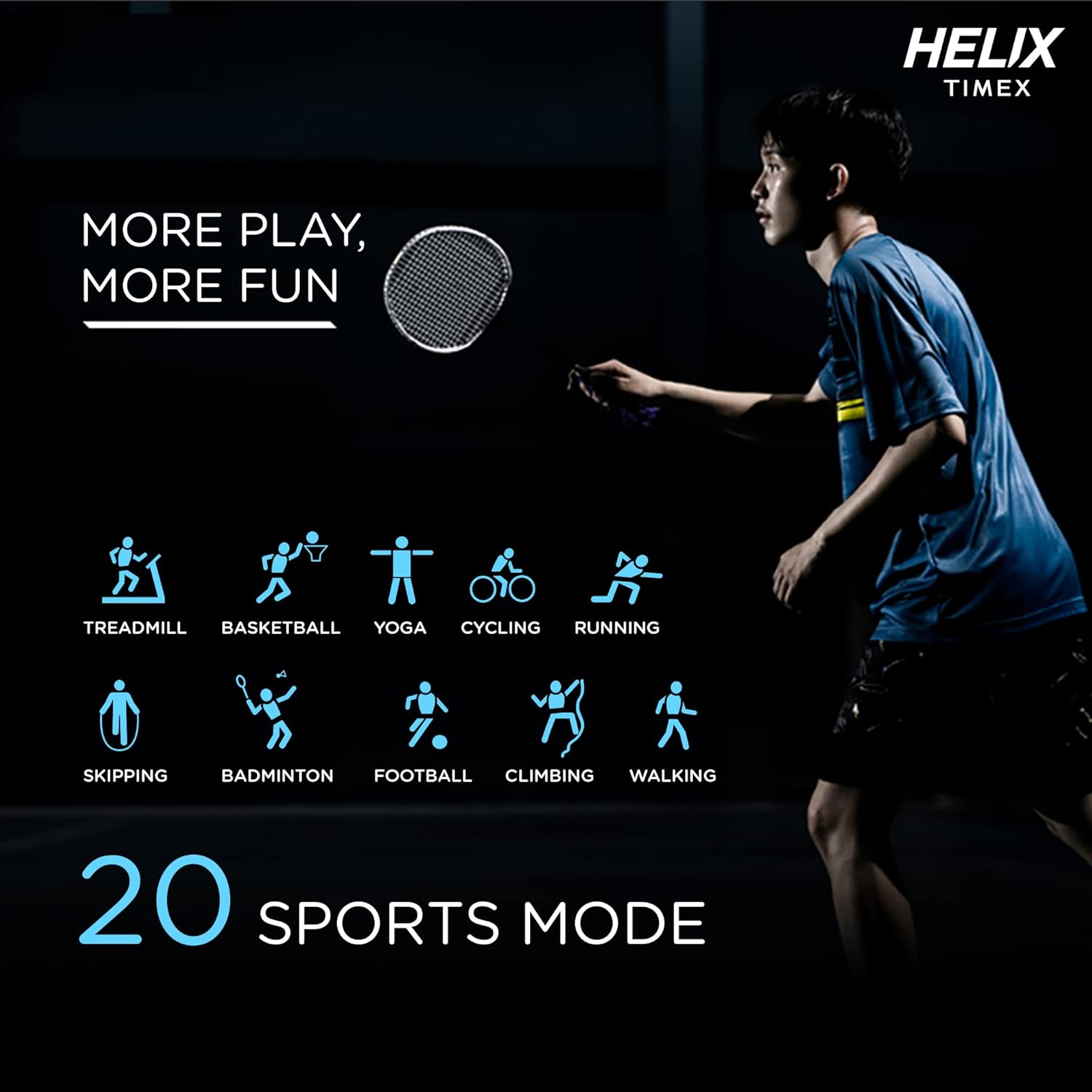
Image: A person playing badminton, with icons representing 20 different sports modes including Treadmill, Basketball, Yoga, Cycling, Running, Skipping, Badminton, Football, Climbing, and Walking.
- Select a sports mode before starting your workout to track specific metrics like duration, calories burned, and heart rate.
- Modes include Treadmill, Basketball, Yoga, Cycling, Running, Skipping, Badminton, Football, Climbing, Walking, and more.
5. คุณสมบัติอันชาญฉลาด
The smartwatch offers a range of smart features to enhance your daily life.

Image: The smartwatch surrounded by icons representing various smart features: Female Health Tracking, Music Control, Camera Control, Daily Activity Tracking, Call Answering Option, Social Media Notifications, Sleep Tracking, Message, Phone Finder, and Sedentary Reminder.
- การควบคุมเพลง: ควบคุมการเล่นเพลงบนสมาร์ทโฟนของคุณ
- การควบคุมกล้อง: ใช้นาฬิกาของคุณเป็นชัตเตอร์ระยะไกลสำหรับกล้องโทรศัพท์ของคุณ
- การติดตามกิจกรรมรายวัน: ตรวจสอบจำนวนก้าว ระยะทาง และปริมาณแคลอรี่ที่เผาผลาญ
- การแจ้งเตือนทางโซเชียลมีเดีย: Receive alerts from your favorite apps.
- การแจ้งเตือนข้อความ: View ข้อความขาเข้า
- ค้นหาโทรศัพท์: ค้นหาสมาร์ทโฟนที่เชื่อมต่ออยู่กับคุณ
- เตือนการนั่งเฉยๆ: รับการแจ้งเตือนเพื่อเริ่มดำเนินการหลังจากไม่มีการใช้งานเป็นระยะเวลานาน
- ผู้ช่วยเสียง: Interact with your device using voice commands.
6. หน้าปัดนาฬิกา
Personalize your smartwatch with a variety of watch faces available through the Helix Smart App.

Image: A collage of different watch face designs displayed on the smartwatch, illustrating customization options.
- Browse and download new watch faces from the app to match your style or mood.
การซ่อมบำรุง
1. การทำความสะอาดสมาร์ทวอทช์ของคุณ
- เช็ดหน้าจอและสายคล้องด้วยผ้านุ่มๆampผ้าที่ไม่เป็นขุย
- หลีกเลี่ยงการใช้สารเคมีรุนแรงหรือวัสดุที่มีฤทธิ์กัดกร่อน
- ตรวจสอบให้แน่ใจว่าหน้าสัมผัสการชาร์จสะอาดและแห้งก่อนชาร์จ
2. ความทนทานต่อน้ำ
The METALFIT 2.0 is IP67 water and dust resistant.
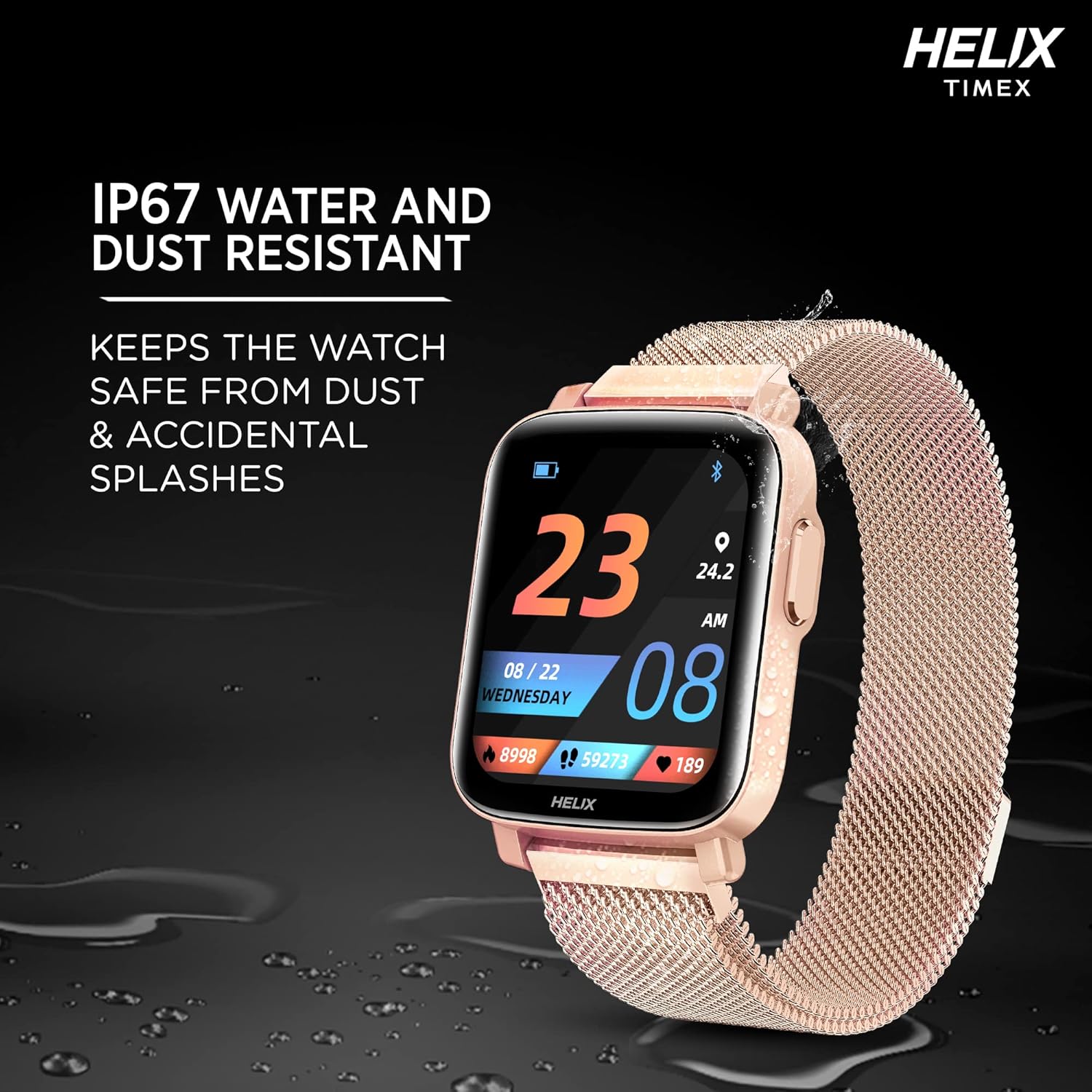
Image: The smartwatch lying on a wet surface, illustrating its IP67 water and dust resistance.
- It is resistant to splashes, rain, and brief immersion in water (up to 1 meter for 30 minutes).
- Not suitable for swimming, showering with hot water, or diving.
- Avoid exposure to high-pressure water or steam.
3. อายุการใช้งานแบตเตอรี่และการชาร์จ
The smartwatch offers extended battery life depending on usage.

Image: The smartwatch display showing a charging animation, with text indicating up to 7 days battery life without call function and up to 72 hours with call function.
- Up to 7 days of battery life without the Bluetooth calling function.
- Up to 72 hours of battery life with the Bluetooth calling function enabled.
- Charge the device using the provided magnetic charging cable.
การแก้ไขปัญหา
- นาฬิกาอัจฉริยะเปิดไม่ติด: ตรวจสอบให้แน่ใจว่าอุปกรณ์ชาร์จเต็มแล้ว เสียบอุปกรณ์เข้ากับเครื่องชาร์จอย่างน้อย 30 นาที
- ไม่สามารถจับคู่กับโทรศัพท์ได้: Make sure Bluetooth is enabled on your phone and the smartwatch is within range. Restart both devices and try pairing again through the Helix Smart App.
- ข้อมูลสุขภาพที่ไม่ถูกต้อง: ตรวจสอบให้แน่ใจว่าสวมนาฬิกาให้กระชับพอดีข้อมือ ไม่แน่นหรือหลวมเกินไป ทำความสะอาดเซ็นเซอร์ที่ด้านหลังนาฬิกา
- การแจ้งเตือนไม่ปรากฏ: Check app permissions on your phone to ensure the Helix Smart App has access to notifications. Verify notification settings within the app.
- ปัญหาการโทรบลูทูธ: Ensure the watch is properly connected to your phone via Bluetooth. Check the volume settings on both devices.
ข้อมูลจำเพาะ
| คุณสมบัติ | รายละเอียด |
|---|---|
| ชื่อรุ่น | METALFIT 2.0 |
| ยี่ห้อ | เกลียว |
| ประเภทจอภาพ | 1.5-inch HD IPS Full-touch LCD |
| การเชื่อมต่อ | บลูทูธ |
| ระบบปฏิบัติการ | ระบบปฏิบัติการสมาร์ทวอทช์ |
| เมตริกที่วัด | Heart Rate, Blood Oxygen (SpO2), Body Temperature, Blood Pressure |
| โหมดกีฬา | 20+ (e.g., Treadmill, Basketball, Yoga, Cycling, Running, Skipping, Badminton, Football, Climbing, Walking) |
| อายุการใช้งานแบตเตอรี่ (ทั่วไป) | Up to 7 days (without calling), Up to 72 hours (with calling) |
| ระดับการกันน้ำ | IP67 |
| อินพุตอินเทอร์เฟซมนุษย์ | Microphone, Touch Control |
| อุปกรณ์ที่รองรับ | สมาร์ทโฟนที่มีบลูทูธ |
| น้ำหนักสินค้า | 120 กรัม |
| ผู้ผลิต | เกลียว |
สนับสนุน
For any questions or support regarding your Helix TIMEX METALFIT 2.0 Smartwatch, please contact our customer service.
- การสนับสนุนทางโทรศัพท์ฟรี: 1800 419 2727
- เวลาทำการ : วันจันทร์ถึงวันเสาร์ เวลา 10 - 7 น.
This service is provided by the TIMEX Group.


