การแนะนำ
This manual provides detailed instructions for the Jabra Elite 2 True Wireless In-Ear Bluetooth Earbuds. It covers product setup, operation, maintenance, and troubleshooting to ensure optimal performance and user experience. Please read this manual carefully before using your earbuds.
มีอะไรอยู่ในกล่อง
The Jabra Elite 2 package includes the following components:
- หูฟัง Jabra Elite 2 True Wireless
- เคสชาร์จไฟ
- สายชาร์จ USB-C
- EarGels (three sizes: Small, Medium, Large)
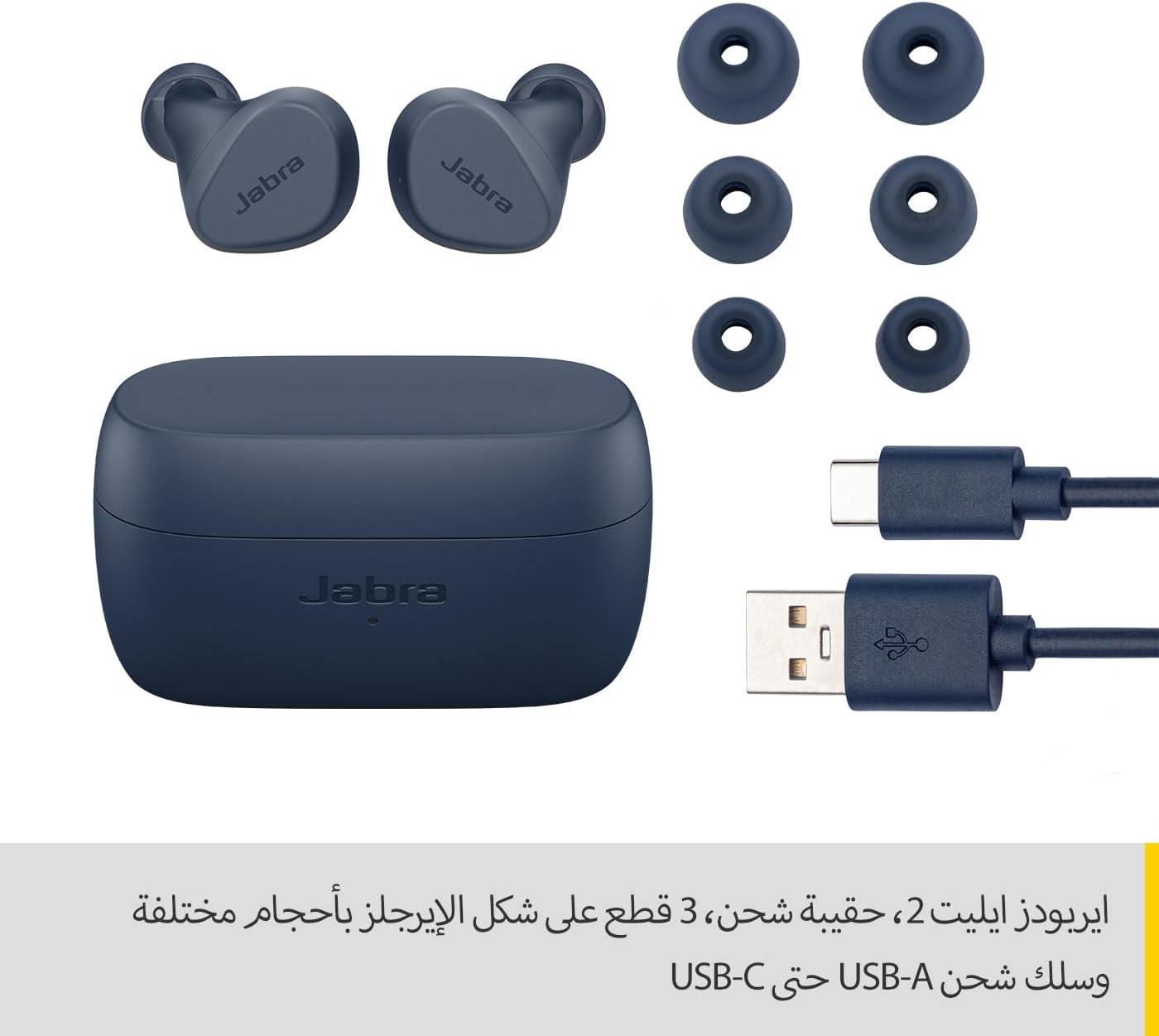
Image: Jabra Elite 2 earbuds, charging case, three sizes of EarGels, and USB-A to USB-C charging cable.
การตั้งค่า
1. การชาร์จหูฟังและเคส
Before first use, fully charge the earbuds and the charging case. Place the earbuds into the charging case and connect the USB-C cable to the charging port on the case and a power source.
- The earbuds provide up to 7 hours of listening time on a single charge.
- The charging case extends the total battery life to up to 21 hours.

Image: Jabra Elite 2 earbuds inside their charging case, ready for charging.
2. การจับคู่กับอุปกรณ์บลูทูธ
- ตรวจสอบให้แน่ใจว่าหูฟังชาร์จไฟเต็มแล้วและอยู่ในกล่องชาร์จ
- เปิดกล่องชาร์จ หูฟังจะเข้าสู่โหมดจับคู่โดยอัตโนมัติ
- บนสมาร์ทโฟนหรืออุปกรณ์ที่รองรับบลูทูธ ให้ไปที่การตั้งค่าบลูทูธ
- Select 'Jabra Elite 2' from the list of available devices.
- เมื่อเชื่อมต่อแล้ว จะมีเสียงแจ้งเตือนยืนยันการจับคู่สำเร็จ
3. การใส่หูฟัง
For optimal sound quality and comfort, choose the correct size of EarGels. Insert the earbuds into your ears and rotate them slightly to ensure a secure and comfortable fit.
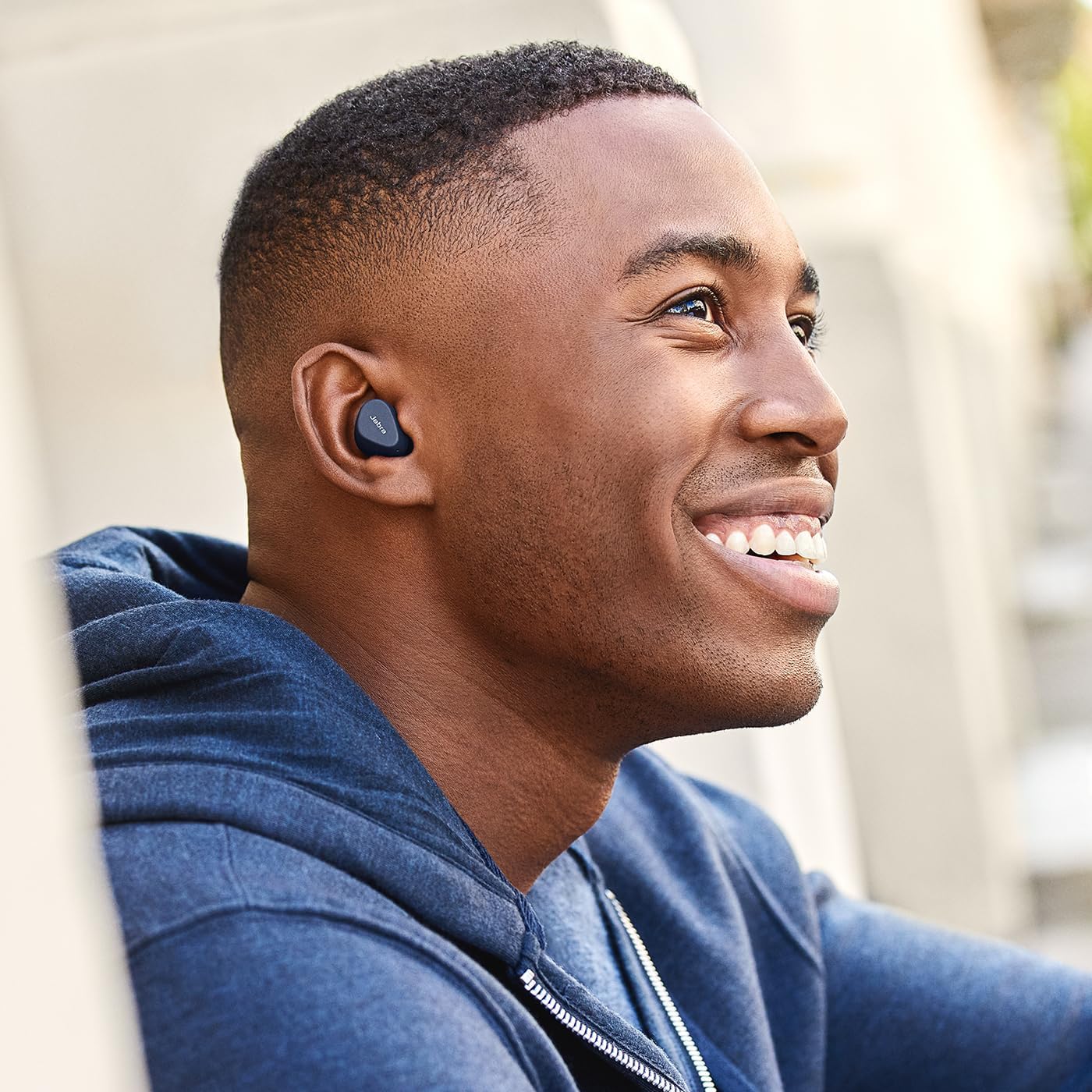
Image: A man wearing Jabra Elite 2 earbuds, demonstrating a proper fit.

Image: A woman wearing Jabra Elite 2 earbuds, demonstrating a proper fit.
คำแนะนำการใช้งาน
The Jabra Elite 2 earbuds feature intuitive controls for managing audio and calls.
การควบคุมเพลงและการโทร
| การกระทำ | เอียร์บัดข้างซ้าย | เอียร์บัดด้านขวา |
|---|---|---|
| เล่น/หยุดเพลง | กดครั้งเดียว | กดครั้งเดียว |
| รับสาย/วางสาย | กดครั้งเดียว | กดครั้งเดียว |
| ปฏิเสธการรับสาย | กดสองครั้ง | กดสองครั้ง |
| เพลงถัดไป | กดสองครั้ง | ไม่มีข้อมูล |
| เพลงก่อนหน้า | กดสามครั้ง | ไม่มีข้อมูล |
| Activate Voice Assistant (Alexa for Android) | ไม่มีข้อมูล | กดสามครั้ง |

Image: Close-up of Jabra Elite 2 earbuds, highlighting the control surface.
การซ่อมบำรุง
Proper maintenance ensures the longevity and performance of your Jabra Elite 2 earbuds.
การทำความสะอาด
- ทำความสะอาดหูฟังและกล่องชาร์จเป็นประจำด้วยผ้าแห้งนุ่มที่ไม่เป็นขุย
- ถอดจุกหูฟังออกแล้วทำความสะอาดด้วยสบู่และน้ำอ่อนๆ จากนั้นเช็ดให้แห้งสนิทก่อนติดกลับเข้าไปใหม่
- หลีกเลี่ยงการใช้สารเคมีรุนแรงหรือวัสดุที่มีฤทธิ์กัดกร่อน
ความต้านทานต่อน้ำ
The Jabra Elite 2 earbuds are rated IP55 for resistance against dust and water splashes. This means they are protected against low-pressure water jets from any direction, making them suitable for use during light rain or workouts. They are not designed for submersion in water.

Image: A man wearing Jabra Elite 2 earbuds under an umbrella, illustrating their water resistance.
พื้นที่จัดเก็บ
เมื่อไม่ได้ใช้งาน ให้เก็บหูฟังไว้ในกล่องชาร์จเพื่อปกป้องหูฟังและชาร์จไฟให้หูฟังอยู่เสมอ
การแก้ไขปัญหา
If you encounter issues with your Jabra Elite 2 earbuds, refer to the following common solutions:
- ไม่มีเสียง/ระดับเสียงต่ำ: Ensure earbuds are properly seated in your ears, volume is turned up on both earbuds and connected device, and EarGels are the correct size.
- ปัญหาการจับคู่: Make sure Bluetooth is enabled on your device and the earbuds are in pairing mode. Try unpairing and re-pairing the earbuds.
- การเชื่อมต่อไม่ต่อเนื่อง: Keep your device close to the earbuds. Avoid environments with strong Wi-Fi or other wireless interference.
- หูฟังเอียร์บัดไม่ชาร์จ: ตรวจสอบให้แน่ใจว่าสายชาร์จเสียบแน่นดีแล้วและกล่องชาร์จมีไฟอยู่ ทำความสะอาดขั้วสัมผัสการชาร์จทั้งบนหูฟังและกล่อง
- ปัญหาไมโครโฟน: Ensure the microphones are not obstructed. Check the audio input settings on your connected device. The Elite 2 features 2 microphones for clear calls.
หากต้องการความช่วยเหลือเพิ่มเติม โปรดไปที่เว็บไซต์ฝ่ายสนับสนุนอย่างเป็นทางการของ Jabra webเว็บไซต์.
ข้อมูลจำเพาะ
| คุณสมบัติ | รายละเอียด |
|---|---|
| ชื่อรุ่น | จาบร้า อีลีท 2 |
| หมายเลขรุ่น | 100-91400003-60 |
| เทคโนโลยีการเชื่อมต่อ | ไร้สาย (Bluetooth) |
| อายุการใช้งานแบตเตอรี่ของหูฟังเอียร์บัด | นานถึง 7 ชั่วโมง |
| อายุการใช้งานแบตเตอรี่ทั้งหมด (รวมเคส) | นานถึง 21 ชั่วโมง |
| ไมโครโฟน | ไมโครโฟนในตัว 2 ตัว |
| การควบคุมเสียงรบกวน | การแยกสัญญาณรบกวน |
| ระดับการต้านทานน้ำ | IP55 (Rain, Dust, Water Resistant) |
| การใช้ที่แนะนำ | Listening to audio (music, podcasts), phone calls, sports, fitness, travel |
| อุปกรณ์ที่รองรับ | อุปกรณ์ที่ใช้บลูทูธ |
| ประเภทการควบคุม | Media/Volume Control, Remote Control |
| ส่วนประกอบที่รวมอยู่ | Protective case, USB-C cable, EarGels |
| สี | กองทัพเรือ |
การรับประกันและการสนับสนุน
ข้อมูลการรับประกัน
The Jabra Elite 2 earbuds come with a รับประกัน 2 ปี. Product registration is required to activate the full warranty period. Please refer to the warranty card included in your package or visit the official Jabra webเว็บไซต์สำหรับข้อกำหนดและเงื่อนไขโดยละเอียด
การสนับสนุนลูกค้า
For technical support, frequently asked questions, or to register your product, please visit the official Jabra support page:
You may also find additional resources and software updates on the Jabra webเว็บไซต์.