1. บทนำ
The EZVIZ C3W Pro is a high-performance wired outdoor smart Wi-Fi security camera designed to provide reliable surveillance for your property. Featuring 1080p Full HD video, advanced color night vision, and AI-powered human shape detection, this camera offers comprehensive monitoring day and night. Its IP67 weather-resistant design ensures durability in various outdoor conditions. The camera also supports two-way talk, local storage via MicroSD card, and seamless integration with smart home ecosystems like Amazon Alexa and Google Assistant.

Figure 1: EZVIZ C3W Pro Outdoor Smart Wi-Fi Security Camera.
2. อะไรอยู่ในกล่อง
Upon unboxing your EZVIZ C3W Pro camera, verify that all the following items are included:
- EZVIZ C3W Pro Camera
- อะแดปเตอร์แปลงไฟ
- ฐานติดตั้ง
- สกรูยึดและปลั๊กผนัง
- เจาะแม่แบบ
- ชุดกันน้ำสำหรับสายเคเบิลเครือข่าย
- คู่มือเริ่มต้นอย่างรวดเร็ว

Figure 2: Included items in the EZVIZ C3W Pro package.
3. การตั้งค่า
3.1. การติดตั้งทางกายภาพ
- เลือกตำแหน่งการติดตั้ง: เลือกสถานที่กลางแจ้งที่มีทัศนวิสัยโล่ง view of the area you wish to monitor. Ensure the camera is within Wi-Fi range and has access to a power outlet. The camera is IP67 rated for dust and water resistance.
- ใช้แม่แบบการฝึกซ้อม: Place the provided drill template on the desired mounting surface and mark the screw holes.
- เจาะรู: Drill pilot holes at the marked positions. Insert the wall plugs if mounting on masonry or concrete.
- ติดตั้งฐาน: ยึดฐานติดตั้งกล้องเข้ากับพื้นผิวโดยใช้สกรูที่ให้มา
- ติดกล้อง: ติดตั้งกล้องเข้ากับฐานยึดและปรับมุมเพื่อให้ได้ภาพที่ครอบคลุมดีที่สุด
Figure 3: EZVIZ C3W Pro camera mounted for outdoor use.
3.2. การติดตั้งการ์ด MicroSD (ไม่บังคับ)
For local video storage, you can install a MicroSD card (up to 256GB). Locate the MicroSD card slot on the camera, typically protected by a cover secured with screws. Carefully open the cover, insert the MicroSD card, and then re-secure the cover to maintain the camera's weather resistance.
3.3. เปิดเครื่อง
Connect the camera to the power adapter and plug it into a suitable outdoor power outlet. The camera will power on and its indicator light will begin to flash blue, indicating it's ready for network configuration.
3.4. EZVIZ App Configuration
- ดาวน์โหลดแอป EZVIZ: Download and install the EZVIZ app from the App Store (iOS) or Google Play Store (Android).
- สร้างบัญชี: Launch the app and register for a new EZVIZ account if you don't already have one.
- เพิ่มอุปกรณ์: Log in to your EZVIZ account. Tap the '+' icon in the upper right corner of the home screen to add a new device. Select 'Cameras'.
- สแกนรหัส QR: สแกนคิวอาร์โค้ดที่อยู่บนตัวกล้องหรือในคู่มือเริ่มต้นใช้งานฉบับย่อ
- เชื่อมต่อกับ Wi-Fi: Follow the in-app prompts to connect your camera to your 2.4GHz Wi-Fi network. Ensure your phone is connected to the same 2.4GHz Wi-Fi network during this process.
- ตั้งค่าให้เสร็จสมบูรณ์: เมื่อเชื่อมต่อแล้ว คุณสามารถตั้งชื่อกล้องและปรับการตั้งค่าเริ่มต้นได้
Video 1: EZVIZ C3W Pro Setup Guide. This video demonstrates the step-by-step setup process for the camera.
4. การใช้งานกล้อง
4.1. สด View & Basic Controls
Access the live video feed from your camera through the EZVIZ app. From the live view อินเทอร์เฟซ คุณสามารถ:
- Take Snapshots: จับภาพนิ่งจากฟีดสด
- บันทึกวิดีโอ: Manually record video clips.
- ซูมดิจิตอล: Zoom in up to 8x to view รายละเอียด.
4.2. การพูดสองทาง
The C3W Pro features a built-in microphone and speaker, allowing for two-way communication. Tap the 'Talk' button in the app to speak through the camera and hear responses from the monitored area.
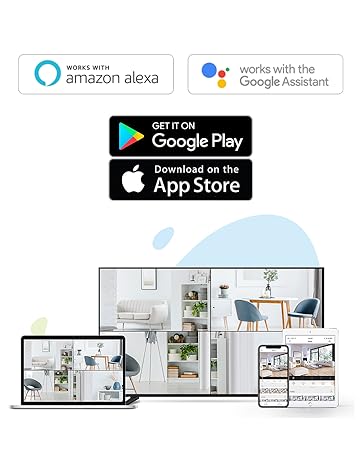
Figure 4: Using the two-way talk feature via the EZVIZ app.
4.3. โหมดการมองเห็นตอนกลางคืน
กล้องนี้มีโหมดการมองเห็นตอนกลางคืนสามโหมด:
- โหมดอินฟราเรด (ขาวดำ): Standard infrared night vision for clear black and white images in low light.
- โหมดสี: Utilizes built-in spotlights to provide full-color night vision, even in complete darkness.
- สมาร์ทไนท์วิชั่น: By default, the camera operates in black and white mode. When motion is detected, it automatically switches to color night vision and activates the spotlights.

Figure 5: Night vision modes: Color Night Vision and Black & White Vision.
4.4. การตรวจจับการเคลื่อนไหวและการแจ้งเตือน
The C3W Pro uses AI-powered human shape detection to minimize false alarms. You can customize detection settings:
- การตรวจจับรูปร่างมนุษย์: Enable this feature to only receive alerts when a human shape is detected.
- พื้นที่ตรวจจับการเคลื่อนไหว: กำหนดโซนเฉพาะภายในกล้อง view where motion detection will be active. This helps to ignore irrelevant movements (e.g., trees swaying).
- ความไวในการตรวจจับการเคลื่อนไหว: Adjust the sensitivity level to fine-tune how easily motion triggers an alert.
- การป้องกันเชิงรุก: When motion is detected, the camera can trigger a loud siren and flash its spotlights to deter intruders.

Figure 6: AI-Powered Person Detection in action.
4.5. การบูรณาการบ้านอัจฉริยะ
The EZVIZ C3W Pro is compatible with popular smart home platforms:
- อเมซอนอเล็กซ่า: ใช้คำสั่งเสียงเพื่อ view your camera feed on compatible Alexa devices.
- ผู้ช่วย Google: Integrate with Google Assistant for voice control and viewing on Google Home devices.

Figure 7: EZVIZ C3W Pro working with Amazon Alexa.
วิดีโอ 2: จบอย่างเป็นทางการแล้วview of the EZVIZ C3W Pro's key features, including color night vision, AI detection, and two-way talk.
5. การบำรุงรักษา
- การทำความสะอาดปกติ: ทำความสะอาดเลนส์และตัวเรือนกล้องเป็นระยะด้วยผ้านุ่มๆamp cloth to ensure clear image quality. Avoid harsh chemicals.
- อัพเดตเฟิร์มแวร์: Keep your camera's firmware updated through the EZVIZ app to ensure optimal performance, security, and access to new features.
- ตรวจสอบการเชื่อมต่อ: Regularly inspect power and network cable connections for any signs of wear or damage, especially in outdoor environments.
6 การแก้ไขปัญหา
6.1. No Power / Offline
- ตรวจสอบให้แน่ใจว่าได้เสียบอะแดปเตอร์แปลงไฟเข้ากับกล้องและเต้ารับไฟฟ้าที่ใช้งานได้สนิทแล้ว
- ตรวจสอบว่าเต้ารับไฟฟ้าใช้งานได้หรือไม่โดยเสียบอุปกรณ์อื่นเข้าไป
- ตรวจสอบให้แน่ใจว่าเครือข่าย Wi-Fi ของคุณเปิดใช้งานอยู่ และกล้องอยู่ในระยะทำการ
6.2. คุณภาพของภาพไม่ดี
- ทำความสะอาดเลนส์กล้องเพื่อขจัดสิ่งสกปรกหรือรอยเปื้อนต่างๆ
- ตรวจสอบให้แน่ใจว่าไม่มีสิ่งกีดขวางด้านหน้าเลนส์
- Check your Wi-Fi signal strength in the EZVIZ app; a weak signal can affect video quality.
- Adjust the video resolution settings in the app if your network bandwidth is limited.
6.3. Excessive False Alarms
- Enable AI-powered Human Shape Detection in the app settings.
- Adjust the Motion Detection Area to exclude areas with frequent irrelevant motion (e.g., trees, busy roads).
- Lower the Motion Detection Sensitivity in the app.
7. ข้อมูลจำเพาะ
| หมายเลขรุ่น | EZC3W3H2L28 |
| ความละเอียดในการจับภาพวิดีโอ | 1080p |
| เทคโนโลยีการเชื่อมต่อ | Wireless (Wi-Fi 2.4GHz with Dual External Antennas) |
| การให้คะแนนการคุ้มครองระหว่างประเทศ | IP67 (ทนต่อสภาพอากาศและฝุ่น) |
| ช่วงการมองเห็นตอนกลางคืน | 98 ฟุต |
| คุณสมบัติพิเศษ | Motion Sensor, Night Vision (Color, Black & White, Smart), AI-Powered Human Detection, Two-Way Talk, Active Defense (Siren & Strobe Light) |
| พื้นที่จัดเก็บ | MicroSD Slot (up to 256GB), Secure Cloud Storage (Optional) |
| อุปกรณ์ที่รองรับ | iOS, Android, Amazon Alexa, Google Assistant |
| แหล่งพลังงาน | Wired (Power Adapter Included) |
| ขนาด (กว้าง x ยาว x สูง) | 9 x 4.1 x 3.7 นิ้ว |
| น้ำหนักสินค้า | 1.28 ปอนด์ |
8. การรับประกันและการสนับสนุน
สำหรับข้อมูลการรับประกัน การสนับสนุนทางเทคนิค หรือสอบถามเกี่ยวกับบริการ โปรดดูที่เว็บไซต์อย่างเป็นทางการของ EZVIZ website or contact their customer support directly. Details can typically be found in the Quick Start Guide or on the product packaging.


