
1. บทนำ
The DIGITNOW B600-US Record Player is a versatile audio system designed to bring the timeless sound of vinyl into your home. This unit features integrated speakers, Bluetooth connectivity for wireless streaming, and a high-quality Audio-Technica stylus for precise tracking. It supports both 33 and 45 RPM records and includes a switchable phono preamplifier for connecting to external speakers. Additionally, it offers a USB port for converting vinyl records to digital formats.

Figure 1: DIGITNOW B600-US Record Player with dust cover.
2. ข้อมูลด้านความปลอดภัย
Please read all safety instructions carefully before using the record player. Keep this manual for future reference.
- แหล่งพลังงาน: ใช้เฉพาะอะแดปเตอร์ไฟฟ้าที่ให้มาเท่านั้น ตรวจสอบให้แน่ใจว่าระดับเสียงtage ตรงกับแหล่งจ่ายไฟในพื้นที่ของคุณ
- น้ำและความชื้น: อย่าวางเครื่องไว้ในที่ที่มีฝน ความชื้น หรือของเหลวหยด/กระเด็น อย่าวางสิ่งของที่บรรจุของเหลว เช่น แจกัน ไว้บนเครื่อง
- การระบายอากาศ : Ensure adequate ventilation. Do not block any ventilation openings. Maintain a minimum distance around the apparatus for sufficient ventilation.
- ความร้อน: ห้ามวางใกล้แหล่งความร้อน เช่น เครื่องทำความร้อน ช่องระบายความร้อน เตา หรืออุปกรณ์อื่นๆ (รวมถึง) ampเครื่องให้ความร้อน) ที่ผลิตความร้อน
- การทำความสะอาด: ถอดปลั๊กเครื่องออกจากเต้าเสียบก่อนทำความสะอาด ใช้ผ้าแห้งนุ่มๆ ในการทำความสะอาด ห้ามใช้น้ำยาทำความสะอาดหรือสเปรย์ทำความสะอาด
- การบริการ: อย่าพยายามให้บริการผลิตภัณฑ์นี้ด้วยตนเอง ส่งต่อการบริการทั้งหมดไปยังช่างบริการที่ผ่านการรับรอง
- การจัดวาง: วางเครื่องบนพื้นผิวที่มั่นคงและเรียบ เพื่อป้องกันความเสียหายจากการตกหล่น
3. เนื้อหาบรรจุภัณฑ์
แกะกล่องอย่างระมัดระวังและตรวจสอบให้แน่ใจว่ามีสิ่งของต่อไปนี้ครบถ้วน:
- DIGITNOW Record Player Unit
- อะแดปเตอร์เมน
- ฝาครอบจานหมุน (ฝาครอบกันฝุ่น)
- Slide Mat (Platter Mat)
- Plate with Belt (Platter with Drive Belt)
- น้ำหนักถ่วง
- Cartridge Alignment Meter
- อะแดปเตอร์ 45 RPM
- คู่มือการใช้งาน (เอกสารนี้)
4. สินค้าหมดview
Familiarize yourself with the various components of your DIGITNOW Record Player.
4.1 ด้านหน้าและด้านบน View
รูปที่ 2: หลัก view of the record player, showing the platter, tonearm, and dust cover.
- แผ่นเสียง: The rotating platform where records are placed. Made of solid aluminum alloy for stability.
- โทนอาร์ม: เป็นที่เก็บตลับและเข็มอ่านแผ่นเสียง ซึ่งใช้อ่านร่องของแผ่นเสียง
- สไตลัส (เข็ม): Diamond-tipped Audio-Technica stylus for accurate playback.
- ถ่วง: Adjustable weight on the tonearm to balance tracking force.
- Anti-skating Control: Prevents the tonearm from drifting inward or outward.
- ฝาปิดป้องกันฝุ่น: Protects the platter and tonearm from dust when not in use.
- Control Knobs/Buttons: For power, speed selection (33/45 RPM), mode selection (Phono/Bluetooth), and volume.
- ลำโพงในตัว: Built-in stereo speakers for direct audio playback.
4.2 Internal Speaker System
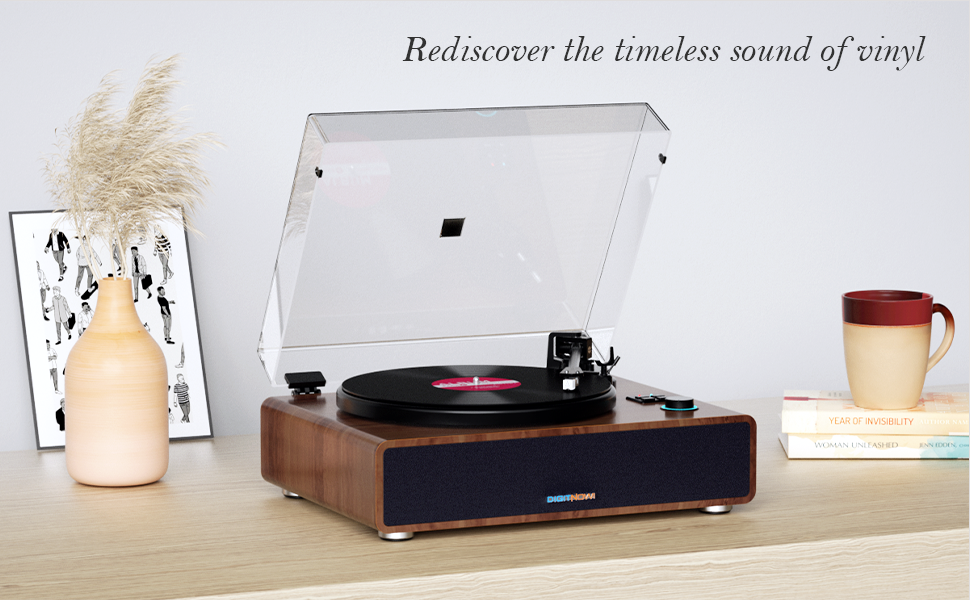
Figure 3: Diagram showing the internal speaker components and vibration absorption system.
The record player incorporates a vibration absorption system and high-performance speakers to deliver clear and dynamic sound directly from the unit.
4.3 การเชื่อมต่อแผงด้านหลัง

Figure 4: Rear panel showing various input/output ports.
- ขั้วต่อกราวด์: Connects the ground wire to reduce sound interference.
- กระแสตรงใน 15V: ช่องเสียบไฟสำหรับอะแดปเตอร์ไฟบ้าน
- USB-PC Port: For connecting to a computer to convert vinyl to digital audio.
- ช่องต่อสัญญาณ RCA Line-Out (ซ้าย/ขวา): Red (Right) and White (Left) outputs for connecting to external amplifiers หรือลำโพงขับเคลื่อน
- สวิตช์ PHONO/LINE: Selects between phono (for phono input) and line (for line-level output to external speakers/ampลิตเตอร์)
- สวิตช์เปิด/ปิด: สวิตช์ไฟหลักสำหรับตัวเครื่อง
5. การตั้งค่า
Follow these steps to set up your record player for the first time.
- แกะกล่องและวาง: Carefully remove all components from the packaging. Place the record player on a stable, level surface away from direct sunlight, heat sources, and excessive dust or vibrations.
- ติดตั้งจานหมุนและสายพาน:
- วางจานลงบนแกนหมุน
- Locate the drive belt on the underside of the platter. Carefully stretch the belt around the motor pulley. Ensure the belt is not twisted.

Figure 5: Close-up of the solid aluminum alloy platter, indicating proper placement.
- Install and Adjust Counterweight:
- เลื่อนตุ้มถ่วงน้ำหนักไปไว้ด้านหลังของแขนโทนอาร์ม
- Adjust the counterweight to achieve the recommended tracking force for the Audio-Technica AT3600 cartridge (typically 2.5 to 3.5 grams). Refer to the cartridge alignment meter for precise adjustment. The tonearm should float horizontally when properly balanced.
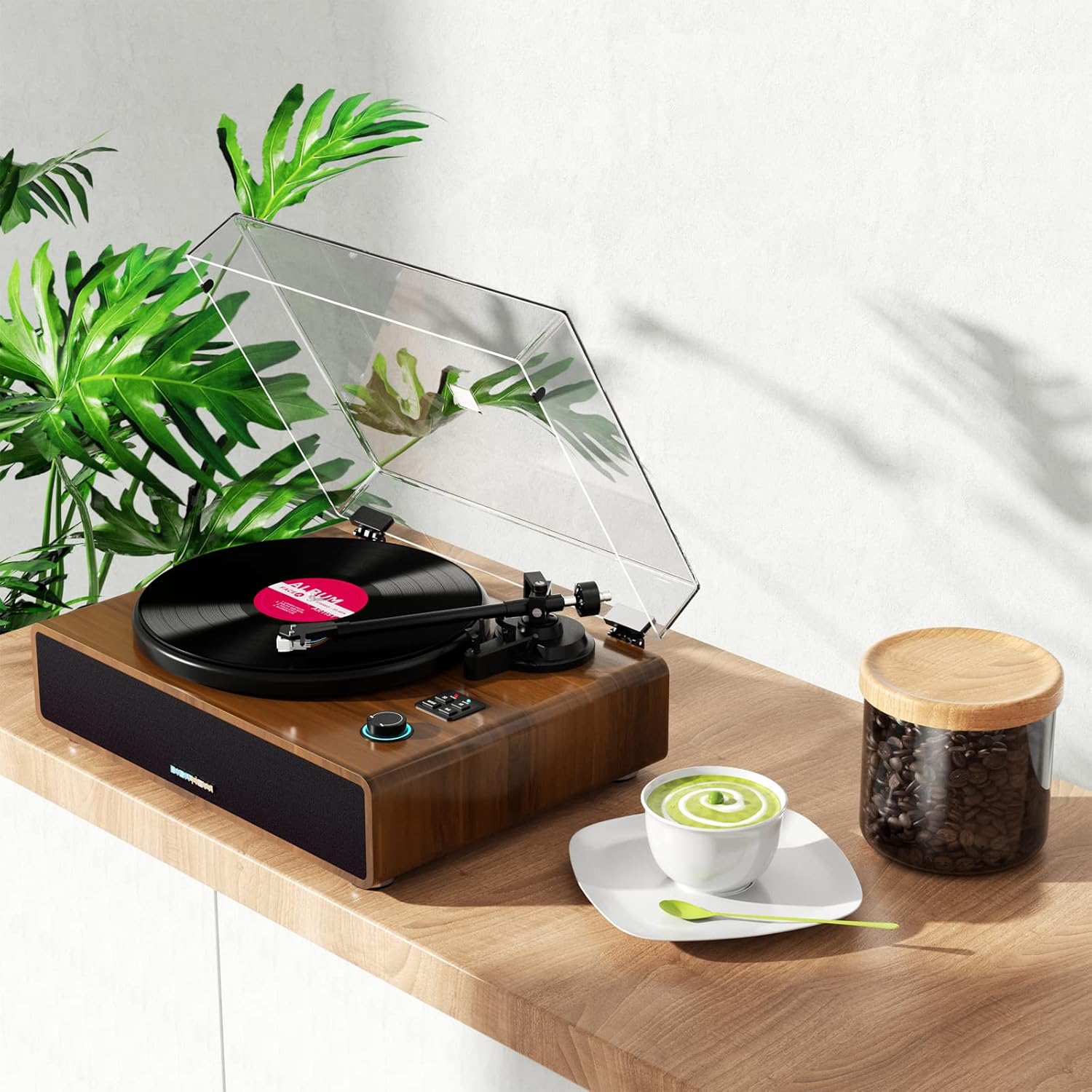
Figure 6: Adjustable counterweight on the tonearm for optimal tracking.
- ติดตั้งฝาครอบกันฝุ่น: Carefully place the dust cover onto the hinges at the back of the unit.
- เชื่อมต่อพลังงาน: Insert the DC IN 15V plug from the mains adapter into the corresponding port on the rear panel. Plug the mains adapter into a wall outlet.
6. คู่มือการใช้งาน
6.1 การเล่นแผ่นเสียง
- Ensure the record player is powered on using the ON/OFF switch on the rear panel.
- วางแผ่นเสียงลงบนแท่นหมุน หากเล่นแผ่นเสียง 45 รอบต่อนาที ให้วางตัวแปลง 45 รอบต่อนาทีลงบนแกนหมุนก่อน
- Select the appropriate speed (33 or 45 RPM) using the speed selector button.
- ค่อยๆ ยกแขนโทนอาร์มขึ้นโดยใช้คันโยกสำหรับยกหัวอ่าน
- วางแขนจับหัวอ่านแผ่นเสียงให้ตรงกับร่องเริ่มต้นที่ต้องการของแผ่นเสียง
- Slowly lower the cueing lever to gently place the stylus onto the record. Playback will begin.
- หากต้องการหยุดการเล่น ให้ยกแขนโทนอาร์มขึ้นโดยใช้คันโยก และวางกลับไปที่ที่วางแขนโทนอาร์ม
6.2 การจับคู่บลูทูธ
The record player can receive audio wirelessly from your Bluetooth-enabled devices.
- เปิดเครื่องเล่นแผ่นเสียง
- Press the "MODE" button until the Bluetooth indicator light flashes, indicating it's in pairing mode.
- บนสมาร์ทโฟนหรืออุปกรณ์บลูทูธอื่นๆ ของคุณ ให้เปิดใช้งานบลูทูธและค้นหาอุปกรณ์ที่ใช้งานได้
- Select "B600" or similar from the list of devices. Once connected, the Bluetooth indicator light will become solid.
- You can now stream audio from your device through the record player's speakers.
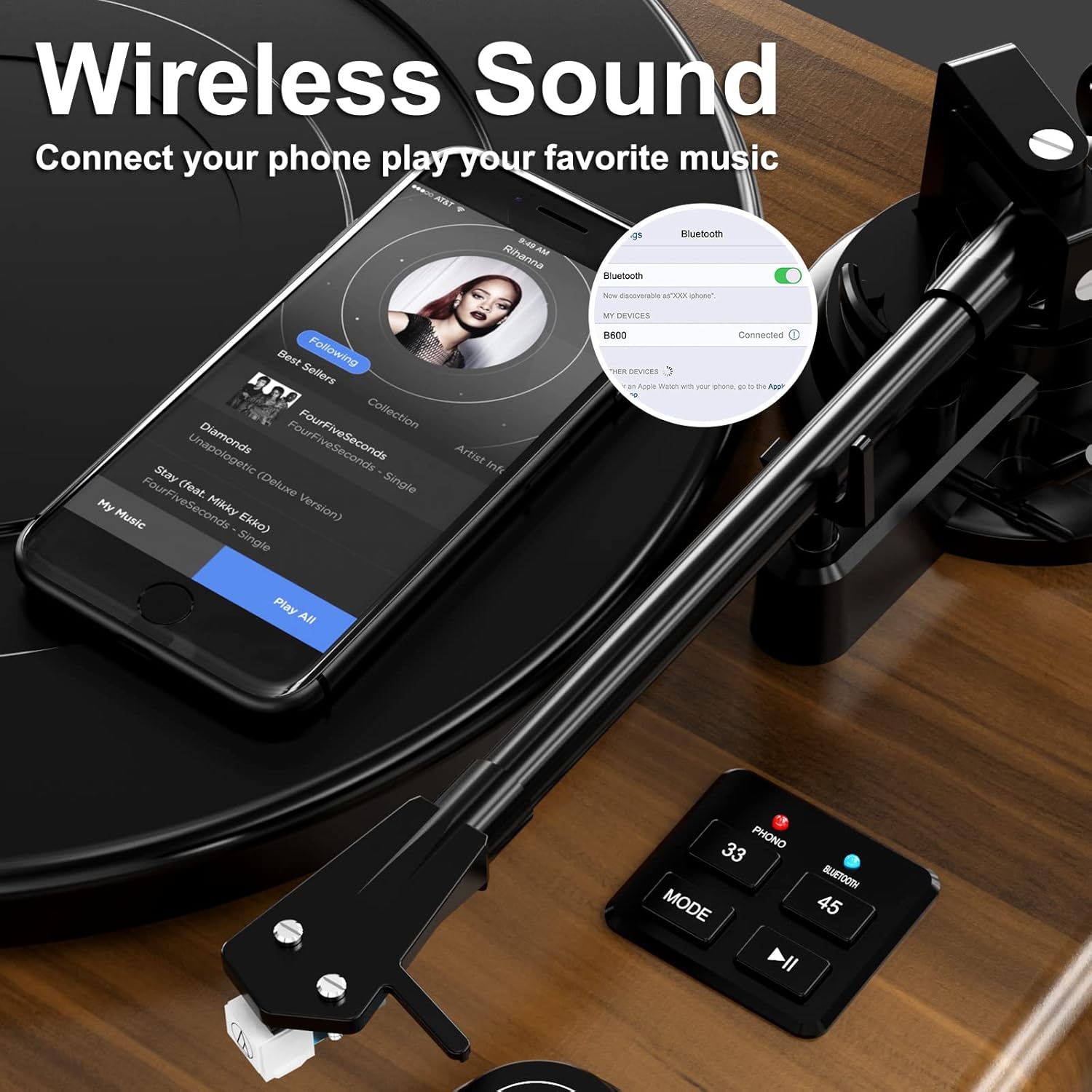
รูปที่ 7: อดีตample of Bluetooth pairing with a smartphone.
6.3 การเชื่อมต่อกับลำโพงภายนอก/Ampชีวิต
To connect your record player to an external audio system:
- Ensure both the record player and the external audio system are turned off.
- Connect RCA cables (not included) from the R (Red) and L (White) RCA Line-Out ports on the rear of the record player to the corresponding audio input ports on your ampเครื่องขยายเสียงหรือลำโพงที่มีกำลังขยาย
- Set the PHONO/LINE switch on the rear of the record player to "LINE" if connecting to a standard line-level input on your amplifier, or "PHONO" if connecting to a dedicated phono input.
- Turn on both devices and adjust volume levels as needed.
6.4 USB Connection for PC (Vinyl to Digital Conversion)
The USB-PC port allows you to convert your vinyl records into digital audio files (MP3/WAV) using computer software like Audacity.
- Connect a USB cable (not included) from the USB-PC port on the record player to an available USB port on your computer.
- Install and open audio recording software (e.g., Audacity) on your computer.
- In the software's audio input settings, select the record player as the input device.
- Start recording in the software, then begin playing your vinyl record on the record player.
- Once the record finishes, stop recording in the software and save your digital audio file.
7. การบำรุงรักษา
Proper care will extend the life of your record player and records.
- การทำความสะอาดหน่วย: Wipe the exterior of the record player with a soft, dry, lint-free cloth. Do not use abrasive cleaners, waxes, or solvents.
- การทำความสะอาดสไตลัส: ใช้แปรงขนนุ่มที่ออกแบบมาสำหรับทำความสะอาดสไตลัส ค่อยๆ แปรงจากด้านหลังไปด้านหน้า หลีกเลี่ยงการสัมผัสสไตลัสด้วยนิ้วมือ
- การดูแลรักษาเอกสาร: รักษาแผ่นเสียงของคุณให้สะอาดและปราศจากฝุ่น เก็บแผ่นเสียงในแนวตั้งในซองเพื่อป้องกันการบิดเบี้ยว
- การเปลี่ยนหัวเข็ม: The stylus has a limited lifespan. If you notice a decrease in sound quality or increased skipping, the stylus may need replacement. Contact customer support for information on compatible replacement styli.
8 การแก้ไขปัญหา
หากคุณพบปัญหา โปรดดูตารางด้านล่างเพื่อดูปัญหาทั่วไปและวิธีแก้ไข
| ปัญหา | สาเหตุที่เป็นไปได้ | สารละลาย |
|---|---|---|
| ไม่มีไฟฟ้า | ไม่ได้เสียบอะแดปเตอร์แปลงไฟ และปลั๊กไฟก็ไม่ได้ทำงาน | Ensure power adapter is securely connected to the unit and a working outlet. Check the ON/OFF switch. |
| ไม่มีเสียงออกจากลำโพง | Volume too low; incorrect mode selected; external speakers not connected/powered. | Increase volume. Ensure "PHONO" mode is selected for vinyl playback. If using external speakers, check their connections and power. |
| เสียงผิดเพี้ยนหรือข้ามไป | Stylus dirty or worn; tracking force incorrect; record dirty or damaged; unit not level. | Clean stylus. Re-adjust counterweight. Clean record. Ensure unit is on a stable, level surface. Replace stylus if worn. |
| บลูทูธไม่เชื่อมต่อ | Record player not in pairing mode; device too far; device already connected to another Bluetooth unit. | Ensure record player is in Bluetooth pairing mode (flashing light). Move device closer. Disconnect device from other Bluetooth connections. |
| ความเร็วที่บันทึกไว้ไม่ถูกต้อง | เลือกความเร็วไม่ถูกต้อง | Press the speed selector button to switch between 33 and 45 RPM. |
9. ข้อมูลจำเพาะ
Technical specifications for the DIGITNOW B600-US Record Player.
| คุณสมบัติ | รายละเอียด |
|---|---|
| หมายเลขรุ่น | B600-US |
| ยี่ห้อ | ดิจิทโนว์ |
| ขนาด (กว้าง x ยาว x สูง) | 20.39 x 16.34 x 11.57 นิ้ว |
| น้ำหนักสินค้า | 20.3 ปอนด์ |
| ความเร็วที่รองรับ | 33 1/3, 45 รอบต่อนาที |
| ประเภทตลับหมึก | Magnet-type (Audio-Technica AT3600) |
| ประเภทมอเตอร์ | มอเตอร์ DC |
| การเชื่อมต่อ | Bluetooth Input, RCA Line-Out, Headphone Jack, USB-PC |
| ลำโพงในตัว | Yes, 4 integrated speakers with equalizer |
| วัสดุ | Plastic (with wooden look finish) |
| สี | สีน้ำตาล |
10. การรับประกันและการสนับสนุน
DIGITNOW products are manufactured to the highest quality standards. For specific warranty information, please refer to the warranty card included with your purchase or visit the official DIGITNOW webเว็บไซต์.
If you require technical assistance or have questions about your product, please contact DIGITNOW customer support. Have your model number (B600-US) and purchase details ready when contacting support.
การสนับสนุนทางออนไลน์: Visit the official DIGITNOW webเว็บไซต์สำหรับคำถามที่พบบ่อย คำแนะนำในการแก้ไขปัญหา และข้อมูลการติดต่อ
การสนับสนุนทางอีเมล์: โปรดดูบัตรรับประกันหรือเอกสารอย่างเป็นทางการ webเว็บไซต์สำหรับที่อยู่อีเมลฝ่ายบริการลูกค้า