การแนะนำ
คู่มือนี้ให้คำแนะนำโดยละเอียดเกี่ยวกับการติดตั้ง การใช้งาน และการบำรุงรักษาโปรเจคเตอร์ Morimoto M LED 2.0 Bi-LED ของคุณ ออกแบบมาสำหรับการดัดแปลงรถยนต์โดยเฉพาะ เลนส์โปรเจคเตอร์อเนกประสงค์นี้ให้ฟังก์ชันทั้งไฟต่ำและไฟสูง พร้อมรูปแบบลำแสงและการตัดแสงตามมาตรฐาน ECE สำหรับรถยนต์พวงมาลัยขวา (RHD) โปรดอ่านคู่มือนี้อย่างละเอียดก่อนเริ่มการติดตั้งหรือการใช้งานใดๆ เพื่อให้มั่นใจถึงการทำงานที่ถูกต้องและความปลอดภัย
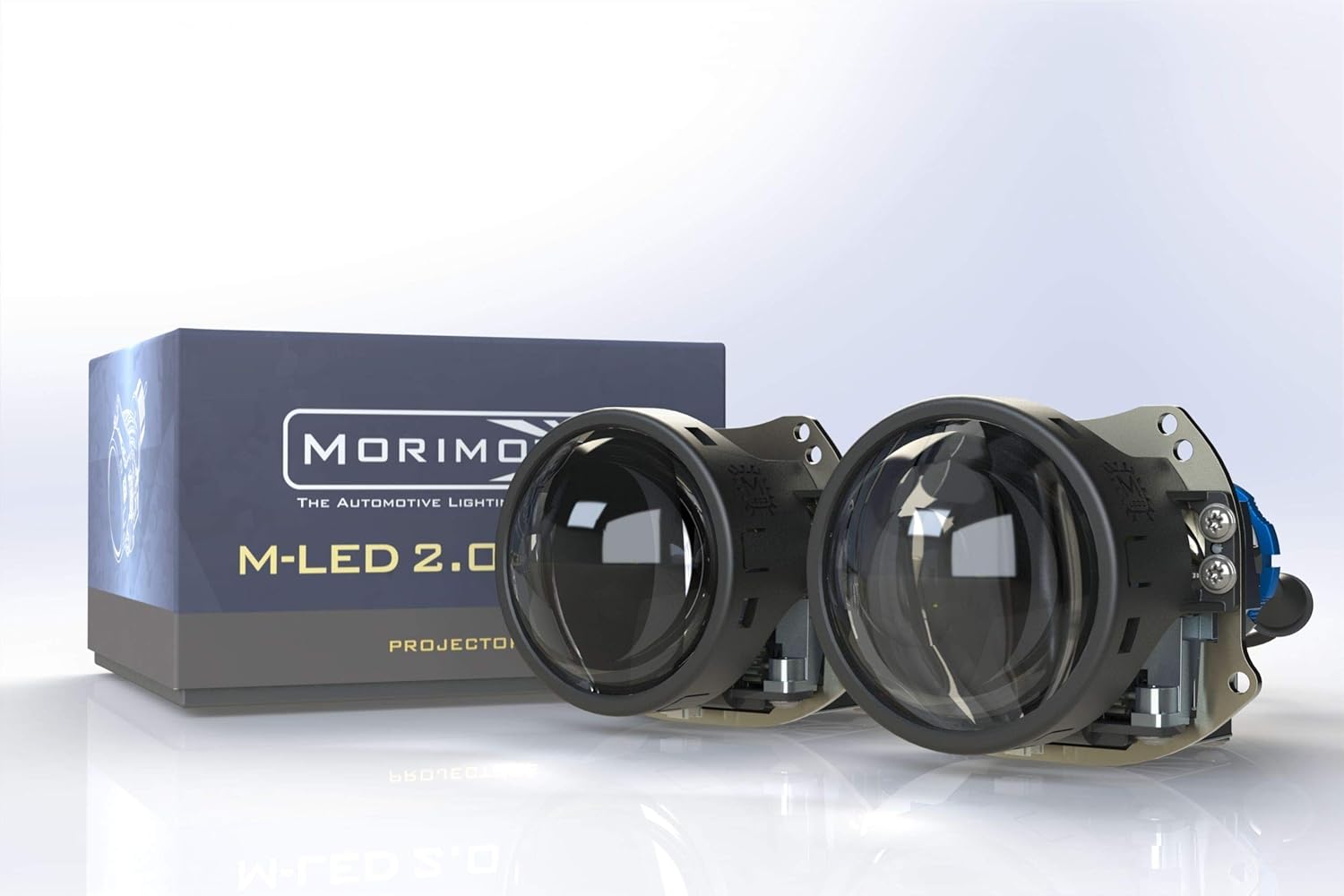
ภาพ: โปรเจคเตอร์ Morimoto M LED 2.0 Bi-LED ที่จัดแสดงasinเช่น การออกแบบที่กะทัดรัดและบรรจุภัณฑ์ของผลิตภัณฑ์
สิ่งที่รวมอยู่
ตรวจสอบว่าส่วนประกอบทั้งหมดอยู่ครบและไม่ได้รับความเสียหายก่อนดำเนินการติดตั้ง
- โปรเจ็กเตอร์: โปรเจ็กเตอร์ Morimoto M LED 2.0 Bi-LED RHD จำนวน 1 เครื่อง
- ไดรเวอร์: ไดร์เวอร์ LED M 1.0 จำนวน 1 ชิ้น
- ฮาร์ดแวร์: 1x เพลาเกลียวพร้อมแหวนล็อค
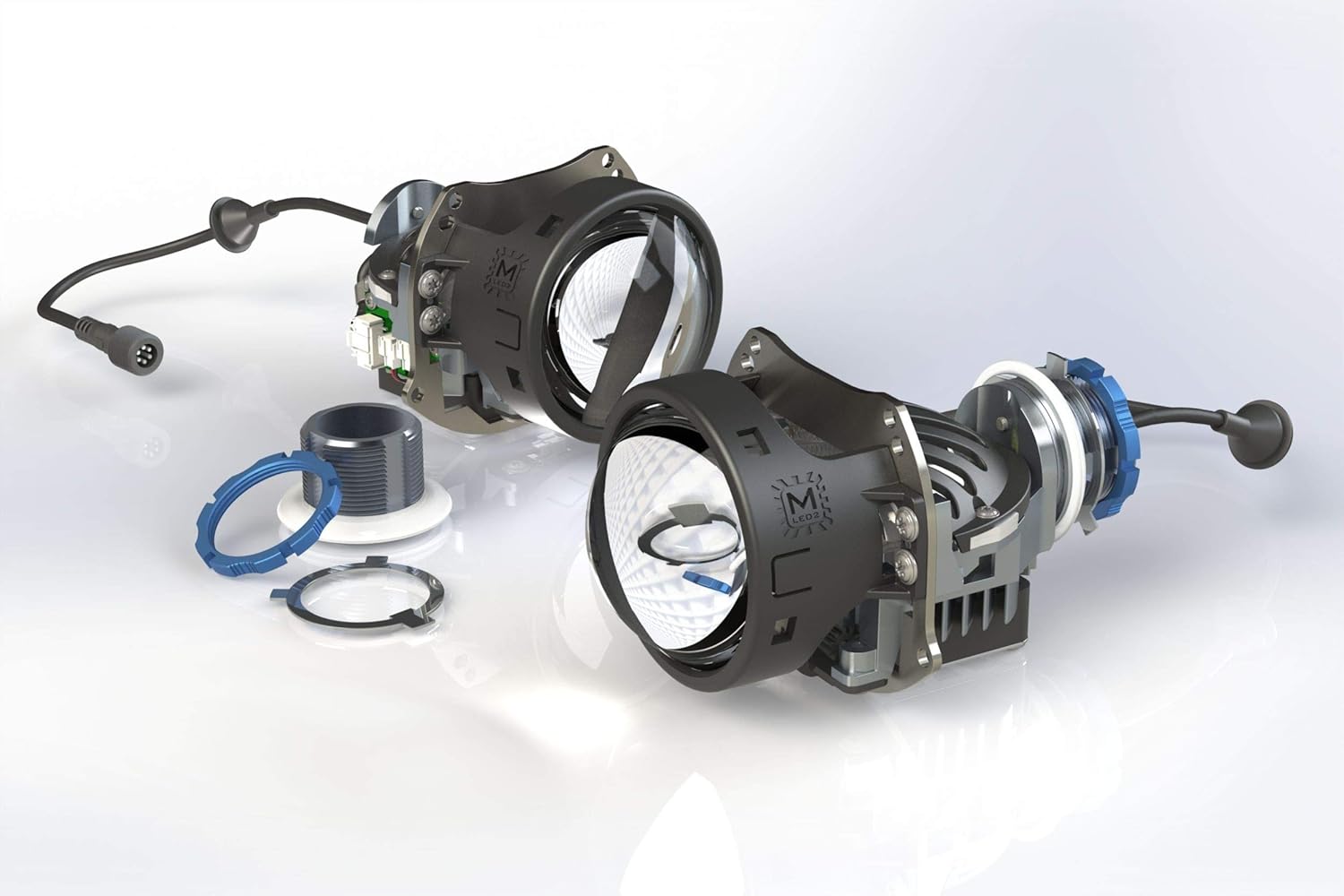
ภาพ: ระเบิด view ภาพประกอบแสดงส่วนประกอบของโปรเจ็กเตอร์ โดยแสดงเลนส์ ตัวเรือน และอุปกรณ์ที่เกี่ยวข้อง
การติดตั้งและการตั้งค่า
ไฟโปรเจคเตอร์ Morimoto M LED 2.0 Bi-LED ออกแบบมาเพื่อการติดตั้งแบบอเนกประสงค์ในงานดัดแปลงไฟหน้าสำหรับรถยนต์ เนื่องจากลักษณะเฉพาะของการดัดแปลงไฟหน้า จึงขอแนะนำให้ติดตั้งโดยช่างผู้เชี่ยวชาญ ส่วนนี้เป็นคำแนะนำทั่วไป
การตรวจสอบก่อนการติดตั้ง
- ตรวจสอบให้แน่ใจว่าได้ถอดแบตเตอรี่ของรถออกก่อนจะเริ่มงานไฟฟ้าใดๆ
- ตรวจสอบให้แน่ใจว่าโปรเจคเตอร์สามารถติดตั้งภายในตัวเรือนไฟหน้าตามที่กำหนดได้
- ตรวจสอบชิ้นส่วนทั้งหมดว่ามีร่องรอยความเสียหายหรือไม่
การติดตั้งโปรเจ็กเตอร์
โปรเจคเตอร์ใช้แกนเกลียวสำหรับการติดตั้งที่มั่นคง ช่วยให้สามารถปรับและล็อคเข้าที่ได้อย่างแม่นยำภายในชุดไฟหน้า
- ค่อยๆ สอดโปรเจคเตอร์เข้าไปในช่องของตัวเรือนไฟหน้า
- ยึดโปรเจ็กเตอร์ให้แน่นโดยใช้แกนเกลียวและแหวนล็อคที่ให้มา จากด้านหลังของตัวเรือน
- ตรวจสอบให้แน่ใจว่าได้วางโปรเจคเตอร์ในทิศทางที่ถูกต้องเพื่อให้ได้รูปแบบลำแสง RHD
การเชื่อมต่อไฟฟ้า
เชื่อมต่อไดร์เวอร์ M LED 1.0 เข้ากับโปรเจคเตอร์ แล้วจึงเชื่อมต่อเข้ากับระบบไฟฟ้าของรถยนต์ ระบบนี้ทำงานด้วยแรงดันไฟฟ้ากระแสตรง 9-30 โวลต์
- เชื่อมต่อสายเคเบิลของโปรเจ็กเตอร์เข้ากับพอร์ตอินพุตบนไดรเวอร์ M LED 1.0
- เชื่อมต่อสายไฟจากฝั่งคนขับเข้ากับสายไฟไฟต่ำและไฟสูงของรถยนต์ หากไม่แน่ใจ โปรดดูแผนผังการเดินสายไฟเฉพาะรุ่นรถ
- ตรวจสอบให้แน่ใจว่าการเชื่อมต่อทั้งหมดมีความปลอดภัยและมีฉนวนป้องกันอย่างเหมาะสมเพื่อป้องกันไฟฟ้าลัดวงจร

ภาพ: วงจรขับ M LED 2.0 Bi-LED ซึ่งเป็นส่วนประกอบสำคัญสำหรับการควบคุมพลังงานและการทำงานของโปรเจ็กเตอร์
การดำเนินการ
โปรเจคเตอร์ Morimoto M LED 2.0 เป็นโปรเจคเตอร์แบบ Bi-LED ซึ่งหมายความว่าสามารถใช้งานได้ทั้งไฟต่ำและไฟสูงจากตัวโปรเจคเตอร์เพียงตัวเดียว การเปลี่ยนระหว่างไฟต่ำและไฟสูงถูกควบคุมโดยกลไกบังแสงภายใน
ฟังก์ชั่นไฟต่ำ
เมื่อเปิดไฟต่ำ แผ่นบังแสงภายในจะทำงาน ทำให้เกิดเส้นตัดแสงคมชัดตามมาตรฐาน ECE สำหรับรถขับขวา (RHD) ซึ่งช่วยป้องกันแสงจ้าสำหรับรถที่วิ่งสวนทาง พร้อมทั้งให้แสงสว่างที่เหมาะสม ampส่องสว่างเส้นทางข้างหน้า
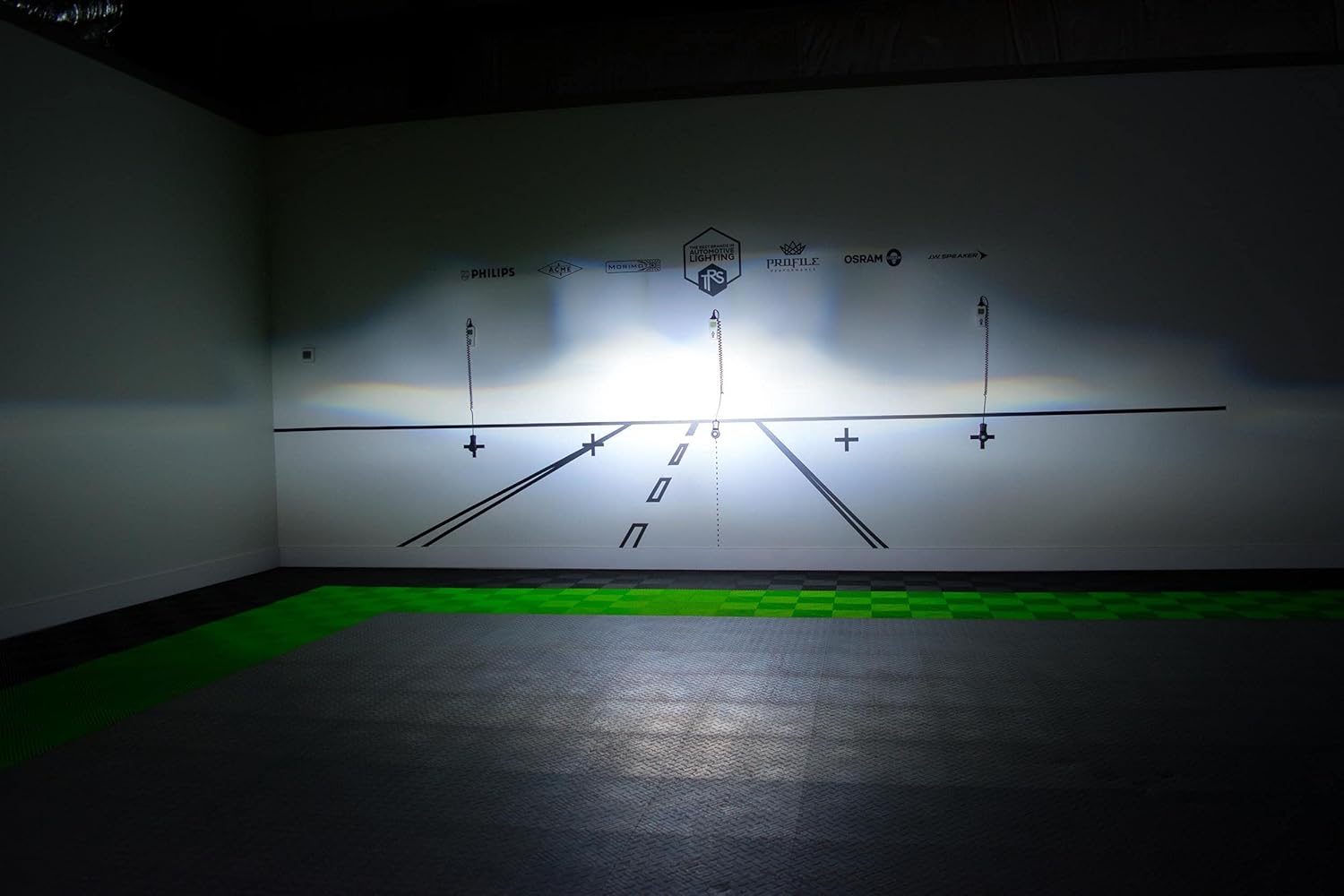
ภาพ: อดีตampภาพแสดงรูปแบบลำแสง RHD ที่มีเส้นตัดชัดเจน เมื่อฉายลงบนผนังทดสอบ
ฟังก์ชั่นไฟสูง
เมื่อเปิดไฟสูง แผ่นบังแสงจะหดกลับ ทำให้แสงส่องออกมาได้เต็มที่ ส่งผลให้ทัศนวิสัยในการขับขี่เวลากลางคืนดีขึ้น โดยเฉพาะในพื้นที่ที่ไม่มีรถสวนทาง
เส้นทางแสงและกลไกการตัดแสง
โปรเจคเตอร์ใช้ระบบออปติคอลที่ซับซ้อน รวมถึงตัวสะท้อนแสงย่อยและแผ่นบังแสง เพื่อควบคุมปริมาณแสงและรูปแบบลำแสงได้อย่างแม่นยำ รูปแบบลำแสง RHD ช่วยให้มั่นใจได้ว่ารถยนต์พวงมาลัยขวาจะได้รับแสงสว่างอย่างเหมาะสม

ภาพ: แผนภาพทางเทคนิคที่อธิบายถึงระบบเลนส์ภายในและวิธีการจัดการแสงเพื่อสร้างรูปแบบลำแสงที่ต้องการ
การซ่อมบำรุง
โปรเจคเตอร์ Morimoto M LED 2.0 Bi-LED ออกแบบมาเพื่อการใช้งานระยะยาวโดยไม่ต้องบำรุงรักษา อย่างไรก็ตาม การตรวจสอบเป็นระยะจะช่วยให้มั่นใจได้ถึงประสิทธิภาพสูงสุด
- การทำความสะอาด: รักษาเลนส์ด้านนอกของชุดไฟหน้าให้สะอาดปราศจากสิ่งสกปรกและเศษฝุ่น ใช้ผ้าเนื้อนุ่มและน้ำยาทำความสะอาดอ่อนๆ ห้ามใช้สารทำความสะอาดที่มีฤทธิ์กัดกร่อน
- การตรวจสอบ: ตรวจสอบการเชื่อมต่อสายไฟเป็นระยะเพื่อดูว่ามีร่องรอยการสึกหรอหรือการกัดกร่อนหรือไม่
- คุณสมบัติกันน้ำ: โปรเจคเตอร์ได้รับการออกแบบให้กันน้ำ โปรดตรวจสอบให้แน่ใจว่าตัวเรือนไฟหน้าปิดสนิทอย่างถูกต้องหลังการติดตั้ง เพื่อป้องกันความชื้นต่อชิ้นส่วนภายใน
การแก้ไขปัญหา
หากคุณพบปัญหาใดๆ กับโปรเจคเตอร์ Morimoto M LED 2.0 Bi-LED โปรดดูปัญหาและวิธีแก้ไขทั่วไปต่อไปนี้:
| ปัญหา | สาเหตุที่เป็นไปได้ | สารละลาย |
|---|---|---|
| โปรเจ็กเตอร์ไม่ส่องสว่าง | ไม่มีไฟเข้า, การเชื่อมต่อหลวม, ตัวขับมอเตอร์เสีย. | ตรวจสอบการเชื่อมต่อสายไฟทั้งหมด ตรวจสอบการจ่ายไฟไปยังตัวขับลำโพง ทดสอบตัวขับลำโพงหากเป็นไปได้ |
| ไฟสูงไม่ทำงาน | ปัญหาเกี่ยวกับสายไฟของระบบเปิด-ปิดไฟสูง ตัวขับไฟทำงานผิดปกติ | ตรวจสอบให้แน่ใจว่าสายไฟสำหรับควบคุมไฟสูงเชื่อมต่อกับตัวขับอย่างถูกต้อง ตรวจสอบการทำงานของตัวขับด้วย |
| รูปแบบลำแสง/การตัดแสงที่ไม่เหมาะสม | โปรเจ็กเตอร์ติดตั้งไม่ถูกต้อง ชิ้นส่วนภายในไม่ตรงแนว | ตรวจสอบการติดตั้งและการวางแนวของโปรเจคเตอร์อีกครั้ง หากปัญหายังคงอยู่ โปรดติดต่อฝ่ายสนับสนุน |
สำหรับปัญหาที่ไม่ได้ระบุไว้ในที่นี้ หรือหากขั้นตอนการแก้ไขปัญหาไม่สามารถแก้ปัญหาได้ โปรดติดต่อฝ่ายบริการลูกค้าของ Morimoto
ข้อมูลจำเพาะทางเทคนิค
| คุณสมบัติ | รายละเอียด |
|---|---|
| แบบอย่าง | PR353 |
| แหล่งกำเนิดแสง | HML-3 7545 LED |
| อุณหภูมิสี | 6300K |
| การทำงาน | ไฟ LED สองดวง (ไฟต่ำและไฟสูง) |
| รูปแบบการจราจร | RHD (รถยนต์พวงมาลัยขวา) พร้อมจุดตัด ECE |
| ความเข้มข้น | 70,000ซีดี |
| พลัง | 29.5วัตต์ |
| อินพุต Voltage | 9-30V ซี |
| เส้นผ่านศูนย์กลางเลนส์ | 3.0 นิ้ว |
| วัสดุเลนส์ | กระจกแซฟไฟร์ |
| ขนาด (สูง x กว้าง x ลึก) | 82 มม. x 95 มม. x 124 มม. (150 มม. รวมแกน) |
| เส้นผ่านศูนย์กลางเพลา | 35มม. |
| น้ำหนักสินค้า | 1 ปอนด์ |
| คุณสมบัติพิเศษ | กันน้ำ |
| ประเภทความพอดีของยานยนต์ | พอดีทุกประการ |
การรับประกันและการสนับสนุน
ข้อมูลการรับประกัน
โปรเจคเตอร์ Morimoto M LED 2.0 Bi-LED มาพร้อมกับ... รับประกัน 5 ปีการรับประกันนี้ครอบคลุมถึงข้อบกพร่องในวัสดุและฝีมือการผลิตภายใต้การใช้งานปกติ โปรดเก็บหลักฐานการซื้อไว้เพื่อใช้ในการเรียกร้องการรับประกัน สำหรับข้อกำหนดและเงื่อนไขการรับประกันฉบับเต็ม โปรดดูที่เว็บไซต์อย่างเป็นทางการของ Morimoto webเว็บไซต์หรือติดต่อฝ่ายบริการลูกค้าของพวกเขา
การสนับสนุนลูกค้า
หากต้องการความช่วยเหลือด้านเทคนิค การแก้ไขปัญหา หรือสอบถามเกี่ยวกับการรับประกัน โปรดติดต่อฝ่ายบริการลูกค้าของ Morimoto โดยปกติคุณสามารถค้นหาข้อมูลการติดต่อได้จากเว็บไซต์ทางการของ Morimoto webไซต์หรือผ่านตัวแทนจำหน่ายที่ได้รับอนุญาตของคุณ
แหล่งข้อมูลออนไลน์: เยี่ยมชม ร้าน Morimoto บน Amazon สำหรับข้อมูลผลิตภัณฑ์และทรัพยากรเพิ่มเติม


