1. บทนำ
Thank you for choosing Baseus W11 True Wireless Earbuds. This manual provides detailed instructions for the proper use and maintenance of your device. Please read it carefully before use.

Image: Baseus W11 True Wireless Earbuds and Charging Case.
2. อะไรอยู่ในกล่อง
แพ็คเกจประกอบด้วยรายการต่อไปนี้:
- Baseus W11 True Wireless Earbuds (Left and Right)
- เคสชาร์จแบบไร้สาย
- สายชาร์จ USB-C
- Multiple sizes of silicone ear tips (XS, S, M, L)
- คู่มือการใช้งาน
Video: TWS W11 Operation Guide Video, demonstrating unboxing and initial setup steps.
3. สินค้าหมดview
หูฟัง
- พื้นที่ควบคุมแบบสัมผัส
- ไมโครโฟน
- ขั้วสัมผัสการชาร์จ
- ซิลิโคนครอบหู
เคสชาร์จไฟ
- ช่องเสียบชาร์จเอียร์บัด
- ไฟแสดงสถานะแบตเตอรี่
- พอร์ตชาร์จ USB-C
- ปุ่มฟังก์ชั่น

Image: Baseus W11 Earbuds inside their charging case, showing the earbuds and charging contacts.
4. การตั้งค่า
4.1 การชาร์จเริ่มต้น
Before first use, ensure the charging case and earbuds are fully charged. Remove any insulation stickers from the earbud charging contacts.
- เชื่อมต่อสาย USB-C เข้ากับเคสชาร์จและแหล่งจ่ายไฟ
- หรืออีกวิธีหนึ่งคือ วางเคสชาร์จลงบนแท่นชาร์จไร้สายที่ใช้งานร่วมกันได้
- ไฟแสดงสถานะบนเคสจะแสดงสถานะการชาร์จ

Image: Baseus W11 charging case on a wireless charging pad, illustrating wireless charging capability.

Image: Baseus W11 charging case connected via USB-C cable, showing fast charging feature.
4.2 การจับคู่กับอุปกรณ์
- เปิดกล่องชาร์จ หูฟังจะเข้าสู่โหมดจับคู่โดยอัตโนมัติ
- เปิดใช้งาน Bluetooth บนอุปกรณ์ของคุณ (สมาร์ทโฟน แท็บเล็ต ฯลฯ)
- ค้นหา "Baseus Encok W11" in the list of available Bluetooth devices and select it to connect.
- เมื่อเชื่อมต่อแล้ว คุณจะได้ยินเสียงแจ้งเตือน และหูฟังจะพร้อมใช้งาน
4.3 การติดตั้งแอป Baseus
For enhanced features like anti-lost function, gesture customization, and firmware updates, download the official Baseus app from your device's app store.

Image: Baseus app interface showing anti-lost function, low latency, and button customization options.
5. คู่มือการใช้งาน
5.1 การสวมหูฟัง
Choose the ear tips that provide the most comfortable and secure fit for your ears. Insert the earbuds into your ear canal and gently twist them to lock them in place.

Image: Man wearing Baseus W11 earbuds while running, demonstrating the secure and comfortable fit for active use.
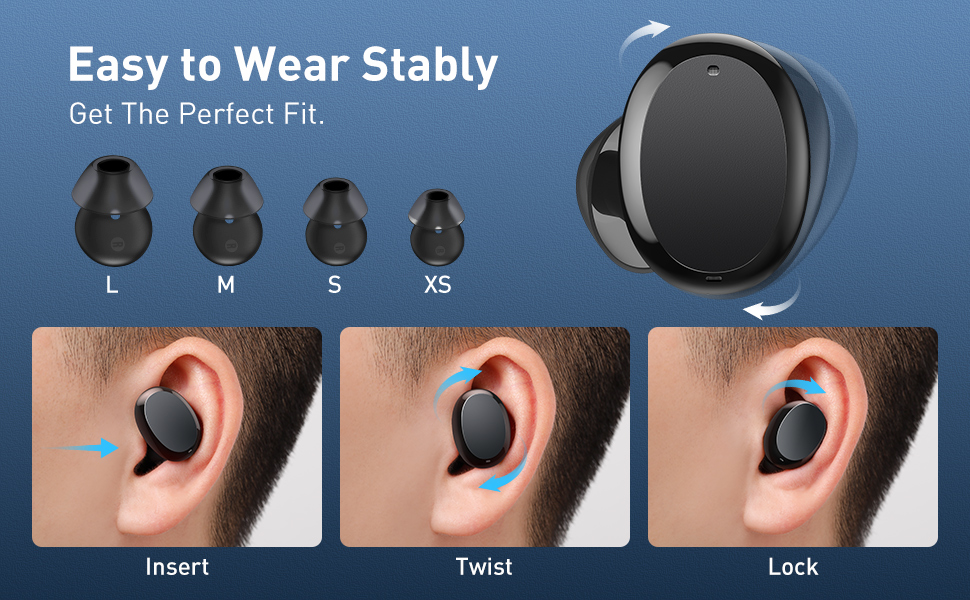
Image: Diagram illustrating the three steps to achieve a secure fit for the Baseus W11 earbuds: insert, twist, and lock.
5.2 ระบบควบคุมแบบสัมผัส
The earbuds feature smart touch controls. Functions can be customized via the Baseus app.
- เล่น/หยุดชั่วคราว: Double-tap Left/Right earbud.
- เพลงถัดไป: Long press Right earbud.
- แทร็กก่อนหน้า: Long press Left earbud.
- เปิดใช้งาน Voice Assistant: Triple-tap Left/Right earbud.
- รับสาย/วางสาย: Double-tap Left/Right earbud.
- ปฏิเสธสาย: Long press Left/Right earbud.
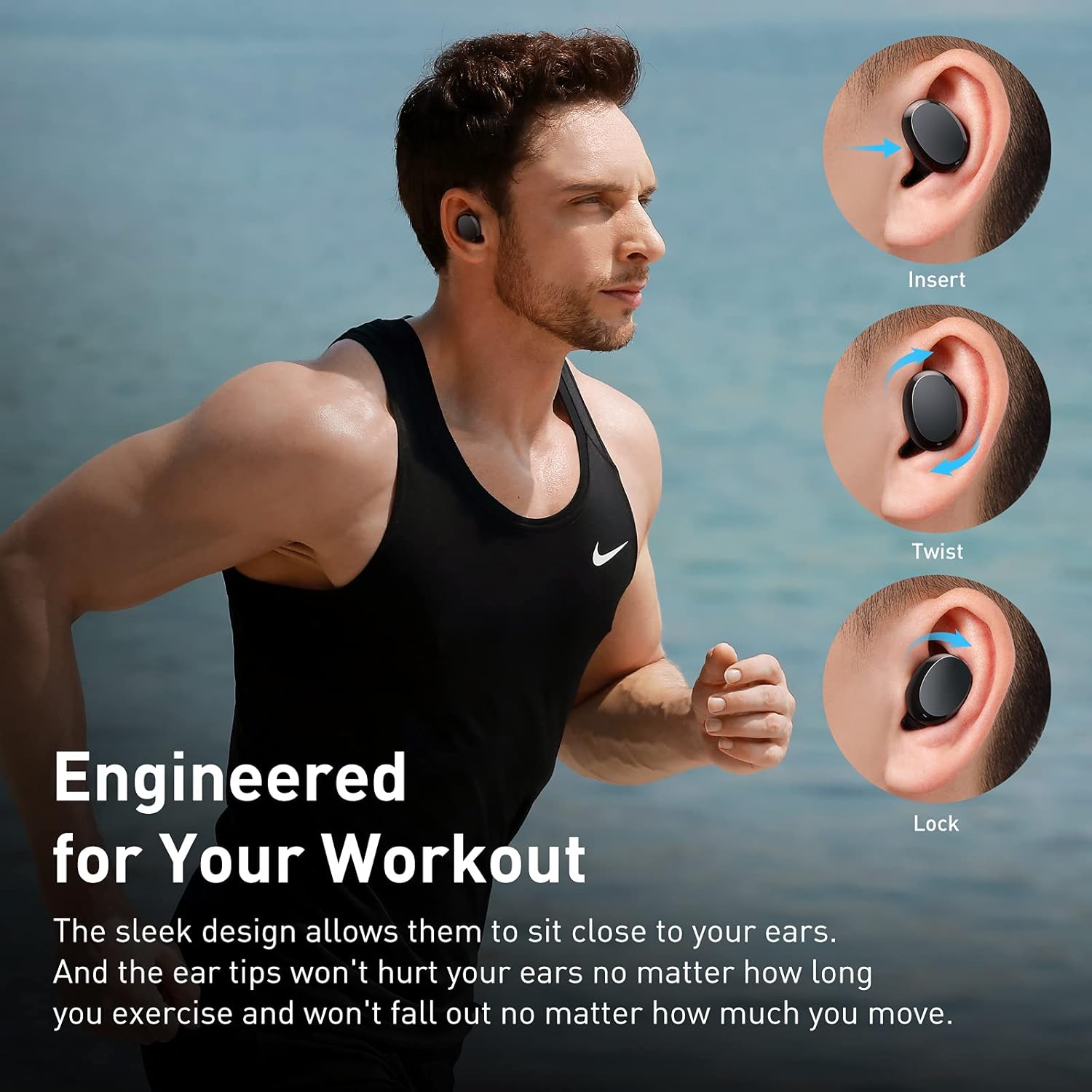
Image: Diagram illustrating the various touch control functions for the Baseus W11 earbuds, including play/pause, track skipping, voice assistant, and call management.
5.3 การใช้หูฟังข้างเดียว
The Baseus W11 earbuds support independent use. You can use either the left or right earbud individually while the other is charging or stored.
6. การชาร์จไฟ
6.1 กำลังชาร์จหูฟังเอียร์บัด
Place the earbuds into the charging case. They will automatically begin charging. The case's indicator light will show the charging status.
6.2 การชาร์จเคส
The charging case can be charged via the included USB-C cable or wirelessly using a compatible Qi-certified wireless charger.
6.3 ชาร์จเร็ว
The earbuds feature fast charging. A 10-minute charge can provide up to 4 hours of playback time.
7. การบำรุงรักษา
7.1 ระดับการกันน้ำ (IPX8)
The Baseus W11 earbuds are IPX8 waterproof, providing protection against sweat and rain. This makes them suitable for sports and outdoor activities. Avoid prolonged submersion in water.
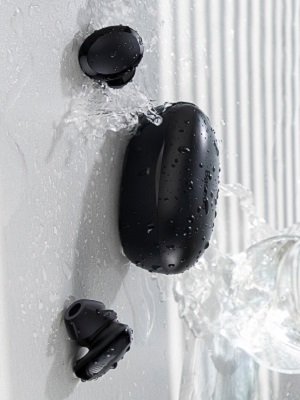
Image: Baseus W11 earbuds and case with water splashing, demonstrating IPX8 waterproof rating.
7.2 การทำความสะอาด
Regularly clean the earbuds and charging case with a soft, dry cloth. Ensure charging contacts are free from dust and debris to maintain optimal charging performance.
8 การแก้ไขปัญหา
- หูฟังไม่จับคู่: Ensure both earbuds are fully charged and removed from the case. Check your device's Bluetooth settings and try reconnecting. If issues persist, try resetting the earbuds (refer to the app or full user manual for specific reset instructions).
- เอียร์บัดข้างหนึ่งไม่ทำงาน: Ensure both earbuds are charged. Try placing them back in the case and taking them out again. If only one earbud connects, try re-pairing them as a pair.
- ปัญหาคุณภาพเสียง: Ensure ear tips are properly fitted to create a good seal. Check the audio source and volume levels on both your device and the earbuds.
- หูฟังหาย: Use the anti-lost function in the Baseus app to locate misplaced earbuds by making them emit a sound.
Video: Great Waterproof Wireless Earbuds with Locator App, demonstrating the app's anti-lost feature.
9. ข้อมูลจำเพาะ
| คุณสมบัติ | ข้อมูลจำเพาะ |
|---|---|
| ชื่อรุ่น | NGTW060001 (W11) |
| เทคโนโลยีการเชื่อมต่อ | ไร้สาย (Bluetooth) |
| เทคโนโลยีการสื่อสารไร้สาย | บลูทูธ V5.0 |
| ความจุแบตเตอรี่เอียร์บัด | 40mAh (0.148 วัตต์ชั่วโมง) |
| ความจุแบตเตอรี่กล่องชาร์จ | 300mAh (1.11 วัตต์ชั่วโมง) |
| ช่วงตอบสนองความถี่ | 20เฮิรตซ์-20กิโลเฮิรตซ์ |
| อินเตอร์เฟซการชาร์จ | ประเภทซี |
| ระดับความต้านทานต่อน้ำ | กันน้ำระดับ IPX8 |
| ประเภทไดร์เวอร์เสียง | ไดรเวอร์ไดนามิกขนาด 10 มม. |
| วิธีการควบคุม | แอปสัมผัส |
| น้ำหนัก | 5.1 ounces (total item weight) |
| วัสดุ | Durable Plastic or Rubber |
10. การรับประกันและการสนับสนุน
Baseus products come with a standard manufacturer's warranty. For warranty claims, technical support, or any product-related inquiries, please contact Baseus customer service through their official webไซต์หรือข้อมูลการติดต่อที่ให้ไว้ในบรรจุภัณฑ์ผลิตภัณฑ์ของคุณ
หากต้องการความช่วยเหลือเพิ่มเติม โปรดไปที่: www.baseus.com/support


