1. สินค้าหมดview

ด้านหน้า-ด้านบน view of the SUNMI 80mm Kitchen Cloud Receipt Printer, showcasing its compact black design with orange accents and control panel.
The SUNMI 80mm Kitchen Cloud Receipt Printer (Model C04000069) is a compact and efficient thermal printer designed for various environments, particularly suited for kitchen and point-of-sale applications. It offers reliable, high-speed printing for receipts and orders.
คุณสมบัติหลัก:
- Compact 130mm square design for space-saving installation.
- High-performance Seiko thermal print head.
- Fast printing speed of 165mm/s for 80mm receipts.
- Easy internet connectivity via LAN cable.
- Supports 80mm paper format.
2. เนื้อหาบรรจุภัณฑ์
กรุณาทำเครื่องหมายในช่องสำหรับรายการต่อไปนี้:
- SUNMI 80mm Kitchen Cloud Receipt Printer (Model C04000069)
- อะแดปเตอร์แปลงไฟ
- Thermal Paper Roll (for initial setup)
- คู่มือการใช้งาน (เอกสารนี้)
3. คู่มือการติดตั้ง
3.1 การเชื่อมต่อสายไฟ
- Ensure the printer is placed on a stable, flat surface.
- เชื่อมต่ออะแดปเตอร์ไฟฟ้าเข้ากับพอร์ตอินพุตไฟฟ้าของเครื่องพิมพ์
- เสียบอะแดปเตอร์จ่ายไฟเข้ากับเต้ารับไฟฟ้าที่เหมาะสม
- Press the power button to turn on the printer. The power indicator light will illuminate.
3.2 การติดตั้งม้วนกระดาษ

เปิด view of the SUNMI printer's interior, revealing the paper roll compartment and the high-performance Seiko thermal print head, capable of 165mm/s printing speed.
- เปิดฝาครอบด้านบนของเครื่องพิมพ์โดยกดสลักปลดล็อค
- Insert the 80mm thermal paper roll into the compartment, ensuring the paper feeds from the bottom and the leading edge is straight.
- ดึงกระดาษจำนวนเล็กน้อยออกมาผ่านเครื่องตัด
- ปิดฝาครอบด้านบนให้แน่นจนกระทั่งล็อคเข้าที่

Two sequential images: one showing a hand inserting a receipt into the printer's output slot, and another showing a hand replacing the thermal paper roll inside the printer's open compartment.
3.3 การเชื่อมต่อเครือข่าย
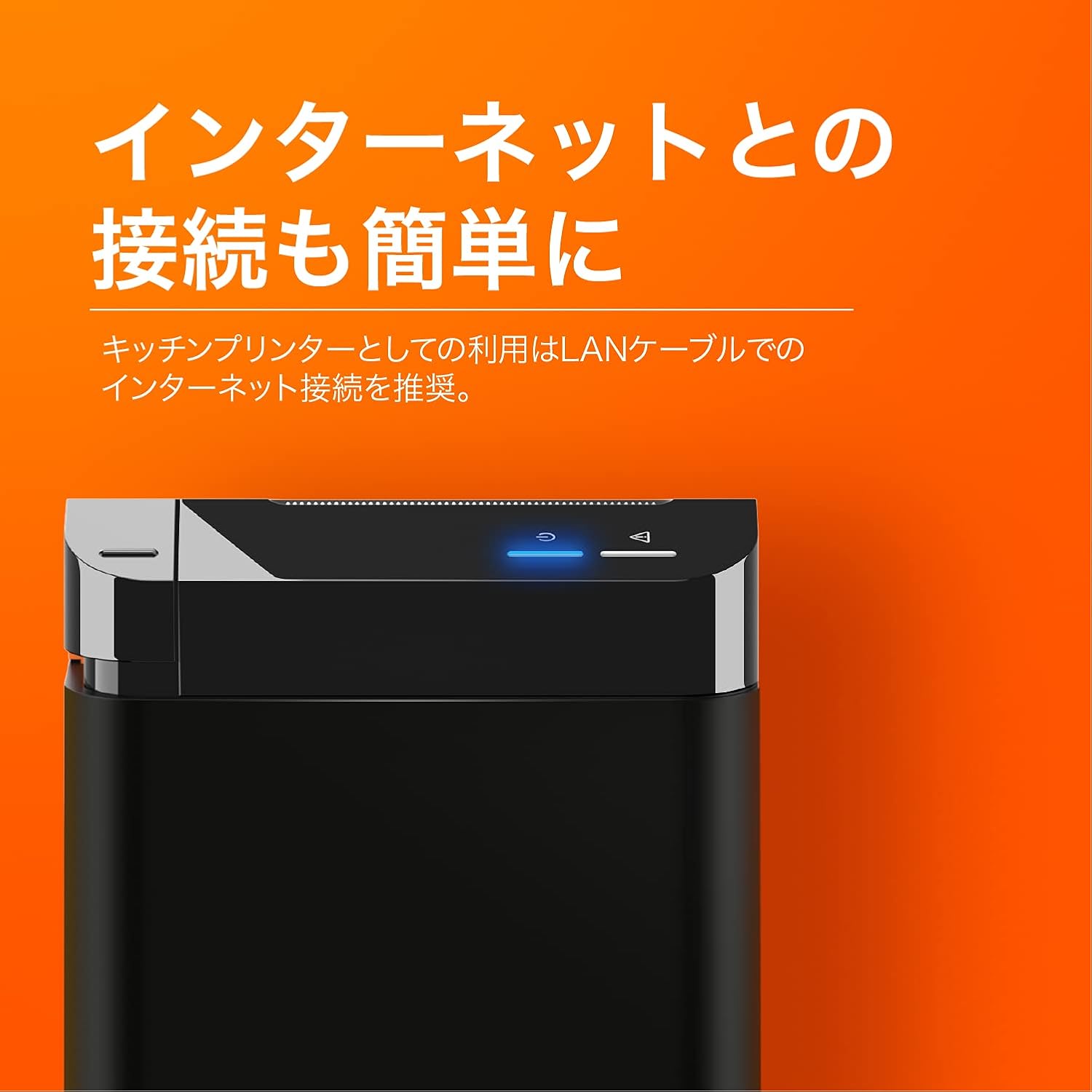
The SUNMI printer with a blue illuminated status light, highlighting its easy internet connectivity via LAN cable, recommended for kitchen printer use.
For optimal performance, especially in kitchen environments, a wired LAN connection is recommended.
- Connect one end of an Ethernet (LAN) cable to the printer's LAN port.
- เชื่อมต่อปลายอีกด้านของสายอีเธอร์เน็ตเข้ากับเราเตอร์เครือข่ายหรือสวิตช์ของคุณ
- The network indicator light on the printer will show connection status (e.g., solid blue for connected).
4. คู่มือการใช้งาน
4.1 การพิมพ์ขั้นพื้นฐาน
Once the printer is powered on and connected to your network, it is ready to receive print commands from compatible software or systems (e.g., POS software, kitchen display systems).
- Ensure your printing application is configured to use the SUNMI 80mm Kitchen Cloud Printer.
- Initiate a print job from your application.
- The printer will automatically feed and cut the receipt after printing.

A view of two SUNMI 80mm Kitchen Cloud Printers side-by-side, with one actively printing a receipt, demonstrating its operational use.
4.2 ตัวบ่งชี้สถานะ
The printer features indicator lights on its control panel to provide status information:
- ไฟแสดงสถานะพลังงาน: Solid light indicates the printer is on.
- ตัวบ่งชี้ข้อผิดพลาด: Flashing or solid light indicates an error (e.g., paper out, cover open). Refer to the Troubleshooting section.
- ตัวบ่งชี้เครือข่าย: Indicates network connectivity status.
5. การบำรุงรักษา
5.1 การทำความสะอาดเครื่องพิมพ์
การทำความสะอาดอย่างสม่ำเสมอจะช่วยรักษาคุณภาพการพิมพ์และยืดอายุการใช้งานของเครื่องพิมพ์
- ปิดเครื่องพิมพ์และถอดปลั๊กออกก่อนทำความสะอาด
- ใช้ผ้านุ่มไม่เป็นขุยเช็ดเล็กน้อยampened with water or isopropyl alcohol to wipe the exterior.
- Gently clean the thermal print head with a cotton swab dipped in isopropyl alcohol. Allow it to dry completely before use.
- กำจัดฝุ่นกระดาษหรือเศษต่างๆ ออกจากเส้นทางกระดาษ
5.2 การเปลี่ยนม้วนกระดาษ
When the paper roll is nearing its end, the printer may indicate a paper-low error or print faint lines. Follow the steps in Section 3.2 to replace the paper roll.
6 การแก้ไขปัญหา
If you encounter issues with your SUNMI printer, refer to the table below for common problems and solutions.
| ปัญหา | สาเหตุที่เป็นไปได้ | สารละลาย |
|---|---|---|
| เครื่องพิมพ์ไม่สามารถเปิดได้ | No power, faulty adapter | Check power cable connection; ensure outlet is working; try a different adapter if available. |
| No printing / Error light on | Paper out, cover open, paper jammed | Replace paper roll; ensure cover is closed properly; clear any paper jams. |
| Faint or blank prints | Incorrect paper type, dirty print head, paper loaded incorrectly | Ensure thermal paper is used; clean the print head (Section 5.1); check paper orientation. |
| ไม่สามารถเชื่อมต่อกับเครือข่าย | Loose LAN cable, network configuration issue | Check LAN cable connection; verify network settings on your router/system. |
7. ข้อมูลจำเพาะทางเทคนิค

The SUNMI 80mm Kitchen Cloud Printer, demonstrating its compact 130mm square footprint, ideal for space-saving installations.
| คุณสมบัติ | ข้อมูลจำเพาะ |
|---|---|
| หมายเลขรุ่น | ซี04000069 |
| ยี่ห้อ | ซุนมี |
| ประเภทเครื่องพิมพ์ | เครื่องพิมพ์ใบเสร็จความร้อน |
| ความเร็วในการพิมพ์ | 165 มม./วินาที |
| ความกว้างของกระดาษ | 80 มม. |
| เทคโนโลยีการเชื่อมต่อ | ยูเอสบี, แลน (อีเธอร์เน็ต) |
| สี | Multicolor (primarily black with orange accents) |
| ขนาดสินค้า | 13 x 13 x 13 ซม. (ประมาณ 5.1 x 5.1 x 5.1 นิ้ว) |
| น้ำหนักสินค้า | 1.32 กิโลกรัม (ประมาณ 2.91 ปอนด์) |
| Maximum Sheet Input Capacity | 100 sheets (referring to paper roll length equivalent) |
| การพิมพ์สองหน้า | No (single-sided receipt printing) |
| สื่อที่รองรับ | Thermal Labels/Receipt Paper |
8. การรับประกันและการสนับสนุน
This product is covered by the standard manufacturer's warranty. For specific warranty terms and conditions, please refer to the documentation provided at the time of purchase or contact your retailer.
For technical support, troubleshooting assistance beyond this manual, or service inquiries, please contact SUNMI customer support or your authorized dealer. Keep your purchase receipt and product model number (C04000069) ready when contacting support.


