การแนะนำ
Thank you for choosing the Bytech BYMSWR104BK 3 Button Gaming Mouse. This manual provides essential information for setting up, operating, and maintaining your new gaming mouse. Please read this manual thoroughly before use to ensure optimal performance and longevity of your device.
คุณสมบัติ
- Precision Mouse: Designed for accurate tracking and responsive control.
- DPI ที่ปรับได้: Customize sensitivity for various gaming and productivity needs.
- Three Responsive Buttons: Includes left-click, right-click, and scroll wheel/middle-click for efficient operation.
- แสงไฟสีสันสดใส: Features multi-color LED lighting with 7 distinct color modes for an enhanced aesthetic experience.
- การออกแบบตามหลักสรีรศาสตร์: Shaped to fit comfortably in your palm, reducing fatigue during extended use.
ข้อมูลจำเพาะ
| ยี่ห้อ | บายเทค |
| หมายเลขรุ่น | BYMSWR104BK |
| จำนวนปุ่ม | 3 |
| ความละเอียดในการเคลื่อนไหว | 1,000 จุดต่อนิ้ว |
| โหมดสี | 7 Colors (Multi-color Backlight) |
| ความยาวสายเคเบิล | 5 ฟุต |
| คะแนนการสลับ | 1 ล้านคลิก |
| น้ำหนักสินค้า | 4.9 ออนซ์ |
| ขนาดแพ็คเกจ | 7.17 x 4.06 x 2.68 นิ้ว |
| สี | สีดำ |
| แหล่งพลังงาน | สายไฟ (USB) |
| แพลตฟอร์มฮาร์ดแวร์ | PC |
เนื้อหาแพ็คเกจ
- 1 x Bytech BYMSWR104BK Wired Gaming Mouse
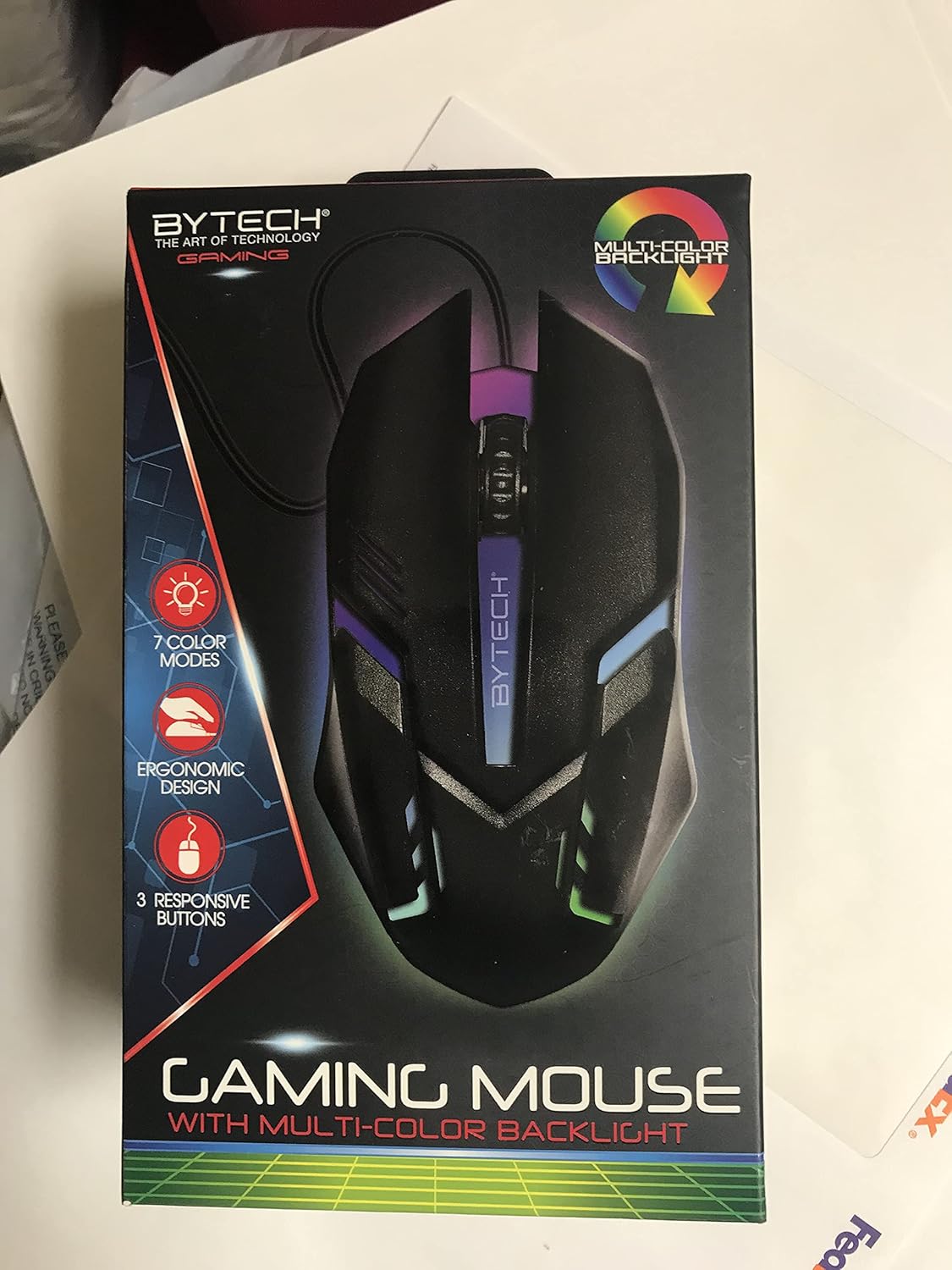
ภาพ: ด้านหน้า view of the Bytech BYMSWR104BK Gaming Mouse in its retail packaging, highlighting its multi-color backlight and ergonomic design.
การตั้งค่า
- แกะ: Carefully remove the gaming mouse from its packaging.
- เชื่อมต่อ: Locate an available USB port on your computer (PC, laptop, etc.). Insert the USB connector of the Bytech BYMSWR104BK Gaming Mouse firmly into the USB port.
- การติดตั้งไดร์เวอร์: The mouse is plug-and-play. Your operating system should automatically detect and install the necessary drivers. This process may take a few moments.
- พร้อมใช้งาน: Once the drivers are installed, the mouse will be ready for immediate use. The multi-color backlight will illuminate.

ภาพ: ด้านหลัง view of the Bytech BYMSWR104BK Gaming Mouse retail packaging, detailing features, specifications, and universal compatibility.
คำแนะนำการใช้งาน
การทำงานพื้นฐาน
- ปุ่มซ้าย: Primary click function, typically used for selecting items, opening files, or interacting with software.
- ปุ่มขวา: Secondary click function, usually opens context menus or provides additional options.
- ปุ่มเลื่อน (ปุ่มกลาง): เลื่อนขึ้นหรือลงเพื่อเลื่อนดูเอกสารต่างๆ และ web pages. Pressing the scroll wheel acts as a middle-click button, often used for opening links in new tabs or auto-scrolling.
การปรับ DPI
The Bytech BYMSWR104BK Gaming Mouse features adjustable DPI settings. While specific buttons for DPI adjustment are not explicitly listed on the packaging, many gaming mice allow DPI changes through a dedicated button (often located near the scroll wheel) or through software. Refer to your computer's mouse settings or Bytech's official website for advanced customization options if available.
Backlight แบบ LED
The mouse features a dynamic multi-color LED backlight with 7 different color modes. These lights will automatically cycle through the modes once the mouse is connected and powered on. There is no manual control for changing modes on the mouse itself.
การซ่อมบำรุง
- การทำความสะอาด: ใช้ผ้านุ่มและแห้งเช็ดพื้นผิวของเมาส์ สำหรับสิ่งสกปรกฝังแน่น ให้เช็ดเบาๆampชุบผ้าด้วยน้ำหรือน้ำยาทำความสะอาดอ่อนๆ หลีกเลี่ยงการใช้สารเคมีรุนแรงหรือวัสดุที่มีฤทธิ์กัดกร่อน
- การดูแลเซ็นเซอร์: รักษาเซ็นเซอร์ออปติคัลที่ด้านล่างของเมาส์ให้สะอาดและปราศจากฝุ่นหรือเศษต่างๆ เพื่อให้การติดตามแม่นยำ
- การจัดการสายเคเบิล: หลีกเลี่ยงการโค้งงออย่างแรงหรือการดึงสาย USB มากเกินไปเพื่อป้องกันความเสียหาย
- พื้นที่จัดเก็บ: เมื่อไม่ได้ใช้งาน ให้เก็บเมาส์ไว้ในสภาพแวดล้อมที่สะอาดและแห้ง ห่างจากอุณหภูมิที่สูงหรือต่ำเกินไป

ภาพ: ด้านข้าง view of the Bytech BYMSWR104BK Gaming Mouse retail packaging, showcasing the multi-color backlight effect.
การแก้ไขปัญหา
| ปัญหา | วิธีแก้ปัญหาที่เป็นไปได้ |
|---|---|
| เมาส์ไม่ตอบสนอง |
|
| เคอร์เซอร์ไม่แน่นอนหรือเคลื่อนไหวไม่ราบรื่น |
|
| ไฟแบ็คไลท์ LED ไม่ทำงาน |
|
การรับประกันและการสนับสนุน
การรับประกัน: This Bytech product comes with a 12-month warranty from the date of purchase. Please retain your proof of purchase for warranty claims.
ข้อมูลติดต่อ:
- ที่อยู่: 2585 West 13th Street, Brooklyn, NY 11223, USA
- Webเว็บไซต์: www.bytechintl.com
⚠ คำเตือน: ผลิตภัณฑ์นี้อาจทำให้คุณสัมผัสกับสารเคมีต่างๆ รวมถึง DEHP ซึ่งรัฐแคลิฟอร์เนียทราบว่าก่อให้เกิดมะเร็ง ข้อบกพร่องแต่กำเนิด หรืออันตรายต่อระบบสืบพันธุ์อื่นๆ หากต้องการข้อมูลเพิ่มเติม โปรดไปที่ www.P65Warnings.ca.gov.

ภาพ: ด้านล่าง view of the Bytech BYMSWR104BK Gaming Mouse retail packaging, showing contact information, warranty details, and California Proposition 65 warning.


