1. บทนำ
The Sennheiser CX Plus True Wireless Earphones (Model 509188) provide a high-quality audio experience with the convenience of true wireless technology. These earphones feature Active Noise Cancellation (ANC) for immersive listening and Transparent Hearing to stay aware of your surroundings. With customizable touch controls and a comfortable ergonomic design, they are suitable for various activities.
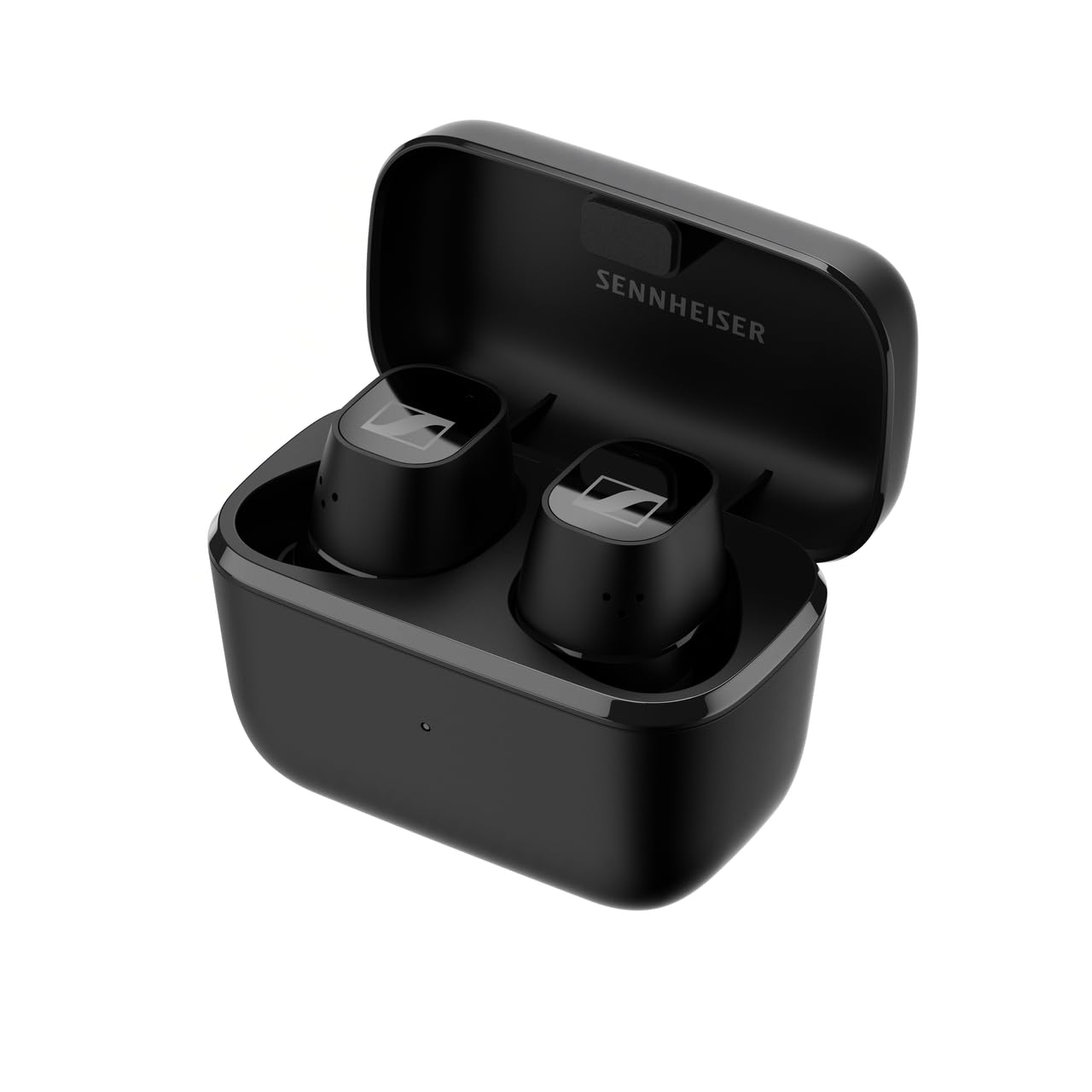
ภาพที่ 1.1: ด้านหน้า view of the Sennheiser CX Plus True Wireless Earphones.
2. การตั้งค่า
2.1 การแกะกล่องและส่วนประกอบที่รวมอยู่
เมื่อเปิดบรรจุภัณฑ์ ให้แน่ใจว่ามีส่วนประกอบทั้งหมดครบถ้วน:
- Sennheiser CX Plus True Wireless Earphones (Left and Right)
- เคสชาร์จไฟ
- สายชาร์จ USB-C
- Silicone Ear Adapter Sets (XS, S, M, L)
- Quick Guide and Safety Guide

Image 2.1: The product box for Sennheiser CX Plus True Wireless Earphones, showing the earphones and charging case.
2.2 การชาร์จหูฟังและเคส
Before first use, fully charge the earphones and the charging case. The earphones offer up to 8 hours of playback, with an additional 16 hours provided by the charging case, totaling up to 24 hours of battery life.
- Place the earphones into the charging case. Ensure they are correctly seated; magnetic contacts will guide them.
- เชื่อมต่อสายชาร์จ USB-C เข้ากับเคสชาร์จและแหล่งจ่ายไฟ
- ไฟ LED บนเคสชาร์จจะแสดงสถานะการชาร์จ
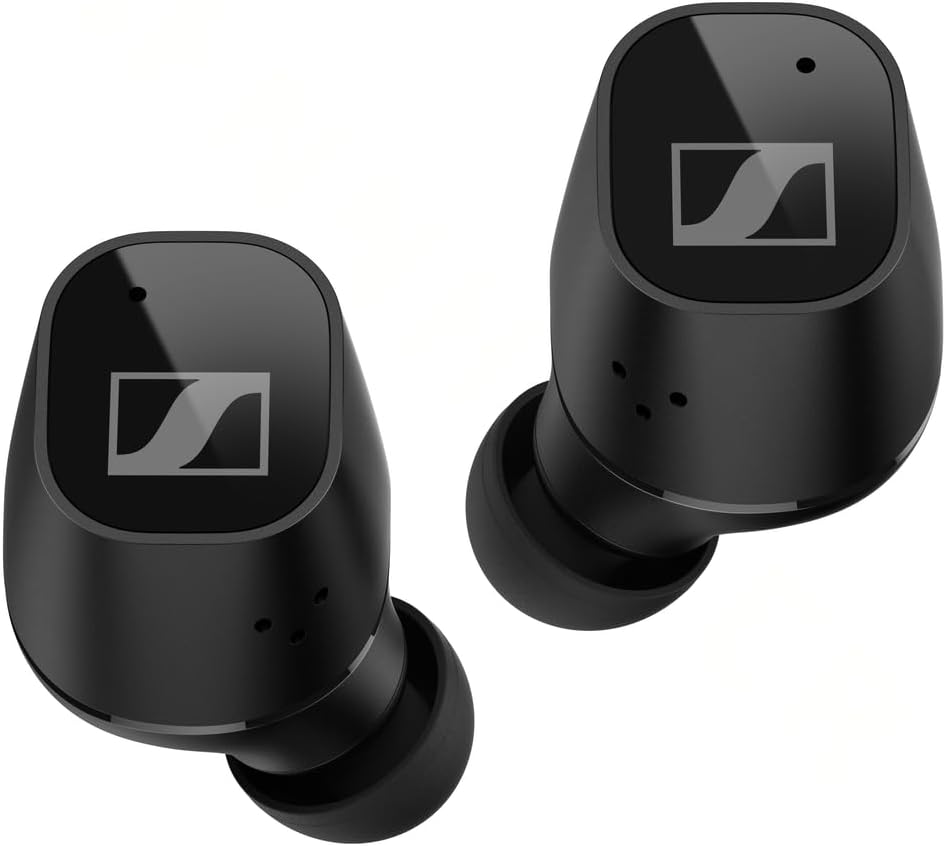
Image 2.2: Earphones placed inside the charging case for charging.
2.3 การจับคู่บลูทูธ
ในการเชื่อมต่อหูฟังของคุณกับอุปกรณ์:
- Open the charging case. The earphones will automatically enter pairing mode (LEDs will flash blue and red).
- On your device (smartphone, tablet, etc.), go to Bluetooth settings and search for new devices.
- Select "Sennheiser CX Plus TW" from the list of available devices.
- Once connected, the earphones will confirm with an audible prompt.
2.4 Fitting the Earphones
Proper fit is crucial for sound quality and comfort. Experiment with the different sizes of silicone ear adapters to find the best seal for your ears.
- ค่อยๆ ใส่หูฟังเข้าไปในช่องหูของคุณ
- Rotate the earphone slightly until it feels secure and comfortable.
- Ensure a good seal to maximize bass response and Active Noise Cancellation effectiveness.
3. การใช้งานหูฟัง
3.1 Customizable Touch Controls
The CX Plus True Wireless Earphones feature customizable touch controls on each earbud. These controls allow you to manage audio playback, calls, and voice assistant functions. Default controls can be customized via the Sennheiser Smart Control app.

Image 3.1: A user wearing the Sennheiser CX Plus True Wireless Earphones, demonstrating their ergonomic design and touch control capability.
3.2 ระบบตัดเสียงรบกวนแบบแอคทีฟ (ANC)
Active Noise Cancellation reduces ambient noise, allowing for a more focused listening experience. This feature can be toggled on or off via the touch controls or the Smart Control app.
3.3 Transparent Hearing
Transparent Hearing allows you to hear your surroundings without removing the earphones. This is useful for situational awareness, such as hearing announcements or engaging in brief conversations. Activate or deactivate this mode using the touch controls or the Smart Control app.
3.4 การเล่นเพลงและการจัดการการโทร
Use the touch controls to:
- เล่น/หยุดเพลงชั่วคราว
- ข้ามไปยังแทร็กถัดไป/ก่อนหน้า
- ปรับระดับเสียง
- รับ / วางสาย
- ปฏิเสธการรับสาย
3.5 ผู้ช่วยเสียง
Access your device's voice assistant (Siri, Google Assistant) directly from the earphones using the customizable touch controls.
4. การบำรุงรักษา
4.1 การทำความสะอาด
การทำความสะอาดเป็นประจำช่วยรักษาประสิทธิภาพและสุขอนามัยที่เหมาะสมที่สุด:
- Use a soft, dry cloth to wipe the earphones and charging case.
- Remove ear adapters and clean them with mild soap and water, then dry thoroughly before reattaching.
- Gently clean the charging contacts on the earphones and inside the case with a dry cotton swab.
4.2 พื้นที่จัดเก็บ
เมื่อไม่ได้ใช้งาน ให้เก็บหูฟังไว้ในกล่องชาร์จเพื่อปกป้องหูฟังและชาร์จไฟอยู่เสมอ
4.3 ความต้านทานต่อน้ำ
The Sennheiser CX Plus True Wireless Earphones are rated IPX4 for splash resistance. This means they are protected against splashing water from any direction. They are not designed for submersion in water or exposure to heavy rain.
5 การแก้ไขปัญหา
หากพบปัญหา โปรดลองทำตามขั้นตอนต่อไปนี้:
- ไม่มีเสียงหรือมีเสียงขาดๆ หายๆ:
- ตรวจสอบให้แน่ใจว่าหูฟังมีการชาร์จแล้ว
- ตรวจสอบการเชื่อมต่อบลูทูธบนอุปกรณ์ของคุณ ลองจับคู่ใหม่อีกครั้ง
- Clean charging contacts if earphones are not charging.
- ขยับเข้าไปใกล้อุปกรณ์ของคุณเพื่อหลีกเลี่ยงการรบกวน
- หูฟังไม่จับคู่:
- Ensure earphones are in pairing mode (LEDs flashing blue/red).
- ปิดและเปิดบลูทูธบนอุปกรณ์ของคุณ
- ลืมอุปกรณ์ในการตั้งค่าบลูทูธของคุณและลองจับคู่ใหม่อีกครั้ง
- ปัญหาการชาร์จ:
- ตรวจสอบว่าสาย USB-C เชื่อมต่อกับเคสและแหล่งจ่ายไฟอย่างแน่นหนาแล้ว
- ลองใช้สายชาร์จหรืออะแดปเตอร์ไฟอื่น
- Ensure charging contacts on earphones and case are clean and free of debris.
- Active Noise Cancellation Not Effective:
- Ensure a proper seal with the correct size ear adapters.
- Check if ANC is enabled via touch controls or the Smart Control app.
For further assistance, refer to the Sennheiser Smart Control app or the official Sennheiser support webเว็บไซต์.
6. ข้อมูลจำเพาะ
| แบบอย่าง | 509188 |
| เทคโนโลยีการเชื่อมต่อ | ไร้สาย (Bluetooth) |
| การวางตำแหน่งหู | ในหู |
| การควบคุมเสียงรบกวน | ระบบตัดเสียงรบกวนแบบแอคทีฟ |
| การตอบสนองความถี่ | 21000 เฮิรตซ์ |
| ความไวต่อความรู้สึก | 114 เดซิเบล |
| รูปแบบไมโครโฟน | บิวท์อิน |
| อายุการใช้งานแบตเตอรี่ (หูฟัง) | นานถึง 8 ชั่วโมง |
| อายุการใช้งานแบตเตอรี่ทั้งหมด (รวมเคส) | นานถึง 24 ชั่วโมง |
| เวลาในการชาร์จ | Approximately 1.5 hours for full charge (earphones + case) |
| ระดับความต้านทานต่อน้ำ | IPX4 (ป้องกันน้ำกระเซ็น) |
| น้ำหนักสินค้า | 47 กรัม |
| วัสดุ | พลาสติก |
| ส่วนประกอบที่รวมอยู่ | สายเคเบิล, ฟองน้ำรองหูฟัง, เคสชาร์จไร้สาย |
7. การรับประกันและการสนับสนุน
Sennheiser products are designed for reliability and performance. For detailed warranty information specific to your region and product, please refer to the warranty card included in your product packaging or visit the official Sennheiser webเว็บไซต์.
For technical support, FAQs, and software updates, please visit the Sennheiser support portal:
You can also download the Sennheiser Smart Control app from your device's app store for additional features and customization options.


