1. บทนำ
This manual provides essential information for the safe and effective use of your Amazon Echo Dot (5th Gen) smart speaker. Please read these instructions thoroughly before operating the device and retain them for future reference.

Image: Amazon Echo Dot (5th Gen) in Glacier White on a wooden surface, highlighting its compact size and capabilities.
2. อะไรอยู่ในกล่อง
ตรวจสอบว่ามีสินค้าทั้งหมดอยู่ในบรรจุภัณฑ์:
- Echo Dot (5th Gen) Device
- Glacier White Power Adapter (15W)
- คู่มือเริ่มต้นอย่างรวดเร็ว
3. สินค้าหมดview
The Amazon Echo Dot (5th Gen) is a compact smart speaker designed to deliver an enhanced audio experience and integrate seamlessly with your smart home ecosystem. It features a spherical design with a fabric finish and an LED light ring at the base.

Image: Amazon Echo Dot (5th Gen) in Glacier White, front view with glowing light ring.
คุณสมบัติหลัก:
- Improved Audio: Features a 1.73” (44 mm) front-firing speaker for clearer vocals, deeper bass, and vibrant sound.
- ผู้ช่วยเสียง Alexa: Provides hands-free control for music, information, timers, and smart home devices.
- การควบคุมความเป็นส่วนตัว: Includes a microphone off button and the ability to view และลบบันทึกเสียง
- ศูนย์กลางบ้านอัจฉริยะ: Supports WiFi, Bluetooth Low Energy Mesh, and Matter for compatible smart home device control.
- เซ็นเซอร์อุณหภูมิ: Built-in sensor for triggering smart home routines.
- Tap Controls: Tap the top of the device to snooze alarms or pause music.
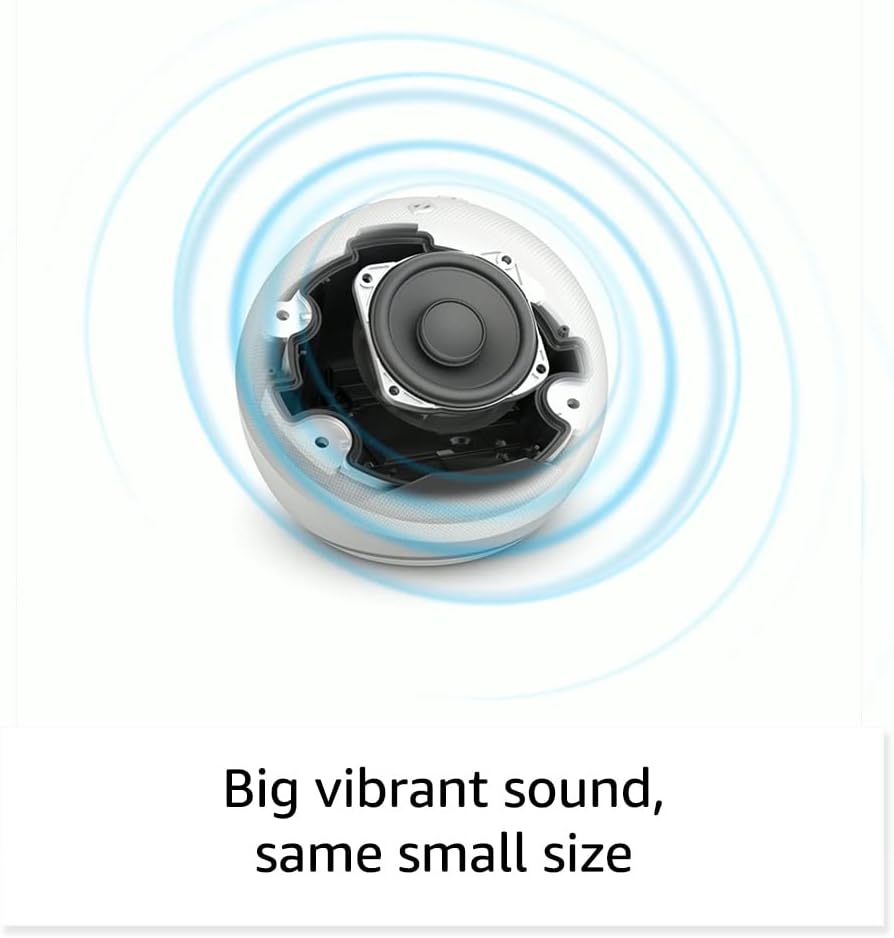
ภาพ: ภายใน view of the Amazon Echo Dot (5th Gen) speaker components, illustrating its audio design.
4. การตั้งค่า
Follow these steps to set up your Echo Dot (5th Gen):
- เสียบ Echo Dot ของคุณ: Connect the included power adapter to your Echo Dot and then to a power outlet. The light ring will turn blue, then orange, indicating it's ready for setup.
- ดาวน์โหลดแอป Alexa: On your mobile device, download and install the Amazon Alexa app from your device's app store (compatible with Fire OS, Android, and iOS devices).
- เพิ่มอุปกรณ์ของคุณ: Open the Alexa app. If prompted, sign in with your Amazon account. Tap the 'Devices' icon at the bottom, then the '+' icon in the top right corner. Select 'Add Device', then 'Amazon Echo', and choose 'Echo Dot'.
- ปฏิบัติตามคำแนะนำบนหน้าจอ: The app will guide you through connecting your Echo Dot to your Wi-Fi network. Ensure your Wi-Fi network supports 802.11a/b/g/n/ac (2.4 and 5 GHz). Ad-hoc networks are not supported.
- การจัดวาง: Place your Echo Dot in a central location within your room, away from walls or other objects that might obstruct sound.
5. การใช้งาน Echo Dot ของคุณ
คำสั่งเสียงผ่าน Alexa:
To interact with your Echo Dot, simply say the wake word "Alexa," followed by your command or question. The light ring will turn blue to indicate Alexa is listening.
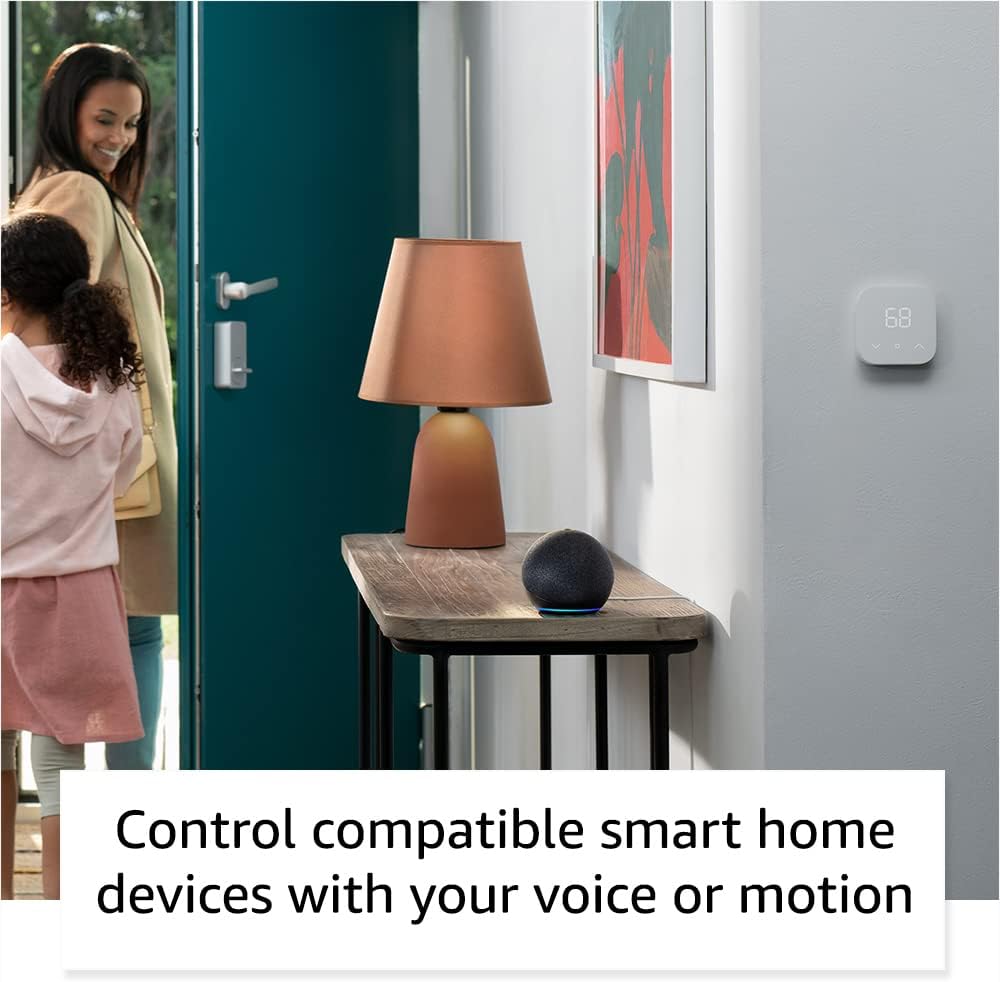
Image: Amazon Echo Dot (5th Gen) in Deep Sea Blue on a kitchen counter, demonstrating a user asking Alexa for the weather.
คำสั่งทั่วไป:
- "อเล็กซ่า เล่นเพลง"
- "อเล็กซ่า อากาศเป็นยังไงบ้าง?"
- "Alexa ตั้งเวลา 10 นาที"
- "อเล็กซ่า เล่าเรื่องตลกให้ฉันฟังหน่อย"
- "อเล็กซ่า เพิ่มเสียงหน่อย"
Tap Controls:
The top surface of your Echo Dot is touch-sensitive for quick actions:
- Tap to Snooze: When an alarm sounds, tap the top of the device to snooze it.
- Tap to Pause/Resume: Tap to pause or resume music playback.

Image: A hand tapping the top of the Amazon Echo Dot (5th Gen) in Glacier White, demonstrating the tap-to-snooze or pause music function.
6. การบูรณาการบ้านอัจฉริยะ
Your Echo Dot can control compatible smart home devices using voice commands or routines. It supports WiFi, Bluetooth Low Energy Mesh, and Matter protocols.
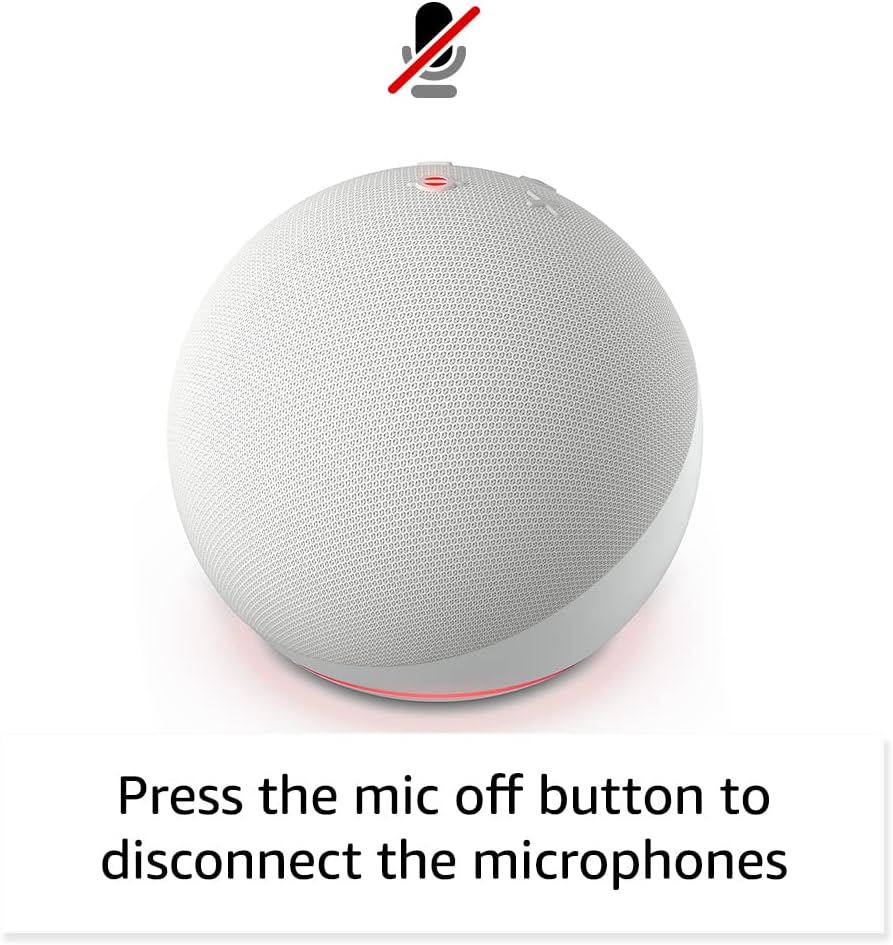
Image: Amazon Echo Dot (5th Gen) in a living space, illustrating its use for controlling compatible smart home devices.
การใช้เซ็นเซอร์วัดอุณหภูมิ:
The built-in temperature sensor allows you to create routines in the Alexa app. For example, you can set a routine to automatically turn on a fan if the room temperature exceeds a specified comfort zone.
ทางเท้าอเมซอน:
Amazon Sidewalk uses Echo and Ring devices to securely keep other devices connected and help find lost items. It can enable supported devices to remain connected even when Wi-Fi is lost or they are outside the range of their home Wi-Fi. Sidewalk uses a small portion of your internet bandwidth. You can manage Sidewalk settings in the Alexa app.
eero Built-in:
If you have a compatible eero router, your Echo Dot can extend Wi-Fi coverage. This feature requires linking your eero and Amazon accounts and managing it through the eero mobile application. eero Built-in compatible Echo devices support up to 1,000 sq. ft. of additional coverage, speeds up to 100 Mbps, and 10 or fewer connected devices in the 5 GHz band.
7. คุณสมบัติความเป็นส่วนตัว
อุปกรณ์ Amazon Echo ได้รับการออกแบบมาพร้อมระบบควบคุมความเป็นส่วนตัวหลายชั้น:
- ปุ่มปิดไมโครโฟน: Press the microphone off button on the top of your Echo Dot to electronically disconnect the microphones. The light ring will turn red to indicate the microphones are off.
- การบันทึกเสียง: คุณมีความสามารถที่จะ view, listen to, and delete your voice recordings through the Alexa app or your Amazon account settings.
- เทคโนโลยี Wake Word: The device only begins recording and sending audio to the cloud after it detects the wake word (e.g., "Alexa").
Image: Amazon Echo Dot (5th Gen) with a red light indicating the microphone is off, showing the privacy control feature.
8. คุณสมบัติการเข้าถึง
The Alexa app provides various accessibility features to personalize your experience. Access these settings by navigating to 'Settings' → 'Accessibility' in the Alexa App.
- การฟังแบบปรับตัว: เพิ่มเวลาให้พูดจบก่อนที่ Alexa จะตอบกลับ
- อัตราการพูดที่ต้องการ: Control how fast or slow Alexa speaks by saying "Alexa, speak slower" or "Alexa, speak faster."
- เสียงร้องขอ: Plays an audible tone in addition to the visual indicator when you speak to Alexa. Enable by saying "Alexa, turn on Start of Request Sound."
- Kindle อ่านออกเสียง: Alexa สามารถอ่านหนังสือ Kindle ของคุณออกเสียงได้
- แจ้งเตือนเมื่ออยู่ใกล้: เล่นเสียงแจ้งเตือนเมื่อตรวจพบว่าคุณอยู่ใกล้กับอุปกรณ์ Echo ของคุณ
9. การบำรุงรักษา
To ensure the longevity and optimal performance of your Echo Dot:
- การทำความสะอาด: Use a soft, dry, lint-free cloth to clean the device. Do not use abrasive cleaners or sprays.
- การจัดวาง: ควรหลีกเลี่ยงการวางอุปกรณ์ไว้ในที่ที่มีแสงแดดส่องโดยตรง ใกล้แหล่งความร้อน หรือในสภาพแวดล้อมที่มีความชื้นสูงเกินไป
- การอัปเดตซอฟต์แวร์: Your Echo Dot automatically receives software security updates. Ensure it remains connected to Wi-Fi for these updates.
10 การแก้ไขปัญหา
ปัญหาทั่วไปและวิธีแก้ไข:
- อุปกรณ์ไม่ตอบสนอง:
- Ensure the microphone is not muted (red light ring indicates mute).
- Check if the device is plugged in and powered on.
- Restart the device by unplugging it from the power outlet for 30 seconds and then plugging it back in.
- ไม่สามารถเชื่อมต่อกับ Wi-Fi ได้:
- ตรวจสอบว่ารหัสผ่าน Wi-Fi ของคุณถูกต้อง
- Ensure your router is working and other devices can connect.
- Move the Echo Dot closer to your Wi-Fi router.
- รีสตาร์ทเราเตอร์และโมเด็มของคุณ
- คุณภาพเสียงไม่ดี:
- Adjust the volume using voice commands or the Alexa app.
- Ensure the device is not placed in an enclosed space that might muffle sound.
- Check for any physical obstructions around the speaker.
- อเล็กซ่าไม่เข้าใจคำสั่ง:
- Speak clearly and at a normal pace.
- ลดเสียงรบกวนพื้นหลัง
- Ensure you are within hearing range of the device.
11. ข้อมูลจำเพาะ
| คุณสมบัติ | รายละเอียด |
|---|---|
| ขนาด | 3.9” x 3.9” x 3.5” (100 มม. x 100 มม. x 89 มม.) |
| น้ำหนัก | 10.7 ออนซ์ (304g) |
| เสียง | ลำโพงยิงด้านหน้าขนาด 1.73 นิ้ว (44 มม.) ความละเอียดสูงแบบไร้การสูญเสีย |
| การเชื่อมต่อ Wi-Fi | Wi-Fi แบบดูอัลแบนด์รองรับเครือข่าย 802.11a/b/g/n/ac (2.4 และ 5 GHz) ไม่รองรับเครือข่ายเฉพาะกิจ |
| การเชื่อมต่อบลูทูธ | A2DP support for audio streaming, AVRCP for voice control of connected mobile devices. Bluetooth speakers requiring PIN codes are not supported. |
| Smart Home Device Compatibility | WiFi, Bluetooth Low Energy Mesh และ Matter |
| ความต้องการของระบบ | แอป Alexa เข้ากันได้กับอุปกรณ์ Fire OS, Android และ iOS Web browser access also available. |
| รุ่น | Echo Dot (รุ่นที่ 5) - เปิดตัวในปี 2022 |
| ภาษา | Alexa พูดภาษาอังกฤษและภาษาสเปน |
12. การรับประกันและการสนับสนุน
ข้อมูลการรับประกัน:
Your Echo Dot (5th Gen) comes with a 90-day limited warranty and service. Optional 1-year, 2-year, and 3-year extended warranties are available for U.S. customers and are sold separately. Use of the Echo Dot is subject to specific terms and conditions.
การอัปเดตความปลอดภัยของซอฟต์แวร์:
This device is guaranteed to receive software security updates for at least four years after it is last available for purchase as a new unit on Amazon websites. For more information on software security updates or to manage your device, visit the Amazon webเว็บไซต์.
การสนับสนุนลูกค้า:
For further assistance, please refer to the Amazon Alexa app or visit the Amazon support website. You can also find information specific to your device by visiting 'Manage Your Content and Devices' on Amazon.


